> ## Documentation Index
> Fetch the complete documentation index at: https://easy-peasy.ai/docs/llms.txt
> Use this file to discover all available pages before exploring further.
# HIPAA and the BAA
> Sign our Business Associate Addendum to use the clinical note tools with patient information, with zero retention of their results.
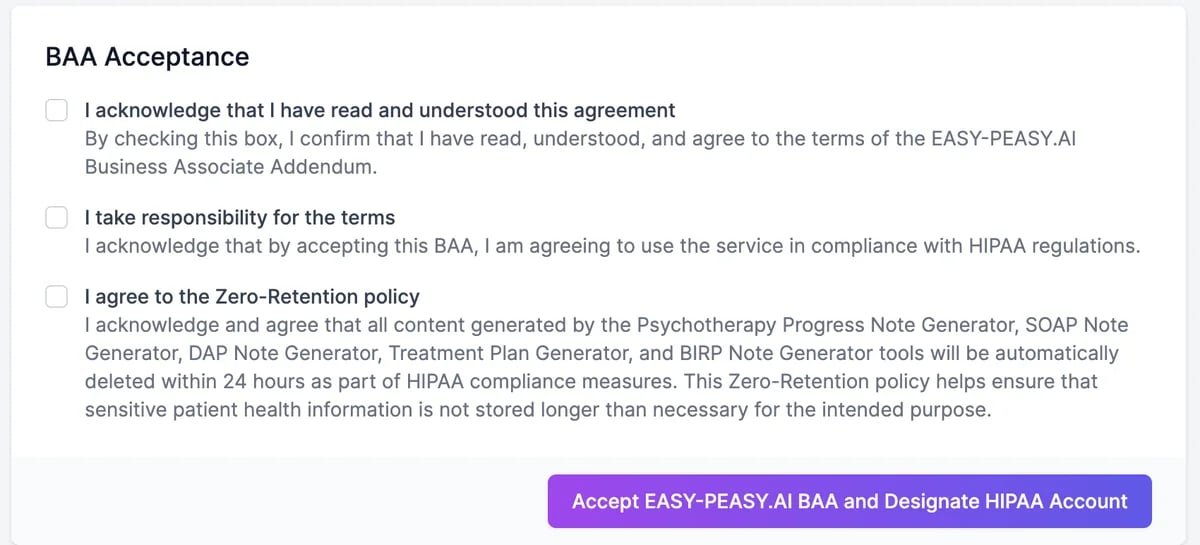
If you work with protected health information in the US, sign the Easy-Peasy.AI **Business Associate Addendum (BAA)** before using it in the clinical note tools. Signing designates your account as a HIPAA account and turns on zero retention for those tools.
The BAA is available on paid plans.
## Sign the BAA
Go to [easy-peasy.ai/settings/baa](https://easy-peasy.ai/settings/baa), or click the HIPAA banner on a clinical note tool, such as the SOAP Note Generator.
Read the agreement in the page, or click **Download BAA** to save a PDF copy. It lists the services it covers.
 A **HIPAA BAA** tab appears in **Settings**, with the date you accepted and a copy to download.
## Zero retention
Once you've signed, results from these tools are deleted automatically within 24 hours:
* Psychotherapy Progress Note Generator
* SOAP Note Generator
* DAP Note Generator
* Treatment Plan Generator
* BIRP Note Generator
Copy or save each note into your own records system as soon as it's written. After 24 hours it's gone from your History.
Only use protected health information in the services the BAA covers. Other features, such as Marky Agent, AI Speech to Text, and agents, aren't part of it.
## End the BAA
On the **HIPAA BAA** tab, click **Terminate BAA Agreement** and confirm. Your account is no longer a HIPAA account, and new results from the note tools are kept like any others. You can sign the BAA again later on the same page.
How the note tools work.
Questions about compliance.
A **HIPAA BAA** tab appears in **Settings**, with the date you accepted and a copy to download.
## Zero retention
Once you've signed, results from these tools are deleted automatically within 24 hours:
* Psychotherapy Progress Note Generator
* SOAP Note Generator
* DAP Note Generator
* Treatment Plan Generator
* BIRP Note Generator
Copy or save each note into your own records system as soon as it's written. After 24 hours it's gone from your History.
Only use protected health information in the services the BAA covers. Other features, such as Marky Agent, AI Speech to Text, and agents, aren't part of it.
## End the BAA
On the **HIPAA BAA** tab, click **Terminate BAA Agreement** and confirm. Your account is no longer a HIPAA account, and new results from the note tools are kept like any others. You can sign the BAA again later on the same page.
How the note tools work.
Questions about compliance.