> ## Documentation Index
> Fetch the complete documentation index at: https://easy-peasy.ai/docs/llms.txt
> Use this file to discover all available pages before exploring further.
# Check your usage
> See how much of this period's allowance you've used, when it resets, and how your usage changes day to day.
Open [**Settings** > **Usage**](https://easy-peasy.ai/settings/usage), or choose **Usage** from the account menu under the logo.
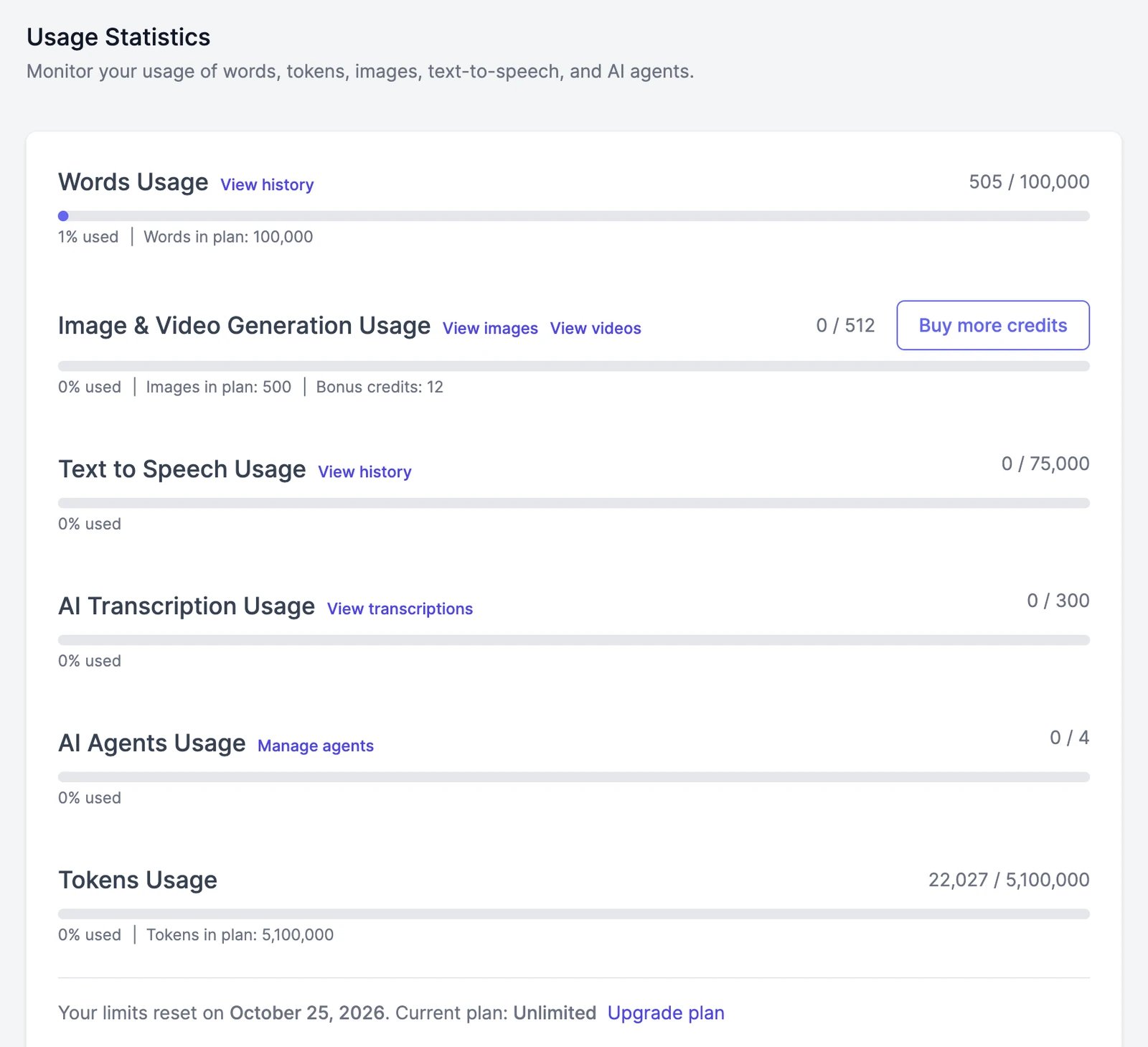 Each bar shows how much you've used this period out of your plan's allowance plus any bonus you bought.
| Bar | What it measures | Links |
| ---------------------------------- | -------------------------------------------------------------- | -------------------------------------------------------- |
| **Words Usage** | Words used by Marky Agent, tools, and agents | **View history**, and **Buy more words** on larger plans |
| **Image & Video Generation Usage** | Credits used by images, videos, and other visual features | **View images**, **View videos**, **Buy more credits** |
| **Text to Speech Usage** | Characters used by text to speech and the other audio features | **View history** |
| **AI Transcription Usage** | Files transcribed | **View transcriptions** |
| **AI Agents Usage** | Agents you've created, out of your plan's limit | **Manage agents** |
| **Tokens Usage** | A fair-use limit on the total text AI models process for you | |
Under the bars you'll see the date your limits reset and your current plan, with a link to upgrade. See [Plans and credits](/docs/account/plans-and-credits) for how each balance is counted.
## Daily activity
Below the usage card, **Daily Activity** charts your usage day by day. Pick **Last 7 days**, **Last 14 days**, **Last 30 days**, **Last 90 days**, or a custom range to spot what's using the most.
## About the tokens limit
**Tokens Usage** counts everything the AI models read and write for you, including long conversations and files. It isn't something you spend like words or credits; it's a safety limit against runaway automation, and most people never get close.
If your usage goes far past it, we'll email you. Very heavy usage can pause the account until you change your plan or buy more words.
## Team usage
On a team, each member has their own allowance. The owner can see everyone's words and credits for this period or any of the last six on [**Settings** > **Team**](https://easy-peasy.ai/settings/team).
Each bar shows how much you've used this period out of your plan's allowance plus any bonus you bought.
| Bar | What it measures | Links |
| ---------------------------------- | -------------------------------------------------------------- | -------------------------------------------------------- |
| **Words Usage** | Words used by Marky Agent, tools, and agents | **View history**, and **Buy more words** on larger plans |
| **Image & Video Generation Usage** | Credits used by images, videos, and other visual features | **View images**, **View videos**, **Buy more credits** |
| **Text to Speech Usage** | Characters used by text to speech and the other audio features | **View history** |
| **AI Transcription Usage** | Files transcribed | **View transcriptions** |
| **AI Agents Usage** | Agents you've created, out of your plan's limit | **Manage agents** |
| **Tokens Usage** | A fair-use limit on the total text AI models process for you | |
Under the bars you'll see the date your limits reset and your current plan, with a link to upgrade. See [Plans and credits](/docs/account/plans-and-credits) for how each balance is counted.
## Daily activity
Below the usage card, **Daily Activity** charts your usage day by day. Pick **Last 7 days**, **Last 14 days**, **Last 30 days**, **Last 90 days**, or a custom range to spot what's using the most.
## About the tokens limit
**Tokens Usage** counts everything the AI models read and write for you, including long conversations and files. It isn't something you spend like words or credits; it's a safety limit against runaway automation, and most people never get close.
If your usage goes far past it, we'll email you. Very heavy usage can pause the account until you change your plan or buy more words.
## Team usage
On a team, each member has their own allowance. The owner can see everyone's words and credits for this period or any of the last six on [**Settings** > **Team**](https://easy-peasy.ai/settings/team).