> ## Documentation Index
> Fetch the complete documentation index at: https://easy-peasy.ai/docs/llms.txt
> Use this file to discover all available pages before exploring further.
# Analytics
> Track your agent's chats, messages, visitor feedback, and conversation sentiment over time.
**Analytics** shows how much your agent is used and how visitors feel about its answers. Open your agent and click **Analytics**.
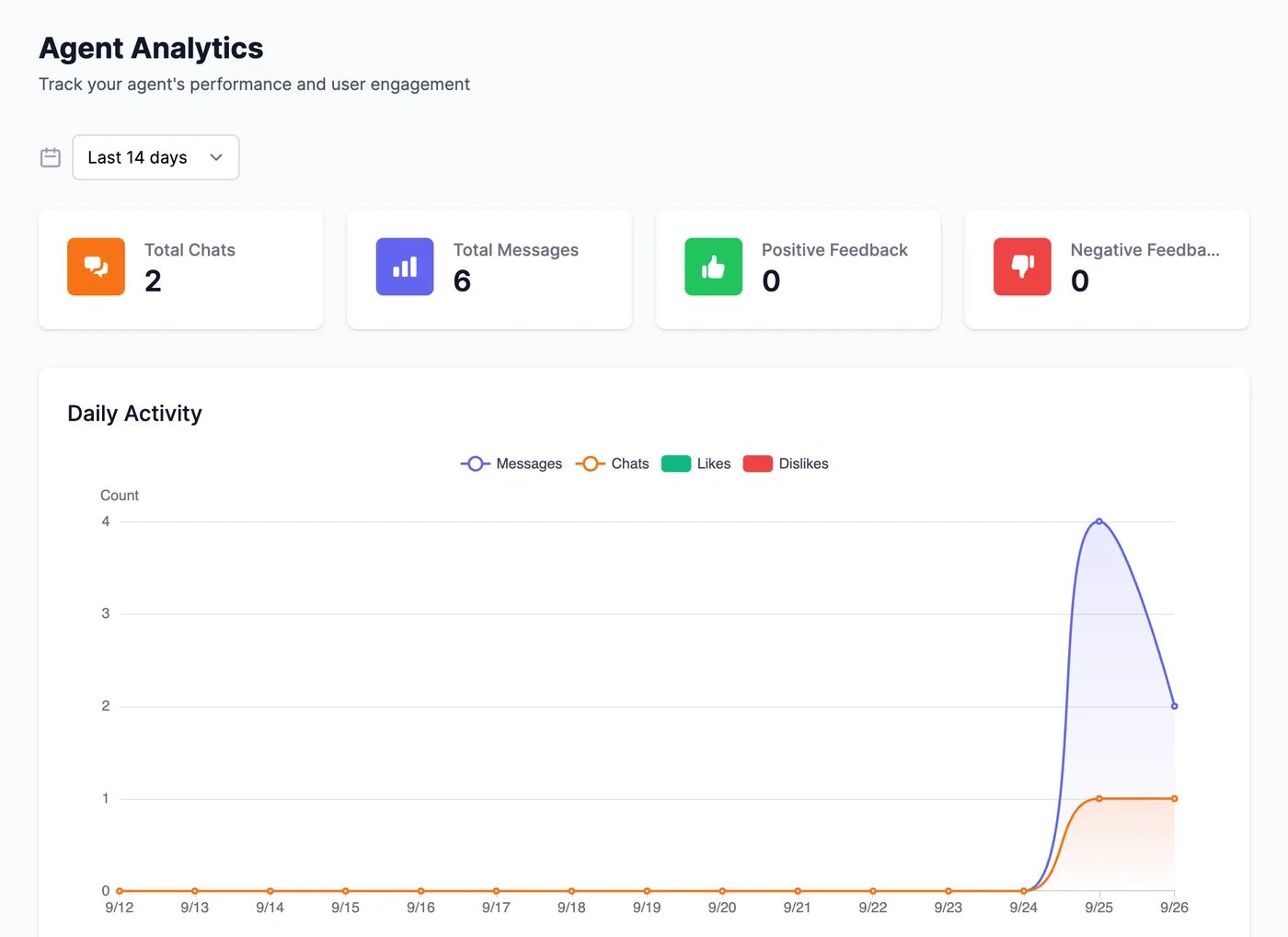 Choose a period at the top: the last 7, 14, 30, or 90 days, or **Custom** for any range up to 120 days.
| Section | What it shows |
| -------------------------------------------- | ---------------------------------------------------------------------------------------------------------------------------------------------------------------------- |
| **Total Chats**, **Total Messages** | How many conversations and messages there were |
| **Positive Feedback**, **Negative Feedback** | Thumbs up and down visitors gave the agent's answers. Visitors can rate answers when **Collect User Feedback** is on in [Appearance](/docs/agents/appearance#chat-features) |
| **Daily Activity** | Messages, chats, likes, and dislikes per day |
| **Sentiment Distribution** | How many conversations were positive, negative, or neutral |
| **Sentiment Trend Over Time** | How sentiment changed from day to day |
## Use it to improve your agent
* **Negative feedback or negative sentiment** points to answers worth checking. Open the conversation in [**Conversations**](/docs/agents/conversations), and click **Revise answer** to fix it.
* **A jump in messages** after a change, such as a new page on your website, shows whether people find the chat.
Read the chats behind the numbers.
Get a daily summary by email.
Choose a period at the top: the last 7, 14, 30, or 90 days, or **Custom** for any range up to 120 days.
| Section | What it shows |
| -------------------------------------------- | ---------------------------------------------------------------------------------------------------------------------------------------------------------------------- |
| **Total Chats**, **Total Messages** | How many conversations and messages there were |
| **Positive Feedback**, **Negative Feedback** | Thumbs up and down visitors gave the agent's answers. Visitors can rate answers when **Collect User Feedback** is on in [Appearance](/docs/agents/appearance#chat-features) |
| **Daily Activity** | Messages, chats, likes, and dislikes per day |
| **Sentiment Distribution** | How many conversations were positive, negative, or neutral |
| **Sentiment Trend Over Time** | How sentiment changed from day to day |
## Use it to improve your agent
* **Negative feedback or negative sentiment** points to answers worth checking. Open the conversation in [**Conversations**](/docs/agents/conversations), and click **Revise answer** to fix it.
* **A jump in messages** after a change, such as a new page on your website, shows whether people find the chat.
Read the chats behind the numbers.
Get a daily summary by email.