> ## Documentation Index
> Fetch the complete documentation index at: https://easy-peasy.ai/docs/llms.txt
> Use this file to discover all available pages before exploring further.
# Interior designer
> Redesign a room from a photo, stage an empty space, change paint colors, remove clutter, or design a room from scratch.
**Interior Designer** reimagines rooms, gardens, and building exteriors. Upload a photo and say what to change, try it in a new style, furnish an empty room, or design a space from nothing. It's used by homeowners, real estate agents, designers, and anyone planning a makeover.
## Choose a mode
Click **AI Interior Designer** in the sidebar, or **Images** > **Interior Designer** in the top menu. Pick what to do under **Choose mode**:
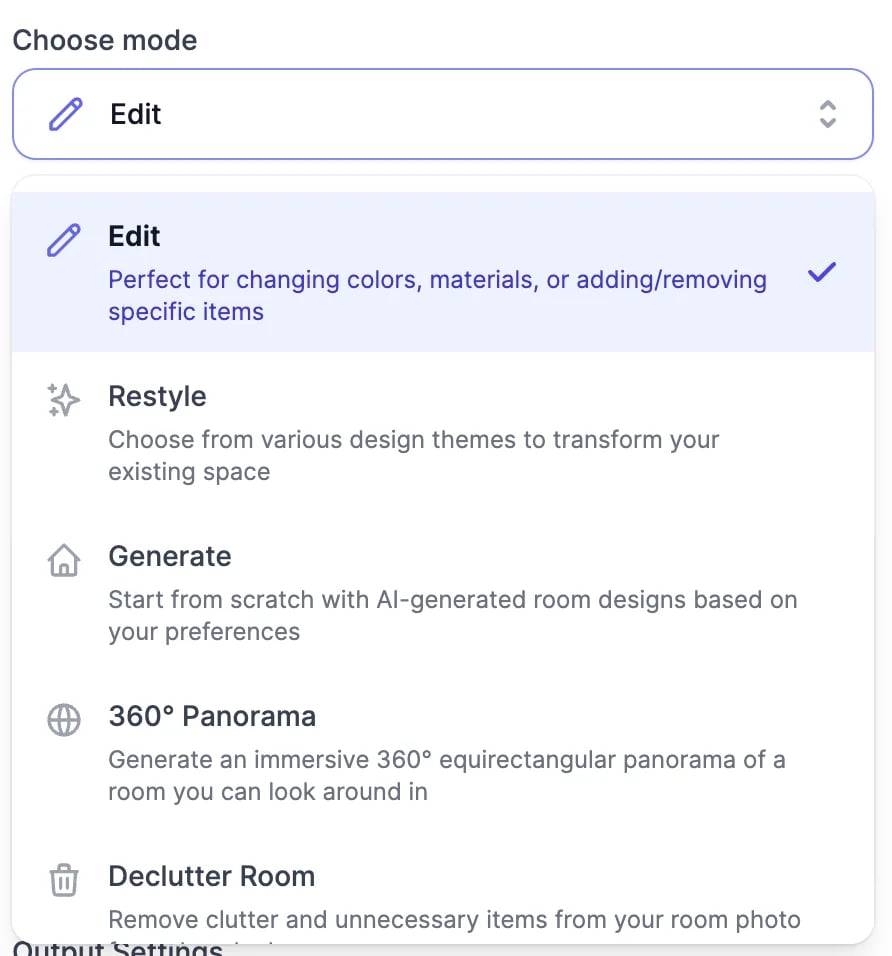 | Mode | What it does |
| ------------------------- | -------------------------------------------------------------- |
| **Edit** | Changes what you describe: colors, materials, furniture, decor |
| **Restyle** | Redesigns your room in one or more design themes |
| **Generate** | Designs a room from scratch, without a photo |
| **360° Panorama** | Makes a 360° image of a room you can look around in |
| **Declutter Room** | Removes clutter and loose items |
| **Virtual Staging** | Furnishes an empty room |
| **Empty Room** | Removes the furniture |
| **Color / Paint Changer** | Repaints the walls in the color you describe |
## Edit a room
Drag in a photo of the room, garden, or exterior: JPG, PNG, or WebP, up to 10 MB. For **Edit** and **360° Panorama**, **Add more** adds up to 6 photos of the same space.
With **Edit Mode** on **Prompt**, write it in **What would you like to edit?** Say where things go, for example "add a blue sofa on the left wall". To point at a spot instead, switch to **Visual** and click **Add Visual Markers**.
| Mode | What it does |
| ------------------------- | -------------------------------------------------------------- |
| **Edit** | Changes what you describe: colors, materials, furniture, decor |
| **Restyle** | Redesigns your room in one or more design themes |
| **Generate** | Designs a room from scratch, without a photo |
| **360° Panorama** | Makes a 360° image of a room you can look around in |
| **Declutter Room** | Removes clutter and loose items |
| **Virtual Staging** | Furnishes an empty room |
| **Empty Room** | Removes the furniture |
| **Color / Paint Changer** | Repaints the walls in the color you describe |
## Edit a room
Drag in a photo of the room, garden, or exterior: JPG, PNG, or WebP, up to 10 MB. For **Edit** and **360° Panorama**, **Add more** adds up to 6 photos of the same space.
With **Edit Mode** on **Prompt**, write it in **What would you like to edit?** Say where things go, for example "add a blue sofa on the left wall". To point at a spot instead, switch to **Visual** and click **Add Visual Markers**.
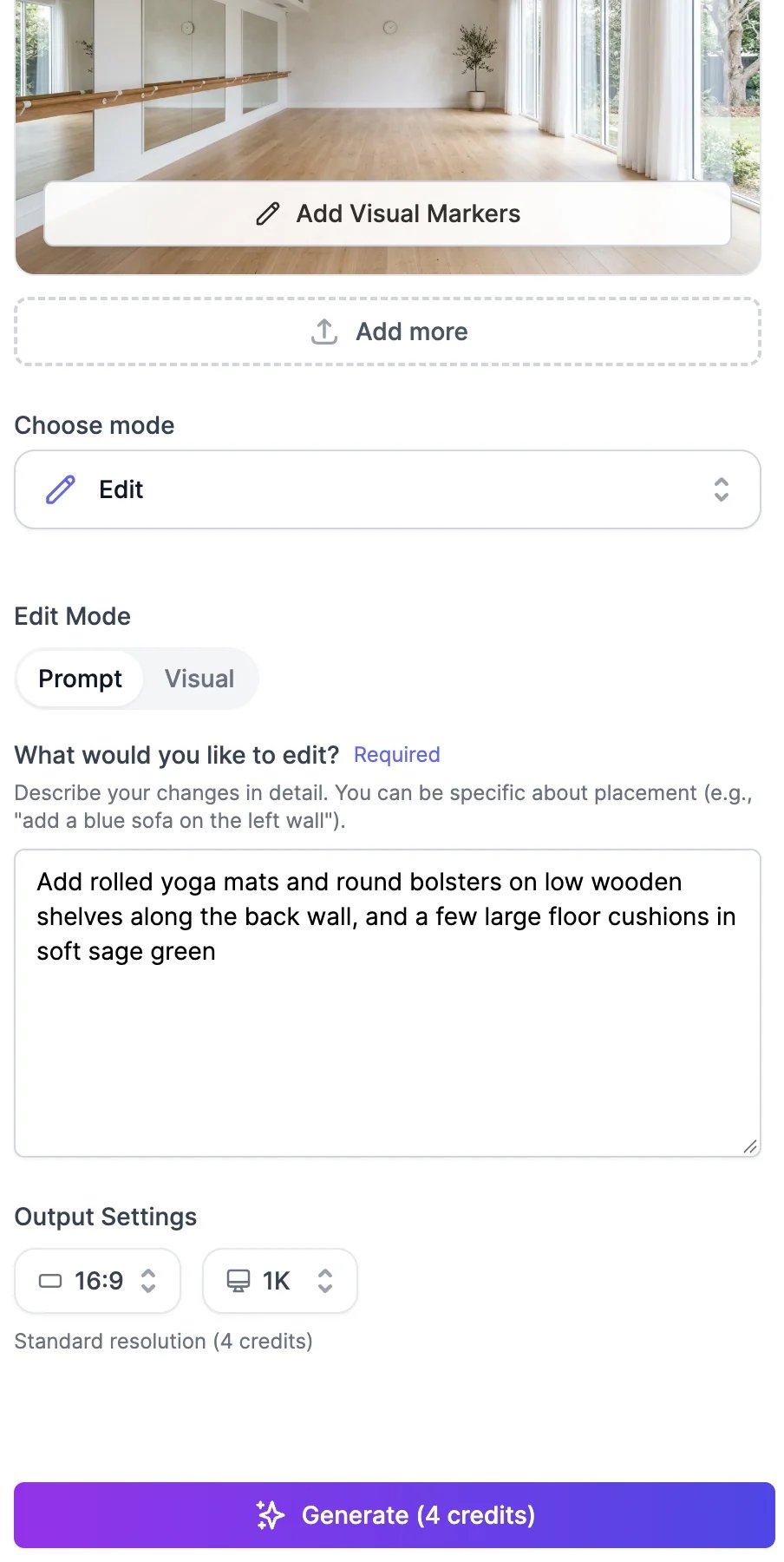 Pick the aspect ratio and the resolution: **1K**, **2K**, or **4K**. 4K is for paid plans.
The result appears on the right in about 20 seconds.
Pick the aspect ratio and the resolution: **1K**, **2K**, or **4K**. 4K is for paid plans.
The result appears on the right in about 20 seconds.
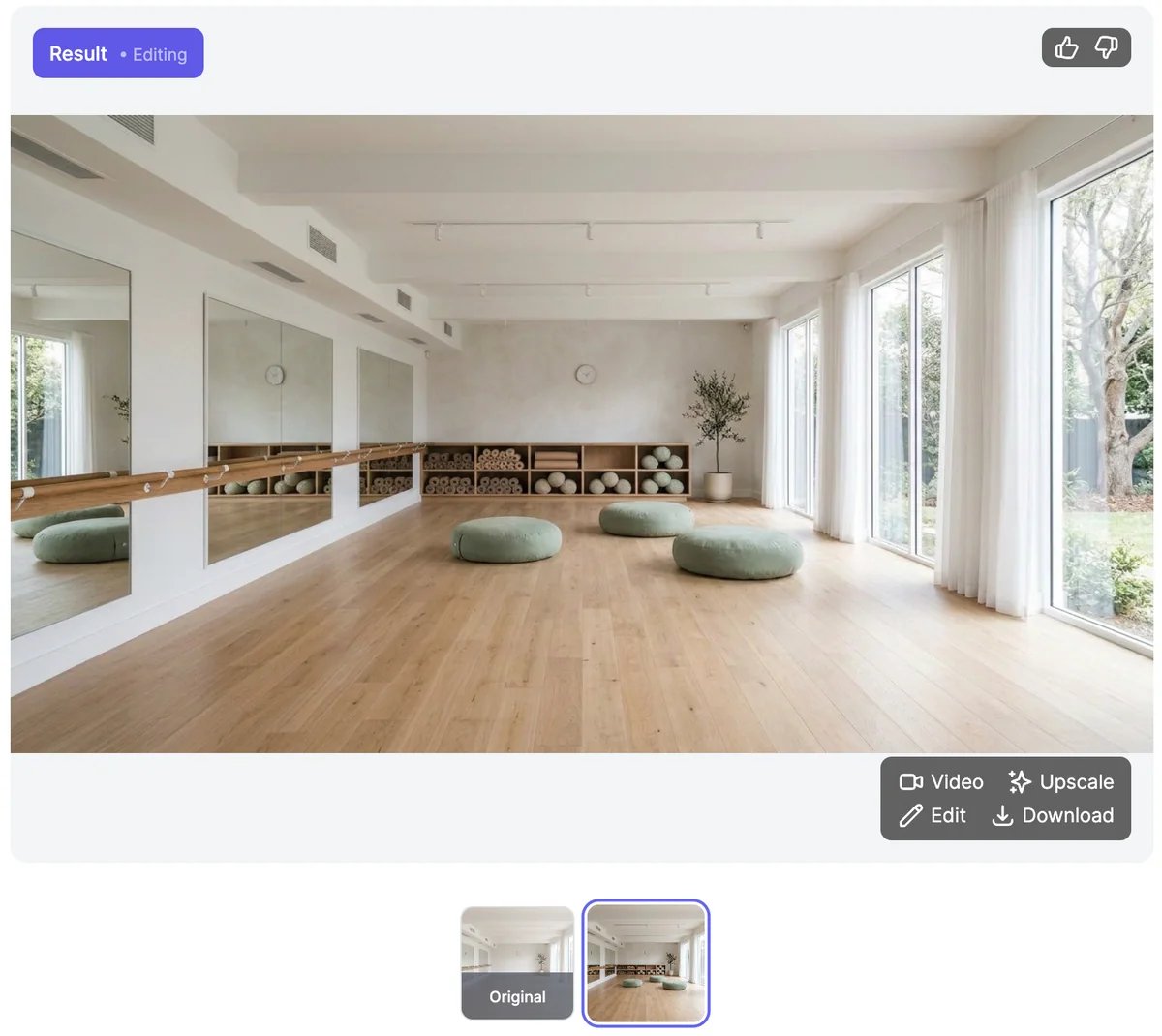 Click the thumbnails under the result to compare it with the original. To keep changing the result, describe the next change and click **Generate** again. **Start Fresh** begins again with a new photo.
Each result has:
* **Edit**: opens it in an editing window to change it with a description, like [editing images](/docs/ai-images/edit).
* **Upscale**: opens it in the Magic Upscaler in a new tab. See [Upscale images](/docs/ai-images/upscale).
* **Video**: turns it into a short video, such as a slow walkthrough. See [Generate videos](/docs/videos/generate).
* **Download**, and thumbs up and down.
Your results are also saved in [AI Images](/docs/ai-images/manage).
## Restyle or design from scratch
For **Restyle** and **Generate**, choose the **Room Type**, such as a living room, kitchen, home office, coffee shop, or front yard, and one or more **Themes**: Minimalist, Scandinavian, Industrial, Bohemian, Japanese Zen, Coastal, and many more. **Custom** lets you describe your own. You get one design per theme, so picking three themes makes three designs.
Click the thumbnails under the result to compare it with the original. To keep changing the result, describe the next change and click **Generate** again. **Start Fresh** begins again with a new photo.
Each result has:
* **Edit**: opens it in an editing window to change it with a description, like [editing images](/docs/ai-images/edit).
* **Upscale**: opens it in the Magic Upscaler in a new tab. See [Upscale images](/docs/ai-images/upscale).
* **Video**: turns it into a short video, such as a slow walkthrough. See [Generate videos](/docs/videos/generate).
* **Download**, and thumbs up and down.
Your results are also saved in [AI Images](/docs/ai-images/manage).
## Restyle or design from scratch
For **Restyle** and **Generate**, choose the **Room Type**, such as a living room, kitchen, home office, coffee shop, or front yard, and one or more **Themes**: Minimalist, Scandinavian, Industrial, Bohemian, Japanese Zen, Coastal, and many more. **Custom** lets you describe your own. You get one design per theme, so picking three themes makes three designs.
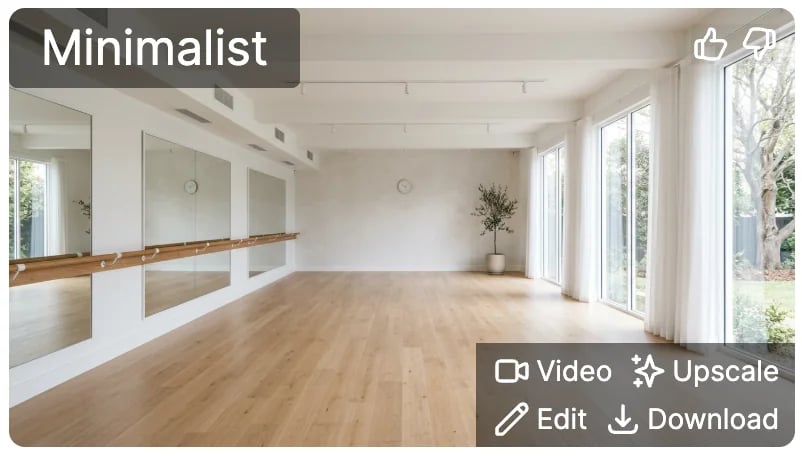 In **Generate**, you also pick the **Model** and the aspect ratio. Add details in **Additional Prompt (Optional)**, such as colors or furniture you want.
## Tips
* Take the photo in daylight, from a corner, so the whole room is in view.
* In Edit, change one or two things at a time, then build on the result.
* For paint colors, name the color and the finish, such as "soft sage green, matte".
## What it costs
Interior Designer uses [image & video credits](/docs/account/plans-and-credits):
| Mode | Credits per image |
| --------------------------------------------------------------------------------------------------------- | ------------------------------------------------------- |
| **Edit**, **Restyle**, **Declutter Room**, **Virtual Staging**, **Empty Room**, **Color / Paint Changer** | 7 at 1K or 2K, 12 at 4K |
| **Generate** | Depends on the model: 4 with the default, Nano Banana 2 |
| **360° Panorama** | 3, or 11 with your own photos |
For the photo modes, the **Generate** button currently shows a lower number than what's charged. The table above is what's used.
On the Free plan, you can pick one theme at a time, and the photo modes need more credits than the Free plan's 3 a month.
Change any image with a description.
Turn a room into a walkthrough video.
In **Generate**, you also pick the **Model** and the aspect ratio. Add details in **Additional Prompt (Optional)**, such as colors or furniture you want.
## Tips
* Take the photo in daylight, from a corner, so the whole room is in view.
* In Edit, change one or two things at a time, then build on the result.
* For paint colors, name the color and the finish, such as "soft sage green, matte".
## What it costs
Interior Designer uses [image & video credits](/docs/account/plans-and-credits):
| Mode | Credits per image |
| --------------------------------------------------------------------------------------------------------- | ------------------------------------------------------- |
| **Edit**, **Restyle**, **Declutter Room**, **Virtual Staging**, **Empty Room**, **Color / Paint Changer** | 7 at 1K or 2K, 12 at 4K |
| **Generate** | Depends on the model: 4 with the default, Nano Banana 2 |
| **360° Panorama** | 3, or 11 with your own photos |
For the photo modes, the **Generate** button currently shows a lower number than what's charged. The table above is what's used.
On the Free plan, you can pick one theme at a time, and the photo modes need more credits than the Free plan's 3 a month.
Change any image with a description.
Turn a room into a walkthrough video.