> ## Documentation Index
> Fetch the complete documentation index at: https://easy-peasy.ai/docs/llms.txt
> Use this file to discover all available pages before exploring further.
# Music generator
> Make a full song or an instrumental track from a description, or from your own lyrics and style, with Suno.
**AI Music Generator** writes and produces songs: vocals, instruments, and cover art. Describe the song you want, or write your own lyrics and style. Each generation gives you two versions to choose from.
Use it for jingles, background music for videos and podcasts, birthday songs, and personal gifts.
## Make a song
Click **AI Music Generator** in the sidebar, or **Audio** > **Music Generator** in the top menu. **Usage** at the top shows how many text-to-speech characters you've used this period.
**Suno V6** is the default. You can also pick **Suno V6 Wild** or **Suno V6 Mini** and compare; all three cost the same.
With **Custom Mode** off, describe it in **Song Description**, up to 400 characters: the genre, mood, what it's about, and any names to include. The lyrics are written for you.
For example: "An upbeat acoustic song for a yoga studio's anniversary, about morning classes, community, and breathing easy."
Tick **Instrumental Only** for music without singing. Otherwise, set **Vocal Gender** to **Male**, **Female**, or **Auto (Let AI decide)**.
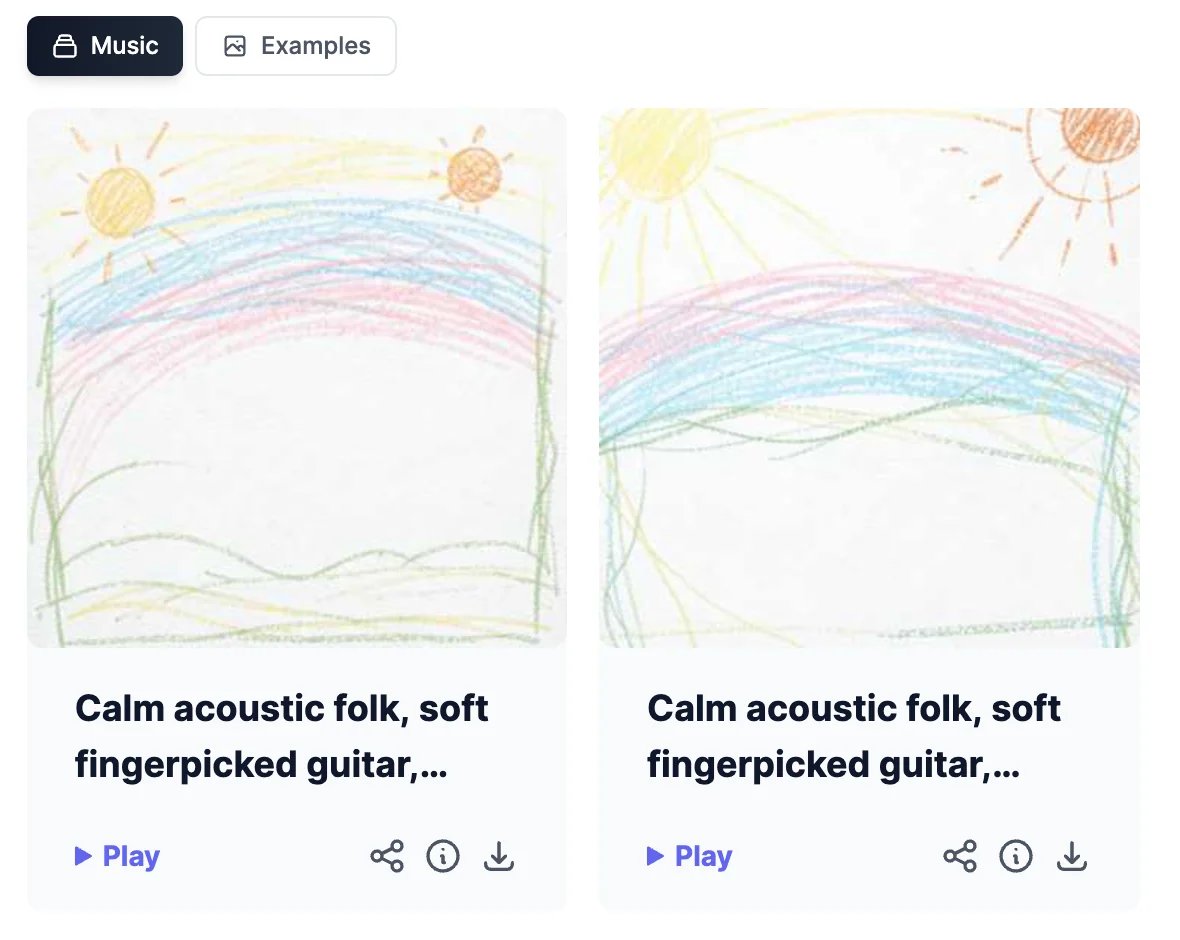
The song takes a few minutes. Two versions appear under **Music**, each with its own cover.
 ## Write your own lyrics
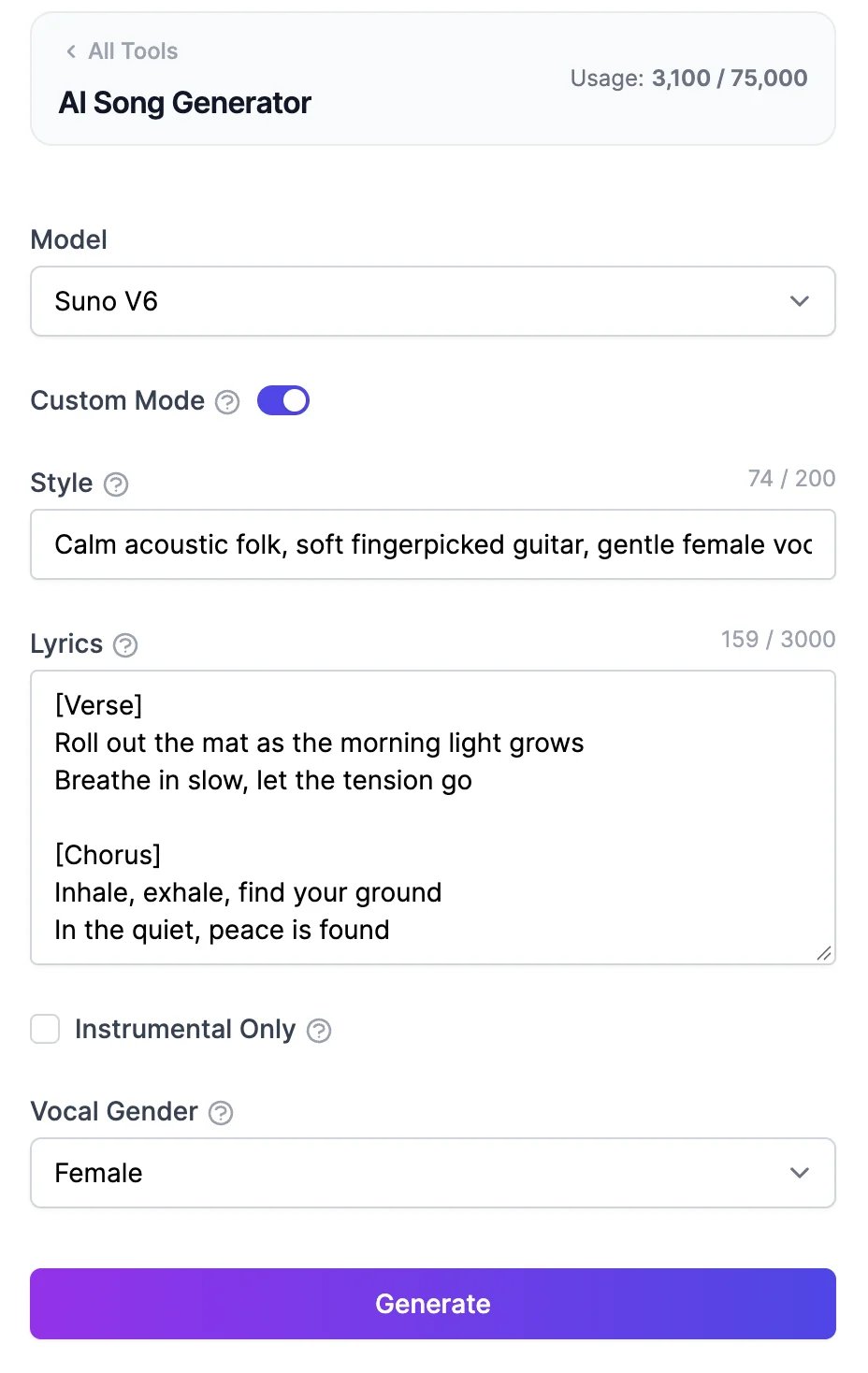
Turn on **Custom Mode** to control the words and the sound:
* **Style**: genres, instruments, mood, and tempo, up to 200 characters. For example, "Calm acoustic folk, soft fingerpicked guitar, gentle female vocals, 70 BPM".
* **Lyrics**: up to 3,000 characters. Mark the parts with tags such as `[Verse]`, `[Chorus]`, and `[Bridge]`.
## Write your own lyrics
Turn on **Custom Mode** to control the words and the sound:
* **Style**: genres, instruments, mood, and tempo, up to 200 characters. For example, "Calm acoustic folk, soft fingerpicked guitar, gentle female vocals, 70 BPM".
* **Lyrics**: up to 3,000 characters. Mark the parts with tags such as `[Verse]`, `[Chorus]`, and `[Bridge]`.
 On the Free plan, the description is limited to 100 characters and the lyrics to 400.
## Your songs
Each song has **Play**, **Share**, **Details** (ⓘ), and **Download** (MP3).
On the Free plan, the description is limited to 100 characters and the lyrics to 400.
## Your songs
Each song has **Play**, **Share**, **Details** (ⓘ), and **Download** (MP3).
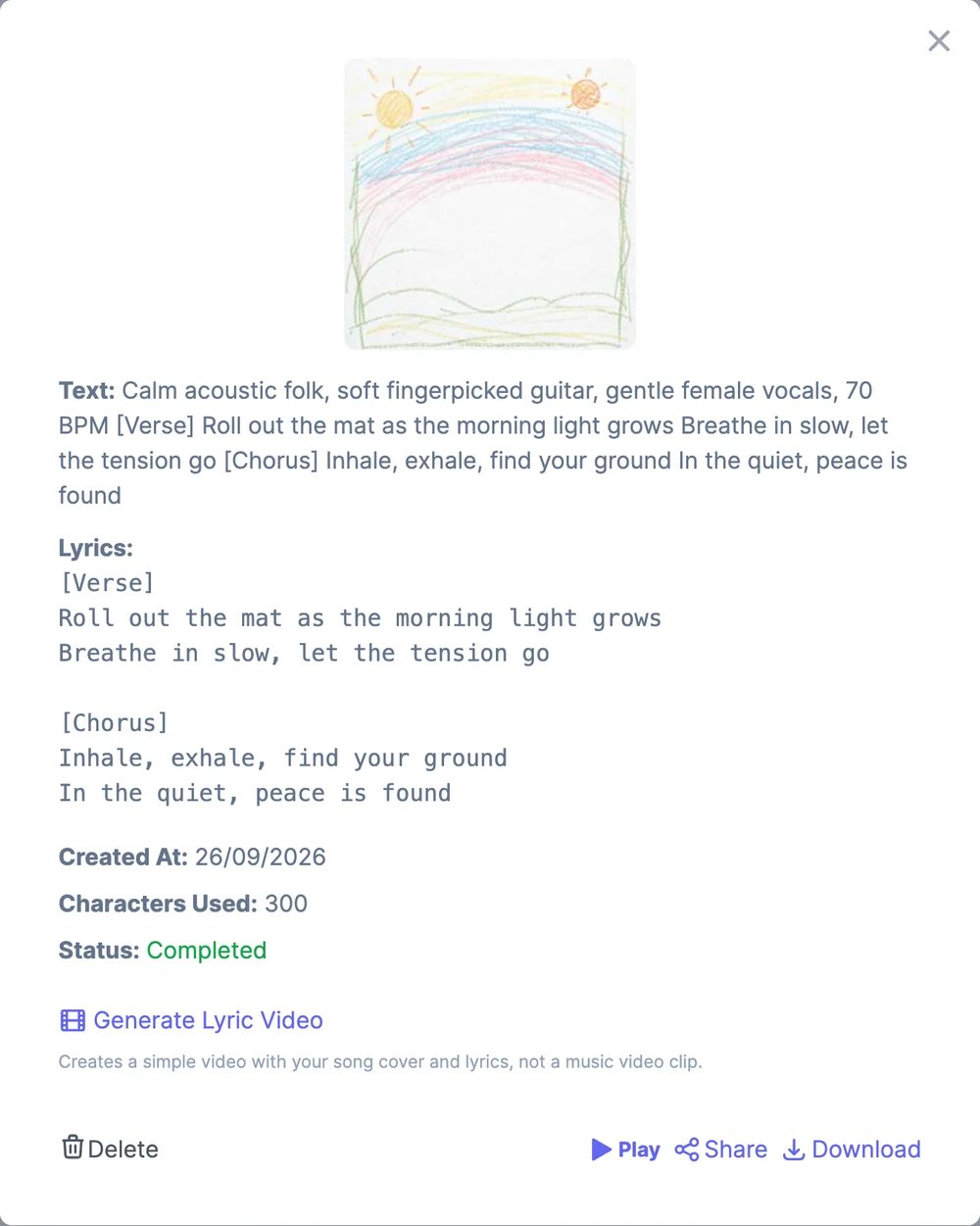 * **Details** shows the lyrics, the date, and the characters used, and has **Delete**.
* **Generate Lyric Video** makes a simple video of the cover with the lyrics on screen. It's not a music video.
* **Share** makes a public link, like it does for [speech](/docs/audio/text-to-speech). On a Teams plan you can also share with your team.
**Examples** shows songs other people have made; open **Details** on one to see its prompt. All your songs are also listed in **History** > **Music**.
## What it costs
Each generation uses 600 text-to-speech characters: 300 for each of the two versions. If a song fails, it isn't counted. The Free plan's 100 characters are enough for one generation a month; paid plans include many more. See [Audio plans and limits](/docs/audio/limits).
The **Usage** number at the top updates when you reload the page.
You can also ask [Marky](/docs/marky/media#music) to make a song in a chat.
Make sound effects and ambience.
Mix voices, music, and sound in one clip.
* **Details** shows the lyrics, the date, and the characters used, and has **Delete**.
* **Generate Lyric Video** makes a simple video of the cover with the lyrics on screen. It's not a music video.
* **Share** makes a public link, like it does for [speech](/docs/audio/text-to-speech). On a Teams plan you can also share with your team.
**Examples** shows songs other people have made; open **Details** on one to see its prompt. All your songs are also listed in **History** > **Music**.
## What it costs
Each generation uses 600 text-to-speech characters: 300 for each of the two versions. If a song fails, it isn't counted. The Free plan's 100 characters are enough for one generation a month; paid plans include many more. See [Audio plans and limits](/docs/audio/limits).
The **Usage** number at the top updates when you reload the page.
You can also ask [Marky](/docs/marky/media#music) to make a song in a chat.
Make sound effects and ambience.
Mix voices, music, and sound in one clip.