> ## Documentation Index
> Fetch the complete documentation index at: https://easy-peasy.ai/docs/llms.txt
> Use this file to discover all available pages before exploring further.
# Sound effects
> Describe a sound and get a sound effect or ambience for your videos, games, apps, and podcasts, as WAV or MP3.
**Sound Effect Generator** makes sound effects and background ambience from a description: footsteps on gravel, rain on a window, a door creaking open, a sci-fi engine hum. It makes sounds only, never speech or music; for a voiceover or a song, use [text to speech](/docs/audio/text-to-speech) or the [music generator](/docs/audio/music).
## Generate a sound effect
Click **Audio** > **Sound Effect Generator** in the top menu, or find it in **All Tools**. The number at the top right shows how many text-to-speech characters you have left.
Type it in **Describe the sound effect you want**, up to 2,000 characters. Say what makes the sound, where it happens, what it sounds like, and how it changes over time. **Ambience**, **Foley**, and **Sci-fi** fill in an example to start from.
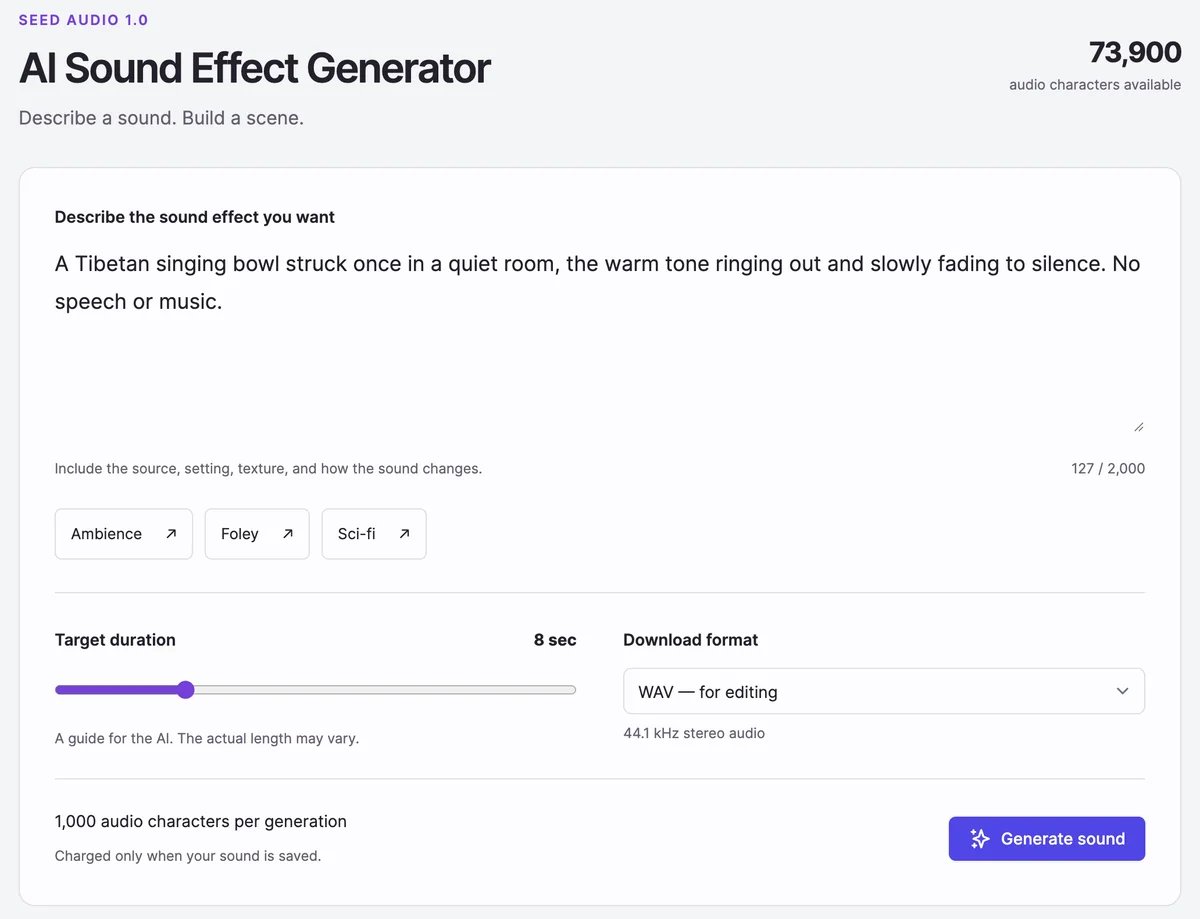 * **Target duration**: 1 to 30 seconds. The AI aims for it; the actual length can differ a little.
* **Download format**: **WAV** for editing, or **MP3** for a smaller file.
The sound is ready in about 20 seconds and appears under **Generated Sound Effects**.
* **Target duration**: 1 to 30 seconds. The AI aims for it; the actual length can differ a little.
* **Download format**: **WAV** for editing, or **MP3** for a smaller file.
The sound is ready in about 20 seconds and appears under **Generated Sound Effects**.
 ## Your sound effects
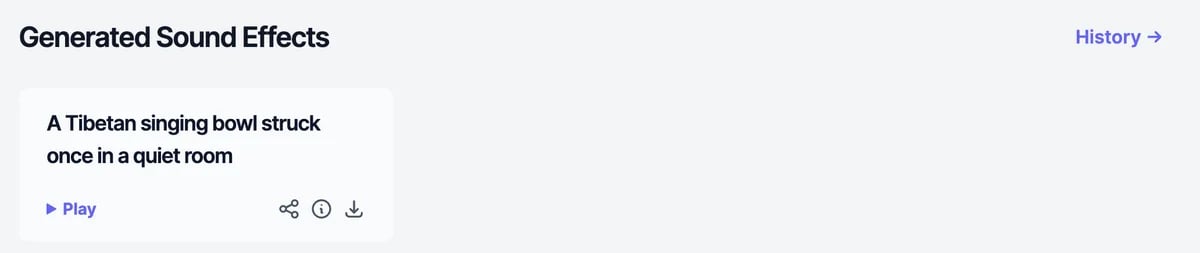
Each sound has **Play**, **Share**, **Details**, and **Download**. **Details** shows the description, the date, and the characters used, and has **Delete**. **Share** works like it does for [speech](/docs/audio/text-to-speech): **Share Publicly** makes a public link.
The page shows your 18 most recent sounds. **History** lists the rest.
## Tips for descriptions
* **Name the source and the surface.** "Boots walking slowly on wet gravel" works better than "footsteps".
* **Describe the space.** A small room, a cathedral, an open field, underwater.
* **Describe changes over time.** "Rain starts softly, gets heavier, then a distant thunder roll."
* **Keep one scene per sound.** Generate separate sounds and layer them in your editor.
## What it costs
Each sound uses 1,000 text-to-speech characters, whatever its length. Characters are used only when a sound is saved, so a failed generation costs nothing. You need at least 1,000 characters left to generate; otherwise the button changes to **Upgrade plan**. The Free plan's 100 characters aren't enough for a sound effect. See [Audio plans and limits](/docs/audio/limits).
You can make one sound at a time, together with the [audio generator](/docs/audio/audio-generator).
## For developers
Generate sound effects from your own code with `POST /api/generate-sound`. See [Generate sound effect](/docs/api-reference/endpoint/generate-sound).
Mix voices, music, and sound in one clip.
Make a song or background track.
## Your sound effects
Each sound has **Play**, **Share**, **Details**, and **Download**. **Details** shows the description, the date, and the characters used, and has **Delete**. **Share** works like it does for [speech](/docs/audio/text-to-speech): **Share Publicly** makes a public link.
The page shows your 18 most recent sounds. **History** lists the rest.
## Tips for descriptions
* **Name the source and the surface.** "Boots walking slowly on wet gravel" works better than "footsteps".
* **Describe the space.** A small room, a cathedral, an open field, underwater.
* **Describe changes over time.** "Rain starts softly, gets heavier, then a distant thunder roll."
* **Keep one scene per sound.** Generate separate sounds and layer them in your editor.
## What it costs
Each sound uses 1,000 text-to-speech characters, whatever its length. Characters are used only when a sound is saved, so a failed generation costs nothing. You need at least 1,000 characters left to generate; otherwise the button changes to **Upgrade plan**. The Free plan's 100 characters aren't enough for a sound effect. See [Audio plans and limits](/docs/audio/limits).
You can make one sound at a time, together with the [audio generator](/docs/audio/audio-generator).
## For developers
Generate sound effects from your own code with `POST /api/generate-sound`. See [Generate sound effect](/docs/api-reference/endpoint/generate-sound).
Mix voices, music, and sound in one clip.
Make a song or background track.