> ## Documentation Index
> Fetch the complete documentation index at: https://easy-peasy.ai/docs/llms.txt
> Use this file to discover all available pages before exploring further.
# Work with a transcript
> Name the speakers, play the audio from any line, download SRT and VTT subtitles, generate summaries and notes with AI Content, and ask questions with AI Chat.
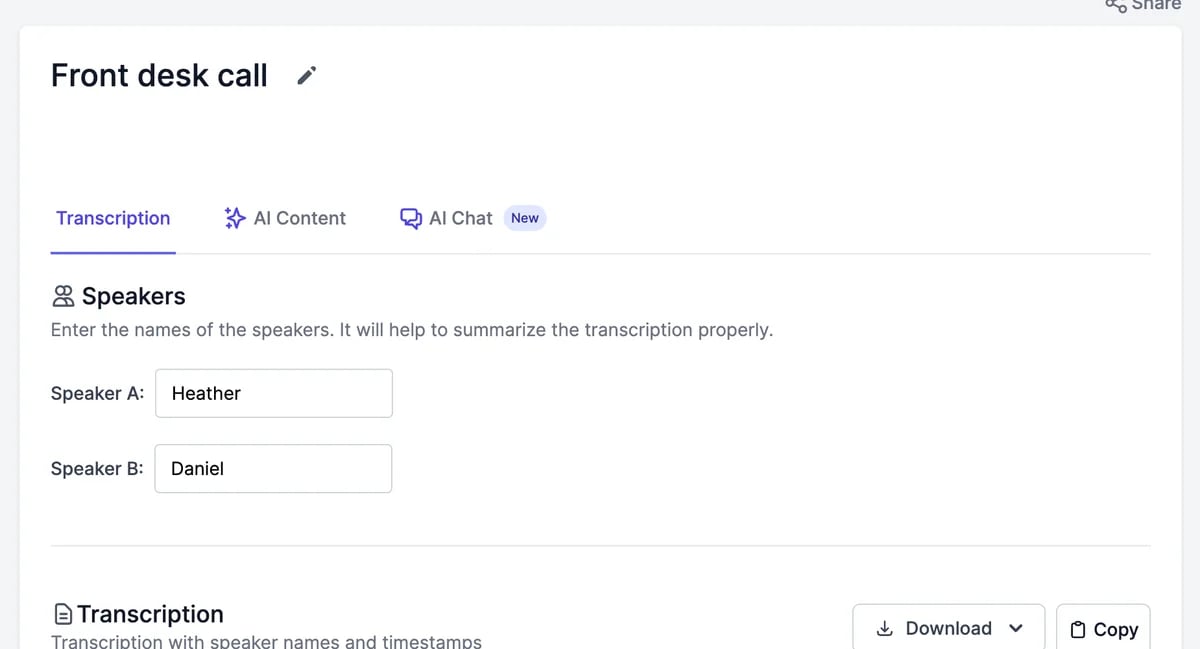
Open a transcription from **AI Speech to Text**. The page has three tabs: **Transcription**, **AI Content**, and **AI Chat**, and a player at the bottom.
 ## The transcript
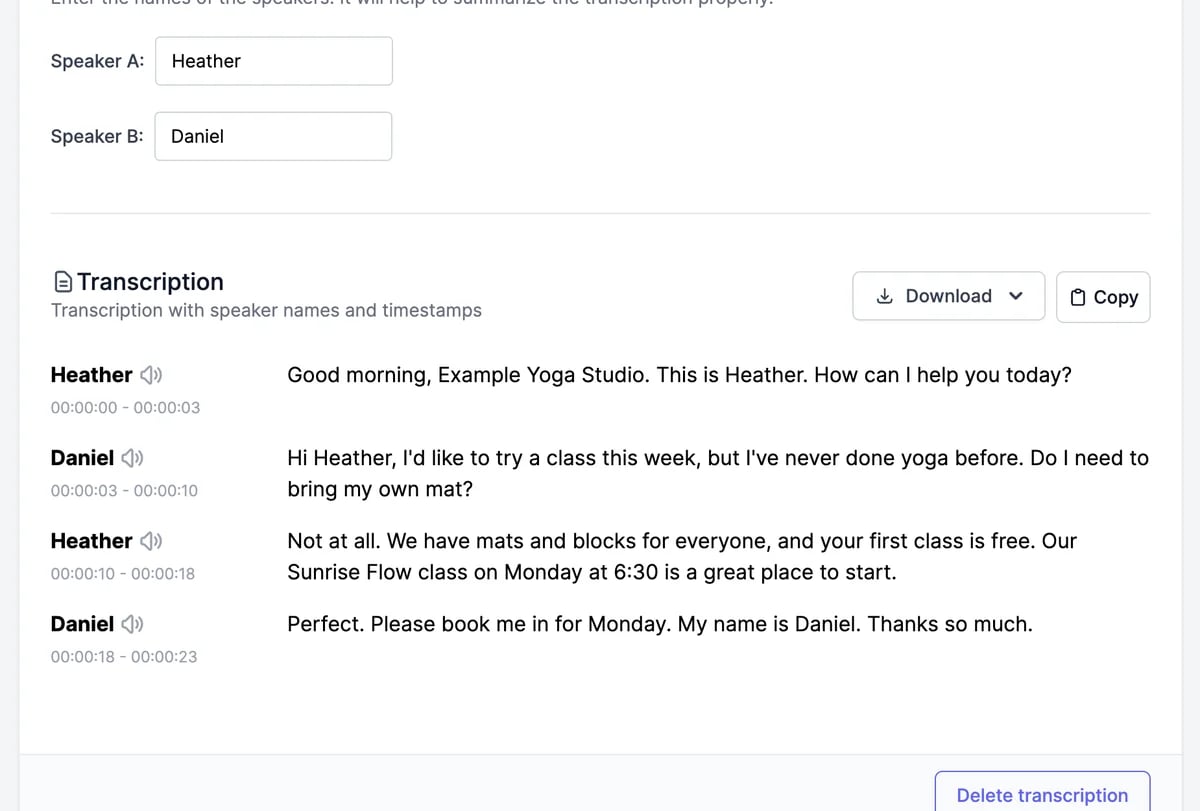 * **Speakers**: replace Speaker A, Speaker B, and so on with real names. The names appear in the transcript and help AI Content write accurate summaries.
* **Play from a line**: click the speaker icon next to a name to play from there. The words are highlighted as they're spoken.
* **Copy** copies the whole transcript with speaker names.
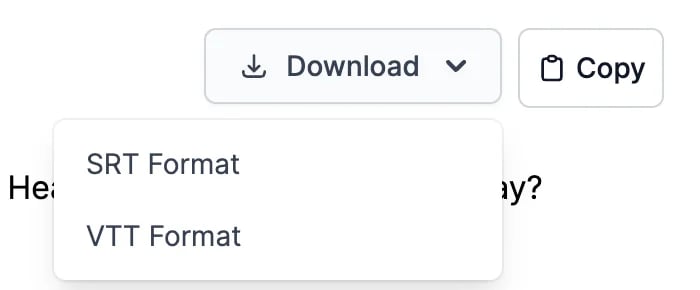
* **Download** saves subtitles in **SRT Format** or **VTT Format**, with timings, for video editors and YouTube.
* **Speakers**: replace Speaker A, Speaker B, and so on with real names. The names appear in the transcript and help AI Content write accurate summaries.
* **Play from a line**: click the speaker icon next to a name to play from there. The words are highlighted as they're spoken.
* **Copy** copies the whole transcript with speaker names.
* **Download** saves subtitles in **SRT Format** or **VTT Format**, with timings, for video editors and YouTube.
 When speaker detection is off, the tab is called **Plain Text** and shows the text without speakers or times.
The transcript text can't be edited. To fix names and terms in what you publish, edit the AI Content or copy the text into your editor.
The player at the bottom plays the recording, skips 10 seconds back or forward, changes the playback speed, and downloads the recording.
When speaker detection is off, the tab is called **Plain Text** and shows the text without speakers or times.
The transcript text can't be edited. To fix names and terms in what you publish, edit the AI Content or copy the text into your editor.
The player at the bottom plays the recording, skips 10 seconds back or forward, changes the playback speed, and downloads the recording.
 ## AI Content
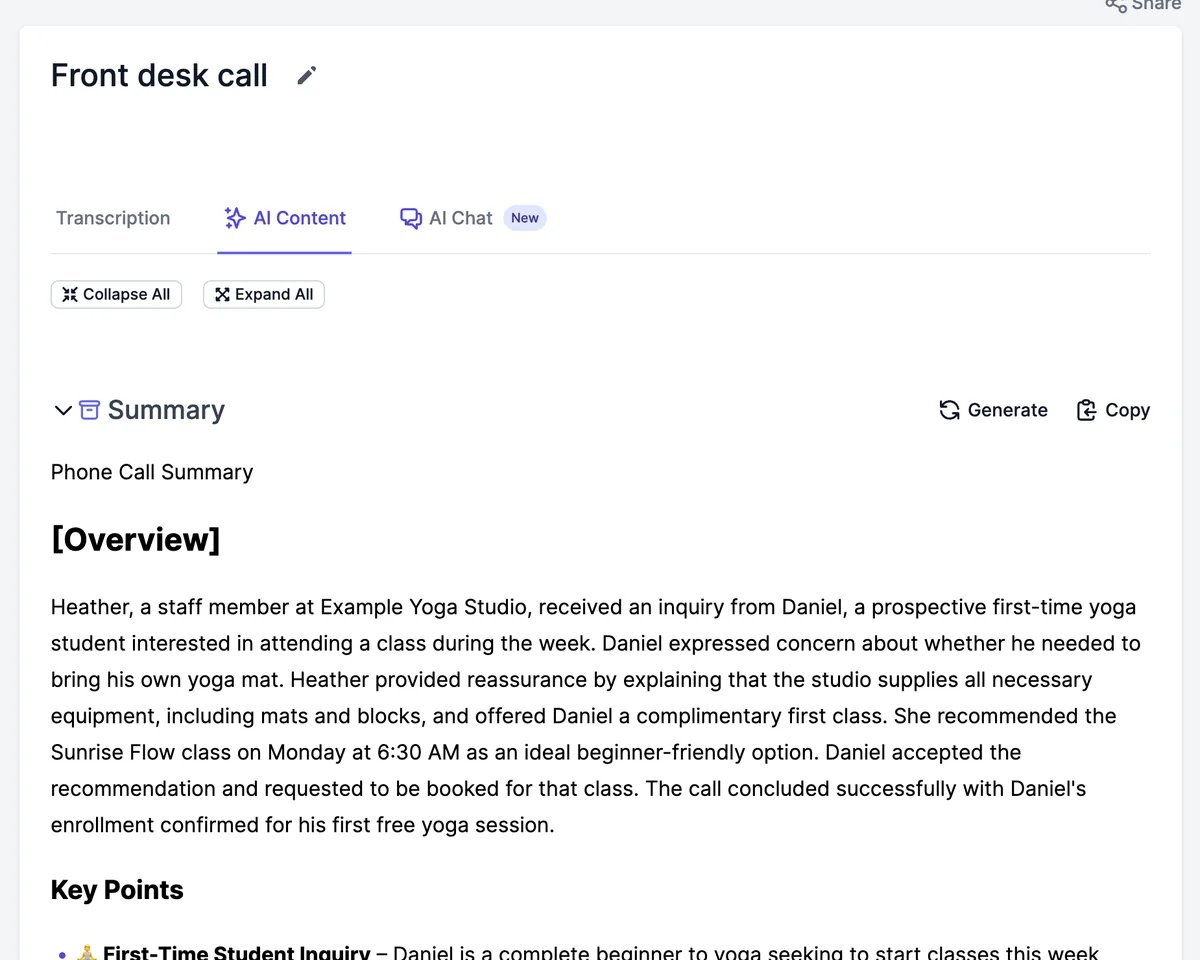
**AI Content** turns the transcript into ready-to-use text. The first time you open it, a summary and the other items for your type of recording are written automatically.
## AI Content
**AI Content** turns the transcript into ready-to-use text. The first time you open it, a summary and the other items for your type of recording are written automatically.
 | Type of recording | What you get |
| --------------------------------- | ---------------------------------------------------------------------------------------------- |
| Every type except Therapy Session | Summary, Title, Timestamped Overview, Topics and Bullets, Description, LinkedIn Post, Keywords |
| Podcast | Also show notes, a Twitter thread, a newsletter, an article, and more |
| Meeting | Also Action Items |
| Therapy Session | Summary, Progress Note, SOAP Note, DAP Note, Topics and Bullets, Keywords |
| Type of recording | What you get |
| --------------------------------- | ---------------------------------------------------------------------------------------------- |
| Every type except Therapy Session | Summary, Title, Timestamped Overview, Topics and Bullets, Description, LinkedIn Post, Keywords |
| Podcast | Also show notes, a Twitter thread, a newsletter, an article, and more |
| Meeting | Also Action Items |
| Therapy Session | Summary, Progress Note, SOAP Note, DAP Note, Topics and Bullets, Keywords |
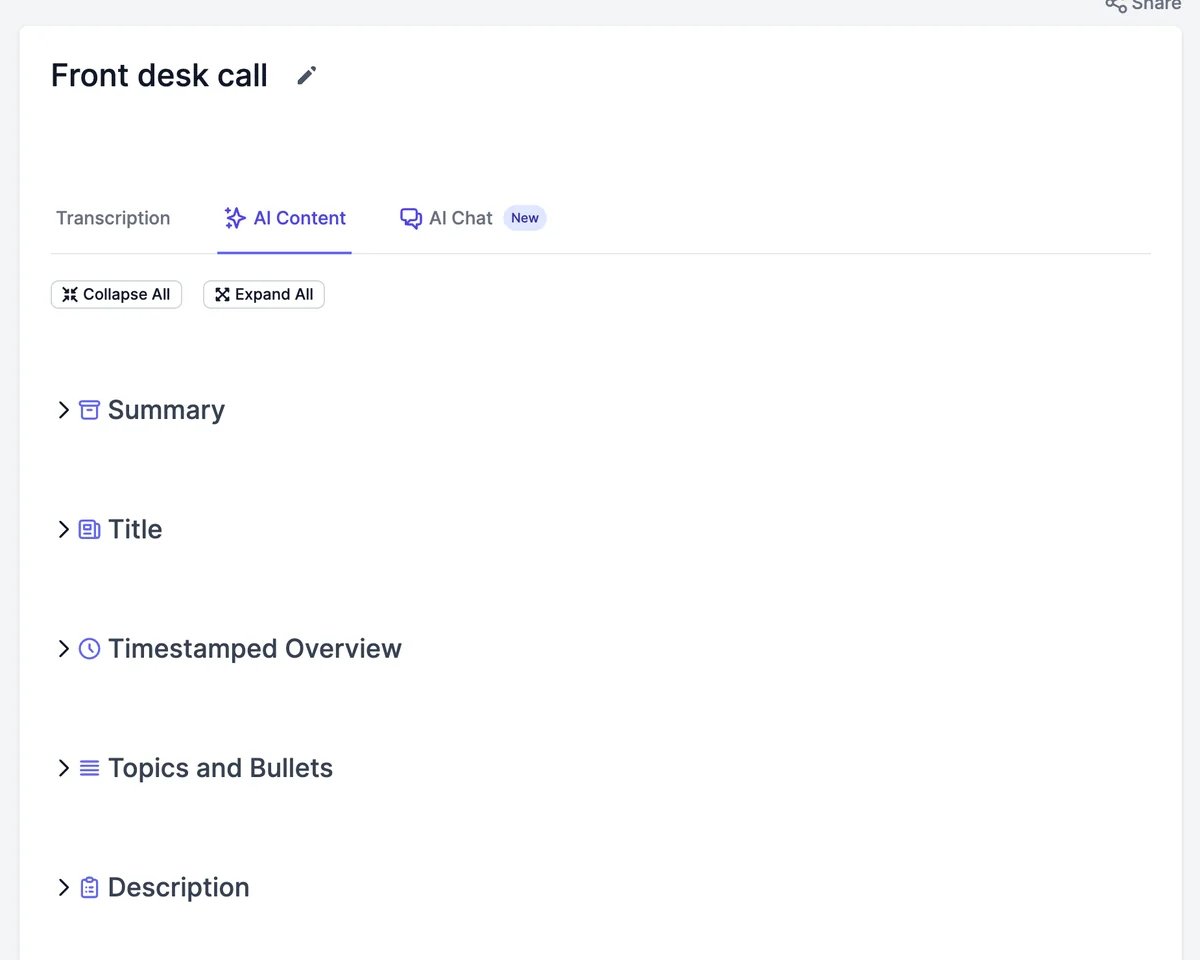 Each item has **Generate** to write it again and **Copy**. **Collapse All** and **Expand All** fold the list. AI Content uses words.
## AI Chat
**AI Chat** answers questions about the recording: what was decided, who said what, or a draft of a follow-up email.
Each item has **Generate** to write it again and **Copy**. **Collapse All** and **Expand All** fold the list. AI Content uses words.
## AI Chat
**AI Chat** answers questions about the recording: what was decided, who said what, or a draft of a follow-up email.
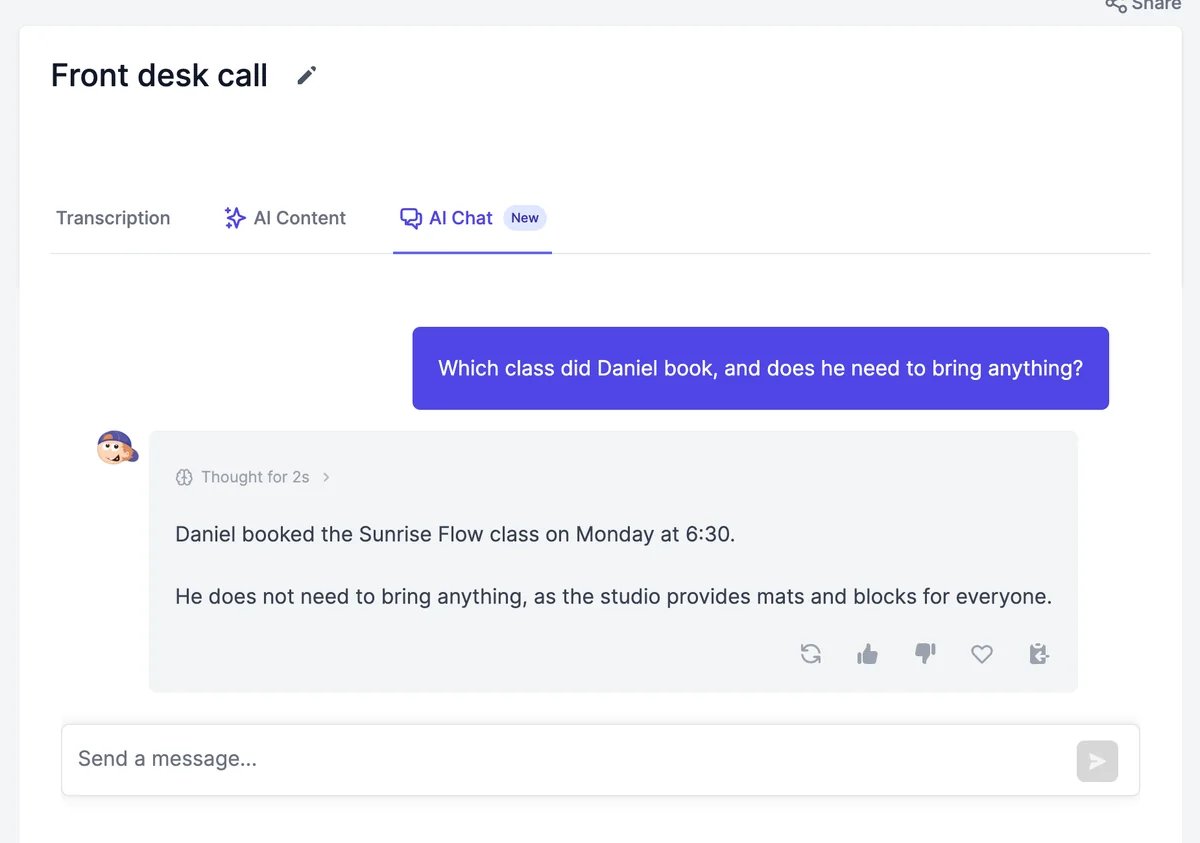 AI Chat reads about the first 10,000 tokens of the transcript, roughly 45 minutes of conversation. For longer recordings, ask about the beginning, or use AI Content, which reads more. AI Chat uses words.
## Rename, share, and delete
* **Rename**: click the pencil next to the title, type, and press Enter.
* **Share**: click **Share** at the top right. **Share Publicly** creates a public page with the transcript and AI Content. On a Teams plan, **Share with Team Members** shows it in your teammates' lists.
* **Delete**: click **Delete transcription** at the bottom and confirm. The recording is deleted and can't be restored. Deleting doesn't give the transcription back to your allowance. Turn off **Share Publicly** before you delete.
Transcribe another file or link.
Record a meeting in your browser.
AI Chat reads about the first 10,000 tokens of the transcript, roughly 45 minutes of conversation. For longer recordings, ask about the beginning, or use AI Content, which reads more. AI Chat uses words.
## Rename, share, and delete
* **Rename**: click the pencil next to the title, type, and press Enter.
* **Share**: click **Share** at the top right. **Share Publicly** creates a public page with the transcript and AI Content. On a Teams plan, **Share with Team Members** shows it in your teammates' lists.
* **Delete**: click **Delete transcription** at the bottom and confirm. The recording is deleted and can't be restored. Deleting doesn't give the transcription back to your allowance. Turn off **Share Publicly** before you delete.
Transcribe another file or link.
Record a meeting in your browser.