> ## Documentation Index
> Fetch the complete documentation index at: https://easy-peasy.ai/docs/llms.txt
> Use this file to discover all available pages before exploring further.
# Use a brand voice
> Write in your brand voice with Marky and the writing tools, and switch it off when you don't need it.
Once you've [created a brand voice](/docs/brand-voice/create), Marky and the writing tools can follow its instructions. The voice changes how the text sounds, not what it says: facts, names, and details still come from your request.
## In Marky
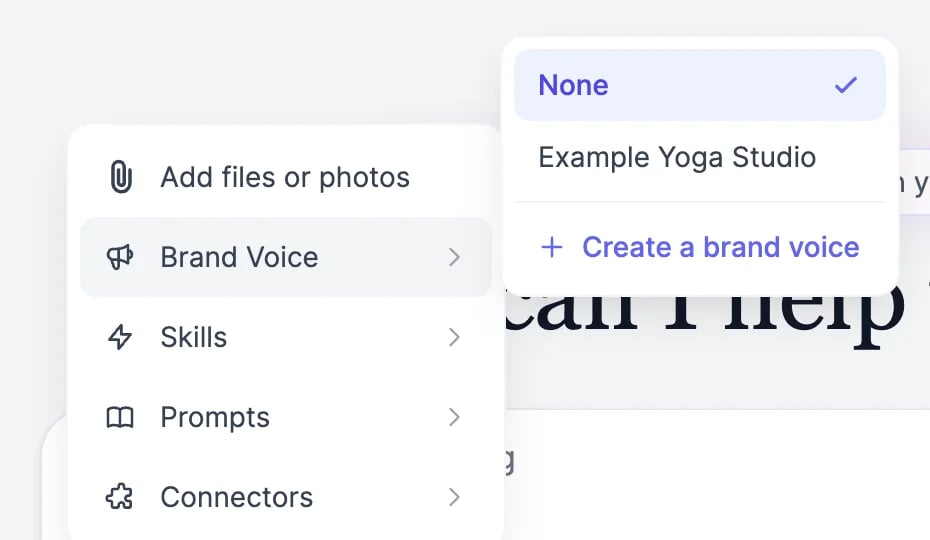
In the message box, click **+** > **Brand Voice** and pick your voice.
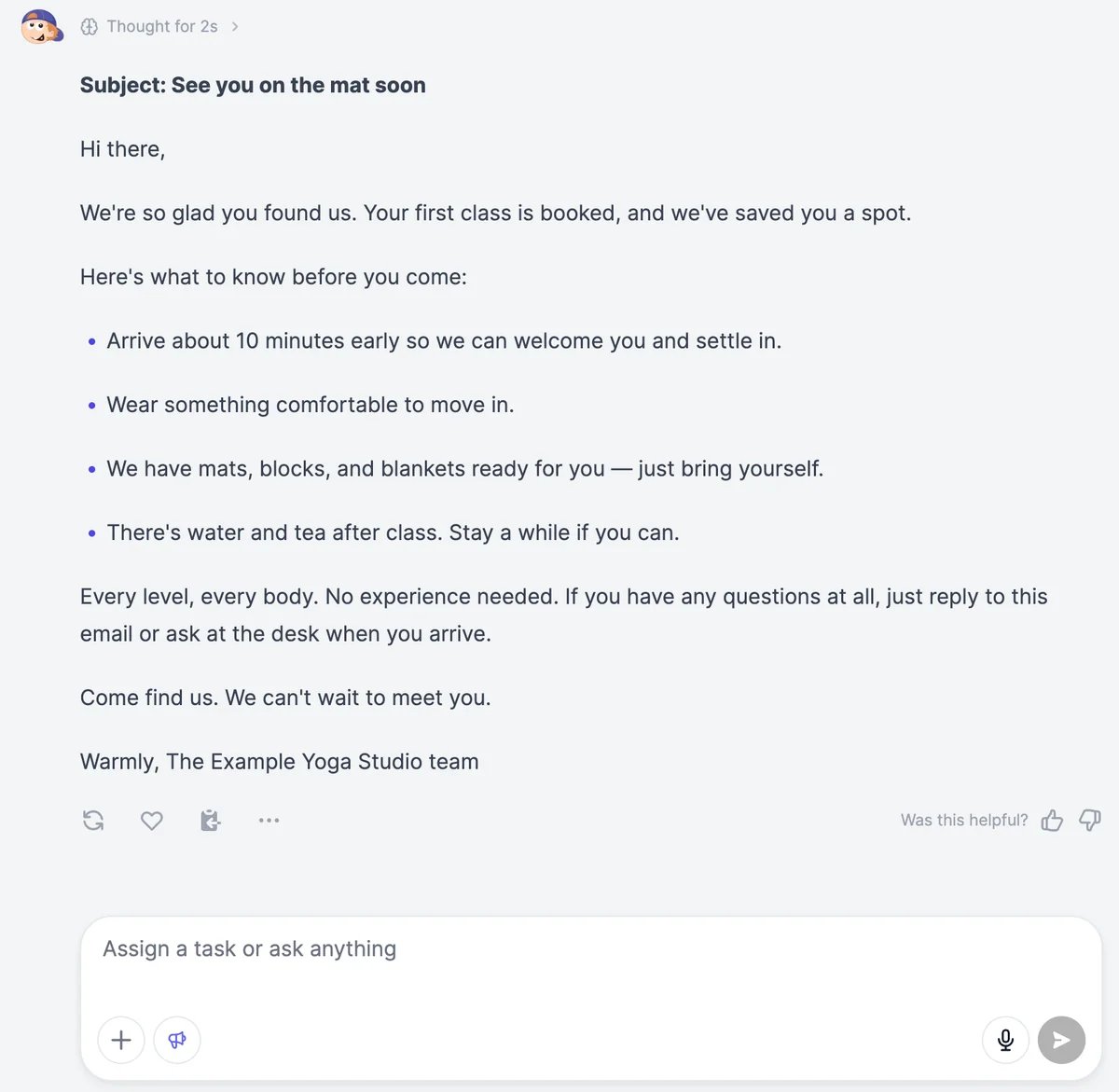
 A megaphone button appears next to **+**. Hover over it to see which voice is on, or click it to switch voices.
 Marky writes in your voice.
 The voice stays on for everything you send, in this chat and in new ones, until you choose **None** or reload the page. Name your business in the request when it matters: the voice sets the style, and Marky may take names from your [memory](/docs/marky/memory) otherwise.
## In the writing tools
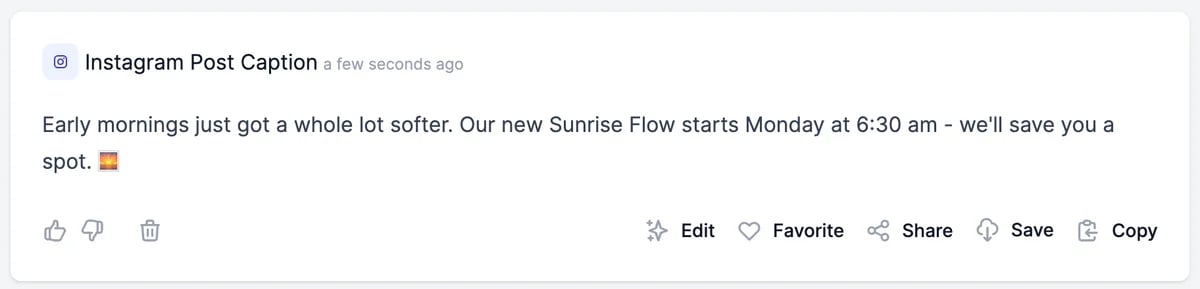
More than 130 tools have a **Tone of voice** field, among them Blog Post, LinkedIn Post Generator, and Instagram Post Caption. They can all use your brand voices.
The voice stays on for everything you send, in this chat and in new ones, until you choose **None** or reload the page. Name your business in the request when it matters: the voice sets the style, and Marky may take names from your [memory](/docs/marky/memory) otherwise.
## In the writing tools
More than 130 tools have a **Tone of voice** field, among them Blog Post, LinkedIn Post Generator, and Instagram Post Caption. They can all use your brand voices.
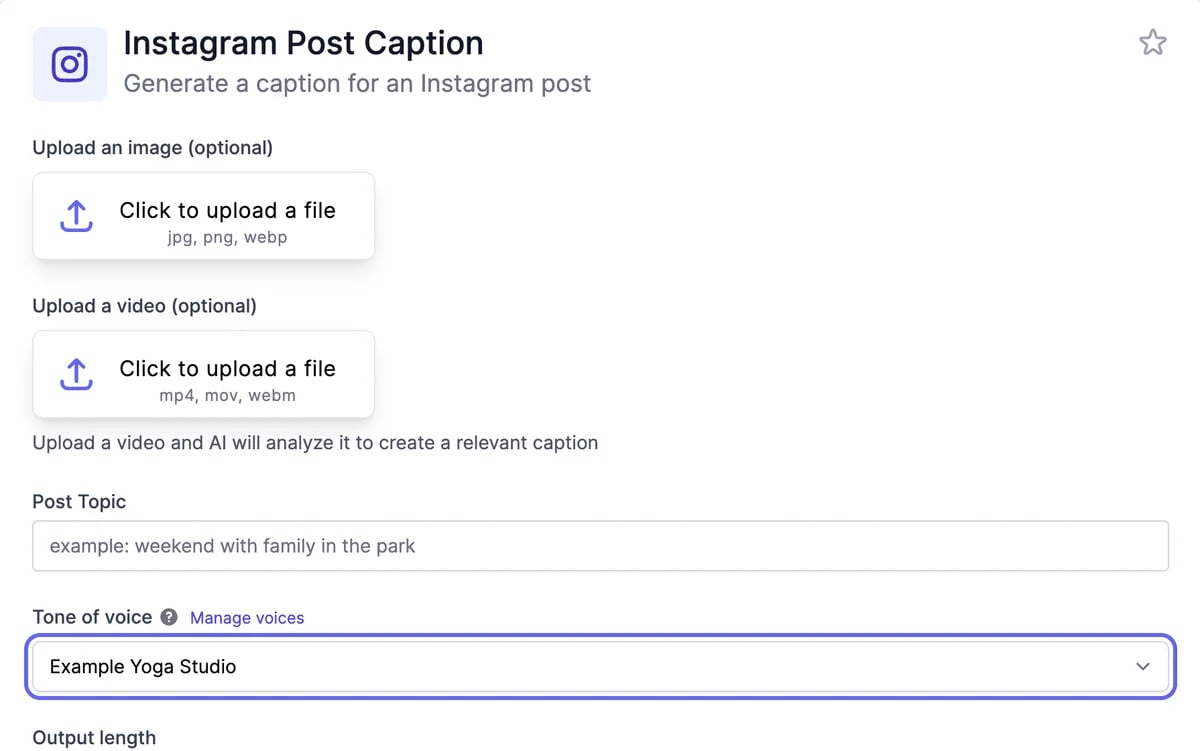 * Once you have a brand voice, **Tone of voice** is set to your newest one. Choose another voice from the list.
* To describe a tone for one result instead, choose **Custom** and type it, such as "witty" or "professional".
* **Manage voices** opens your brand voices in a new tab.
* Once you have a brand voice, **Tone of voice** is set to your newest one. Choose another voice from the list.
* To describe a tone for one result instead, choose **Custom** and type it, such as "witty" or "professional".
* **Manage voices** opens your brand voices in a new tab.
 Tools read the first 2,000 characters of the voice's instructions, so keep the most important rules at the top.
Brand voices aren't available in workflows or on the public tool pages; there, type the tone you want.
## Cost
A brand voice doesn't cost anything extra. Marky and the tools use words as usual for what they write. See [Plans and credits](/docs/account/plans-and-credits#words).
## Tips
* **One voice per audience.** A voice for customers and one for investors work better than one voice that tries to cover both.
* **Fix what you notice.** When results keep doing something you don't want, add a rule to the instructions, such as "No emojis" or "Never promise delivery dates".
* **Give facts in the request.** Prices, dates, and names belong in what you ask for, not in the voice.
Build one from your website or samples.
Reuse good prompts with your voice.
Tools read the first 2,000 characters of the voice's instructions, so keep the most important rules at the top.
Brand voices aren't available in workflows or on the public tool pages; there, type the tone you want.
## Cost
A brand voice doesn't cost anything extra. Marky and the tools use words as usual for what they write. See [Plans and credits](/docs/account/plans-and-credits#words).
## Tips
* **One voice per audience.** A voice for customers and one for investors work better than one voice that tries to cover both.
* **Fix what you notice.** When results keep doing something you don't want, add a rule to the instructions, such as "No emojis" or "Never promise delivery dates".
* **Give facts in the request.** Prices, dates, and names belong in what you ask for, not in the voice.
Build one from your website or samples.
Reuse good prompts with your voice.