> ## Documentation Index
> Fetch the complete documentation index at: https://easy-peasy.ai/docs/llms.txt
> Use this file to discover all available pages before exploring further.
# Images, music, and video in chat
> Ask Marky to make images, songs, videos, and voiceovers, and use them in the same conversation.
Marky can make media as part of a task: a hero image for the blog post it just wrote, a jingle for an ad, a short product video, or a voiceover for a script. Ask for it in plain language, or start a new chat with the **Images**, **Music**, or **Video** button to see example prompts.
For more control over a single image or video, such as picking from dozens of models, use [AI Images](/docs/ai-images/overview) and [AI Videos](/docs/videos/overview) instead. Everything Marky makes also appears in your **History**.
## Images
Ask for an image and Marky describes it to an image model and shows the result in the chat. Each image has two buttons in its corner: **edit** opens it in the image editor, and **download** saves it.
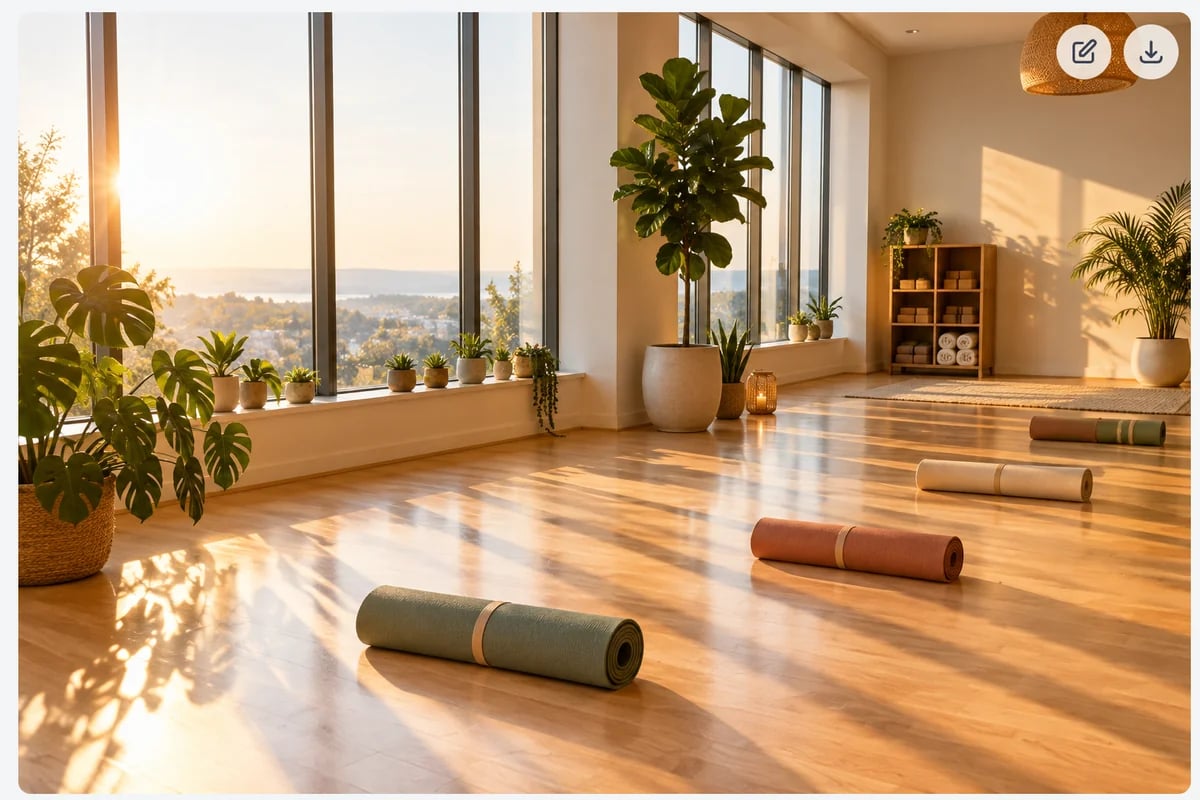 * Marky uses the **Image Model** set in [Chat settings](/docs/marky/chat#chat-settings). The default is **GPT Image 2.5 Flare Medium**, at 3 image & video credits per image. With **Images** mode on, the model is also shown next to the message box.
* To change an image, ask: "Make the background white", "Same image, but in a vertical 9:16 format".
* To use your own photo, attach it and say what to do with it: "Put this product on a marble kitchen counter."
| Image model in chat | Credits per image |
| ---------------------------------------------- | ----------------- |
| Z-Image Turbo | 0.1 |
| GPT Image 2.5 Flare Low, GPT Image 2 Low | 0.5 |
| Nano Banana 2 Lite, Seedream 4.5 | 2 |
| GPT Image 2.5 Flare Medium, GPT Image 2 Medium | 3 |
| Nano Banana 2 | 4 |
| Nano Banana Pro | 7 |
| GPT Image 2.5 Flare High, GPT Image 2 High | 11 |
## Music
Ask for instrumental music or a song: "an upbeat 30-second jingle for a yoga studio", or give Marky lyrics to sing. Marky writes the lyrics if you don't. Songs take about 3 to 4 minutes, and Marky shows a player in the chat when they're ready.
Each song uses 600 text-to-speech characters from your plan. Two versions are made, 300 characters each; Marky plays the first, and both are in [AI Music Generator](/docs/audio/music).
## Video
Ask for a short video, with or without a starting image: "a 10-second clip of a sunrise over a yoga studio, slow camera push-in". Marky can also animate an image from the chat, or keep a character consistent from reference images you attach.
* Videos are 5 to 15 seconds long, with sound.
* They cost 4 image & video credits per second, plus a little extra for reference images. Marky tells you the price when it starts.
* Videos in chat need a paid plan. If a video fails, no credits are charged.
## Speech
Ask Marky to read a text aloud, record a voiceover for a script, or make a short narration, up to 5,000 characters at a time. Speech in chat counts half the length of the text in text-to-speech characters: a 1,000-character script uses 500. To pick from hundreds of voices and fine-tune the delivery, use AI Text to Speech on the dashboard.
## When you're out of credits
Marky tells you when an image, video, or song can't be made because your plan's allowance is used up. Buy more with [bonus credits](/docs/account/buy-credits) or wait for your plan to renew. Your words aren't affected: you can keep chatting.
* Marky uses the **Image Model** set in [Chat settings](/docs/marky/chat#chat-settings). The default is **GPT Image 2.5 Flare Medium**, at 3 image & video credits per image. With **Images** mode on, the model is also shown next to the message box.
* To change an image, ask: "Make the background white", "Same image, but in a vertical 9:16 format".
* To use your own photo, attach it and say what to do with it: "Put this product on a marble kitchen counter."
| Image model in chat | Credits per image |
| ---------------------------------------------- | ----------------- |
| Z-Image Turbo | 0.1 |
| GPT Image 2.5 Flare Low, GPT Image 2 Low | 0.5 |
| Nano Banana 2 Lite, Seedream 4.5 | 2 |
| GPT Image 2.5 Flare Medium, GPT Image 2 Medium | 3 |
| Nano Banana 2 | 4 |
| Nano Banana Pro | 7 |
| GPT Image 2.5 Flare High, GPT Image 2 High | 11 |
## Music
Ask for instrumental music or a song: "an upbeat 30-second jingle for a yoga studio", or give Marky lyrics to sing. Marky writes the lyrics if you don't. Songs take about 3 to 4 minutes, and Marky shows a player in the chat when they're ready.
Each song uses 600 text-to-speech characters from your plan. Two versions are made, 300 characters each; Marky plays the first, and both are in [AI Music Generator](/docs/audio/music).
## Video
Ask for a short video, with or without a starting image: "a 10-second clip of a sunrise over a yoga studio, slow camera push-in". Marky can also animate an image from the chat, or keep a character consistent from reference images you attach.
* Videos are 5 to 15 seconds long, with sound.
* They cost 4 image & video credits per second, plus a little extra for reference images. Marky tells you the price when it starts.
* Videos in chat need a paid plan. If a video fails, no credits are charged.
## Speech
Ask Marky to read a text aloud, record a voiceover for a script, or make a short narration, up to 5,000 characters at a time. Speech in chat counts half the length of the text in text-to-speech characters: a 1,000-character script uses 500. To pick from hundreds of voices and fine-tune the delivery, use AI Text to Speech on the dashboard.
## When you're out of credits
Marky tells you when an image, video, or song can't be made because your plan's allowance is used up. Buy more with [bonus credits](/docs/account/buy-credits) or wait for your plan to renew. Your words aren't affected: you can keep chatting.