> ## Documentation Index
> Fetch the complete documentation index at: https://easy-peasy.ai/docs/llms.txt
> Use this file to discover all available pages before exploring further.
# Skills
> Teach Marky how you want a job done once, as a skill, and it follows those instructions every time the job comes up.
A skill is a set of instructions, and optionally files such as templates or scripts, that teaches Marky how to do a specific job your way: "write our weekly newsletter", "review a contract against our checklist", "turn sales notes into a CRM update".
Marky sees the name and description of each active skill. When a request matches one, Marky reads the skill first and follows it. You can also ask for a skill by name.
## Manage skills
Click **Skills** in the Marky sidebar.
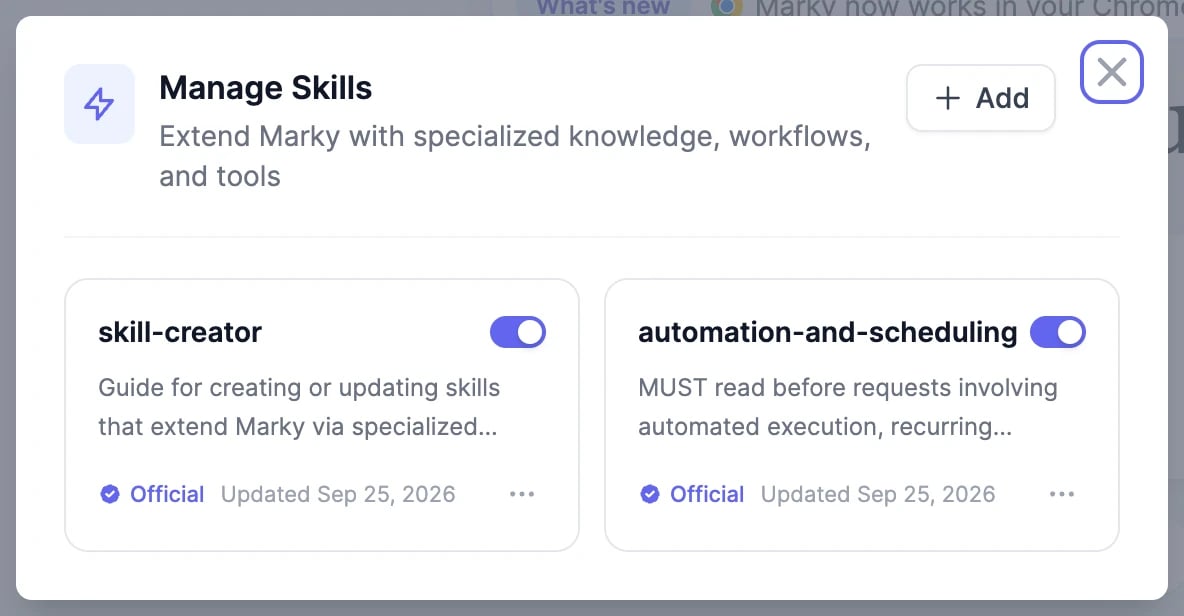 * The switch on each card turns a skill on or off. Marky only uses skills that are on.
* **Official** skills come from us. **Custom** skills are yours.
* The **⋯** menu has **Try it**, **Preview**, **Download**, and **Delete**.
Two official skills are included: **skill-creator**, which helps Marky write new skills with you, and **automation-and-scheduling**, which helps it set up [scheduled tasks](/docs/marky/scheduled-tasks) and automations.
## Add a skill
Click **Add** and choose how:
* The switch on each card turns a skill on or off. Marky only uses skills that are on.
* **Official** skills come from us. **Custom** skills are yours.
* The **⋯** menu has **Try it**, **Preview**, **Download**, and **Delete**.
Two official skills are included: **skill-creator**, which helps Marky write new skills with you, and **automation-and-scheduling**, which helps it set up [scheduled tasks](/docs/marky/scheduled-tasks) and automations.
## Add a skill
Click **Add** and choose how:
 | Option | How it works |
| ---------------------------- | ------------------------------------------------------------------------------------------------------------------------------------------------- |
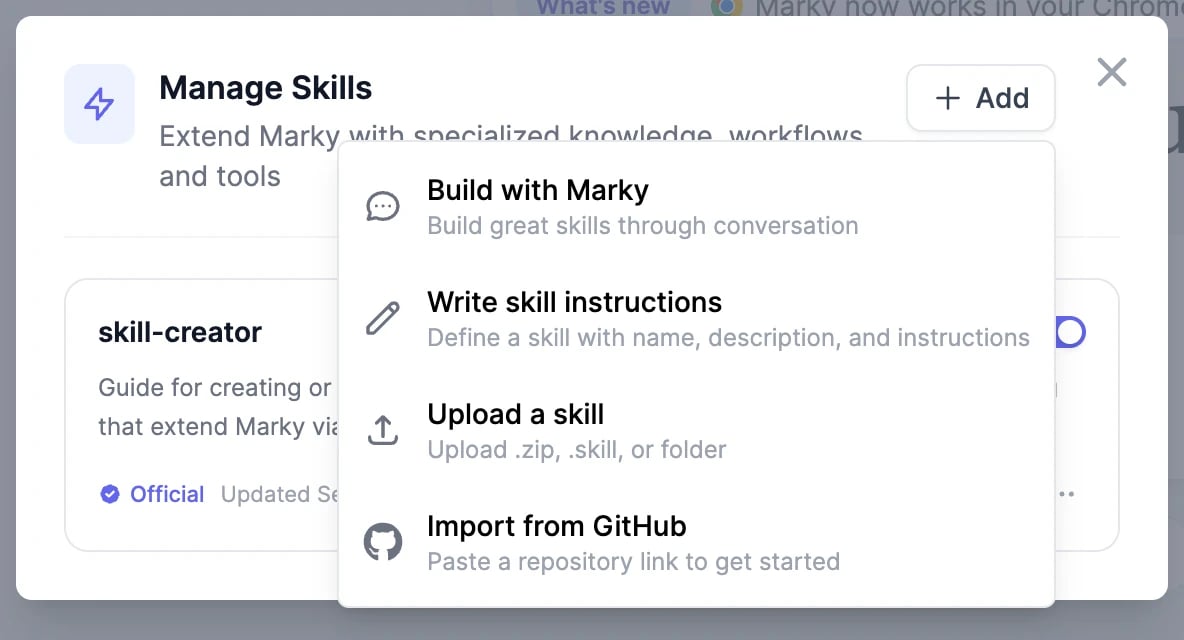
| **Build with Marky** | Opens a chat where Marky interviews you about the job and writes the skill. When it's done, click **Add to My Skills**. The easiest way to start. |
| **Write skill instructions** | Type a name, a short description of when to use it, and the instructions yourself. |
| **Upload a skill** | Upload a `.zip` or `.skill` file, up to 50 MB, with a `SKILL.md` file at the top level. |
| **Import from GitHub** | Paste the link to a public GitHub repository that contains a skill. |
Skills use the same format as Claude's Agent Skills, so skills you've written for Claude work in Marky too.
## Use a skill
* **Let Marky decide**: ask as usual. If your request matches an active skill's description, Marky uses it.
* **Pick it yourself**: click **+** > **Skills** and choose one, or type `/` followed by the skill's name in your message, such as `/weekly-newsletter`.
## Write a good skill
* **Description**: say exactly when the skill applies: "Use when the user asks for the weekly customer newsletter." Marky decides from this line alone.
* **Instructions**: write the steps the way you'd brief a new colleague: the sources to use, the structure of the result, the tone, what to avoid, and how to check the work.
* **Files**: add templates, examples of good results, or reference documents to the skill's folder, and mention them in the instructions.
Test a new skill with **Try it**, then refine it.
Save prompts you reuse, and set the tone for Marky's writing.
Run a skill on a schedule.
| Option | How it works |
| ---------------------------- | ------------------------------------------------------------------------------------------------------------------------------------------------- |
| **Build with Marky** | Opens a chat where Marky interviews you about the job and writes the skill. When it's done, click **Add to My Skills**. The easiest way to start. |
| **Write skill instructions** | Type a name, a short description of when to use it, and the instructions yourself. |
| **Upload a skill** | Upload a `.zip` or `.skill` file, up to 50 MB, with a `SKILL.md` file at the top level. |
| **Import from GitHub** | Paste the link to a public GitHub repository that contains a skill. |
Skills use the same format as Claude's Agent Skills, so skills you've written for Claude work in Marky too.
## Use a skill
* **Let Marky decide**: ask as usual. If your request matches an active skill's description, Marky uses it.
* **Pick it yourself**: click **+** > **Skills** and choose one, or type `/` followed by the skill's name in your message, such as `/weekly-newsletter`.
## Write a good skill
* **Description**: say exactly when the skill applies: "Use when the user asks for the weekly customer newsletter." Marky decides from this line alone.
* **Instructions**: write the steps the way you'd brief a new colleague: the sources to use, the structure of the result, the tone, what to avoid, and how to check the work.
* **Files**: add templates, examples of good results, or reference documents to the skill's folder, and mention them in the instructions.
Test a new skill with **Try it**, then refine it.
Save prompts you reuse, and set the tone for Marky's writing.
Run a skill on a schedule.