Private client workspaces
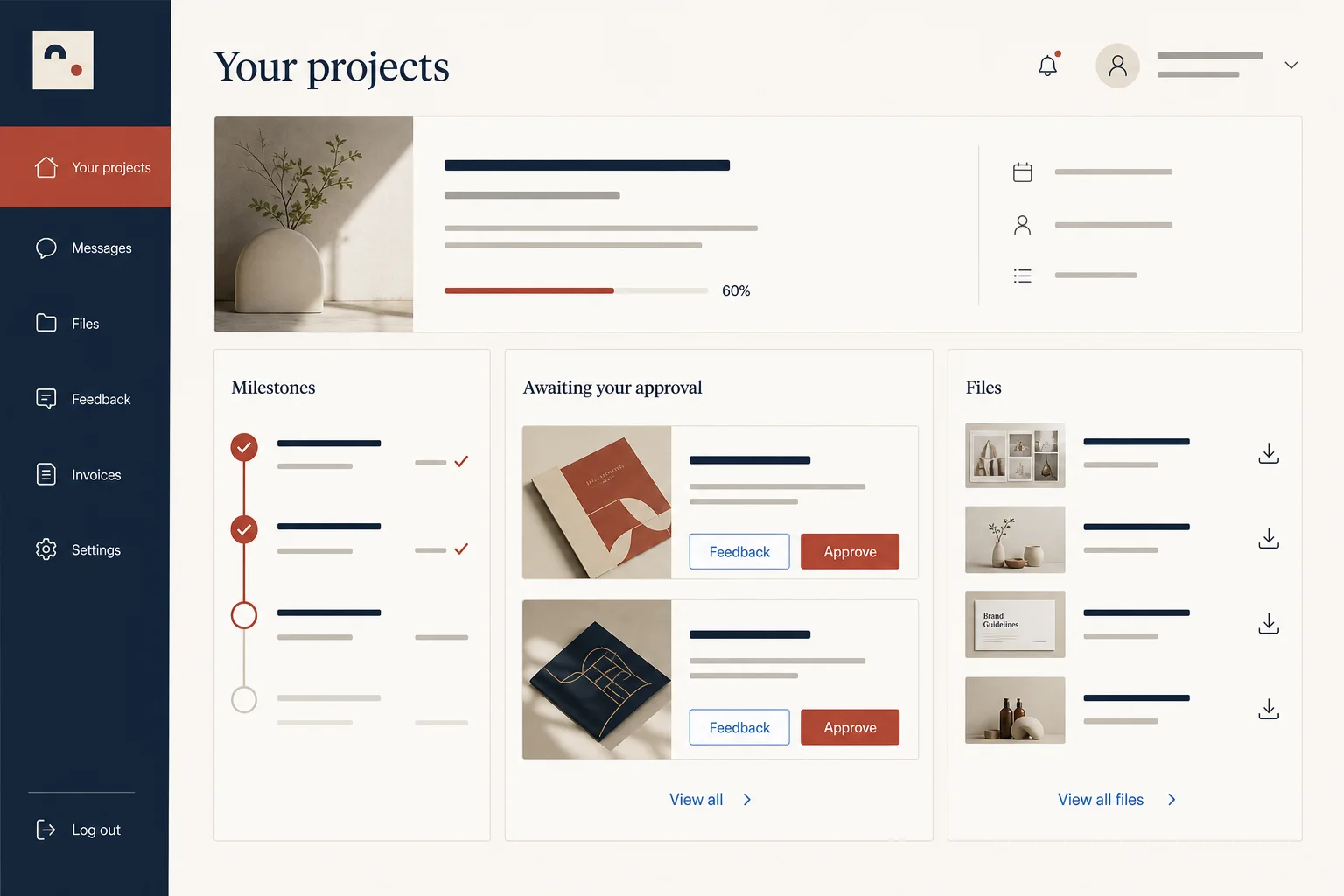
Give authenticated clients a focused view of their projects, milestones and requested actions.
直接回答
AI 客户门户构建器将书面需求转化为可编辑的 Web 应用。Marky 可在一个项目中创建界面、后端、数据库、身份验证和部署配置。
围绕真实任务构建
These are functional product layers tied to the workflow—not decorative sections copied from a template.
Give authenticated clients a focused view of their projects, milestones and requested actions.
Store uploads in S3-compatible object storage and associate each asset with the right client or deliverable.
Capture feedback, approval state, timestamps and revision history instead of losing decisions in email.
Keep private notes and team controls separate from the simplified experience your clients see.
Connect payment, email, CRM or document APIs through protected project secrets when needed.
Publish on an editable subdomain or custom domain, then sync the project to your GitHub repository.
建议的数据模型
提示词示例
“Build a client portal for a branding studio. Clients sign in with Google, see project milestones, review two deliverable types, upload reference files and approve work with comments. Staff need a private dashboard for deadlines, revisions and client requests.”以此为起点
实用构建步骤
Separate client-visible records and actions from private notes, controls and team workflows.
Define clients, projects, files and approvals before Marky implements the authenticated views.
Review the customer experience and the internal operator path in the live preview.
Save the approved version, publish it, connect a custom domain and keep the code in GitHub.
通用生产技术栈
An editable frontend, not a proprietary page format.
Persistent records and protected server-side logic.
Authentication and protected credentials for integrations.
Built-in publishing targets Google Cloud Run. AWS services can be integrated through protected credentials, and the GitHub codebase can be adapted for an AWS deployment by a developer.
具体问题
Yes, when that rule is included in the brief and implemented in the server and database access layer. Describe the roles and boundaries clearly so Marky can build and test client-scoped queries rather than relying on visual hiding alone.
Yes. Full-stack projects can use the included S3-compatible object storage configuration for uploads. Marky can connect file metadata to database records so a document belongs to the correct project, deliverable and client.
Marky can create invoice records and integrate a payment provider such as Stripe when you add the provider credentials. Payment behavior and webhook handling should be specified and tested as a dedicated part of the build.
A generated portal should receive a dedicated security and compliance review before handling regulated or highly sensitive information. Marky can implement the application, but your legal, privacy and security requirements still determine the production controls you need.
构建第一个可用版本