

Photo en dessin : transformez vos photos en croquis

Importez une photo et l’IA la redessine comme à la main : crayon graphite tout en douceur, fusain aux traits francs, plume et encre ou griffonnage rapide. Cela fonctionne pour les portraits, les animaux, les maisons et les photos de voyage, ou décrivez une idée pour dessiner quelque chose de nouveau de toutes pièces.

Importez votre photo

JPG, PNG ou WebP. Essai gratuit, aucune carte de crédit requise.

Noté 4,9 sur Google et CapterraRejoignez plus de 3 millions de créateurs
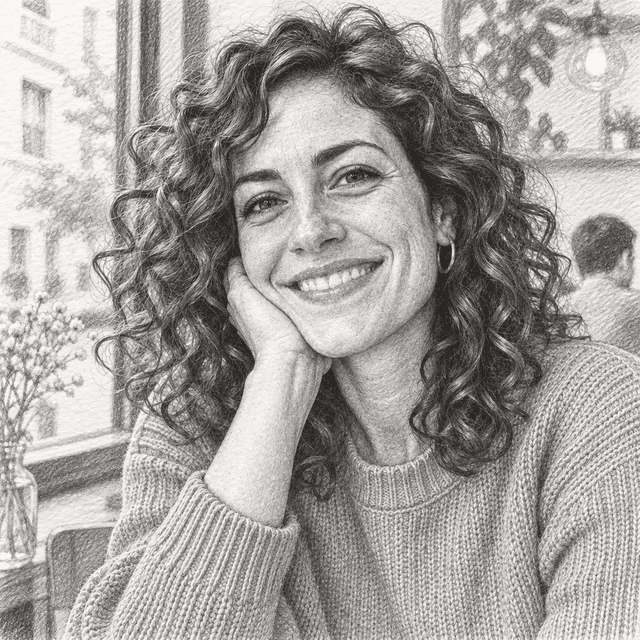
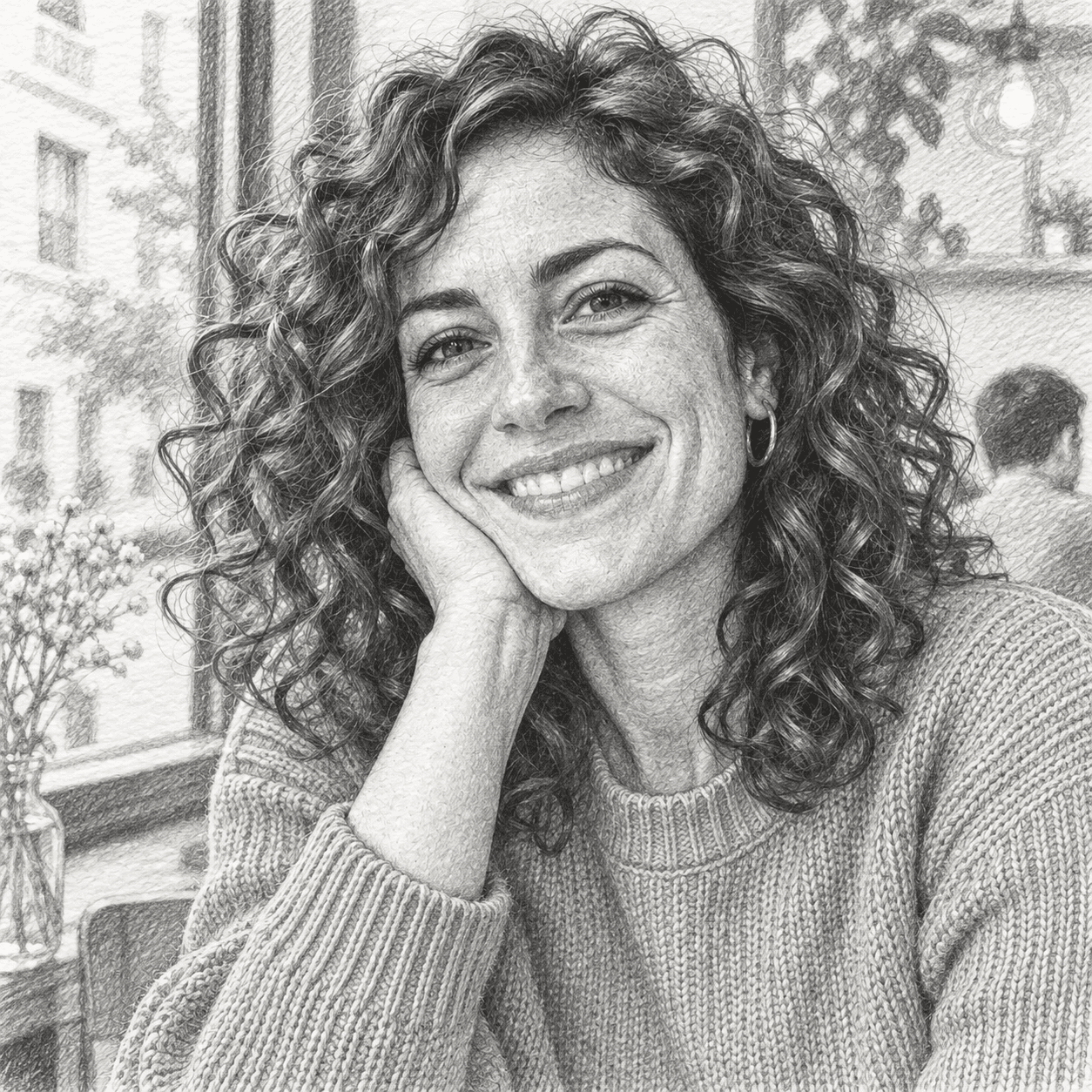
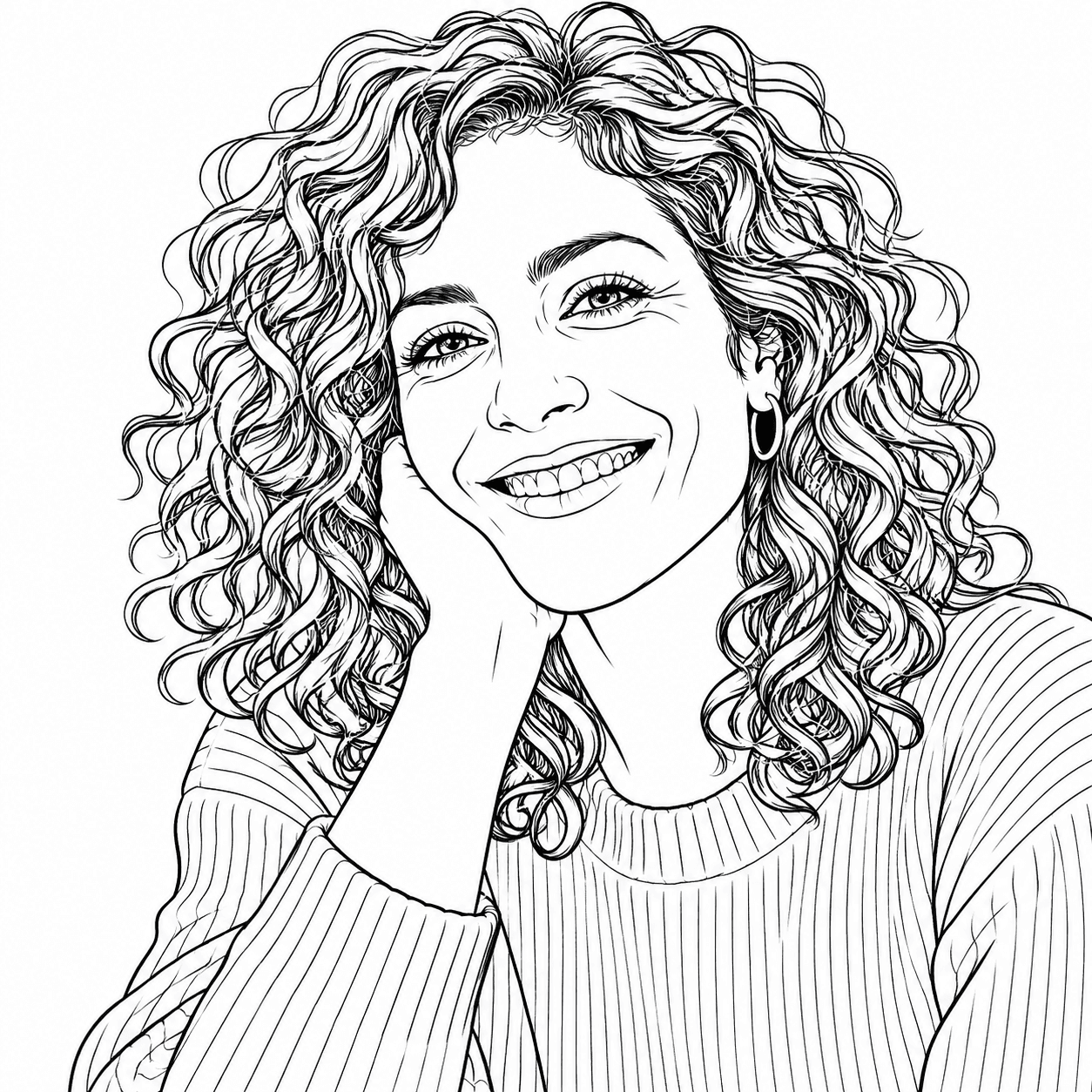
The same portrait as a detailed graphite pencil sketch on white paper with realistic hand-drawn shading
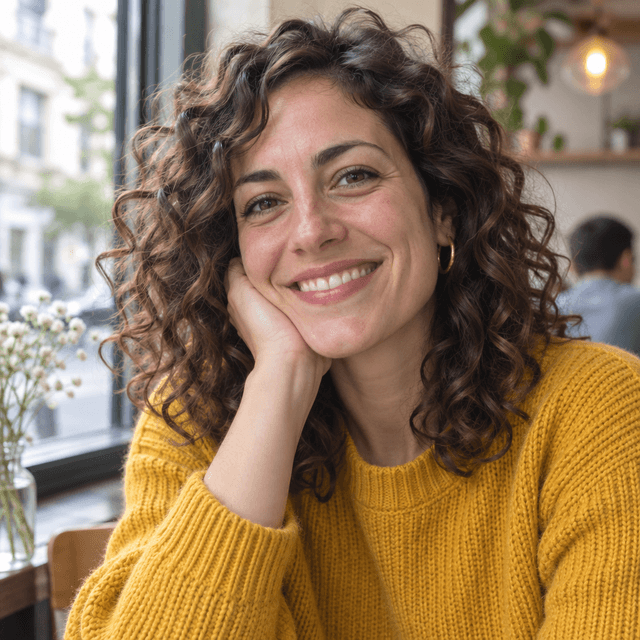
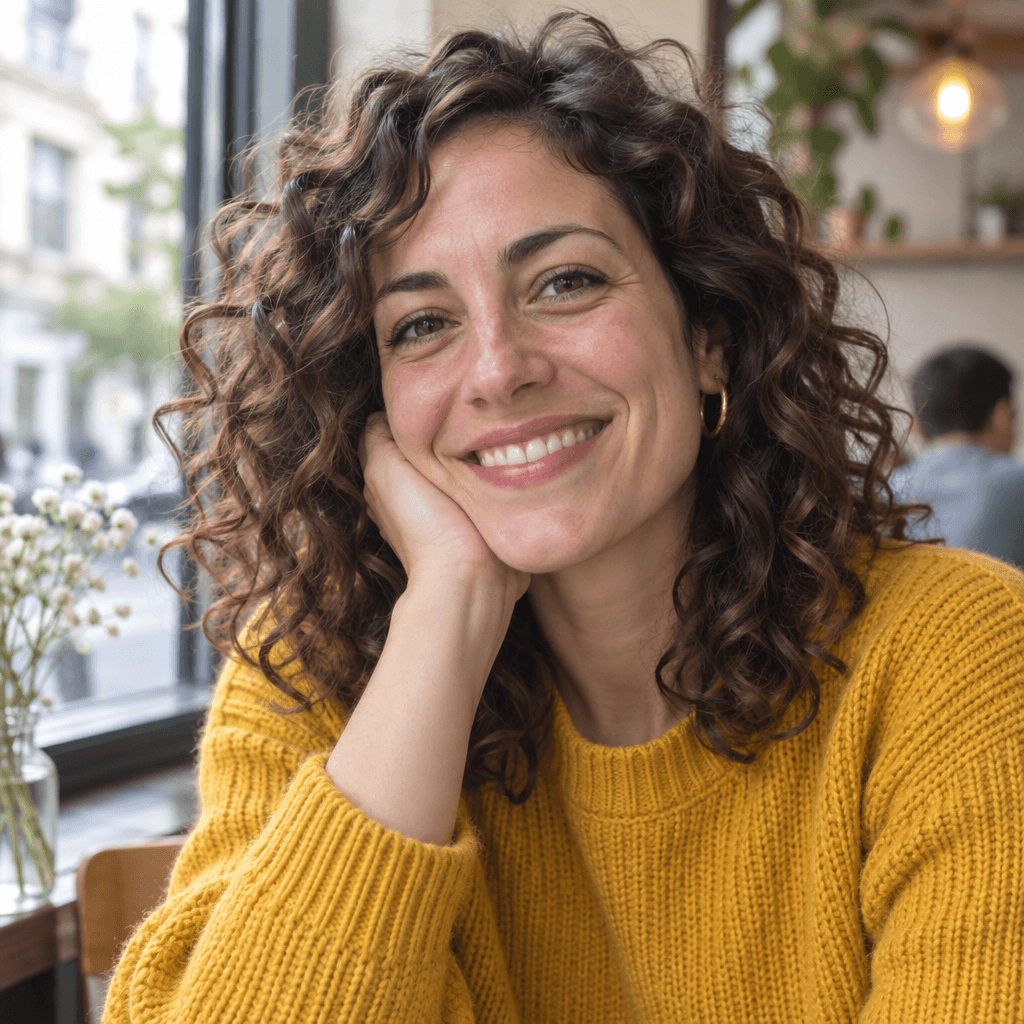
Natural-light portrait photo of a smiling woman with curly dark hair in a mustard knit sweater, sitting by a cafe window
Votre photoCroquis au crayon

Exemples d'art et d'images générés

Questions fréquentes

  • Comment transformer une photo en dessin ?

    Ouvrez le générateur d’images, importez votre photo et décrivez le style, par exemple « transforme cette photo en croquis détaillé au crayon graphite sur papier blanc ». Générez l’image, puis essayez une variante si vous voulez des traits plus doux ou plus foncés.

  • Puis-je transformer une photo en dessin gratuitement ?

    Vous pouvez commencer avec le plan gratuit, qui comprend un petit quota mensuel de crédits image, sans carte bancaire. Les plans payants ajoutent beaucoup plus de crédits et l’usage commercial.

  • Quels styles de croquis puis-je obtenir ?

    Crayon graphite, fusain, plume et encre, hachures croisées, crayons de couleur, feutre, croquis d’architecture au trait et gribouillages libres. Indiquez l’outil et le papier dans votre prompt, par exemple « fusain sur papier crème ».

  • Le croquis ressemblera-t-il toujours à la personne de ma photo ?

    En général, oui, surtout avec une photo nette et bien éclairée. Ajoutez « garder le même visage et la même pose » à votre prompt, et relancez la génération si la ressemblance n’y est pas.

  • Puis-je transformer la photo d’un animal, d’une maison ou d’une voiture en dessin ?

    Oui, toute photo nette convient. Un arrière-plan simple donne des traits plus propres, et vous pouvez demander à l’IA de ne pas dessiner l’arrière-plan.

  • Puis-je dessiner quelque chose sans photo ?

    Oui. Sans rien importer, décrivez plutôt la scène, par exemple « un croquis rapide à la plume d’une terrasse de café sous la pluie », et l’IA la dessine sous forme de croquis.

Styles similaires

Parcourir les 257 styles

Témoignages

Notre note Trustpilot

Lisez les commentaires que les gens ont faits sur les plateformes publiques.

Jeff Wilson

By far the best compilation AI utility

By far the best compilation AI utility out there. Period. We have tried multiple platforms that would work for us - a small business - and it was a bit overwhelming two years ago. Easy-Peasy has been a godsend. So many freaking tools and no fewer than 10 (of the 200) are ones we use at least on a weekly basis. Ironically, their human support is one of the most appreciated elements.

Avatar de Vivian Daze

Vivian Daze

Great services

Great services, and lovely and attentive customer service. Would reccommend

Cody Crabb

Great service, Best AI tool

Avatar de Kia Tiow | COGUE

Kia Tiow | COGUE

Easy-peasy is an easy to pick up and awesome AI software. I love it.

Easy-Peasy AI

Avatar de Dezign121

Dezign121

Easy-Peasy.AI is very user friendly & a lot more to explore not only in the lesson, very helpful assistant in both work & personal

Avatar de Blanca Marin

Blanca Marin

Very Good AI…

I really liked the easy-peasy AI service. It's a great tool, but I also had to ask them for a refund because I chose the wrong plan, and they were very quick to respond to my request. They looked into my case and I got my money back without any problems. Of course, I will continue to use it for my projects.

Easy-Peasy AI

Avatar de Muhammad Md Rahim

Muhammad Md Rahim

Very awesome and practical AI tool that can help improve our productivity and the quality of our work!

Avatar de Ken Poon

Ken Poon

Very useful and true to “Easy Peasy” on using AI. One platform on all the tools required for business needs. Marianna sharing is super informative on how to use easy-peasy.ai

Avatar de Dennis Cambronero

Dennis Cambronero

I have been using the tool for +1 year…

I have been using the tool for +1 year and I have to say it is amazing. I use it to create images, bots and access every LLM in one single place. I highly recommend it.

Avatar de Yeah Likes

Yeah Likes

Practical and Powerful Software which is all In one and versatile. Just finished their workshop and got practical and valuable tips and tricks.

Photo en dessin : transformez vos photos en croquis

Essai gratuit. Aucune carte de crédit requise.

Importez votre photo
Natural-light portrait photo of a smiling woman with curly dark hair in a mustard knit sweater, sitting by a cafe windowVotre photo
The same portrait as a detailed graphite pencil sketch on white paper with realistic hand-drawn shadingCroquis au crayon
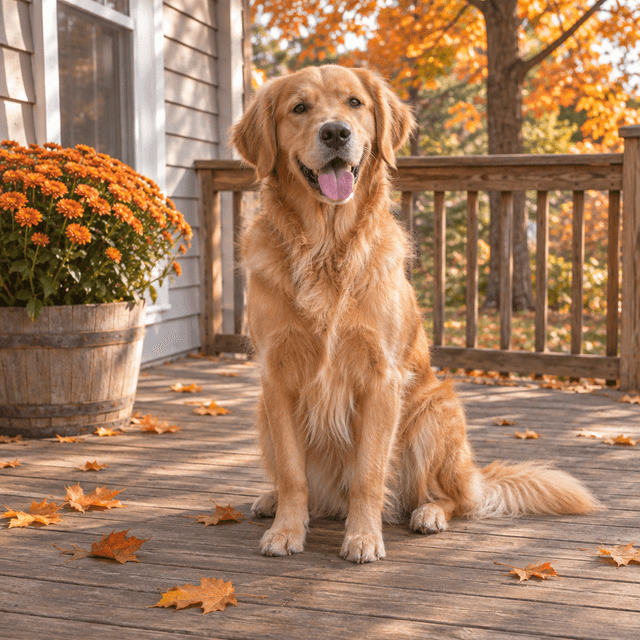
Candid photo of a happy golden retriever sitting on a wooden porch in autumnVotre photo
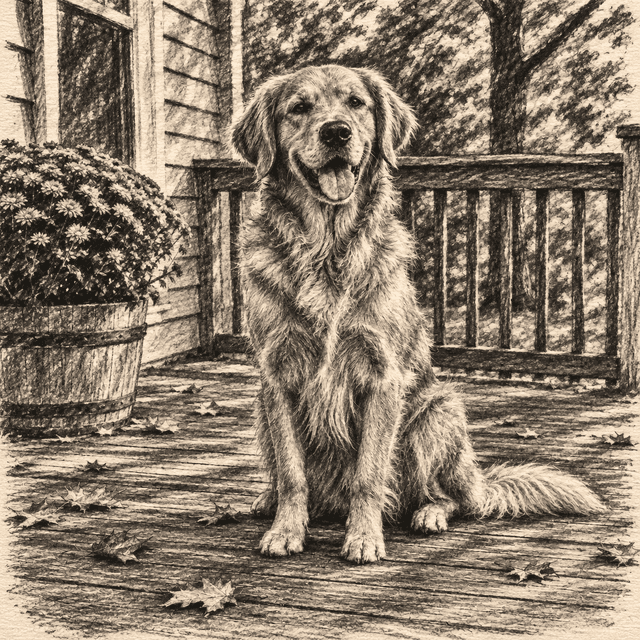
The same golden retriever as an expressive charcoal drawing on textured cream paperDessin au fusain

Photo en dessin : transformez vos photos en croquis

Importez votre photo