AI Game Music Generator from menu screens to boss fights.
Create immersive game soundtracks with AI. From epic boss battles to peaceful menu screens, generate the perfect music for every game moment.
- Free to try, no credit card
- Two versions of every song
- MP3 and WAV downloads
Made with this generator
30-second previews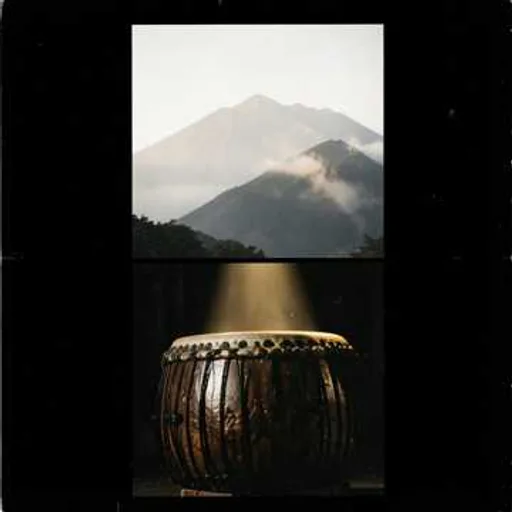
Epic Trailer
Massive drums, brass and choir
The prompt
epic cinematic trailer, powerful, heroic, massive taiko drums, soaring brass, choir, rising strings, dramatic build, orchestral hits, instrumental
Used by people at companies and universities like






Listen first. Every track here was made with this generator.
Each is a 30-second clip of a song made with one of the templates. Pick a sound you like and start your song with it.
InstrumentalEpic Trailer
Massive drums, brass and choir
 Instrumental
Synthwave Drive
Retro-futuristic synths, no vocals
 Instrumental
Emotional Film Score
Piano and strings that tell a story
 Instrumental
Ambient Calm
Soft pads for focus and meditation
Modern Pop Anthem
Big, radio-ready chorus and punchy drums
Acoustic Pop
Warm guitar, soft claps, intimate vocals

80s Synth-Pop
Retro drum machines and shimmering synths
Piano Ballad
Emotional piano, strings and a soaring voice
From an idea to a song. In three steps.
- 01
Describe your song
Say what it’s about, who it’s for and how it should feel, or paste lyrics you wrote. A template gives you a ready-made sound.
- 02
Get two versions
The AI writes the music, sings the words and makes cover art. Every generation gives you two takes to choose from in a few minutes.
- 03
Download and share
Download MP3 or WAV, share a link or make a lyric video. Change one thing and generate again until it’s right.
How to describe it.
Game music sets the tone for every moment of play. Describe the scene, such as a peaceful village, a tense stealth level or a boss fight, and the AI composes an original track for it. Make a theme for each level and area, or full songs with vocals for trailers and credits. Tracks made on a paid plan can be used in games you sell.
Prompts to try
Two ways to make a song. Quick, or exactly yours.
Describe it
One sentence, a whole song.
Write what the song is about. The AI writes the lyrics, picks the sound and sings it. Best when you want something good, fast.
Song description
A cheerful acoustic song for my sister’s 30th birthday, about road trips and bad karaoke
Two versions, ready to play
- Version 12:48
 Version 23:05
Write it yourself
Your lyrics, your sound.
Turn on Custom Mode to paste your lyrics, set the style and list the sounds to leave out. Best when every word matters.
Style
warm acoustic pop, fingerpicked guitar, soft female vocals, 90 BPM
Exclude styles
autotune, heavy drums
Lyrics
[Verse] Thirty candles, one old car [Chorus] Sing it loud, sing it wrong
- Male or female voice, or instrumental
- Up to 3,000 characters of lyrics on paid plans
- Three models: V6, V6 Wild and V6 Mini
Everything a song needs. In one place.
Real vocals
A male or female voice, or let the AI choose. Or tick Instrumental for music without singing.
Your own lyrics
Paste up to 3,000 characters on paid plans and mark the verses, choruses and bridge.
Any genre or mood
Pop, rap, rock, country, lo-fi, orchestral and anything in between, or a blend.
Two versions every time
Every generation gives you two takes of the song to pick from.
Cover art
Each version comes with its own cover image.
MP3 and WAV
MP3 for sharing and listening, uncompressed WAV for editing and mastering.
Leave sounds out
List styles to avoid, like autotune or heavy distortion, in Exclude styles.
Lyric videos
Turn a song into a simple video with the lyrics on screen.
Many languages
Write your description or lyrics in the language you want the song sung in.
Commercial use
Songs made on a paid plan come with full commercial rights, even after you cancel.
Start free. Make more on a paid plan.
Every song comes in two versions and uses 600 of your plan’s text-to-speech characters. Songs that fail aren’t counted.
Free
1
song a month, free
Starter
41
songs a month
Unlimited
125
songs a month
Unlimited 5000
5,833
songs a month on our largest plan
More ways to make music. Pick a style or a purpose.
Popular
For your project
Questions and answers.
Can I use AI music in a commercial game?
Yes, music generated with Easy-Peasy.AI can be used in commercial games, including those sold on Steam, App Store, Google Play, and other platforms, subject to your subscription plan.
What game genres does the AI handle?
The AI can create music for RPGs, platformers, puzzle games, racing games, horror games, strategy games, visual novels, rhythm games, and any other genre you can imagine.
Can I generate different tracks for different game levels?
Absolutely. Generate unique tracks for each level, area, or game state. Describe the specific mood and energy for each track in your prompt to get varied, cohesive results.
Is it free?
Yes, you can try it for free. The Free plan makes one song a month, in two versions. Paid plans make many more, from 41 songs a month on Starter.
Can it make songs with vocals and lyrics?
Yes. Describe the song and the AI writes the lyrics and sings them, or turn on Custom Mode and paste your own. Pick a male or female voice, or tick Instrumental Only for music without singing.
How long are the songs?
Most songs are two to four minutes long. You can’t set an exact length, so trim the song in an audio or video editor when you need a shorter clip.
Can I use the songs commercially?
Yes, on a paid plan. Songs you make with a paid subscription come with full commercial rights, and you keep them after the subscription ends. Songs made on the Free plan are for non-commercial use.
Which file formats can I download?
MP3, for sharing and listening, and WAV, uncompressed for editing and mastering. Each song also comes with its own cover art.
Why do I get two versions?
Every generation makes two different takes of your idea, so you can keep the one you like best. Both count as one song.
Which languages can it sing in?
English and many other languages, such as Spanish, Portuguese, French, German, Japanese and Korean. Write your description or lyrics in the language you want the song sung in.
Your next song starts with one sentence.
Free to try: one song a month in two versions, no credit card needed.