From the moody hues of Van Gogh’s Starry Night to the awe-inspiring precision of Da Vinci’s Vitruvian Man, art has long been a beacon of human creativity. As we progress deeper into the age of artificial intelligence, AI has become not just a tool, but a true creative partner – giving birth to a thriving new genre: AI Art.
AI Art has evolved from a novelty into a professional creative tool used by designers, marketers, and artists worldwide. Today’s AI image generators don’t just produce random outputs – they understand context, follow complex instructions, render accurate text, and maintain consistency across multiple images. The technology has matured from experimental curiosity to indispensable creative assistant.
In this guide, we’ll explore the fascinating world of AI Art Prompts, focusing on the latest generation of image models including Nano Banana Pro, Seedream 4.5, and OpenAI GPT Image 1.5. Whether you’re a professional designer seeking to streamline your workflow or a creative enthusiast exploring new artistic frontiers, this guide will help you master the art of prompt writing.
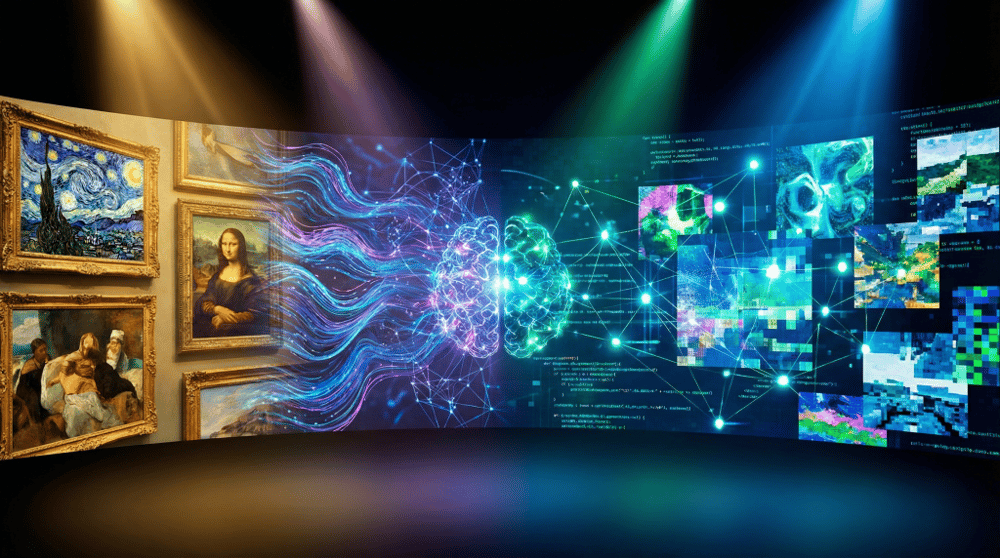
Understanding AI Art Prompts
At the heart of AI-generated art are prompts – the initial inputs that guide the creative algorithm. AI art prompts are your creative language for communicating with the machine. They serve as detailed blueprints from which the AI constructs its visual interpretation.
Think of prompts as conversations with an incredibly talented artist who has studied millions of images. The more precisely you describe your vision, the better the AI can translate your ideas into stunning visuals. A prompt can be as simple as “a cat sitting on a windowsill” or as elaborate as a paragraph describing lighting, mood, style, camera angle, and artistic influence.
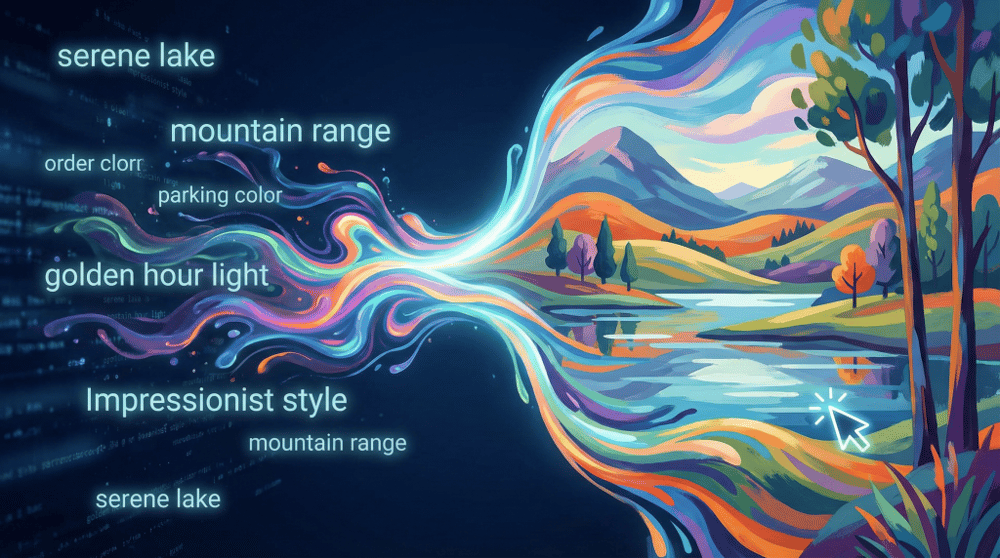
The relationship between AI and prompts has become increasingly sophisticated. Modern models like Nano Banana Pro and Seedream 4.5 don’t just match keywords – they understand semantic relationships, spatial reasoning, and even cultural context. This means your prompts can include complex instructions about composition, subject interaction, and narrative elements that earlier models would have struggled with.
What’s even more remarkable is that Nano Banana Pro integrates search capabilities directly into image generation. This means the model can access real-time information from the web to create more accurate and up-to-date imagery. For example, if you want to generate an image featuring a recent event, trending fashion, or current architectural landmarks, Nano Banana Pro can search for relevant information to inform its generation – something that was impossible with earlier models limited to their training data.
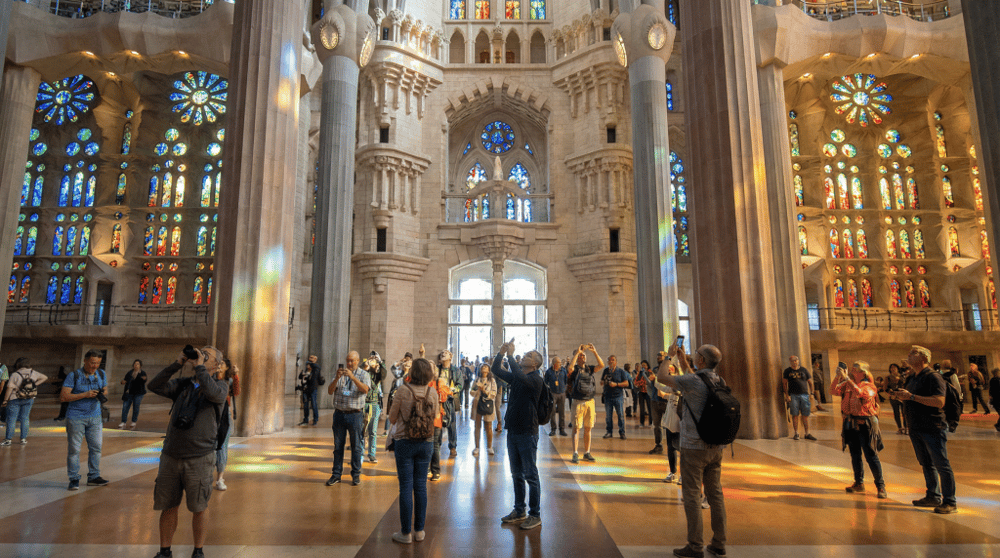
Example prompt leveraging search capability:
“Generate an image of the newly renovated Sagrada Familia interior as it looks in 2026, with tourists admiring the colorful stained glass windows, photorealistic style, natural lighting streaming through the windows”
Or for trending topics:
“Create a photo of someone wearing the latest streetwear trends from Paris Fashion Week 2026, urban street background, editorial photography style, natural daylight”
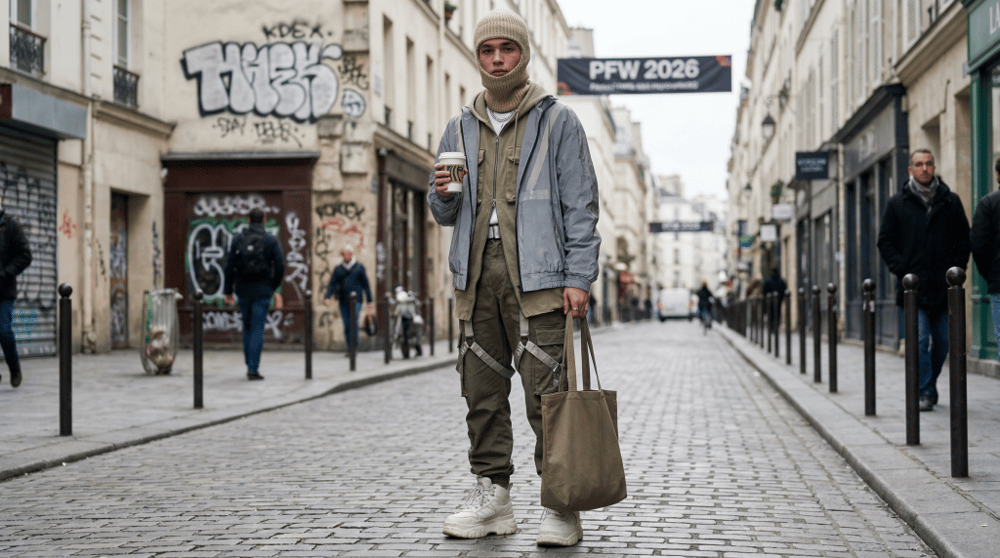
This search-grounded generation ensures your images reflect current reality rather than outdated training data, making Nano Banana Pro particularly powerful for marketing materials, news illustrations, and any content that needs to be timely and accurate.
The 2026 AI Image Generation Landscape
Nano Banana Pro (Google DeepMind)
Released in November 2025, Nano Banana Pro is Google’s flagship image generation model built on Gemini 3 Pro. This model has become a favorite among professionals for its exceptional accuracy and editing capabilities.
Key Strengths:
- Outstanding character consistency across multiple generations
- Superior logical coherence in complex scenes
- Excellent understanding of real-world physics and spatial relationships
- Advanced image editing capabilities (inpainting, outpainting, style transfer)
- Strong integration with Google’s ecosystem
Nano Banana Pro excels at creating photorealistic images and maintaining consistency when you need to generate multiple images of the same character or scene. Its understanding of context and world knowledge makes it particularly powerful for illustrations that require logical accuracy.
Seedream 4.5 (ByteDance)
ByteDance’s Seedream 4.5, released in December 2025, represents a significant leap forward in multi-image consistency and professional creative applications.
Key Strengths:
- Industry-leading multi-image subject identification (supports up to 10 reference images)
- Superior typography and dense text rendering
- Excellent preservation of reference image details (facial features, lighting, color tone)
- Designer-level composition and layout capabilities
- Ideal for e-commerce, posters, and brand visuals
Seedream 4.5 shines in professional workflows where you need to maintain strict consistency with reference materials. Its ability to accurately identify and preserve subjects across multiple images makes it perfect for product photography, marketing materials, and any project requiring brand consistency.
OpenAI GPT Image 1.5
OpenAI’s GPT Image 1.5, released in December 2025, builds on the viral success of the original GPT Image model that took social media by storm in early 2025 (particularly famous for its Studio Ghibli-style generations).
Key Strengths:
- Exceptional versatility across diverse artistic styles
- Strong ability to follow custom guidelines
- Extensive world knowledge integration
- Accurate text rendering within images
- Seamless integration with ChatGPT for conversational image creation
- Available through both ChatGPT interface and API
GPT Image 1.5 is known for its creative flexibility and the natural conversational workflow it enables through ChatGPT. It excels at artistic interpretations and can faithfully recreate specific art styles when prompted.
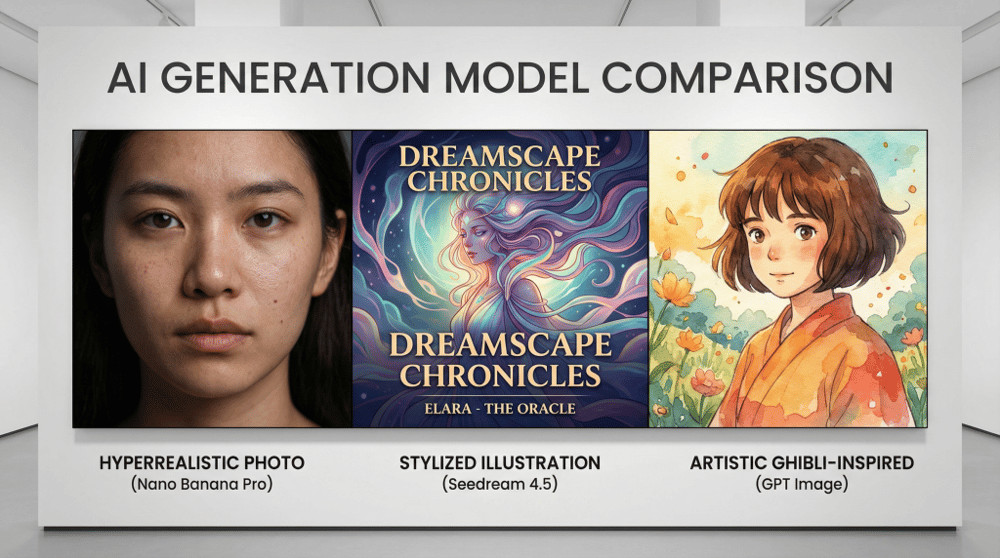
A split-screen comparison showing three AI-generated portraits in different styles: one hyperrealistic photo (Nano Banana Pro style), one stylized illustration with perfect text overlay (Seedream 4.5 style), and one artistic Ghibli-inspired character (GPT Image style), professional presentation layout.
Midjourney: The Creative Powerhouse
What is Midjourney?
Midjourney remains one of the most popular AI image generators, beloved by artists and designers for its distinctive aesthetic quality and artistic interpretation. Unlike other tools that focus on photorealism, Midjourney excels at creating visually stunning, often dreamlike imagery with exceptional composition and style.
Midjourney V7 and V8: What’s New
Midjourney V7 (released April 2025, became default June 2025) brought significant improvements including stunning precision in handling text and image prompts, richer textures and more coherent details—especially in bodies, hands, and objects, personalized image output, voice input capability, and a new Draft Mode that renders images at half the usual speed for quick iterations.
Midjourney V8 (will be released in 2026) builds on V7 with better prompt accuracy, improved image coherence, enhanced style consistency, and a new Edit Model for refined control over image adjustments.
Key Midjourney Features for 2026
Midjourney’s current feature set includes Draft Mode for rapid prototyping, a Style Creator for developing and saving custom visual styles, User Profiles for showcasing your work and following other creators, and Dramammancer, a storytelling tool for creating narrative-driven visuals.
Midjourney Prompting Tips
Use Parameters Effectively:
--ar 16:9or--ar 1:1for aspect ratio control--stylize(or--s) values from 0-1000 to control artistic interpretation--chaosfor more varied results--quality(or--q) for detail level--weirdfor unexpected, experimental outputs
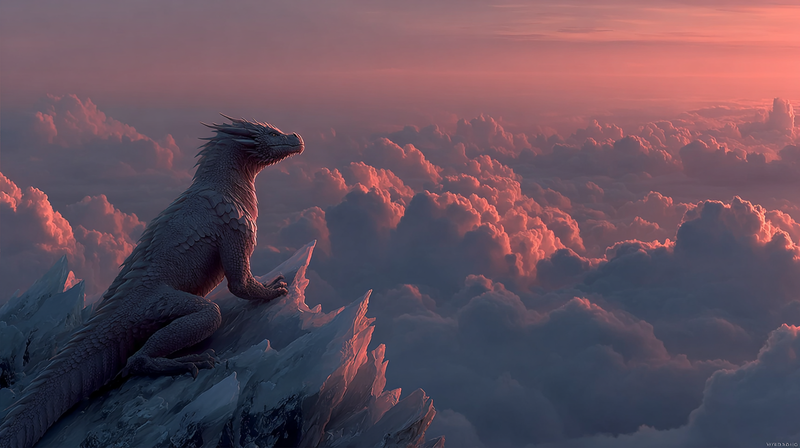
Example Midjourney Prompt: “A majestic dragon perched on a crystal mountain peak, iridescent scales reflecting sunset colors, volumetric fog, epic fantasy art –ar 16:9 –stylize 750 –v 7”
JSON Prompts: Structured Prompting for Precision
What Are JSON Prompts?
JSON (JavaScript Object Notation) prompting is an emerging technique that’s gaining significant popularity in 2025-2026 for generating more precise and consistent AI images. Instead of writing free-form text prompts, you structure your instructions using a JSON-like format that clearly categorizes different aspects of your desired image.
Why JSON prompts are gaining traction: They resolve prompt inaccuracy and misinterpretation issues, make prompts reusable and easy to modify, are suitable for automation and batch processing, and help AI follow complex creative instructions more precisely.
How JSON Prompts Work
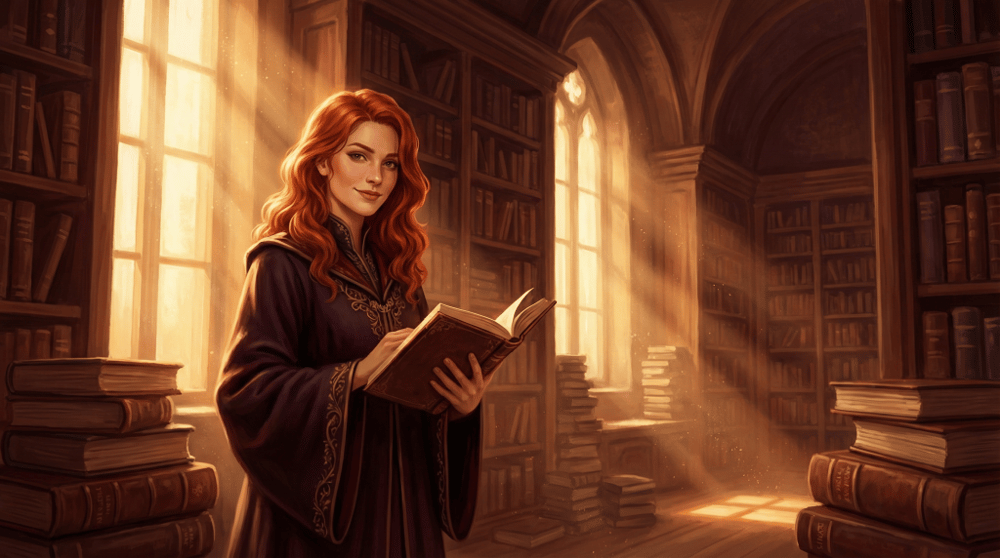
A JSON prompt organizes your creative vision into distinct categories that the AI can parse more accurately. Here’s the basic structure:
json
{
  "subject": {
    "main": "young woman",
    "details": "flowing red hair, elegant posture",
    "expression": "confident smile"
  },
  "environment": {
    "setting": "ancient library",
    "time": "golden hour",
    "weather": "dust motes floating in sunbeams"
  },
  "style": {
    "artistic_style": "digital painting",
    "color_palette": "warm amber and deep burgundy",
    "mood": "mysterious and scholarly"
  },
  "technical": {
    "composition": "rule of thirds, subject slightly left",
    "camera_angle": "eye level, slight low angle",
    "lighting": "dramatic Rembrandt lighting"
  }
}
JSON Prompt Categories Explained
1. Subject Details – Define the main subject, physical characteristics, pose, and expression.
2. Environment/Scene – Specify setting, time of day, weather, and atmospheric elements.
3. Background – Describe what appears behind the subject.
4. Style/Aesthetics – Reference artistic styles, color palettes, and overall mood.
5. Composition & Framing – Camera angles, shot types, and compositional rules.
6. Lighting – Type of lighting, direction, and quality.
7. Technical Specifications – Resolution, aspect ratio, and rendering quality.
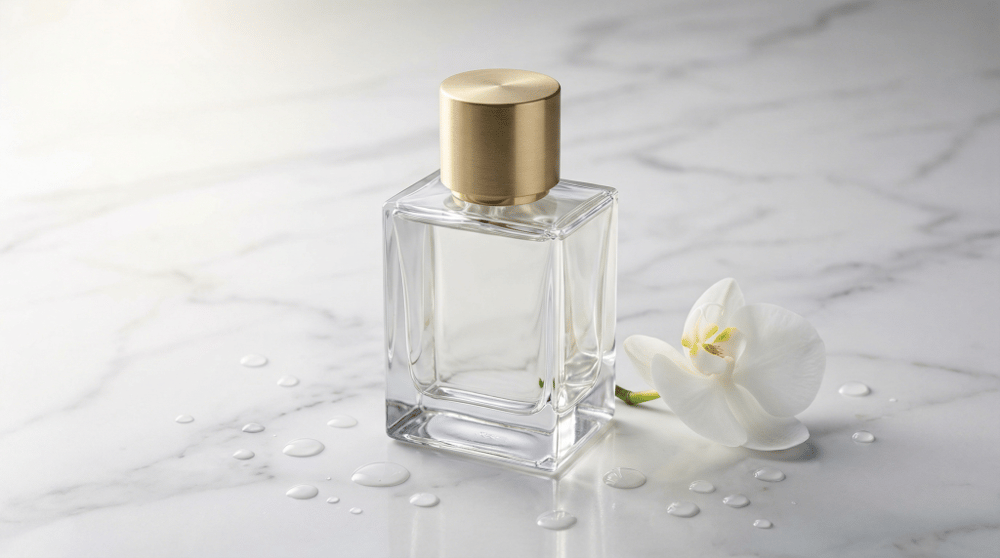
JSON Prompt Example for Product Photography
json
{
  "product": {
    "item": "luxury perfume bottle",
    "material": "crystal glass with gold cap",
    "brand_style": "high-end minimalist"
  },
  "presentation": {
    "surface": "white marble with subtle gray veining",
    "props": "single white orchid, water droplets",
    "arrangement": "product centered, orchid to the right"
  },
  "lighting": {
    "type": "soft studio lighting",
    "direction": "45-degree key light from left",
    "highlights": "subtle rim light on bottle edges"
  },
  "style": {
    "aesthetic": "luxury e-commerce",
    "mood": "elegant and aspirational",
    "color_scheme": "white, gold, soft gray"
  },
  "output": {
    "aspect_ratio": "1:1",
    "quality": "8K detail"
  }
}
When to Use JSON Prompts
JSON prompts work particularly well for batch generation of consistent content such as product lines or social media series, complex scenes with multiple elements that need precise placement, professional workflows requiring reproducible results, training AI models with consistent input formats, and collaborative projects where multiple people need to understand and modify prompts.
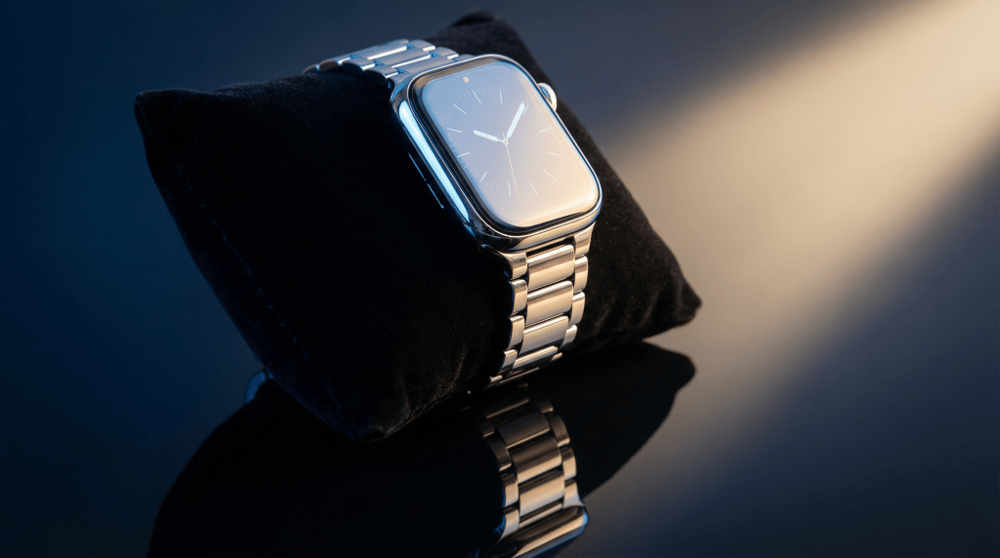
Image-Based Prompting: Using Reference Images
The Power of Visual References
One of the most powerful advances in AI image generation is the ability to use existing images as references or starting points. Instead of describing everything in words, you can show the AI what you want – whether it’s a style to emulate, a subject to transform, or a composition to follow.
How Image-Based Prompting Works
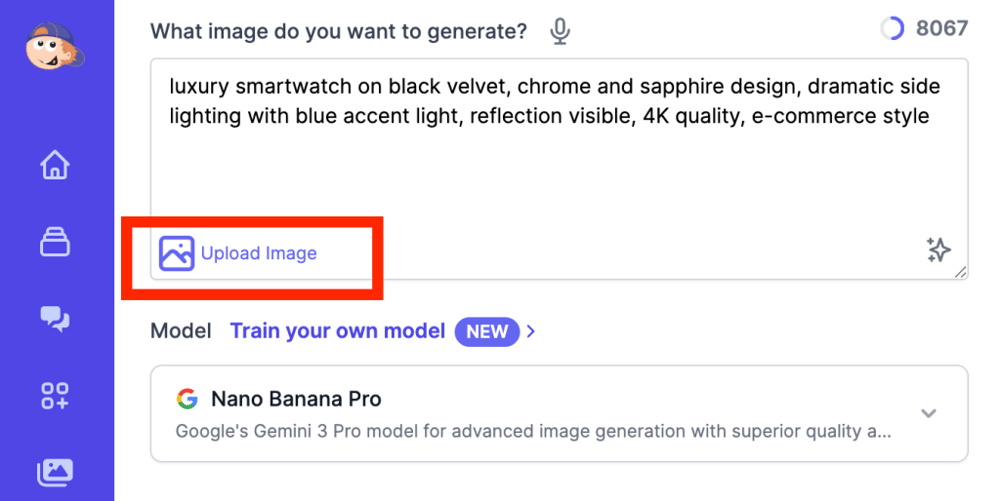
On platforms like Easy-Peasy.AI, you can upload reference images directly to guide your generation. The AI analyzes your uploaded image and uses it to inform the new creation. This opens up powerful workflows like style transfer where you can upload an artwork and apply its style to a new subject, subject transformation where you upload a photo and transform the person, object, or scene, composition guidance where you use the layout of one image to structure a completely different scene, and character consistency where you upload a character and generate them in new poses or settings.
Types of Image References
Style References – Upload an image whose visual style (colors, brushwork, mood) you want to replicate. Example: Upload a Van Gogh painting, prompt for “a modern city street in this style”
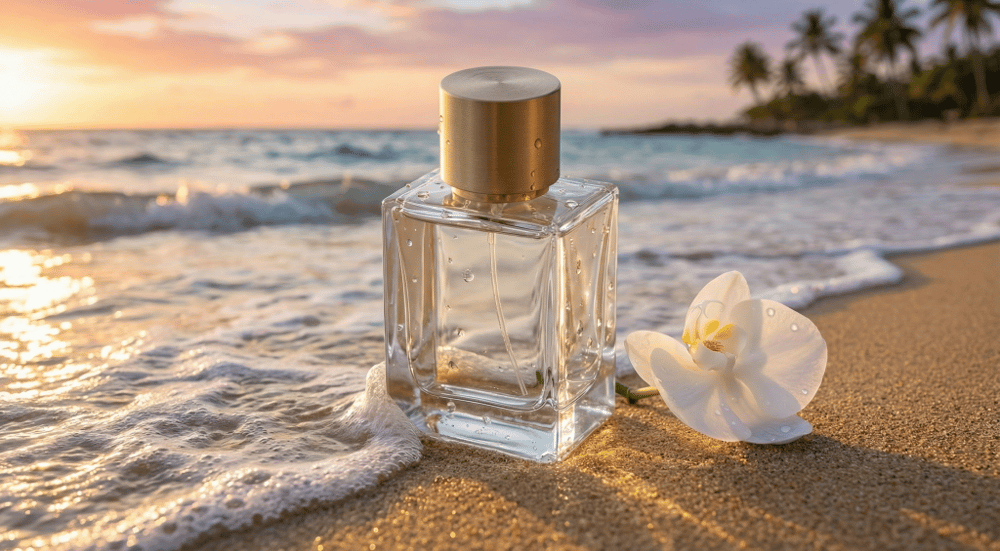
Subject References – Upload an image of a specific person, product, or object to maintain consistency. Example: Upload a product photo, prompt for “this product in a beach setting”
Composition References – Use an image’s layout as a template. Example: Upload a magazine cover layout, prompt for “recreate this composition with fantasy elements”
Pose References – Upload a photo showing a specific body position. Example: Upload a dance pose, prompt for “a robot in this pose”
Best Practices for Image-Based Prompting
1. Choose High-Quality References – The clearer your reference image, the better the AI can interpret it.
2. Combine Images with Text – Always add a text prompt to clarify your intent. A reference image plus a detailed prompt produces the best results.
3. Be Specific About What to Keep – Tell the AI what elements to preserve and what to change. Example: “Keep the pose and facial expression, change the clothing to a medieval knight’s armor”
4. Use Multiple References – Some platforms (like Seedream 4.5) allow up to 10 reference images for complex projects.
Example Workflow with Easy-Peasy.AI
- Navigate to Easy-Peasy.AI’s AI Image Generator
- Select your preferred model (Nano Banana Pro, FLUX.2, Seedream 4.5, etc.)
- Upload your reference image
- Write a descriptive prompt explaining what you want
- Adjust settings and generate
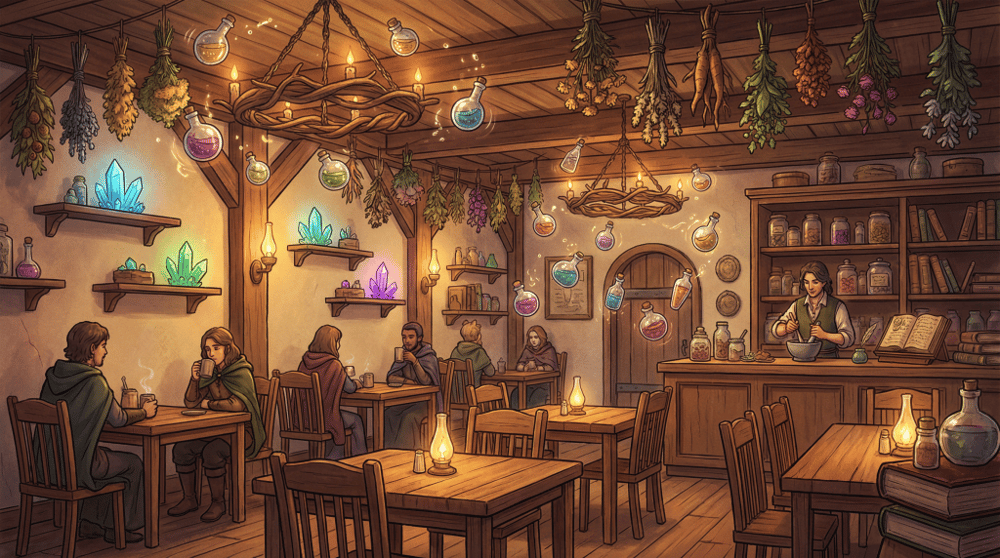
Upload a reference of a cozy café interior, then prompt: “Transform this café into a magical apothecary shop, keep the warm lighting and seating arrangement, add floating potion bottles, mystical herbs hanging from ceiling, glowing crystals on shelves, fantasy illustration style”
Safe for Work (SFW) Prompt Guidelines
Understanding Content Policies
All major AI image generation platforms have content policies to ensure responsible use. Understanding these guidelines helps you create effective prompts while staying within platform rules.
General SFW Guidelines
Prohibited Content (Universal Across Platforms):
- Explicit sexual content or nudity
- Violence, gore, or graphic injuries
- Content depicting minors in inappropriate contexts
- Hate speech or discriminatory imagery
- Real people in compromising situations
- Copyrighted characters without authorization
- Weapons in threatening contexts
- Drug use or illegal activities
How to Write SFW Prompts
1. Use Appropriate Descriptors
- ✅ “elegant,” “graceful,” “athletic,” “professional”
- ❌ Avoid suggestive or explicit terminology
2. Focus on Context
- ✅ “Beach scene with families enjoying the sunshine”
- ✅ “Professional fitness portrait in a gym setting”
- ✅ “Fashion editorial with sophisticated styling”
3. Specify Appropriate Attire
- ✅ “wearing a business suit,” “in casual summer clothes”
- ✅ “dressed in period-accurate Victorian attire”
4. Frame Artistic Nudity Correctly
- For classical art recreation: “classical sculpture style, museum exhibit, artistic anatomy study”
- Always emphasize the artistic or educational context
Platform-Specific Guidelines
Midjourney: Has a strict content policy. Avoid prompts that could generate inappropriate content. Use --no to exclude unwanted elements.
Nano Banana Pro (Google): Follows Google’s content policies. Generally conservative with safety filters.
GPT Image (OpenAI): Has built-in content filters. Will decline requests for inappropriate content.
Seedream 4.5 (ByteDance): Professional-focused platform with content guidelines similar to enterprise standards.
Tips for Professional Use
When creating content for clients or commercial use, consider these approaches. First, be explicit about intent by stating “for marketing materials” or “for children’s book illustration” in your prompt. Second, use professional terminology such as “corporate headshot style” and “editorial fashion photography.” Third, avoid ambiguous language that could be misinterpreted. Finally, test prompts before batch generation to ensure outputs meet standards.
Example SFW Prompt for Diverse Scenarios:
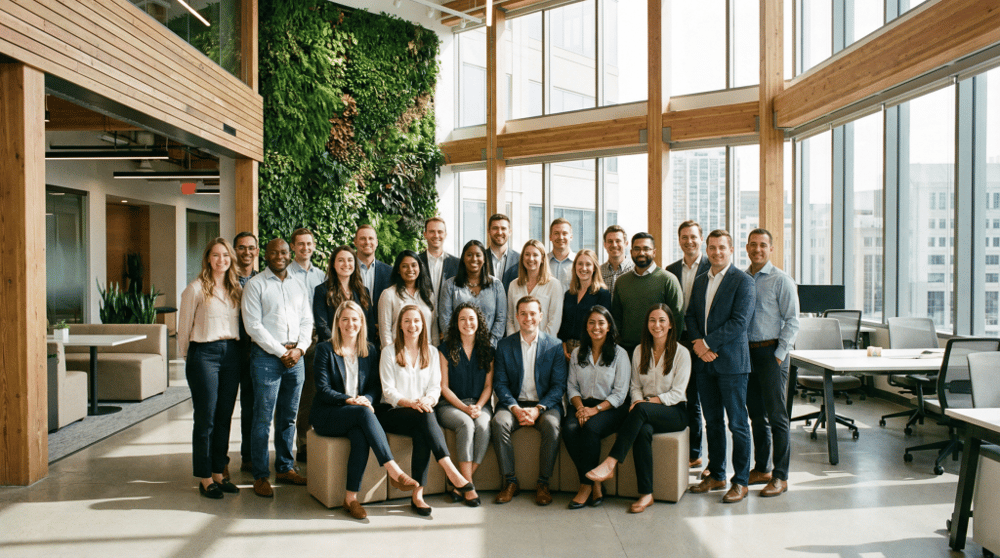
Professional: “Corporate team photo, diverse group of professionals in business casual attire, modern office environment, natural lighting, friendly expressions, LinkedIn profile quality”
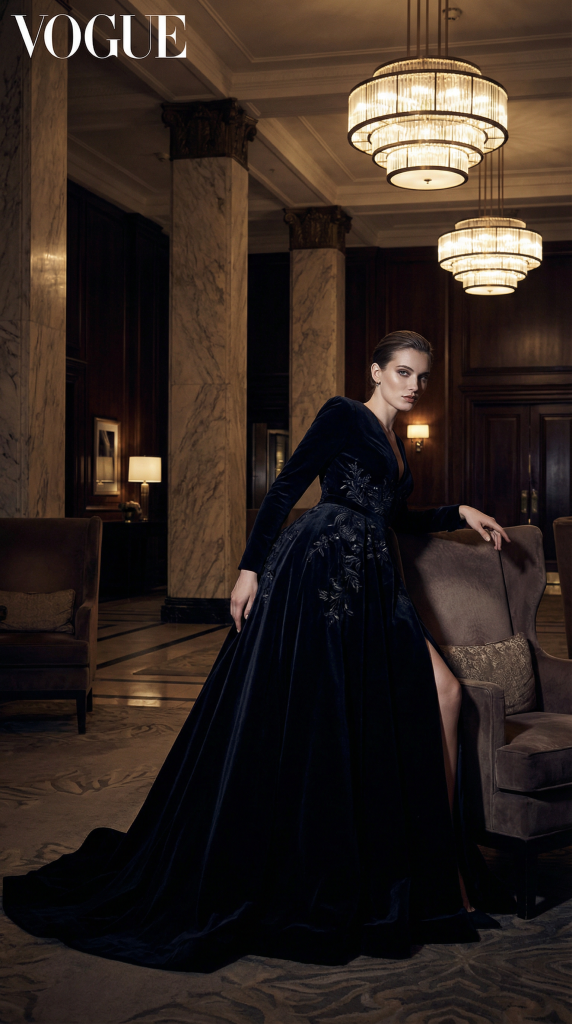
Fashion: “High fashion editorial, model in elegant evening gown, sophisticated pose, luxury hotel lobby setting, dramatic lighting, Vogue magazine style”
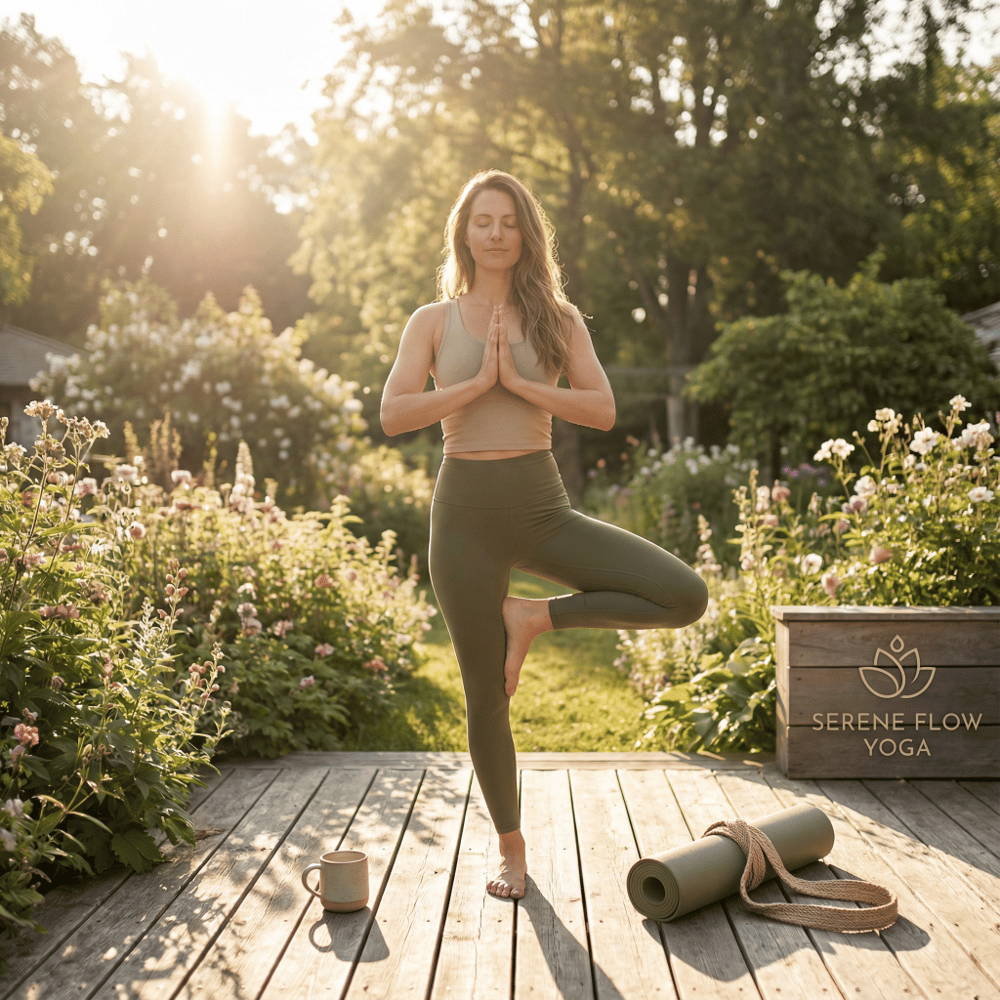
Fitness: “Athletic lifestyle photography, person doing yoga pose in a peaceful garden, comfortable workout attire, morning sunlight, wellness brand aesthetic”
Quick Model Comparison Chart
| Feature | Nano Banana Pro | Seedream 4.5 | GPT Image 1.5 | Midjourney V7/V8 |
|---|---|---|---|---|
| Strength | Photorealism & Consistency | Text & Multi-image | Artistic Versatility | Aesthetic Quality |
| Text Rendering | Excellent | Excellent | Very Good | Good (V7+) |
| Character Consistency | Excellent | Excellent | Good | Good |
| Reference Images | Yes | Up to 10 | Yes | Yes (sref, cref) |
| JSON Prompts | Supported | Supported | Supported | Limited |
| Best For | Product/Marketing | E-commerce/Branding | Creative/Artistic | Concept Art/Fantasy |
| API Access | Yes | Yes | Yes | Limited |
Key Tips for Writing Effective AI Art Prompts
1. Structure Your Prompts Logically
Modern AI models respond best to well-organized prompts. Consider using this framework:
Subject → Action/Pose → Setting/Environment → Style/Mood → Technical Details
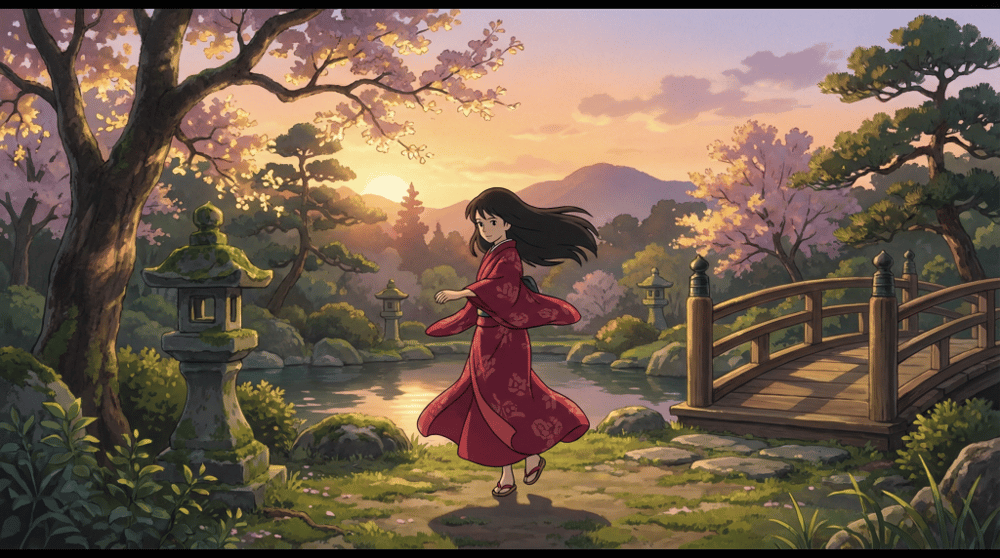
Example: “A young woman in a flowing red dress, dancing gracefully, in an ancient Japanese garden at sunset, Studio Ghibli animation style, soft golden lighting, cinematic composition”
2. Be Specific with Visual Details
Instead of vague descriptions, use precise language:
- ❌ “A pretty sunset”
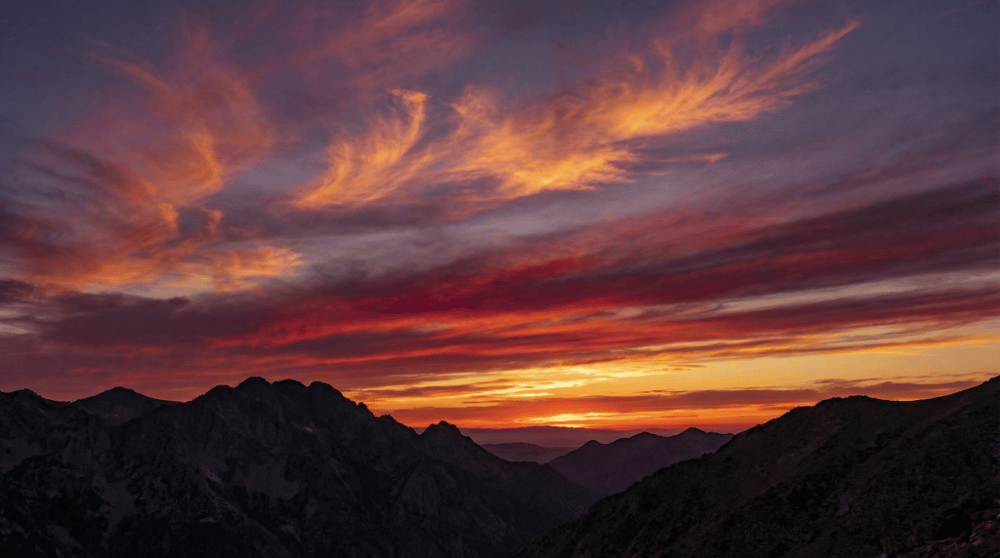
- ✅ “A dramatic sunset with deep orange and magenta gradients, silhouetted mountains, wispy cirrus clouds catching the last golden light”
3. Leverage Model-Specific Strengths
For Nano Banana Pro: Emphasize logical consistency and realistic details. Works great with: “photorealistic,” “consistent lighting,” “accurate proportions”
For Seedream 4.5: Maximize its layout and text capabilities. Include specific typography instructions like: “Title ‘Summer Collection’ in elegant serif font at top left, product centered, price ‘$29.99’ below”
For GPT Image 1.5: Explore artistic styles freely. Reference specific artists, art movements, or media: “in the style of Hayao Miyazaki,” “watercolor illustration,” “art nouveau poster design”
4. Use Descriptive Adjectives Strategically
Adjectives shape mood and atmosphere:
- Lighting: soft, dramatic, ethereal, golden hour, neon, ambient
- Mood: serene, mysterious, joyful, melancholic, epic, intimate
- Texture: smooth, grainy, glossy, matte, weathered, crystalline
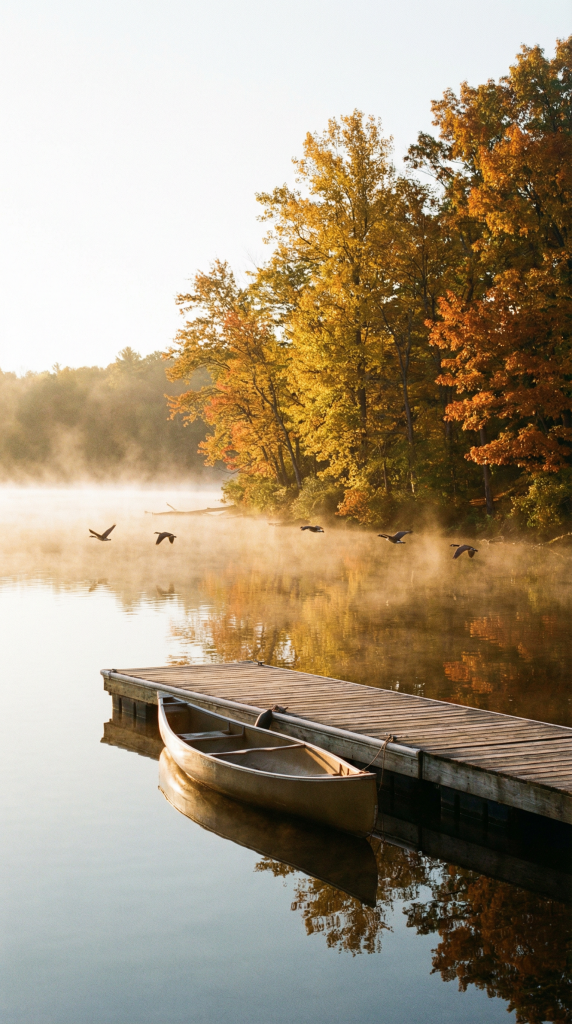
A serene lakeside scene at dawn, mist rising softly off the water, a single wooden dock extending into the lake, surrounded by autumn trees in golden and amber colors, photorealistic style, peaceful atmosphere, golden hour lighting.
The Power of Reference-Based Generation
One of the most significant advances in 2025-2026 AI image generation is reference-based generation—the ability to use existing images as guides for new creations.
How to Use Reference Images Effectively
With Seedream 4.5: You can upload up to 10 reference images and instruct the model to maintain specific elements while transforming others. For example:
- “Keep the model’s pose and facial features, change the background to a tropical beach”
- “Maintain the product design, create lifestyle shots in different settings”
With Nano Banana Pro: Excellent for iterative editing—make specific changes to existing images while preserving everything else.
With GPT Image 1.5: Use conversational refinement—generate an initial image, then describe modifications in follow-up prompts.
Utilizing Technical Terminology and Rendering Styles
Photography Terminology
Incorporate camera and photography terms for more professional results:
- Lens types: wide-angle, telephoto, macro, fisheye, tilt-shift
- Depth of field: shallow DoF, bokeh, deep focus
- Camera angles: low angle, bird’s eye view, Dutch angle, over-the-shoulder
- Lighting setups: Rembrandt lighting, backlighting, rim light, three-point lighting
Digital Art and Rendering Terms
For 3D and digital art styles:
- Rendering engines: “Octane Render quality,” “Unreal Engine 5 photorealism,” “Cinema 4D aesthetic”
- Techniques: ray tracing, ambient occlusion, global illumination, subsurface scattering
- Resolutions: 8K detail, high-resolution textures, crisp details
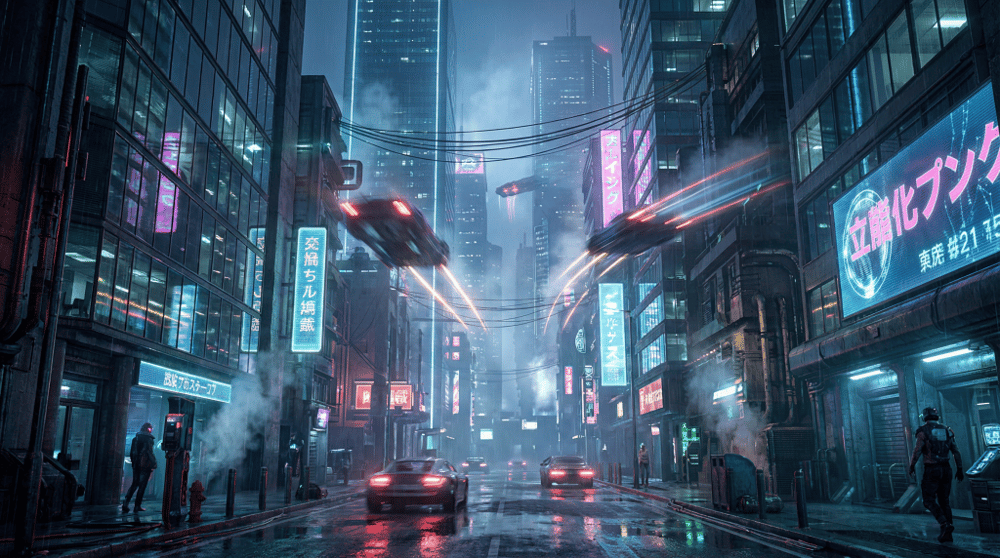
An 8K Unreal Engine 5 render of a futuristic cityscape at night, neon lights reflecting on wet streets, volumetric fog, ray-traced reflections in glass buildings, flying vehicles with motion blur, cyberpunk aesthetic.
Text Rendering: A Major 2026 Breakthrough
One of the most frustrating limitations of early AI image generators was their inability to render text accurately. This has changed dramatically with the latest models.
Best Practices for Text in Images
Seedream 4.5 is currently the leader in text rendering:
- Specify exact text in quotes: “Title: ‘SUMMER SALE'”
- Describe font style: “elegant serif,” “bold sans-serif,” “handwritten script”
- Indicate placement: “centered at top,” “bottom right corner”
- Define size relationships: “large headline above smaller body text”
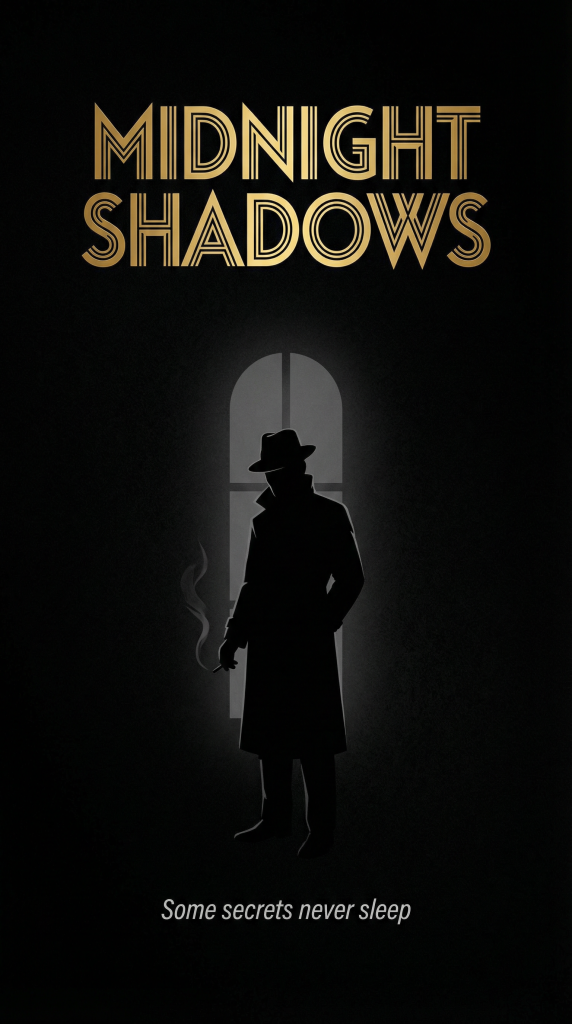
Example prompt for a poster: “Minimalist movie poster design, dark background, silhouette of a detective in a trench coat, title ‘MIDNIGHT SHADOWS’ in bold art deco font at the top, tagline ‘Some secrets never sleep’ in small italic text at the bottom, film noir aesthetic”
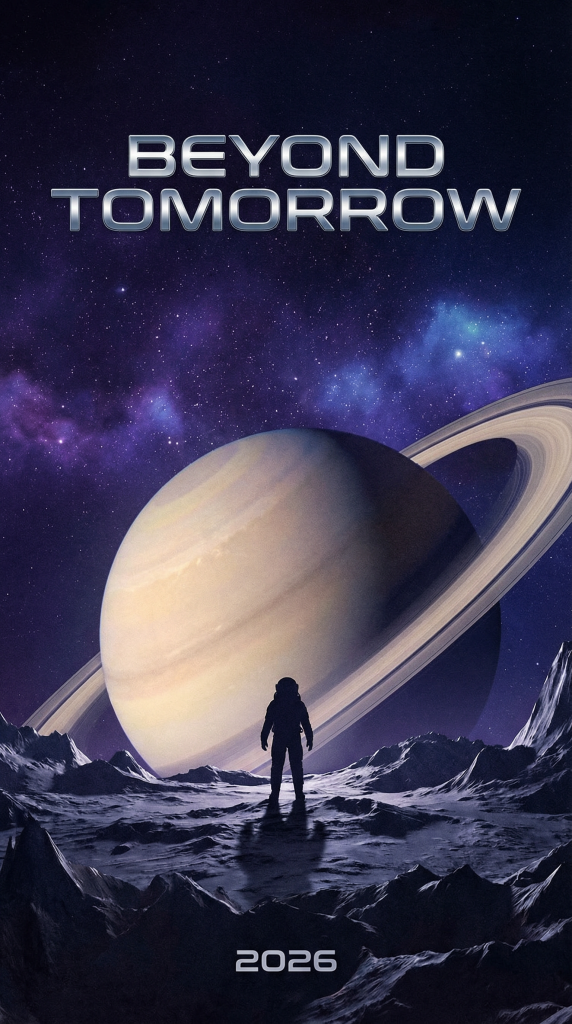
A professional movie poster for a sci-fi film titled “BEYOND TOMORROW” featuring a lone astronaut silhouette against a massive ringed planet, stars scattered across a deep purple-blue space, the title in sleek futuristic chrome font at the top, release date “2026” at the bottom.
Referencing Artists and Art Styles
Specifying artistic styles remains one of the most powerful prompt techniques. Here’s how to do it effectively:
Classical Art Movements
- “In the style of Impressionism, with visible brushstrokes and light-dappled scenes”
- “Renaissance composition with dramatic chiaroscuro lighting”
- “Art Nouveau with flowing organic lines and decorative borders”
Specific Artists (Use Thoughtfully)
- “Inspired by Monet’s water lily color palette”
- “Geometric abstraction reminiscent of Kandinsky“
- “Surrealistic dreamscape evoking Salvador Dalí“
Contemporary and Digital Styles
- “Concept art for a AAA video game”
- “Studio Ghibli animation style”
- “Pixar 3D animation aesthetic“
- “Vintage travel poster illustration”
Important Note: While AI can capture stylistic elements, it cannot fully replicate the emotion, intent, or cultural significance behind original works. Use style references respectfully, and remember that AI-generated art is a new form of creative expression, not a replacement for human artistry.
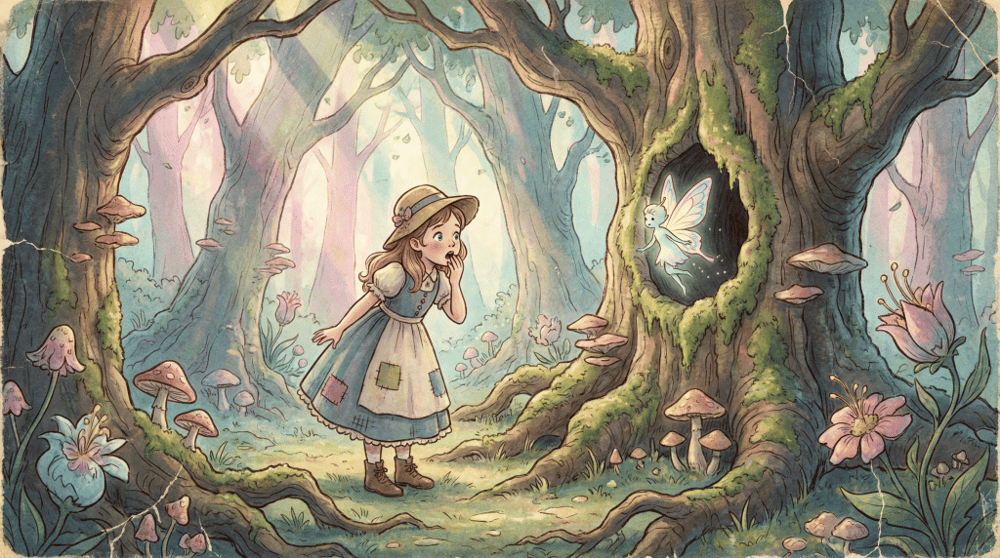
A digital painting of a magical forest in Vintage style, featuring a young girl discovering a hidden spirit among moss-covered ancient trees, dappled sunlight filtering through leaves, soft pastel colors, whimsical and enchanting atmosphere.
The Do’s and Don’ts of AI Art Prompts
Do’s ✓
- Be specific and detailed – More context leads to better results
- Use positive framing – Describe what you want, not what you don’t want
- Include mood and atmosphere – Emotions guide visual interpretation
- Specify aspect ratios when needed – “16:9 landscape,” “1:1 square,” “9:16 portrait”
- Iterate and refine – Use outputs as starting points for improved prompts
- Combine multiple style references – “Art nouveau meets cyberpunk”
Don’ts ✗
- Avoid negative phrasing – “No trees” works worse than “open grassland”
- Don’t overload with contradictions – “Minimalist but highly detailed” confuses models
- Respect content policies – All major platforms have restrictions on harmful content
- Don’t expect perfection on first try – Prompt engineering is iterative
- Avoid overly complex multi-scene descriptions – Focus on one cohesive scene
Professional Workflow Tips
For E-commerce and Product Photography
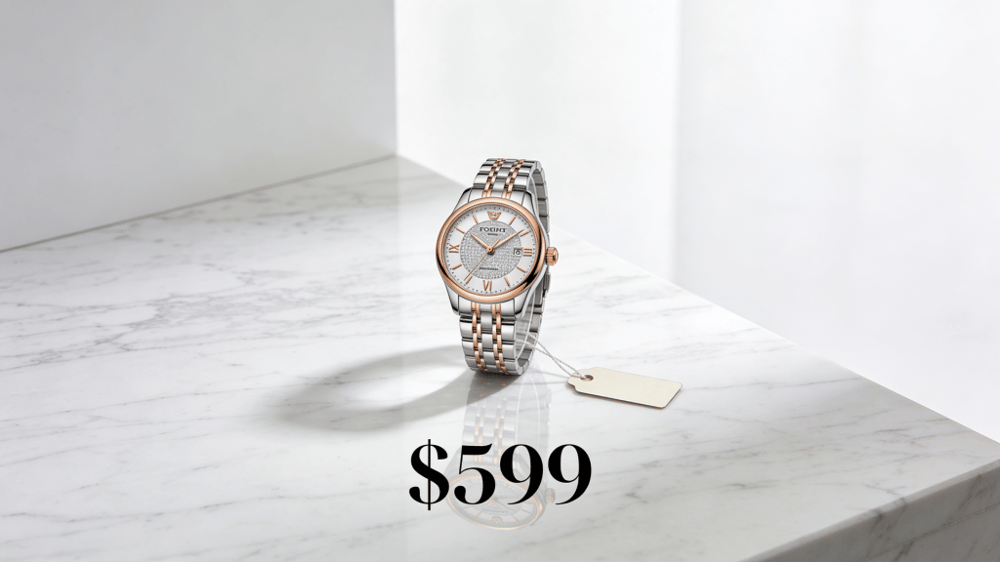
Using Seedream 4.5’s strengths: “Professional product photography of a luxury watch on a marble surface, soft studio lighting, shallow depth of field, reflection visible on polished surface, white background, e-commerce style, price tag ‘$599’ in elegant font”
For Social Media Content
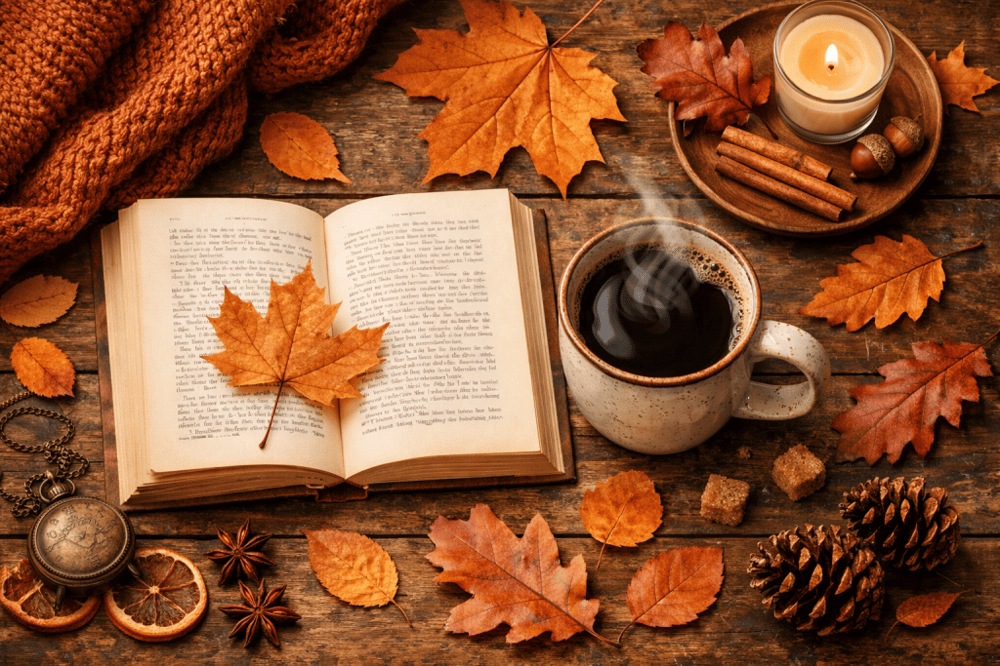
Using GPT Image 1.5’s versatility: “Instagram-worthy flat lay of a cozy autumn morning: a steaming cup of coffee, an open book, fall leaves scattered around, warm brown and orange color palette, overhead shot, soft natural lighting”
For Marketing and Advertising
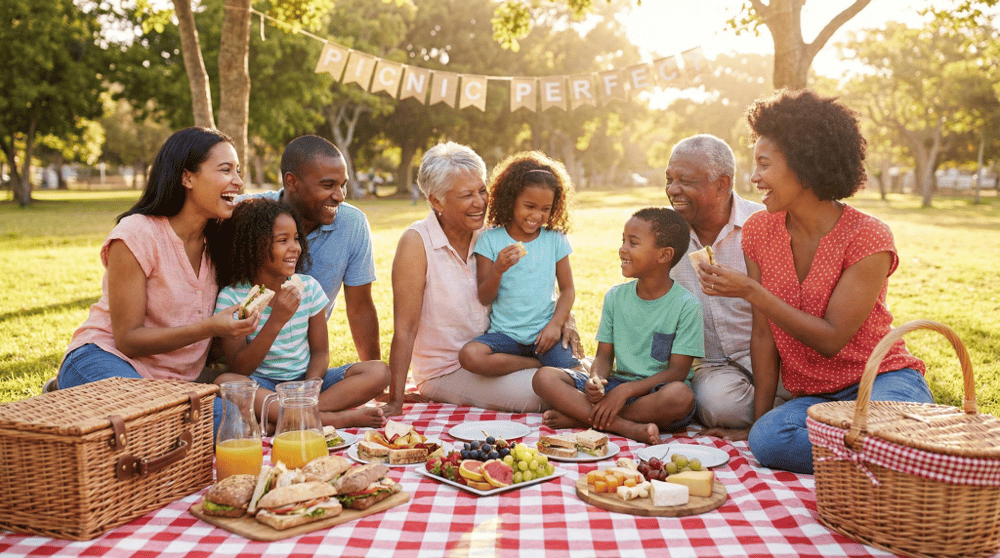
Using Nano Banana Pro’s realism: “Photorealistic advertisement showing a happy family enjoying a picnic in a sunny park, diverse group, natural expressions, appetizing food spread on a checkered blanket, golden hour lighting, aspirational lifestyle photography”
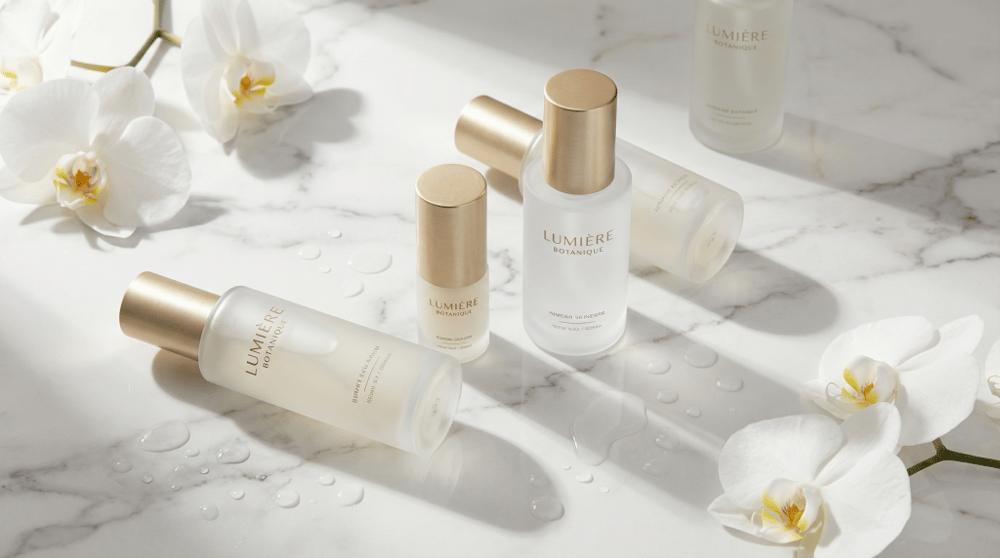
A professional e-commerce hero image for a premium skincare brand, featuring elegant glass bottles with gold accents arranged on white marble, soft shadows, water droplets suggesting freshness, clean minimalist composition, luxury aesthetic.
50 Updated AI Art Prompts for 2026
Here’s a refreshed collection of prompts optimized for modern AI image generators:
- A serene lakeside cabin at dawn, mist rising from the water, mountain reflection, cozy warm lights in windows
- Futuristic Tokyo street at night, neon signs in Japanese, rain-slicked streets, cyberpunk atmosphere
- A majestic phoenix rising from flames, feathers transitioning from gold to crimson, dramatic dark background
- Vintage Parisian café scene, impressionist painting style, soft afternoon light, outdoor seating
- Underwater bioluminescent garden, exotic coral formations, glowing jellyfish, mysterious deep-sea atmosphere
- A cozy bookshop interior, floor-to-ceiling shelves, warm lamp light, cat sleeping on a reading chair
- Northern lights over an Icelandic landscape, vibrant green and purple aurora, snow-covered mountains
- Steampunk inventor’s workshop, brass gears, leather-bound journals, mysterious inventions, warm gaslight
- Japanese zen garden in autumn, maple trees with red leaves, stone lantern, raked sand patterns
- Art deco ballroom from the 1920s, geometric patterns, elegant dancers, champagne gold and black palette
- Astronaut floating in space, Earth reflected in helmet visor, stars scattered in background, photorealistic
- Enchanted library with floating books, spiral staircases, magical glowing orbs, fantasy illustration
- Mediterranean coastal village, white and blue buildings, bright bougainvillea, crystal clear water
- A dragon curled protectively around treasure, scales with iridescent shimmer, cave interior, dramatic lighting
- Modern minimalist living room, floor-to-ceiling windows, city skyline view, Scandinavian design
- Victorian-era detective’s study, magnifying glass, old maps, candlelight, mysterious atmosphere
- Tropical waterfall hidden in jungle, rainbow in mist, exotic birds, lush green vegetation
- Samurai warrior in cherry blossom grove, traditional armor, petals floating, golden hour
- Abandoned space station interior, overgrown with alien plants, shafts of light through broken windows
- Winter market in Prague, Christmas lights, snow falling, historic architecture, festive atmosphere
- Desert oasis at sunset, palm trees silhouetted, camels resting, pink and orange sky gradients
- Cute robot tending a garden on Mars, biodome in background, Earth visible in sky, hopeful tone
- Ancient Egyptian temple interior, hieroglyphics on walls, sunlight streaming through columns
- Cozy coffee shop on a rainy day, window condensation, warm interior lighting, aesthetic composition
- Ethereal portrait of a forest spirit, antlers adorned with flowers, glowing eyes, magical realism
- Grand Central Station with time frozen, people mid-stride, dramatic light beams, cinematic
- Coral reef restoration scene, divers planting coral, colorful fish, hopeful environmental message
- Traditional Chinese mountain landscape, ink wash painting style, mist-shrouded peaks, small pavilion
- 1950s American diner, chrome fixtures, neon signs, checkered floor, nostalgic atmosphere
- Fairy tale castle on floating island, waterfalls cascading into clouds, magical sunset
- Street food market in Bangkok, steam rising from woks, colorful ingredients, vibrant night scene
- Lighthouse during a storm, dramatic waves crashing, lightning in sky, moody atmosphere
- Art gallery of the future, holographic displays, visitors in futuristic attire, clean white space
- Ancient redwood forest, sunbeams filtering through canopy, ferns on forest floor, peaceful mood
- Moroccan riad courtyard, intricate tile patterns, fountain, orange trees, afternoon light
- Retro-futuristic space lounge, curved furniture, planet view through window, 1960s sci-fi aesthetic
- Indigenous dreamtime art style, dot painting, Australian outback, spiritual connection to land
- Venice carnival masquerade, elaborate masks and costumes, candlelit ballroom, mysterious elegance
- Tiny fairy village in a mushroom forest, glowing windows, dewdrops on leaves, macro perspective
- Jazz club in New Orleans, blue lighting, saxophone player, intimate atmosphere, vintage feel
- Glacier cave interior, blue ice formations, explorer with headlamp, otherworldly beauty
- Traditional Indian wedding celebration, marigold decorations, rich fabrics, joyful atmosphere
- Post-impressionist countryside, wheat fields, cypress trees, bold colors, Van Gogh-inspired
- Underground crystal cavern, massive amethyst formations, explorer silhouette, purple light glow
- Swedish midsummer celebration, flower crowns, traditional maypole, long summer evening light
- Cyberpunk street food vendor, robot serving noodles, holograms advertising menu, rain, neon
- Ancient Greek philosopher’s academy, columns, scholars in robes, olive trees, Mediterranean light
- Bonsai tree on minimalist table, soft morning light, Japanese aesthetics, peaceful composition
- Northern Canadian aurora borealis, frozen lake reflection, wolf howling, pristine wilderness
- Solarpunk city of the future, vertical gardens, renewable energy, diverse community, optimistic
Conclusion
The world of AI art has evolved remarkably since 2024. With models like Nano Banana Pro, Seedream 4.5, and GPT Image 1.5, we now have tools that truly understand our creative intentions and can produce professional-quality results.
Mastering AI art prompts is about learning to communicate your vision effectively. It requires understanding each model’s strengths, using precise and evocative language, and embracing iteration as part of the creative process.
Remember that AI is a collaborator, not a replacement for human creativity. The most compelling AI art emerges from the unique combination of human imagination and machine capability. Use these tools to explore ideas faster, iterate more freely, and push the boundaries of what’s visually possible.
Happy creating!
FAQ
1. What are the best AI image generators in 2026? The current leaders are Google’s Nano Banana Pro (Gemini 3 Pro Image), ByteDance’s Seedream 4.5, and OpenAI’s GPT Image 1.5. Each has distinct strengths: Nano Banana Pro excels at photorealism and consistency, Seedream 4.5 leads in text rendering and multi-image workflows, and GPT Image 1.5 offers exceptional artistic versatility.
2. How do I write effective AI art prompts? Structure your prompts logically (subject → action → setting → style → technical details), use specific descriptive language, reference artistic styles when relevant, and iterate based on results. Be positive in framing—describe what you want rather than what you don’t want.
3. Can AI now render text accurately in images? Yes! This was a major breakthrough in 2025. Seedream 4.5 particularly excels at typography, supporting dense text rendering, multiple fonts, and professional layout compositions. GPT Image 1.5 and Nano Banana Pro also show significant improvements in text accuracy.
4. What’s the difference between these three models? Nano Banana Pro (Google) offers the best logical coherence and character consistency. Seedream 4.5 (ByteDance) leads in professional creative workflows with superior text and multi-image editing. GPT Image 1.5 (OpenAI) provides the most artistic flexibility and integrates naturally with conversational AI.
5. How can I maintain character consistency across multiple images? Use reference-based generation features. Seedream 4.5 supports up to 10 reference images with precise subject identification. Nano Banana Pro excels at maintaining consistency through its editing tools. With GPT Image 1.5, use detailed character descriptions and iterative refinement.
6. Are there restrictions on what AI image generators can create? Yes, all major platforms have content policies prohibiting harmful, explicit, or misleading content. Respect these guidelines and use AI responsibly.
7. Can I use AI-generated images commercially? Generally yes, but check each platform’s specific terms of service. Most allow commercial use of generated images, but policies vary regarding attribution and usage rights.
8. What are JSON prompts and when should I use them? JSON prompts are structured prompts that organize your creative instructions into clearly defined categories like subject, environment, style, and technical specifications. They’re ideal for batch generation, complex scenes, professional workflows requiring consistency, and collaborative projects. JSON prompts help reduce misinterpretation and make prompts reusable.
9. How do I use reference images with AI image generators? Most modern AI image generators allow you to upload reference images to guide your generation. You can use them for style transfer, subject consistency, composition guidance, or pose reference. On platforms like Easy-Peasy.AI, simply upload your image and combine it with a text prompt that explains what elements to keep and what to change.
10. What content is prohibited on AI image platforms? All major platforms prohibit explicit content, violence, content involving minors inappropriately, hate speech, real people in compromising situations, and copyrighted characters. Always review each platform’s specific content policy. When in doubt, frame your prompt professionally and specify appropriate context.
11. How does Midjourney differ from other AI image generators? Midjourney is known for its distinctive artistic aesthetic and exceptional composition. While tools like Nano Banana Pro focus on photorealism and Seedream 4.5 excels at text rendering, Midjourney creates dreamlike, visually stunning imagery. It uses a Discord-based or web interface with unique parameters like --stylize, --chaos, and --weird for creative control.
12. Can I upload my own images to create AI art? Yes! Platforms like Easy-Peasy.AI support image uploads for reference-based generation. You can upload images to use as style references, subject references for consistency, composition guides, or starting points for transformation. This feature is particularly powerful when combined with detailed text prompts.
P.S. Create unique images from scratch using Easy-Peasy.AI Image Generator for free. Sign up for Free plan and gain access to a suite of AI tools that will supercharge your content creation process. Credit card not required.