Web apps and phone apps
Web apps run in any browser. Phone apps are built with Expo and open on your phone from a QR code while Marky works.
直接回答
AI 应用构建器能把一段简单的描述变成真正能运行的应用,而不只是一张原型图。Marky 会编写真实的项目:Web 应用用 React 和 TypeScript,手机应用用 Expo;应用需要时,还会添加 Postgres 数据库、登录功能和服务器代码。你可以在实时预览中试用,在聊天中提出修改,然后发布,或把代码推送到 GitHub。
围绕真实任务构建
这些是与工作流紧密相关的产品功能层,而不是从模板照搬的装饰性区块。
Web apps run in any browser. Phone apps are built with Expo and open on your phone from a QR code while Marky works.
Registration, Google sign-in and screens only members can open, built around how your app is used.
Marky designs the tables, stores the app's data in Postgres and changes the schema as the app grows.
Business rules, private API keys and webhooks stay on the server. Marky connects payments, email or maps when you add their keys.
Add chat, image, voice or transcription features through the Easy-Peasy.AI API when the idea needs them.
Every change shows up in a live preview. Save versions, roll back, publish to your own address and push the code to GitHub.
建议的数据模型
提示词示例
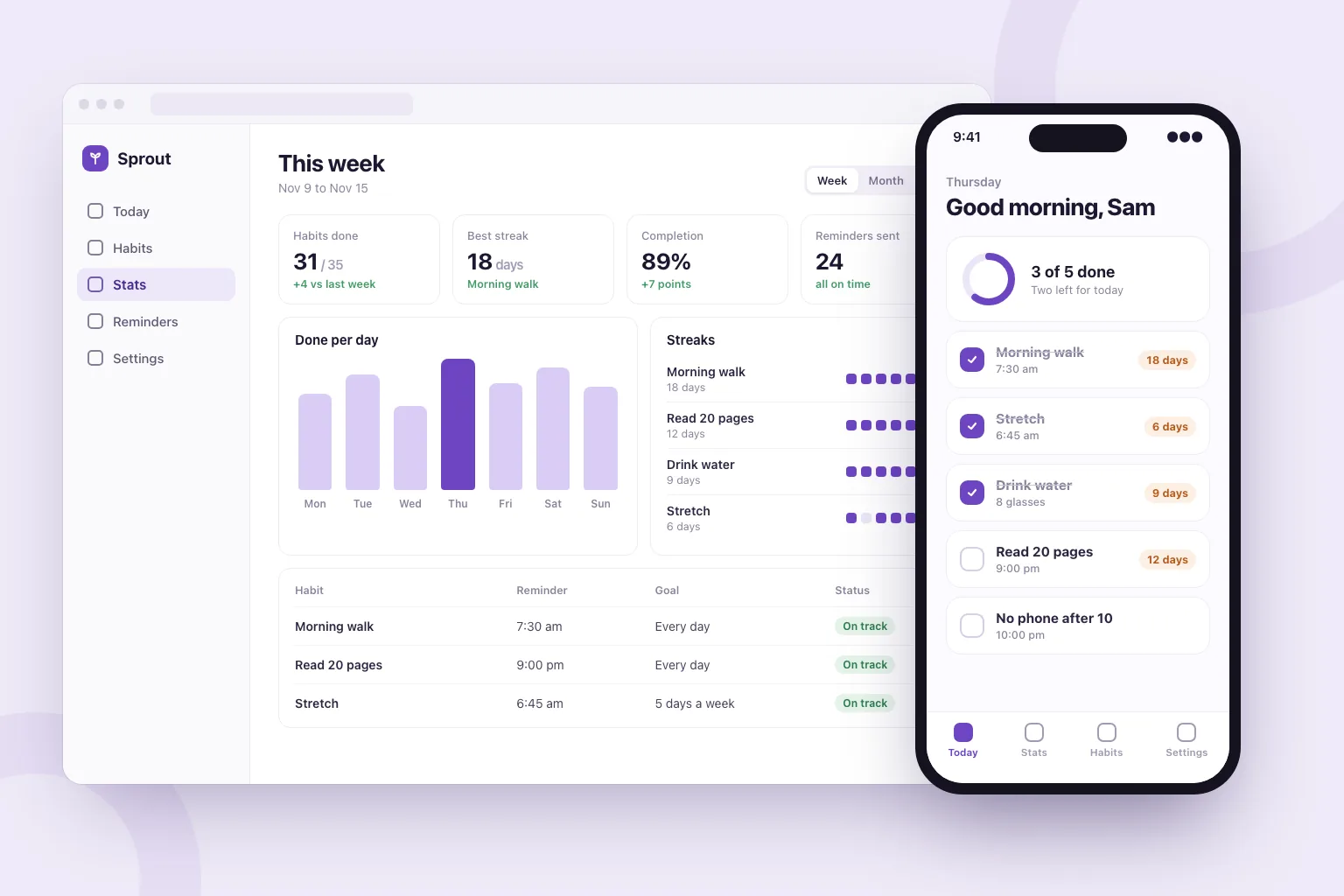
“Build a habit tracker web app. People sign in with Google, add daily habits, tick them off and see their streaks. Add a weekly stats page, reminder settings and a home screen with today's habits. Store everything in a database and make it work well on phones.”以此为起点
实用构建步骤
Say who uses it, the main thing they do and what they should see first.
Marky lists the features it plans to build. Edit, add or remove lines before it starts.
Click through the app in the preview, or scan the QR code to open a phone app on your phone, and ask for changes in plain words.
Publish it to its own address, connect a domain or GitHub, and keep adding features in the same chat.
通用生产技术栈
可编辑的前端,而非专有页面格式。
持久化数据和受保护的服务器端逻辑。
身份验证,以及集成所用的受保护凭据。
内置发布目标是 Cloudflare,页面在服务器端渲染,搜索引擎和 AI 工具都能读取。AWS 服务可以通过受保护的凭据集成,开发者也可以调整 GitHub 代码库,将其部署到 AWS。
具体问题
Yes. In Build app mode Marky makes the app with Expo (React Native), with a database and server code when it needs them. You open it on your phone by scanning a QR code: in the browser, or in the Expo Go app for the full native feel.
Not from Marky. You can publish the app at its own web address and push its code to GitHub. Getting it into the stores takes an Apple or Google developer account and an Expo build, which a developer can make from that code.
Yes, in the sense that you describe what you want and the AI writes the code. Marky also sets up the database, sign-in and hosting, checks its work in a browser, and lets you keep the code.
No. You describe the app and ask for changes in plain words. The code is a standard React and TypeScript project, so a developer can pick it up later if you want.
You can start on the Free plan, which has a small monthly allowance. An app is a long job (screens, a database, sign-in and testing), so finishing most apps takes a paid plan. Paid plans also add the strongest models and commercial use.
继续探索
构建第一个可用版本