Web apps and phone apps
Web apps run in any browser. Phone apps are built with Expo and open on your phone from a QR code while Marky works.
สำหรับผู้ก่อตั้ง ทีม และโปรเจกต์ส่วนตัว
อธิบายว่าแอปต้องทำอะไรและใครจะใช้ แล้ว Marky จะสร้างหน้าจอ ฐานข้อมูล ระบบเข้าสู่ระบบ และโค้ดฝั่งเซิร์ฟเวอร์ ทดสอบในตัวอย่างสด และเผยแพร่เมื่อคุณอนุมัติ
คำตอบโดยตรง
เครื่องมือสร้างแอปด้วย AI เปลี่ยนคำอธิบายธรรมดาให้เป็นแอปที่ใช้งานได้จริง ไม่ใช่แค่ม็อกอัป Marky เขียนโปรเจกต์จริง ใช้ React และ TypeScript สำหรับเว็บแอป หรือ Expo สำหรับแอปมือถือ และเพิ่มฐานข้อมูล Postgres ระบบเข้าสู่ระบบ และโค้ดฝั่งเซิร์ฟเวอร์เมื่อแอปต้องใช้ คุณลองใช้งานในตัวอย่างสด ขอให้แก้ไขในแชท แล้วเผยแพร่หรือพุชโค้ดขึ้น GitHub ได้
สร้างตามงานจริง
These are functional product layers tied to the workflow—not decorative sections copied from a template.
Web apps run in any browser. Phone apps are built with Expo and open on your phone from a QR code while Marky works.
Registration, Google sign-in and screens only members can open, built around how your app is used.
Marky designs the tables, stores the app's data in Postgres and changes the schema as the app grows.
Business rules, private API keys and webhooks stay on the server. Marky connects payments, email or maps when you add their keys.
Add chat, image, voice or transcription features through the Easy-Peasy.AI API when the idea needs them.
Every change shows up in a live preview. Save versions, roll back, publish to your own address and push the code to GitHub.
โมเดลข้อมูลที่แนะนำ
ตัวอย่างพรอมต์
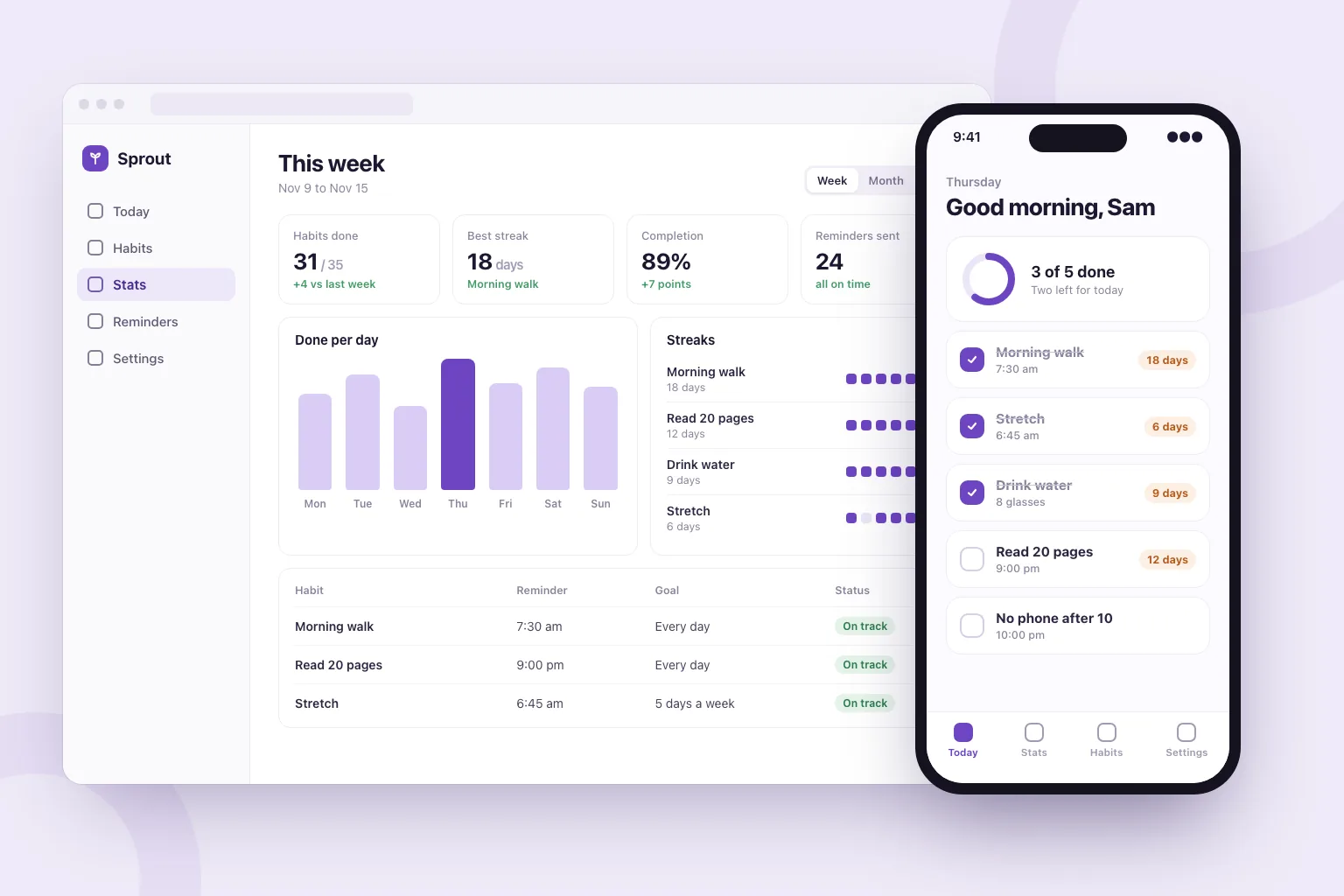
“Build a habit tracker web app. People sign in with Google, add daily habits, tick them off and see their streaks. Add a weekly stats page, reminder settings and a home screen with today's habits. Store everything in a database and make it work well on phones.”ใช้เป็นจุดเริ่มต้น
ลำดับการสร้างที่ใช้งานได้จริง
Say who uses it, the main thing they do and what they should see first.
Marky lists the features it plans to build. Edit, add or remove lines before it starts.
Click through the app in the preview, or scan the QR code to open a phone app on your phone, and ask for changes in plain words.
Publish it to its own address, connect a domain or GitHub, and keep adding features in the same chat.
สแตกสำหรับระบบจริงร่วมกัน
ฟรอนต์เอนด์ที่แก้ไขได้ ไม่ใช่รูปแบบเพจเฉพาะของแพลตฟอร์ม
ข้อมูลแบบถาวรและตรรกะฝั่งเซิร์ฟเวอร์ที่ได้รับการปกป้อง
การยืนยันตัวตนและข้อมูลรับรองที่ได้รับการปกป้องสำหรับการเชื่อมต่อ
การเผยแพร่ในตัวใช้ Cloudflare เป็นปลายทาง และหน้าเว็บเรนเดอร์บนเซิร์ฟเวอร์เพื่อให้เครื่องมือค้นหาและเครื่องมือ AI อ่านได้ บริการ AWS ผสานรวมได้ผ่านข้อมูลรับรองที่ได้รับการปกป้อง และนักพัฒนาสามารถปรับโค้ดเบสบน GitHub เพื่อนำขึ้นใช้งานบน AWS ได้
คำถามเฉพาะ
Yes. In Build app mode Marky makes the app with Expo (React Native), with a database and server code when it needs them. You open it on your phone by scanning a QR code: in the browser, or in the Expo Go app for the full native feel.
Not from Marky. You can publish the app at its own web address and push its code to GitHub. Getting it into the stores takes an Apple or Google developer account and an Expo build, which a developer can make from that code.
Yes, in the sense that you describe what you want and the AI writes the code. Marky also sets up the database, sign-in and hosting, checks its work in a browser, and lets you keep the code.
No. You describe the app and ask for changes in plain words. The code is a standard React and TypeScript project, so a developer can pick it up later if you want.
You can start on the Free plan, which has a small monthly allowance. An app is a long job (screens, a database, sign-in and testing), so finishing most apps takes a paid plan. Paid plans also add the strongest models and commercial use.
สำรวจต่อ
สร้างเวอร์ชันแรกที่ใช้งานได้