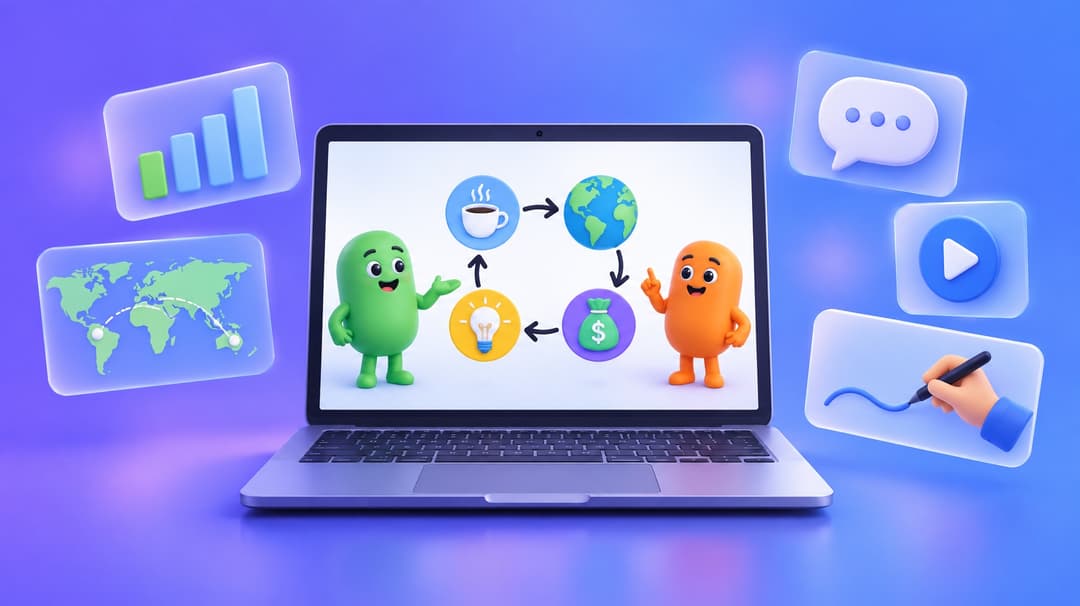
Talking head videos are everywhere – YouTube, online courses, corporate training, news broadcasting, TikTok. It’s the single most effective video format for communication because it creates a direct, personal connection between speaker and viewer.
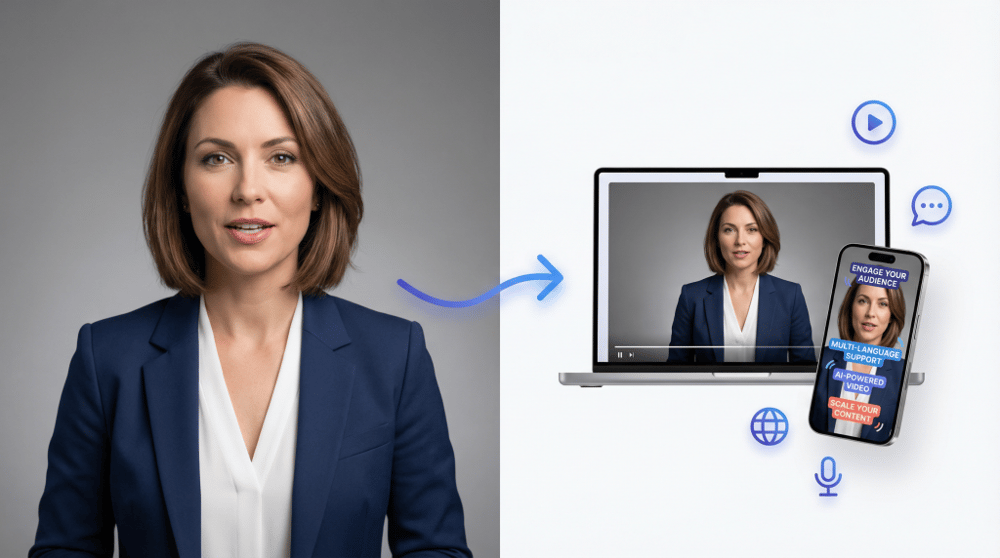
The problem? Traditional talking head videos require a camera, lighting, a quiet room, and a person willing to sit in front of all of it. That’s why AI talking head generators have exploded in popularity – they let you create the same format in minutes, with no equipment at all.
This guide covers everything: what talking head videos actually are, real examples across industries, and a step-by-step tutorial for making your own with AI.
What Is a Talking Head Video?
A talking head video features a single person speaking directly to the camera, typically framed from the chest or shoulders up. The speaker faces the viewer and delivers information, tells a story, or teaches a concept – creating a face-to-face feeling even through a screen.
The format is simple by design. There are no complex camera movements, no B-roll cuts, no elaborate sets. Just a person talking. That simplicity is exactly what makes it work – viewers feel like they’re having a one-on-one conversation.
Where talking head videos are used
- YouTube — Solo creators presenting reviews, tutorials, and commentary directly to their audience. The talking head format dominates YouTube because viewers connect with a face.
- Online Courses — Instructors teaching lessons with a personal, face-to-face feel that builds student trust. Studies consistently show that courses with an on-screen instructor have higher completion rates.
- News & Journalism — Anchors and reporters delivering stories with authority. The format is the backbone of every news broadcast on the planet.
- Corporate Training — Professional presenters delivering standardized training across organizations, departments, and languages.
- Product Reviews — Reviewers sharing honest opinions about products with their audience face-to-face, which builds credibility.
- Social Media — Short-form talking head clips that drive engagement on TikTok, Instagram Reels, and YouTube Shorts.
If you’ve ever watched a YouTube tutorial, taken an online class, or seen a news anchor deliver a story — you’ve watched a talking head video.
Talking Head Video Examples by Industry
To understand the range of what’s possible, here are real examples of AI-generated talking head videos across four common use cases. Every video below was created with Easy-Peasy.AI’s Talking Video Generator — no camera, no studio, no actor.
Corporate Presenter
Corporate communications thrive with the talking head format. Training videos, executive updates, product announcements, and onboarding materials all benefit from a polished presenter delivering information clearly. With AI, companies can produce multilingual versions of the same video, update content without reshooting, and maintain brand consistency across global teams — all from a single script.
Course Instructor
Online course creators rely on the talking head format to build personal connections with students. An instructor speaking directly to camera creates trust and engagement that slides alone cannot achieve. With AI talking heads, you can produce entire course libraries in multiple languages, update lessons instantly when content changes, and maintain consistent quality across hundreds of videos.
News Anchor
Talking head videos are the backbone of news broadcasting. A single presenter faces the camera and delivers stories with authority and clarity. AI talking heads let you create news-style content 24/7 without a studio, teleprompter, or camera crew. This is perfect for daily briefings, breaking news summaries, internal company newsletters, or media channels that need to publish frequently.
YouTube Creator
The talking head format dominates YouTube because viewers connect with a face. From tech reviews to commentary channels, creators use direct-to-camera presentation to build loyal audiences. AI talking heads let you scale content production, create videos in languages you don’t speak, and maintain a consistent upload schedule – without burnout or expensive equipment.
How to Make a Talking Head Video with AI
You don’t need a camera, studio, or any recording equipment. Here’s how to create a professional talking head video using AI in three steps:
Step 1: Choose Your Presenter
Go to the AI Talking Video Generator and pick your presenter. You have two options:
- Pick an AI Actor — Choose from 100+ pre-built professional actors spanning different ages, ethnicities, and styles. Each actor comes with a matched voice, so you can get started immediately. You can also generate your own actor – just click “Create Actor” button inside Actor selection modal.
- Upload Your Own Photo — Use any portrait photo (at least 512×512 pixels). The AI will animate it with realistic lip movements, facial expressions, and subtle head gestures. This works with real photos, illustrations, and even AI-generated portraits.
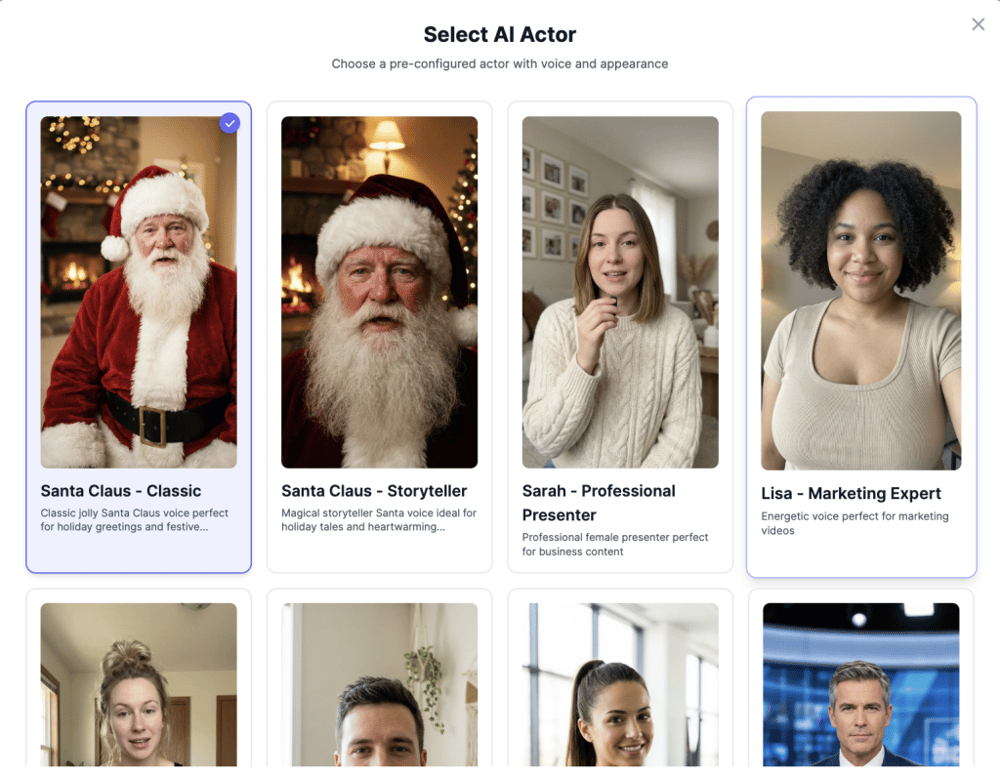
TIP: You can edit the Actor photo or your uploaded photo to change aspect ratio, change hair style/color, add glasses, add product, etc.
Step 2: Write Your Script & Choose a Voice
Type or paste the text you want your talking head to speak. Then customize:
- Voice – Select from hundreds of AI voices, or clone your own voice for a truly personalized result.
- Language – Choose from 40+ languages including English, Spanish, French, German, Portuguese, Chinese, Japanese, Korean, Arabic, Hindi, and many more. Each language has multiple accent options (Scottish, New Zealand, Singaporean, South African, Jamaican, Irish, German, Austrian, Southern, Chinese, African-American, etc).
- Captions – Toggle automatic TikTok-style animated captions with customizable highlight colors. Great for social media where most viewers watch without sound.
- Resolution — Choose between 480p (standard) and 720p HD.
- Model — Standard for fast, affordable results or Premium for the highest quality output.
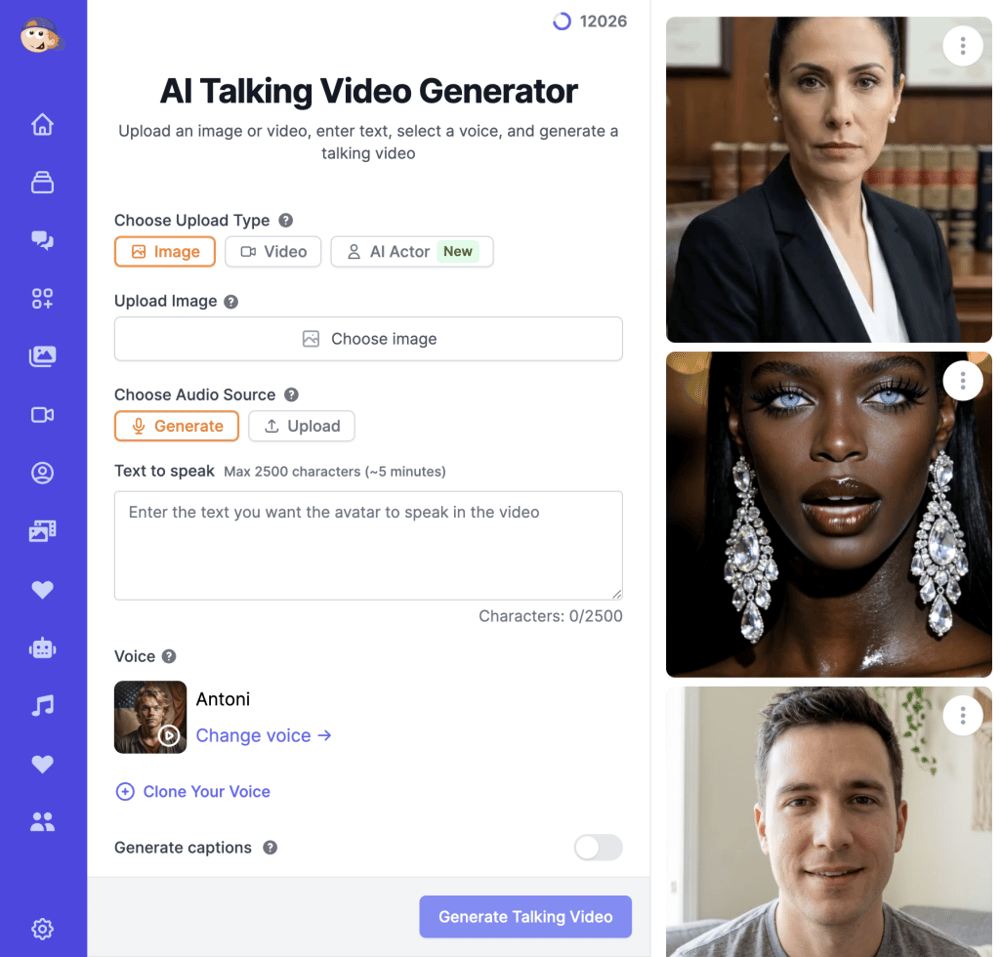
Before generating, you’ll hear an audio preview of exactly how your script will sound – so you can adjust the text or switch voices before committing any credits.
Step 3: Generate & Download
Click Generate. The AI creates your talking head video with perfectly synchronized lip movements, natural facial expressions, and studio-quality audio. Most videos are ready in 2-5 minutes.
Once generated, you can download the video and use it anywhere – YouTube, your LMS, social media, presentations, or your website. All videos come with full commercial usage rights.
How to Make a Talking Head Video Using AI: Tips for Better Results
The basic process is simple, but a few tips will significantly improve your output:
Write for speech, not for reading
Your script will be spoken aloud, so write conversationally. Use short sentences. Avoid jargon unless your audience expects it. Read your script out loud before pasting it in — if it sounds awkward when you say it, it’ll sound awkward in the video.
Choose the right presenter for your audience
A corporate training video needs a different presenter than a TikTok clip. Browse the AI actor library and pick someone whose appearance and energy match your content. For brand consistency, use the same actor across all your videos.
Use captions for social media
85% of Facebook videos are watched without sound. On TikTok and Instagram, captions aren’t optional — they’re expected. Toggle on auto-captions and choose a highlight color that matches your brand. Your engagement will noticeably increase.
Keep it under 5 minutes per segment
Each generation supports up to 5 minutes of speech. For longer content (full course lessons, detailed presentations), generate multiple segments and combine them in any video editor. This also gives you more flexibility to rearrange and edit.
Use your own photo for personal branding
If you want viewers to associate the content with you specifically, upload your own headshot instead of using an AI actor. The AI will animate your photo with realistic lip movements. This is ideal for solopreneurs, personal brands, and thought leaders who want to scale their video output without sitting in front of a camera every day.
Best AI Talking Head Video Generators in 2026
There are several AI talking head tools on the market. Here’s how they compare:
| Feature | Easy-Peasy.AI | Synthesia | HeyGen | D-ID |
|---|---|---|---|---|
| AI Actors | 100+ | 100+ | 100+ | Limited |
| Languages | 40+ (more than 1,000 voices) | 10+ | 40+ | 30+ |
| Upload Own Photo | Yes | No (paid add-on) | Yes | Yes |
| Voice Cloning | Yes | Enterprise only | Yes (paid) | No |
| Auto Captions | Yes | No | Yes | No |
| Audio Upload | Yes | No | Yes | Yes |
| Product Placement | Yes (AI-generated) | No | No | No |
| Free Plan | Yes | No | Limited | Limited |
| Starting Price | $8/mo | $29/mo | $29/mo | $19/mo |
Easy-Peasy.AI stands out for its combination of features at a lower price point — especially voice cloning, auto captions, photo upload, and the unique AI product placement feature that lets your presenter hold your physical product in the video.
Try the AI Talking Head Video Generator free →
Frequently Asked Questions
What is the meaning of “talking head video”?
A talking head video is a video format where a single person speaks directly to the camera, usually framed from the chest or shoulders up. The term comes from television, where news anchors and commentators appear as a “talking head” on screen. It’s the most common format on YouTube, online courses, and corporate communications.
How much does it cost to make a talking head video with AI?
With Easy-Peasy.AI, you can start for free. Paid plans start at $8/month with credits-based pricing — a 30-second talking head video costs roughly 30 credits at standard quality. This is a fraction of the cost of hiring a real actor ($500-5,000+ per video) or buying studio equipment.
Can I use my own photo for the talking head?
Yes. Upload any portrait photo (minimum 512×512 pixels) and the AI will animate it with realistic lip movements, facial expressions, and head gestures. This works with real photos, illustrations, paintings, and AI-generated portraits.
What languages are supported?
40+ languages including English, Spanish, French, German, Portuguese, Chinese, Japanese, Korean, Arabic, Hindi, Italian, Dutch, Russian, Turkish, and many more. Each language comes with multiple accent and voice options.
How long can AI talking head videos be?
Up to 5 minutes per generation. For longer content, generate multiple segments and combine them in any video editor or our Workflows tool using Merge Videos Node.
Can I use AI talking head videos for commercial purposes?
Yes. All generated videos come with full commercial usage rights for the paid accounts — business marketing, paid courses, client presentations, social media advertising, YouTube monetization, and any other commercial purpose.
Start Making Talking Head Videos
You don’t need a camera, a studio, or even a willingness to appear on screen. With AI, anyone can create professional talking head videos in minutes.
Create your first talking head video free →
Want to explore more? Check out our dedicated guides: