The viral Korean baseball AI fan cam trend — born on KBO TV in early May 2026 when a single AI-generated clip of a focused fan racked up 15+ million views — has officially jumped sports. Creators on TikTok, Reels, and X are now dropping themselves into NFL Jumbotrons, NBA courtsides, F1 paddocks, and Wimbledon’s Centre Court. With one selfie and the AI Fan Cam Trend workflow on Easy-Peasy.AI, you can do all nine in a single run — complete with broadcast scoreboards, stadium lighting, and animated 8-second clips.
What Is the AI Fan Cam Trend?
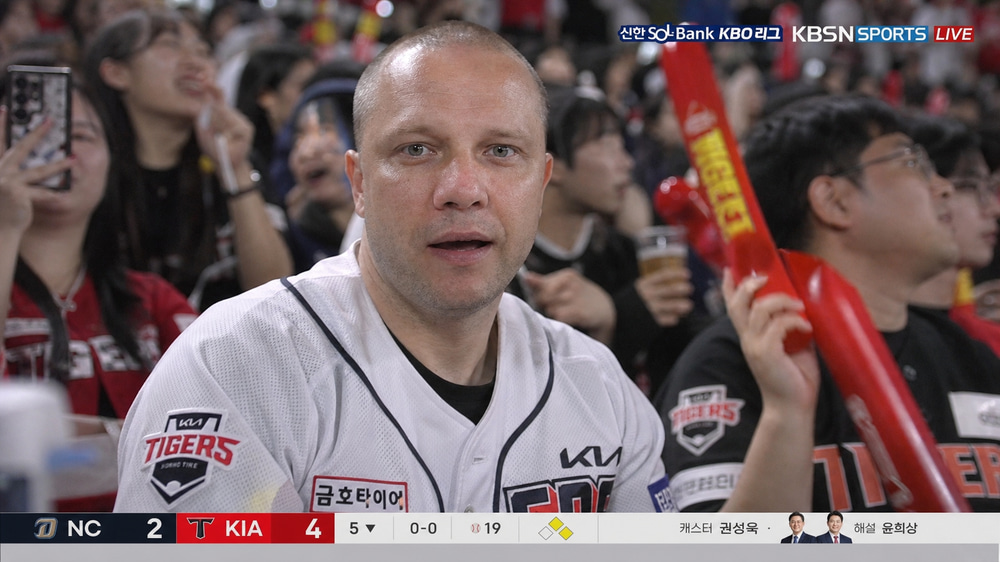
The AI fan cam trend (also called the AI baseball broadcast trend or KBO TV trend) uses generative AI to make a single portrait look like a live TV broadcast camera randomly caught you in the stadium crowd. Telephoto compression, mild video softness, slight motion blur on the people next to you, stadium floodlights, and a lower-third scoreboard graphic — all the tells of a real broadcast cutaway, generated from one photo.
It’s not a filter. The AI regenerates the entire scene around you while preserving your identity, then animates the moment into a short broadcast clip. The result looks — for better and for worse — indistinguishable from a real fan-cam shot.
Where the AI Fan Cam Trend Came From
The trend kicked off in South Korea in early May 2026 with a hyper-realistic AI video of a young woman intensely watching a KBO baseball game. The clip went viral on Korean platforms, then spread to Instagram and TikTok worldwide once it came out that the “fan” wasn’t a real person at all. Korea Times covered the cultural reaction; Know Your Meme catalogued it as the “KBO TV / Korean AI Courtside Trend.”
Within days, creators were remixing the format for every sport imaginable — MLB, NFL, NBA, F1, Premier League, cricket, even volleyball and esports. The original recipe stayed the same: realistic broadcast camera look, 16:9 horizontal TV composition, candid framing, fake live-graphics overlay.
Why Use the AI Fan Cam Generator?
Traditional fan-cam content needs a real stadium, real tickets, and a lot of luck. The AI version takes minutes and works for every sport at once.
- Sports fans who want to see themselves at the game they’ll never get a courtside ticket to
- Creators and meme-makers chasing the AI fan cam trend before it cools off
- Sports brands and clubs mocking up sponsorship reels, fan-engagement campaigns, or merch shots
- Friends and family putting together a personalized gift for the superfan in their life
With one upload, you get nine broadcast-style stills and four animated clips — all in 16:9, all looking like they were ripped straight from a live telecast.
How to Do the AI Baseball Fan Cam Trend (Step-by-Step)
Here’s how to go from a single photo to a full set of stadium cameos in four simple steps.
Step 1: Upload your portrait
Open the AI Fan Cam Trend workflow and click the Upload Media node. Remove the sample photo and drop in a clear, front-facing portrait of yourself. The cleaner the lighting, the better the identity preservation across every sport.

Step 2: Run the workflow to generate all nine sports
Hit Run. The workflow fans out from your single photo into nine parallel image-editing nodes — KBO, MLB, NFL, NBA, Premier League, F1, cricket, Wimbledon, and volleyball — and generates each broadcast scene in a few seconds. You can watch them populate the canvas live.
Step 3: How to make the AI Korean baseball fan cam exactly the way you want it
If you want the canonical KBO TV look, open the KBO Korean Baseball Fan image node and click Settings. You can edit the prompt to swap teams (Doosan Bears, LG Twins, KIA Tigers, etc.), change the time of day, or tighten the camera angle. Re-run that single node and the rest of the canvas stays untouched. The same trick works for every other sport.
Step 4: Animate your favorite stills
The four Image to Video nodes are pre-wired to MLB, NFL, Premier League, and Wimbledon. Each one uses a different AI video model so you can compare results on the same face. Pick the scenes you love most, hit Run on the video nodes, and you’ll have animated 8-second broadcast clips ready to post.
Examples: Nine Sports, One Selfie
Here’s the full set of fan cam cutaways the workflow produces — same person, nine completely different broadcast contexts. Each one ships with an editable prompt you can fork and rewrite.
KBO Korean Baseball Fan Cam
Prompt: Realistic KBO live broadcast frame, fans waving thundersticks, lower-third Korean league scoreboard with inning, score, count and runner indicators.
MLB Baseball Fan Cam
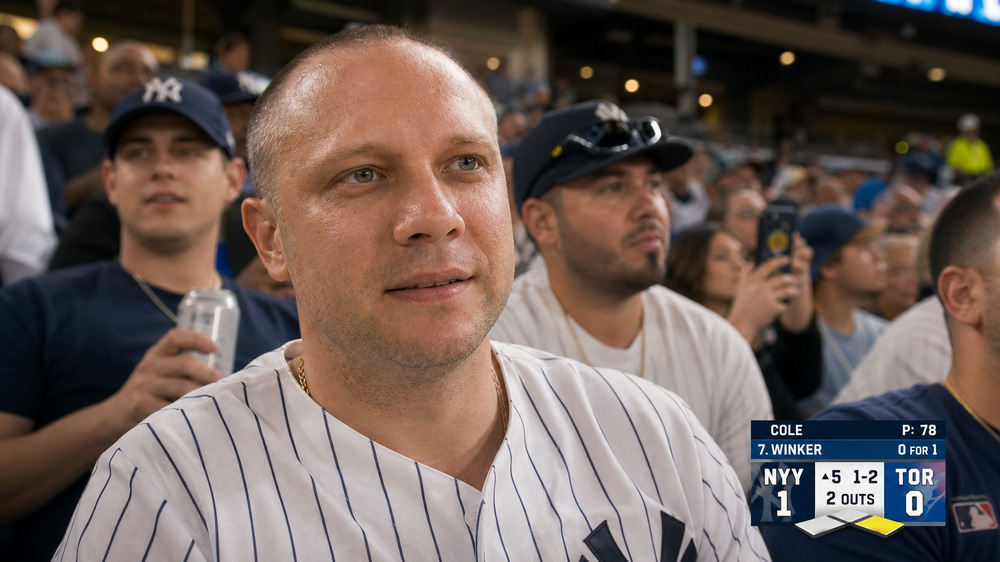
Prompt: Hyper-realistic broadcast camera catch inside a packed baseball stadium, warm golden-hour light mixed with stadium floodlights, semi-transparent scoreboard overlay.
NFL Stadium Fan Cam
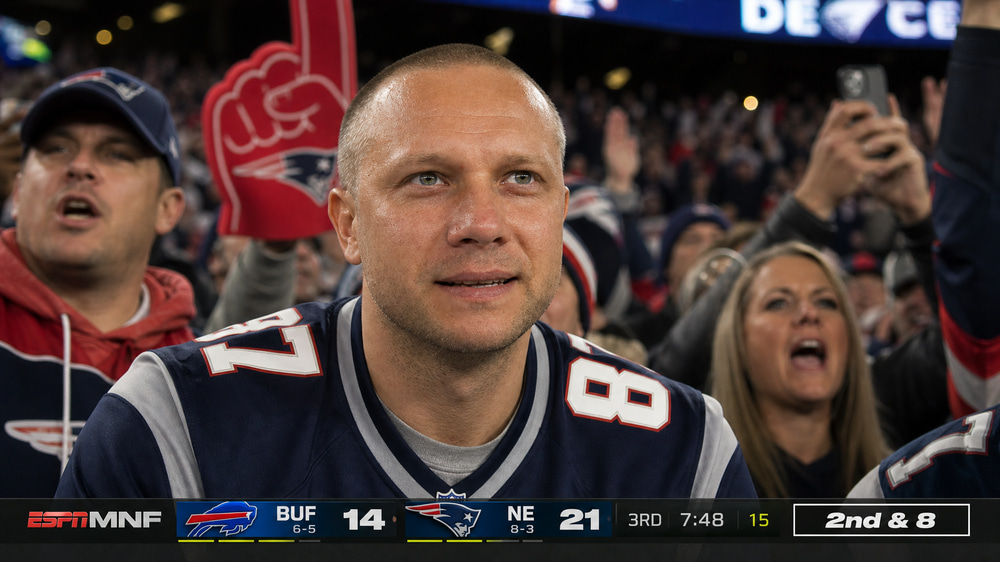
Prompt: Photorealistic NFL Jumbotron broadcast capture of a fan seated in the lower stands during a night game. Bright stadium floodlights, lower-third score and down-and-distance overlay.
NBA Game Fan Cam
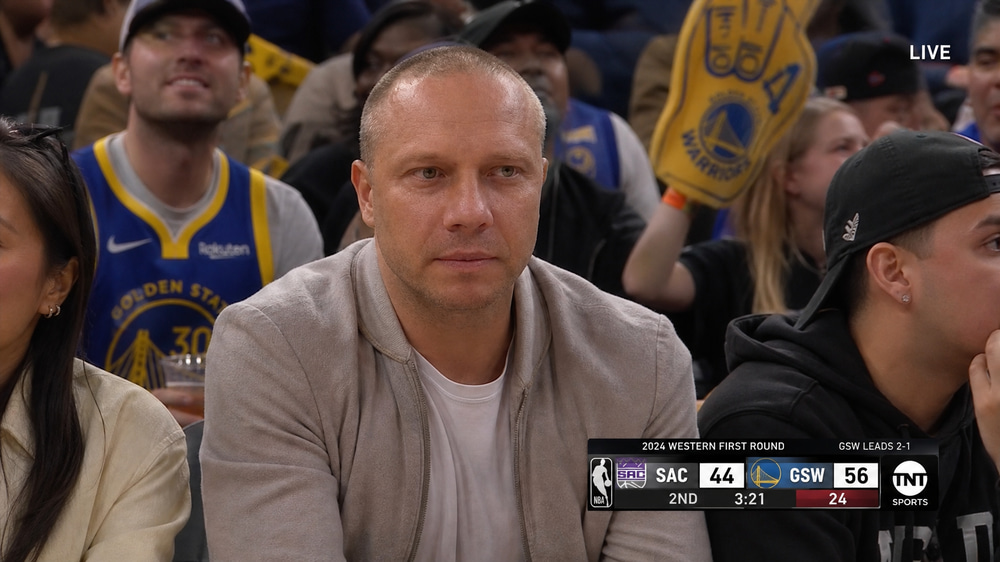
Prompt: Photorealistic NBA live broadcast fan cutaway, subject seated among fans in the lower-bowl stands, NBA-style scoreboard, team names, quarter, game clock, LIVE watermark.
Premier League Soccer Fan Cam
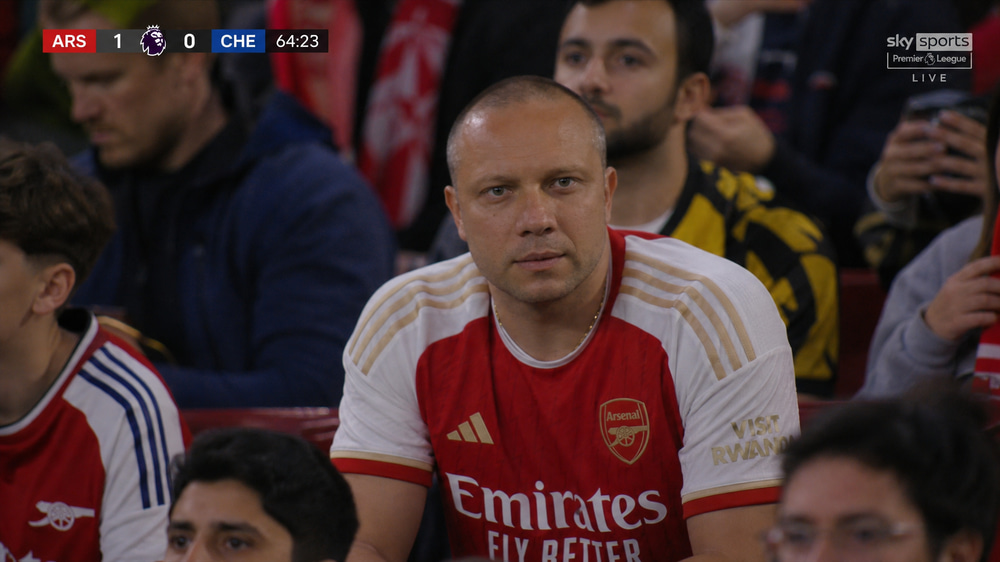
Prompt: English Premier League soccer broadcast screenshot from the spectator stands, subject wearing the authentic Arsenal FC home jersey, league scoreboard and timer graphics.
F1 Ferrari Paddock Fan Cam
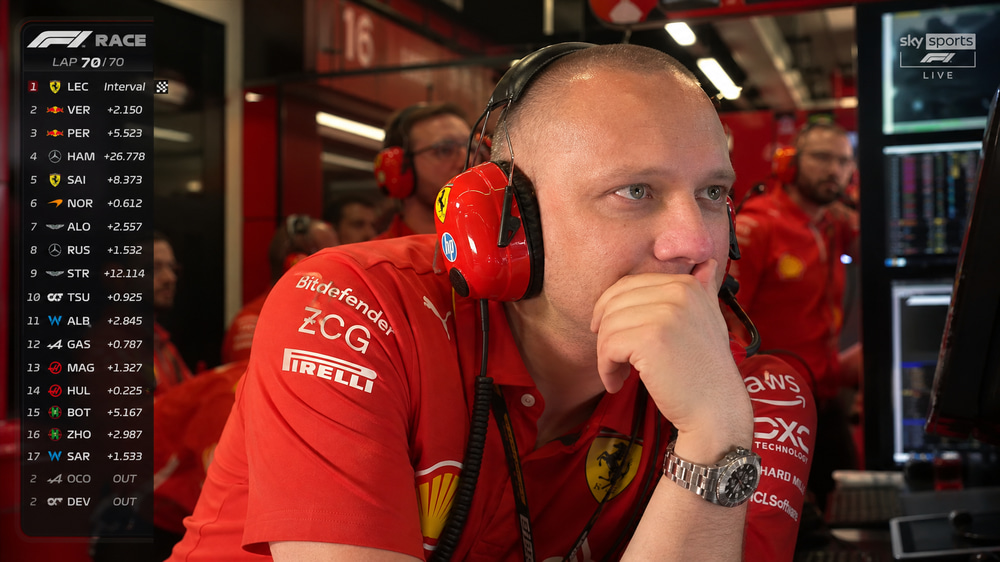
Prompt: Ultra-realistic F1 live TV broadcast, fan seated inside the VIP Ferrari paddock garage, racing headset, telemetry screens glowing, final-lap tension.
Cricket Match Fan Cam
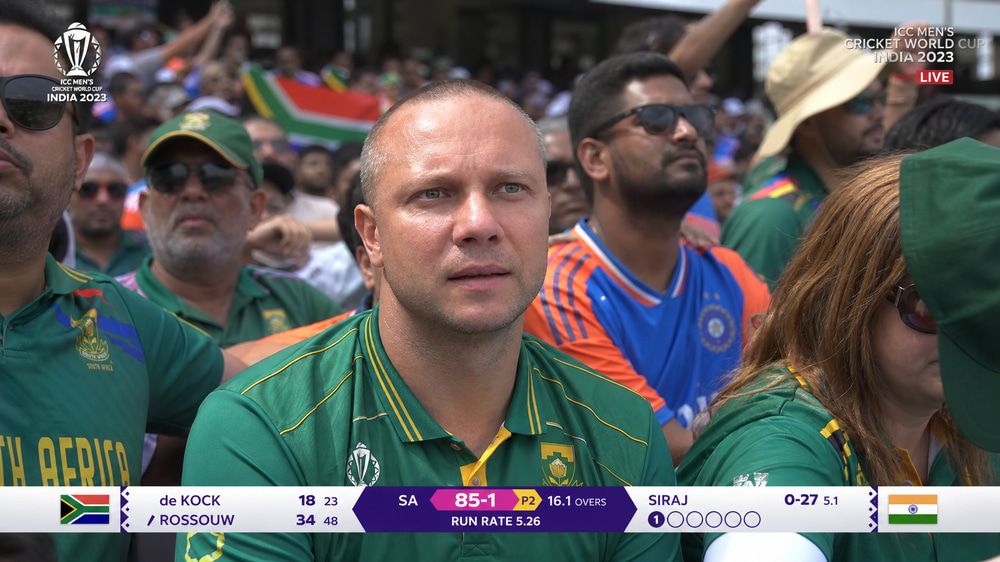
Prompt: Photorealistic international cricket live broadcast fan cutaway, cricket scoreboard with batting score, wickets, overs, run rate, and batter/bowler names.
Wimbledon Tennis Fan Cam
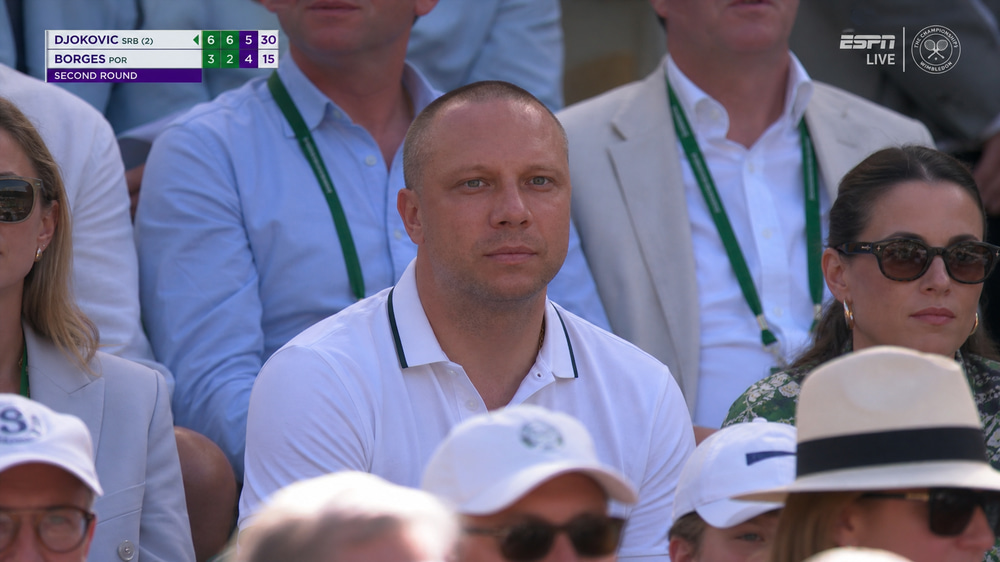
Prompt: Wimbledon tennis broadcast screenshot from the spectator stands, refined Wimbledon-appropriate outfit, set/game score and serve indicator graphics.
Volleyball Arena Fan Cam
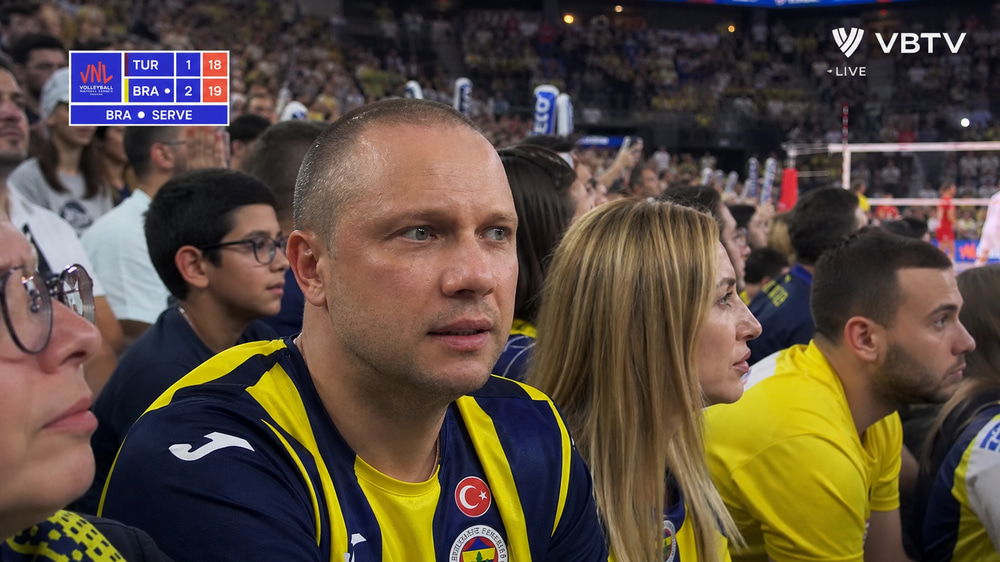
Prompt: Professional volleyball live broadcast fan cutaway from a packed indoor arena, volleyball scoreboard with set score and serve indicator.
Bringing the Fan Cam to Life: Four Video Models on the Same Scene
The trend really takes off when the still photo starts moving. The workflow wires four cutaways into Image to Video nodes — each one running a different AI video model so you can A/B the look on the same face.
MLB Baseball — Happy Horse Image
Happy Horse leans into atmospheric, slightly painterly motion — perfect for the warm, golden-hour baseball-cam look that started the whole trend.
NFL Stadium — Veo 3.1 Image
Google’s Veo 3.1 produces clean, cinematic camera pushes — great for that “TV director slowly zooms in on the fan” feel.
Premier League — Seedance 2.0 Fast Image
Seedance gives you snappier, lighter motion — ideal for fast turnaround and short-form social posts.
Wimbledon — Kling 3.0 Standard Image
Kling 3.0 delivers polished, very natural human micro-movements — the subject feels genuinely caught mid-rally.
Tips for Getting the Best Results
Start with a clean reference photo
A front-facing portrait with even, neutral lighting and a clear view of your face will hold up across all nine sports. Side profiles, sunglasses, and heavy shadows make identity preservation harder.
Match the broadcast camera language
The trend’s signature look comes from specific words: telephoto compression, candid framing, mild video softness, motion blur in the crowd, stadium floodlights, 16:9 broadcast composition, lower-third scoreboard overlay. If you customize a prompt, keep those phrases in — they’re doing most of the heavy lifting.
Customize the team to your real fandom
Every image-edit node has an editable prompt. Open Settings and swap “Arsenal FC” for your actual club, “Ferrari paddock” for whichever F1 team you love, or change the KBO team. Re-run only that node — the rest of the canvas stays the way it was.
Compare all four video models before scaling up
The four pre-wired video nodes use different models on purpose. One of them will look noticeably better for your particular face and outfit. Animate two or three first, pick a winner, and then scale that prompt across the other sports if you want.
How the AI Fan Cam Workflow Works Behind the Scenes
For the technically curious, here’s what happens after you click Run:
- Upload node — Your portrait is stored as the workflow’s shared identity reference and piped into every downstream node.
- Nine parallel image edits — Each sport node runs OpenAI’s GPT Image 2 Medium at 16:9 / 2K with a tailored prompt describing the league, attire, crowd, lighting, and scoreboard overlay.
- Four image-to-video renders — Selected stills are passed to Happy Horse, Veo 3.1, Seedance 2.0 Fast, and Kling 3.0 Standard with a shared camera-motion prompt, producing 8–10 second 16:9 clips.
Because every node is independent, you can re-run a single scene without regenerating the rest — which keeps iteration fast and credit-efficient.
Frequently Asked Questions
Is this the Korean baseball AI trend?
Yes — the KBO Korean Baseball Fan Cam node generates the exact look that went viral on Korean social media in early May 2026, and the rest of the workflow extends the same broadcast aesthetic across eight other sports.
What AI model is used for the viral baseball fan cam?
The still images are generated with OpenAI’s GPT Image 2 Medium (16:9, 2K). The animated clips use Happy Horse, Google Veo 3.1, Seedance 2.0 Fast, and Kling 3.0 Standard — one model per pre-wired video node so you can compare results.
Can I post AI fan cam videos to TikTok or Instagram?
Yes. The clips export as standard 16:9 MP4s. Most creators repost them to Reels and TikTok directly — just be transparent that they’re AI-generated, both because it’s good practice and because some platforms now require an AI-content label.
How realistic do the fan cutaways look?
They’re designed to look like live TV broadcast captures — authentic scoreboards, stadium lighting, crowd context, and broadcast color grading. The realism scales with your source photo; clear, front-facing portraits produce the strongest results.
Can I change the team, sport, or stadium in any scene?
Yes. Click Settings on any image node, edit the prompt to swap the jersey, league, stadium, or camera angle, and re-run that node. Everything else on the canvas stays intact.
Why do the four video clips look different?
Each Image to Video node uses a different AI model (Happy Horse, Veo 3.1, Seedance 2.0 Fast, Kling 3.0 Standard) so you can compare motion quality, camera behavior, and style on the same source frame.
Can I animate the other five scenes too?
Absolutely. Drag a new Image to Video node onto the canvas, connect any image-edit result into it, pick a model, and run the workflow. You can animate all nine sports if you want.
What sports can I add beyond the nine pre-built scenes?
Anything. Duplicate any image-edit node and rewrite the prompt for MMA, hockey, esports, golf — whatever you want. As long as you describe the broadcast context (camera angle, crowd, scoreboard, lighting) the model will follow.
Do I need any video editing skills?
No. The workflow handles identity preservation, broadcast styling, and animation end-to-end. You upload one photo and the AI does the rest — no Photoshop, no editing timeline, no greenscreen.
Jump on the AI Fan Cam Trend Before It Cools Off
Trends like this peak fast. While the AI baseball fan cam is still hitting tens of millions of views, posting your own version — KBO, MLB, NFL, NBA, F1 or all nine — is the surest way to ride the wave. Try the AI Fan Cam Trend workflow and put yourself on the big screen before the algorithm moves on.