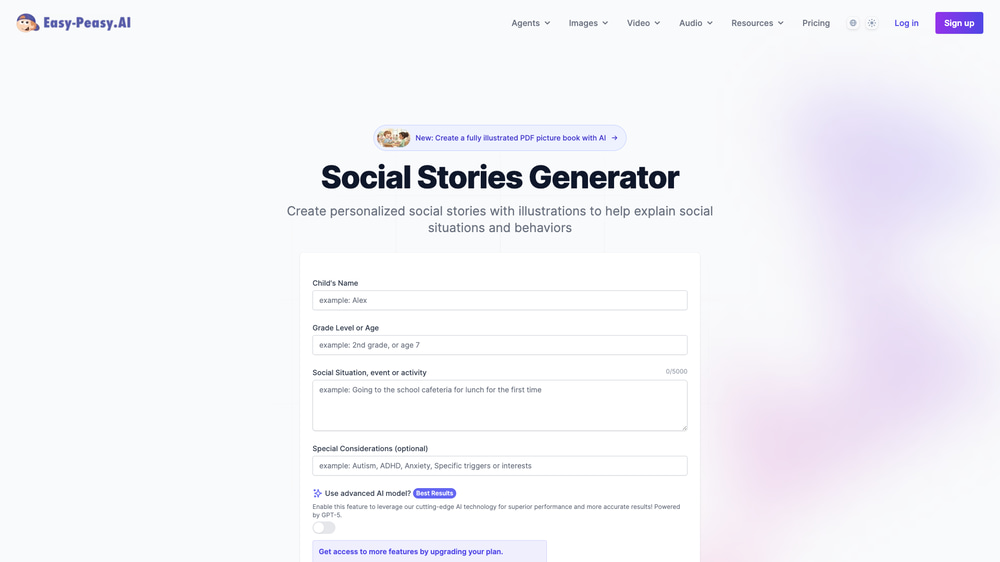
Social stories are one of the most effective tools for helping children with autism and special needs navigate everyday situations — but creating them from scratch takes time and expertise. With Easy-Peasy.AI’s Social Stories Generator, you can create personalized, age-appropriate social stories in seconds. Just describe the situation, and the AI writes a complete story tailored to your child’s needs.
What Are Social Stories?
Social stories are short, simple narratives that describe a social situation, skill, or concept in a way that’s easy for children to understand. They were originally developed by Carol Gray in 1991 to help children with autism spectrum disorder (ASD) learn what to expect in new or challenging situations.
Think of them as a “preview” of what will happen. A social story about visiting the dentist, for example, walks through each step — the waiting room, the chair, the tools — so the child knows exactly what to expect. This predictability reduces anxiety and helps children feel more confident.
Social stories aren’t just for autism. They’re widely used by speech therapists, special education teachers, occupational therapists, and parents to teach everything from sharing and taking turns to handling big emotions like anger or disappointment.
Social Stories for Children with Autism
For children on the autism spectrum, social stories are especially powerful. Many children with ASD struggle with social cues, transitions, and unpredictable situations. Social stories provide a structured, visual way to prepare for these moments.
Common social story topics for children with autism include:
- Transitions — Starting a new school, changing classrooms, or moving to a new house
- Daily routines — Brushing teeth, getting dressed, or bedtime
- Social interactions — Making friends, sharing toys, or saying hello
- Sensory challenges — Handling loud noises, crowded places, or new textures
- Safety skills — Crossing the street, stranger danger, or fire drills
- Personal space — Understanding boundaries and respecting others’ space
The key is that each story is personalized. A generic story about “going to school” won’t be as effective as one written specifically for your child, using their name, their school, and their specific challenges.
Why Use an AI Social Stories Generator?
Writing social stories the traditional way means researching the format, crafting age-appropriate language, and tailoring every detail to the child. That can take 30 minutes to an hour per story. An AI generator does this in seconds.
- Parents of children with autism who need stories for new situations quickly
- Special education teachers creating stories for multiple students with different needs
- Speech-language pathologists who use social stories as part of therapy sessions
- ABA therapists building behavioral teaching materials
- Occupational therapists preparing children for sensory-heavy experiences
- School counselors addressing social skills in group settings
With Easy-Peasy.AI’s Social Stories Generator, you describe the situation in plain English and get a complete, ready-to-use story in about 10 seconds.
How to Create Social Stories with AI (Step-by-Step)
Here’s how to create a personalized social story in 4 simple steps.
Step 1: Open the Social Stories Generator
Go to the Social Stories Generator page. You’ll see a simple form with a few fields to fill in. No account is required to try it.
Step 2: Fill in the Details
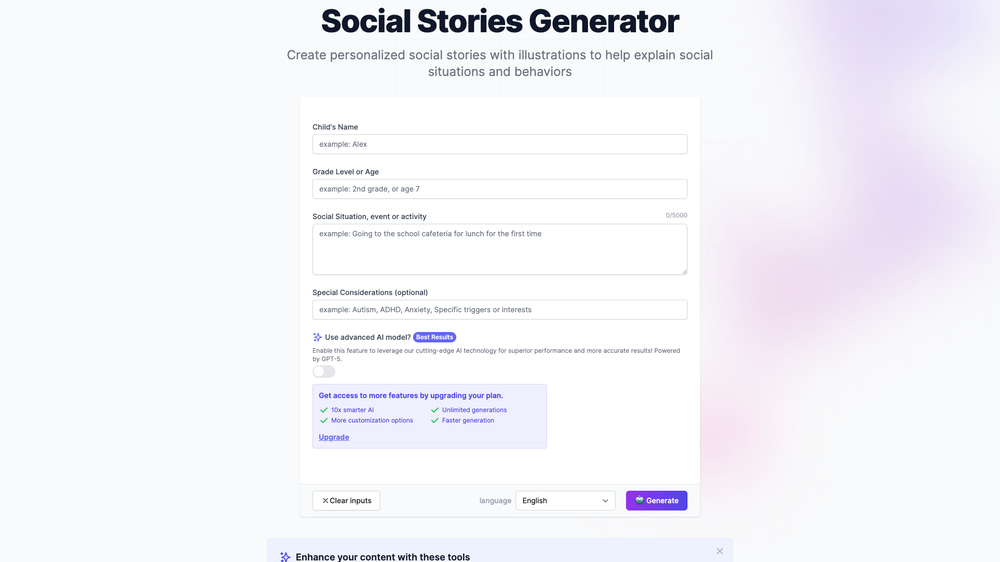
The form asks for four things:
- Child’s Name (optional) — Personalizes the story so the child sees themselves in it
- Grade Level or Age — Adjusts the language complexity (e.g., “2nd grade” or “5 years old”)
- Social Situation — Describe what the story should be about. Be specific: “Going to the school cafeteria for lunch for the first time” works better than just “lunch”
- Special Considerations — Note any relevant details like “autism, sensitive to loud noises” or “nonverbal, uses AAC device”
Step 3: Generate the Story
Click Generate and wait about 10 seconds. The AI creates a multi-page social story with clear, simple language appropriate for the child’s age and needs. Each page covers one step or concept, making it easy to read together.
Step 4: Review and Use
Read through the generated story. You can copy it, export it as a PDF or Word document, or edit it to add personal details. The story follows the classic social story structure: descriptive sentences about the situation, perspective sentences about feelings, and directive sentences about what the child can do.
Create Illustrated Social Story Picture Books with AI
Want to take your social stories to the next level? Easy-Peasy.AI also offers an Illustrated Social Stories Creator — an AI chatbot that generates fully illustrated PDF picture books.
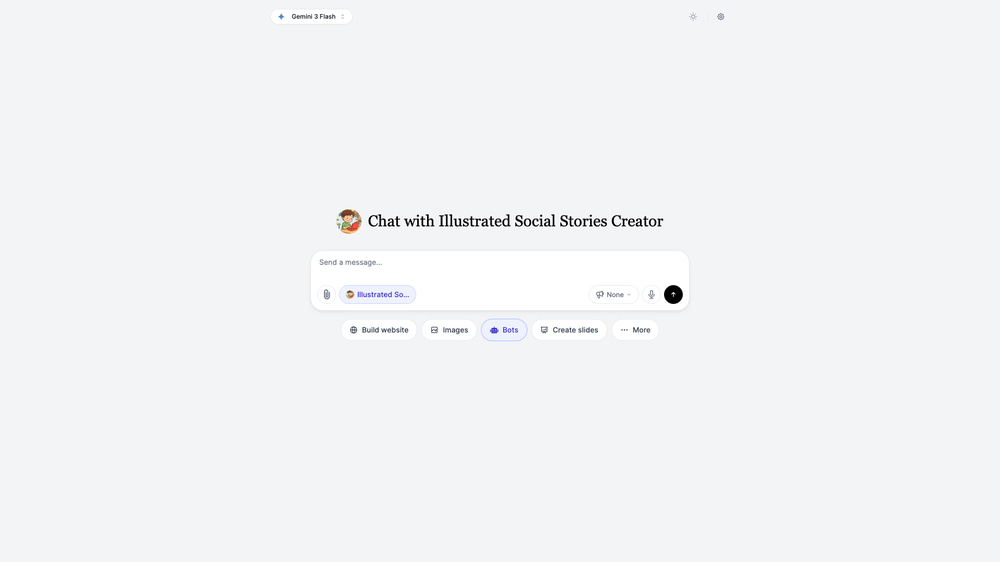
This bot creates custom illustrations for each page of the story, turning a plain text social story into a beautiful picture book that children can hold, flip through, and connect with visually. Research shows that visual supports significantly improve comprehension for children with autism.
The illustrated version is especially useful for:
- Children who are visual learners
- Nonverbal children who rely on pictures
- Creating take-home materials that parents can reinforce
- Making therapy sessions more engaging
Examples of Social Stories Made with AI
Here’s a real example created with Easy-Peasy.AI — a social story about a kindergartener named David going to the school cafeteria for the first time. David has autism and is sensitive to loud noises.
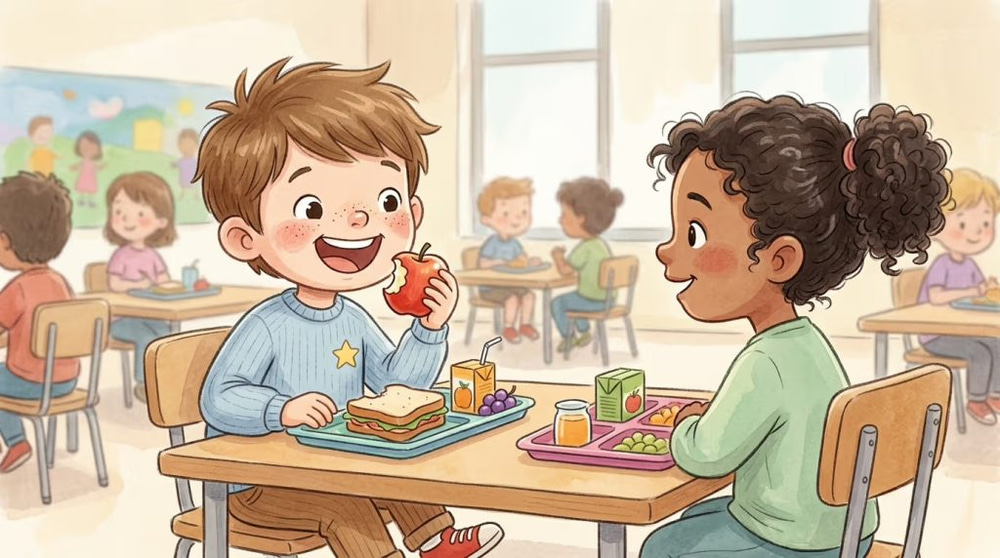
The story walks David through every step: entering the cafeteria, hearing the sounds, finding a seat, eating lunch, and knowing it’s okay to take a break if the noise feels too much. Each page has one simple concept with a matching illustration.
You can download the full PDF of David’s story to see the complete illustrated picture book.
Social Stories for Kindergarteners
Kindergarten is full of “firsts” — first day of school, first time in a cafeteria, first fire drill, first school assembly. Social stories help kindergarteners prepare for all of these.
When creating social stories for kindergarteners, the AI automatically adjusts for:
- Simple vocabulary — Short sentences with common words
- Concrete language — “You will sit in a chair” instead of “You will find your place”
- Positive framing — Focusing on what the child can do rather than what they shouldn’t do
- Emotional validation — “It’s okay to feel nervous” before introducing the coping strategy
Popular social story topics for kindergarteners include riding the school bus, using the bathroom at school, playing on the playground, and sitting in circle time.
Social Stories Templates You Can Customize
Unlike static templates that you download and try to adapt, the AI generator creates each story from scratch based on your specific inputs. But here are some situations you can use as starting points:
| Category | Example Situations |
|---|---|
| School | First day, cafeteria lunch, fire drill, substitute teacher, field trip |
| Social Skills | Sharing, taking turns, joining a group, saying sorry, personal space |
| Emotions | Feeling angry, handling disappointment, asking for help, calming down |
| Daily Routines | Morning routine, brushing teeth, bedtime, getting dressed |
| Community | Doctor visit, dentist, haircut, grocery store, restaurant |
| Safety | Crossing the street, stranger safety, wearing a seatbelt |
| Potty Training | Using the toilet, washing hands, nighttime dryness |
Just type any of these situations into the Social Stories Generator and the AI will create a complete story customized to your child.
Tips for Getting the Best Social Stories
Be Specific About the Situation
Instead of “going to school,” try “walking into the 2nd grade classroom on the first day after summer break.” The more specific you are, the more relevant and helpful the story will be.
Include Sensory Details in Special Considerations
If the child is sensitive to sounds, smells, textures, or crowds, mention it. The AI will weave in coping strategies specific to those sensory needs. For example: “autism, overwhelmed by loud sounds, uses noise-canceling headphones.”
Use the Child’s Name
Personalized stories are more effective. When the child sees their own name in the story, they’re more likely to connect with it and see themselves succeeding in the situation.
Read the Story Multiple Times Before the Event
Social stories work best with repetition. Read the story together 2–3 times before the actual situation occurs. This builds familiarity and reduces anxiety when the real moment arrives.
Pair Text with Illustrations
For younger children or visual learners, use the Illustrated Social Stories Creator to generate a picture book version. Visual supports make the story more accessible and memorable.
Frequently Asked Questions
What are social stories used for?
Social stories are used to help children — especially those with autism, ADHD, or anxiety — understand and prepare for social situations, daily routines, transitions, and new experiences. They describe what will happen in simple, predictable language.
Are social stories only for children with autism?
No. While social stories were originally developed for children with autism, they’re used widely for any child who benefits from structured preparation. Teachers use them for classroom management, and parents use them for everything from potty training to visiting the dentist.
How long should a social story be?
For young children (ages 3–6), 5–10 short pages with one concept per page works best. For older children, stories can be longer and more detailed. The AI generator automatically adjusts length based on the grade level you provide.
Can I edit the AI-generated story?
Yes. After the story is generated, you can copy it and make any changes you like. You can also export it as a PDF or Word document for printing or sharing.
Is the Social Stories Generator free?
You can try the generator for free. Creating social stories uses AI credits, and free accounts receive credits to get started. For unlimited use, Easy-Peasy.AI offers affordable subscription plans.
Can I create social stories about personal space?
Absolutely. Personal space is one of the most popular social story topics. Just enter something like “understanding personal space and body boundaries at school” as the social situation, and the AI will create an age-appropriate story.
Do I need any special skills to use this tool?
No. Just fill in a few fields describing the child and the situation, click Generate, and the AI handles everything. The tool is designed to be beginner-friendly for parents, teachers, and therapists.
Start Creating Social Stories Today
Whether you’re a parent preparing your child for a new experience, a teacher building materials for your classroom, or a therapist looking for a faster way to create personalized stories — AI makes it simple. Try the Social Stories Generator and create your first story in seconds. For illustrated picture books, check out the Illustrated Social Stories Creator.