






ByteDance's flagship image model
Unrestricted image creation

Seedream5.0 Pro

Think through the brief. Build the whole visual.

Generate polished images from detailed prompts, or edit with up to 10 references. Seedream 5.0 Pro handles dense layouts, multilingual text, realistic photography, and 2K delivery in one model.

Text to imageUp to 10 references1K or 2K output
Seedream 5.0 Pro editorial photograph of a ceramic artist working in warm window light
English museum poster generated with Seedream 5.0 Pro
Cinematic glass whale concept generated with Seedream 5.0 Pro
Made in Easy-Peasy
10
reference images
2K
maximum output
12+
generation languages
4
credits from

English-first showcase

What Seedream 5.0 Pro can hold in one frame

Create with Seedream 5.0 Pro
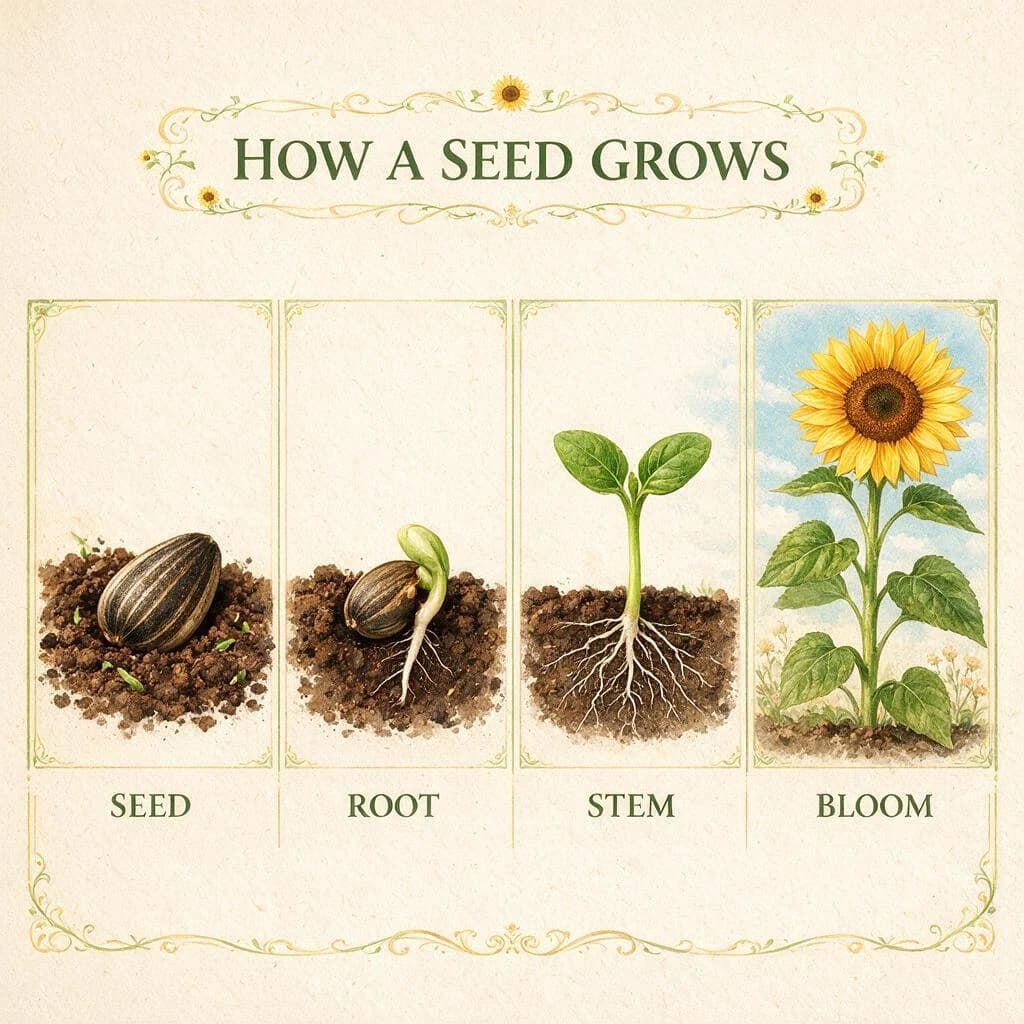
A complete four-stage botanical explainer with accurate, readable English labels.
English Educational Infographics

A complete four-stage botanical explainer with accurate, readable English labels.

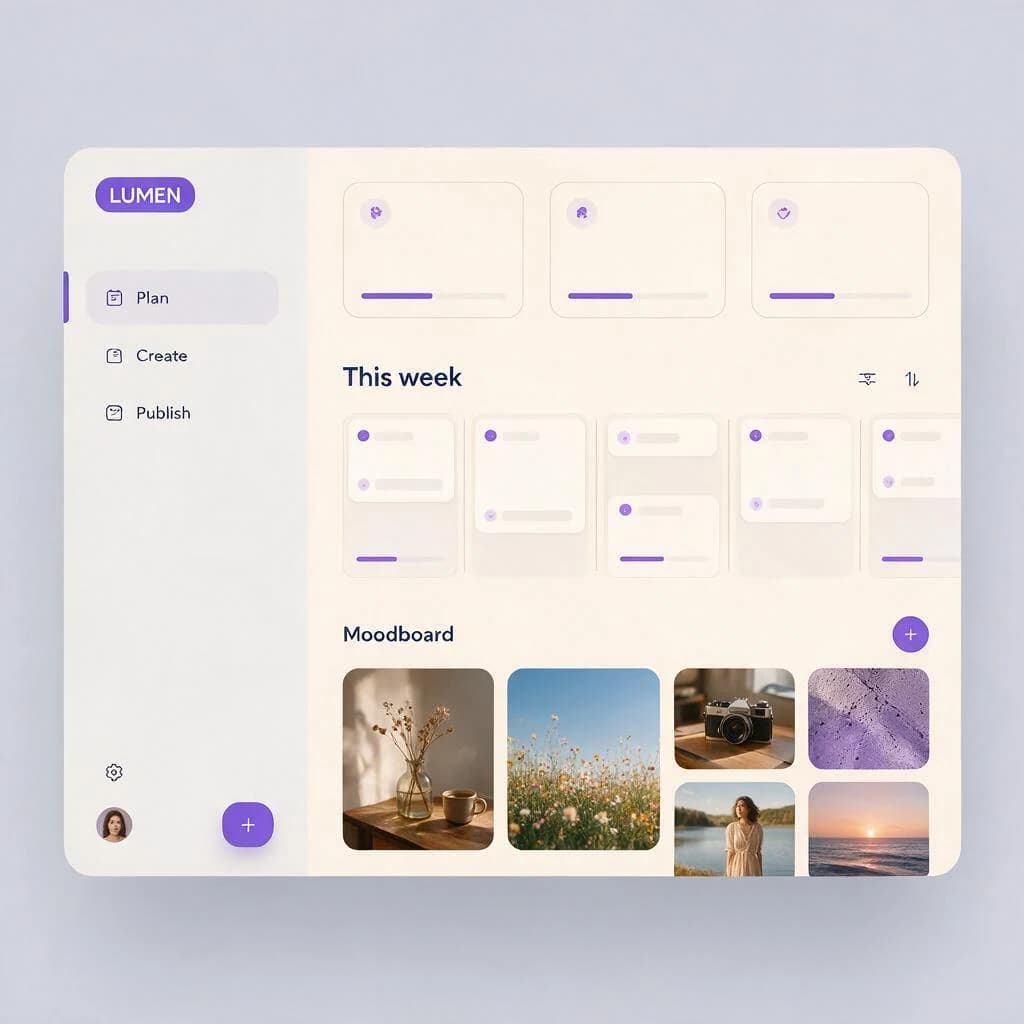
A calm creative-planning workspace with a coherent grid and concise English navigation.
Product Interface Concepts

A calm creative-planning workspace with a coherent grid and concise English navigation.

Controlled glass, liquid, stone, and flower details composed like a finished fragrance campaign.
Luxury Product Photography

Controlled glass, liquid, stone, and flower details composed like a finished fragrance campaign.

A translucent whale, mirrored salt flat, and tiny human figure arranged with cinematic scale.
Cinematic Concept Art

A translucent whale, mirrored salt flat, and tiny human figure arranged with cinematic scale.

A polished museum poster that renders “MAKE ROOM FOR WONDER” exactly as prompted.
Readable English Typography

A polished museum poster that renders “MAKE ROOM FOR WONDER” exactly as prompted.

Warm window light, natural skin, linen, clay, and studio detail captured as an editorial moment.
Natural Editorial Photography

Warm window light, natural skin, linen, clay, and studio detail captured as an editorial moment.

Soft architectural light, tactile materials, and balanced styling in a warm Japandi living room.
Interior Photography

Soft architectural light, tactile materials, and balanced styling in a warm Japandi living room.

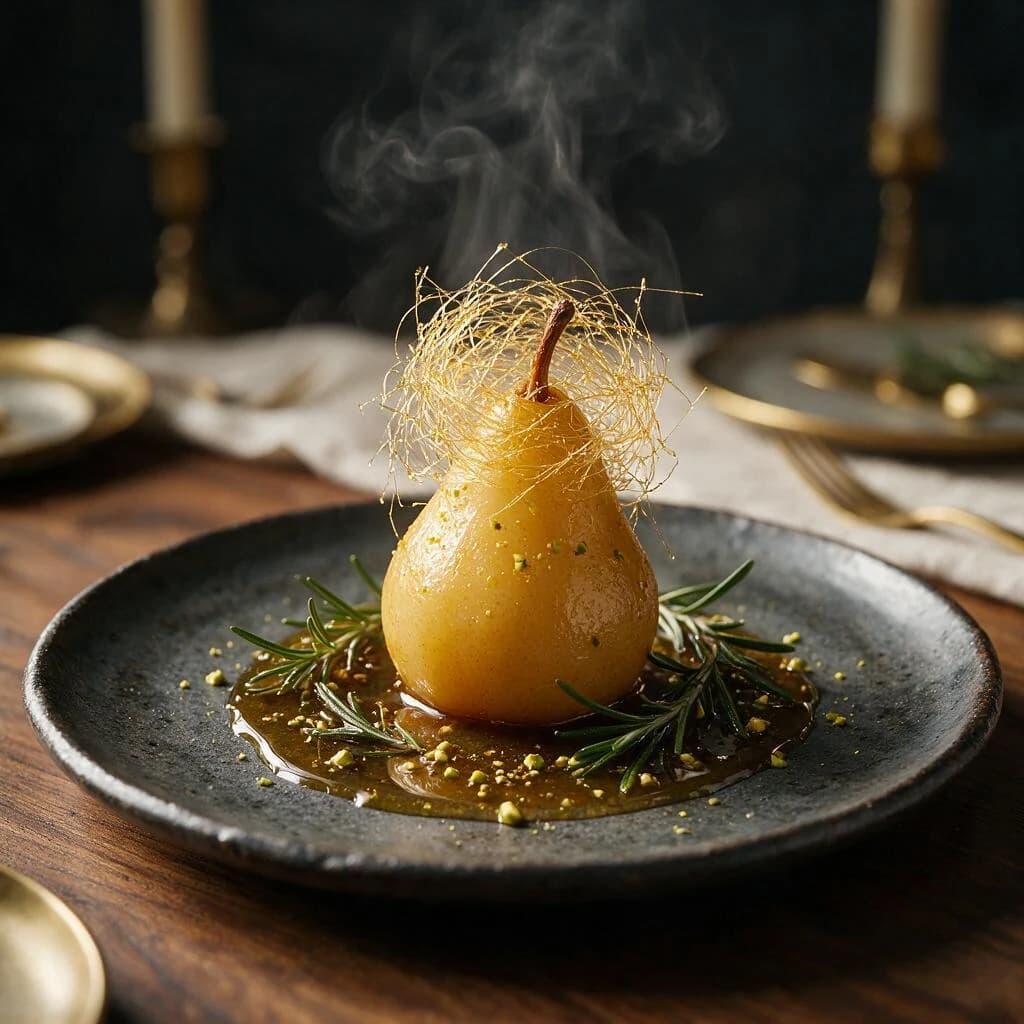
A fine-dining pear dessert with convincing steam, spun sugar, glaze, and dramatic side light.
Food Editorial

A fine-dining pear dessert with convincing steam, spun sugar, glaze, and dramatic side light.

Every image above was generated through the Easy-Peasy API with Seedream 5.0 Pro, then reviewed for visual quality and accurate English text.

Why Pro

It reasons like a designer before it draws

The upgrade is not just more detail. It is better visual planning: understanding the brief, organizing the information, and preserving intent through generation or editing.

01

Dense visuals that still read clearly

Turn a long brief into an infographic, interface, storyboard, or campaign layout with hierarchy intact. Seedream reasons about what belongs together before it renders the page.

02

Edits that follow the whole brief

Upload up to 10 reference images, describe what should change, and preserve the context that should stay. Use annotated references when placement matters.

03

Photography with believable light

Create portraits, interiors, products, and everyday scenes with more convincing skin, material texture, shadows, and environmental light.

04

Multilingual design without a workaround

Prompt and render text across a dozen widely used languages, making localized posters, menus, signs, and educational graphics a first-class workflow.

From brief to image

Three steps. No prompt engineering course.

1

Choose Seedream 5.0 Pro

Open the Image Generator and select Seedream 5.0 Pro from the model picker.

2

Write the brief or add references

Start from text, or upload up to 10 images for editing, style, subject, and layout guidance.

3

Pick 1K or 2K and create

Choose the aspect ratio and resolution that match the job, then generate and refine from the result.

Open the Image Generator

Model guide

Pro when the image has a job to do

Choose Pro when layout, realism, readable text, or reference control matters more than the quickest draft.

Modes
Text to image and image editing
References
Up to 10 images per edit
Output
1K or 2K
Aspect ratios
1:1, 3:4, 4:3, 9:16, 16:9
Generation cost
4 credits at 1K · 8 credits at 2K
CompareSeedream 5.0 ProSeedream 5.0 Lite
Best forProduction workFast drafts
ReasoningDeep, layout-awareFast, intent-aware
Resolution1K or 2K1K, 2K, or 3K
Cost4 or 8 credits2 credits

FAQ

Seedream 5.0 Pro, explained

What is Seedream 5.0 Pro?+

Seedream 5.0 Pro is ByteDance's flagship multimodal image-generation model. It is designed for advanced reasoning, high-density visual communication, precise image editing, photographic realism, and native multilingual generation.

What does unrestricted mean on this page?+

Unrestricted describes the broad creative workflow available through Easy-Peasy, including image generation and editing with real-person reference photos. Requests must still follow our Terms of Service and applicable law.

Can I edit existing images with Seedream 5.0 Pro?+

Yes. Switch to image editing, upload one or more references, and describe the change you want. Easy-Peasy supports up to 10 reference images in a Seedream 5.0 Pro edit.

Which resolutions and aspect ratios are available?+

You can generate at 1K or 2K in square, portrait, vertical, landscape, and widescreen formats: 1:1, 3:4, 9:16, 4:3, and 16:9. Editing can also match the source image automatically.

Does Seedream 5.0 Pro generate readable text?+

It is built for text-rich visuals and natively supports a dozen widely used languages. As with every image model, review critical names, prices, instructions, and legal copy before publishing.

How much does Seedream 5.0 Pro cost on Easy-Peasy?+

A 1K image uses 4 credits and a 2K image uses 8 credits. The same resolution-based pricing applies to generation and editing.

How is Seedream 5.0 Pro different from Seedream 5.0 Lite?+

Choose Pro for complex prompts, dense layouts, stronger realism, and deliberate production work. Choose Lite when speed and lower cost matter more; Lite uses 2 credits and can generate up to 3K.

How were the examples on this page created?+

Every showcase image was generated with Seedream 5.0 Pro through the Easy-Peasy image API. We used English-first prompts, reviewed the results, and selected the eight outputs shown here.

Comme présenté dans

3,482,705+ happy users

Témoignages

Our Trustpilot score

Lisez les commentaires que les gens ont faits sur les plateformes publiques.

Jeff Wilson

By far the best compilation AI utility

By far the best compilation AI utility out there. Period. We have tried multiple platforms that would work for us - a small business - and it was a bit overwhelming two years ago. Easy-Peasy has been a godsend. So many freaking tools and no fewer than 10 (of the 200) are ones we use at least on a weekly basis. Ironically, their human support is one of the most appreciated elements.


Vivian Daze avatar

Vivian Daze

Great services

Great services, and lovely and attentive customer service. Would reccommend

Cody Crabb

Great service, Best AI tool

Kia Tiow | COGUE avatar

Kia Tiow | COGUE

Easy-peasy is an easy to pick up and awesome AI software. I love it.

Easy-Peasy AI

Dezign121 avatar

Dezign121

Easy-Peasy.AI is very user friendly & a lot more to explore not only in the lesson, very helpful assistant in both work & personal

Blanca Marin avatar

Blanca Marin

Very Good AI…

I really liked the easy-peasy AI service. It's a great tool, but I also had to ask them for a refund because I chose the wrong plan, and they were very quick to respond to my request. They looked into my case and I got my money back without any problems. Of course, I will continue to use it for my projects.

Easy-Peasy AI

Muhammad Md Rahim avatar

Muhammad Md Rahim

Very awesome and practical AI tool that can help improve our productivity and the quality of our work!

Ken Poon avatar

Ken Poon

Very useful and true to “Easy Peasy” on using AI. One platform on all the tools required for business needs. Marianna sharing is super informative on how to use easy-peasy.ai

Dennis Cambronero avatar

Dennis Cambronero

I have been using the tool for +1 year…

I have been using the tool for +1 year and I have to say it is amazing. I use it to create images, bots and access every LLM in one single place. I highly recommend it.

Yeah Likes avatar

Yeah Likes

Practical and Powerful Software which is all In one and versatile. Just finished their workshop and got practical and valuable tips and tricks.

Créez plus rapidement avec l'IA.
Essayez-le sans risque.

Arrêtez de perdre du temps et commencez à créer du contenu de haute qualité immédiatement avec le pouvoir de l'IA générative.

App screenshot