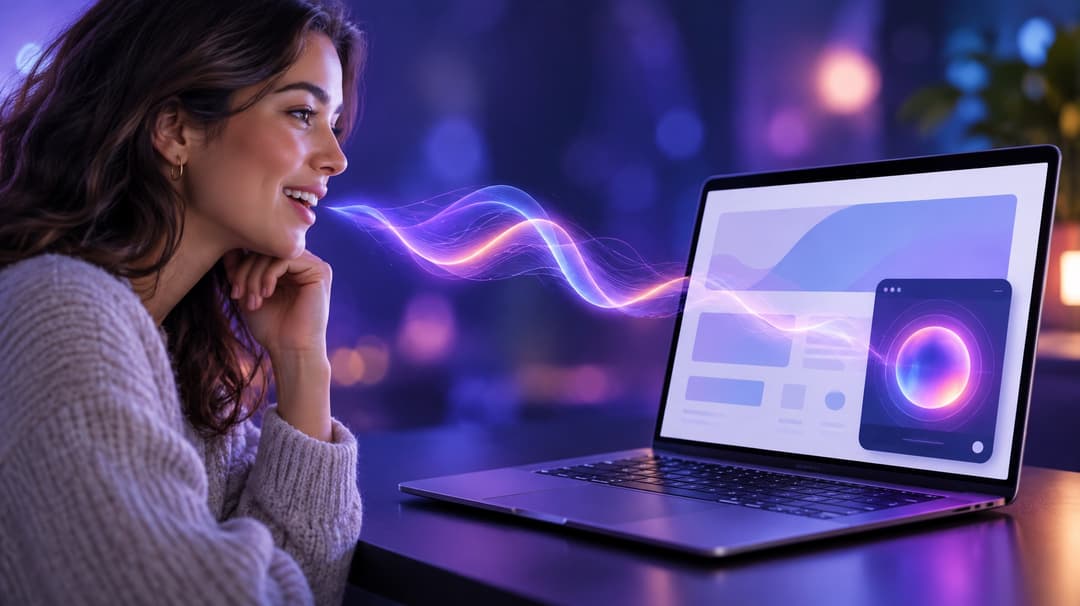
Every shot, voice and note of music in Grandma Turbo, our 74-second comedy about a grandmother who wins an underground street race before her cake is done, came from one place: Easy-Peasy.AI. This guide shows you how to make an AI short film the same way, from the first script to a 4K export, with the real prompts we used, the two mistakes we made and what every step cost. Every shot was rendered with Seedance 2.5, which keeps characters consistent across takes and records dialogue and sound in the same pass as the picture.
Prefer to watch? The tutorial video shows every step on screen.
What You Need to Make an AI Short Film
▶︎ Watch this part in the video (0:28)
You need one paid Easy-Peasy.AI plan and seven tools on the same account. Credits pay for images and video; the voices, music and sound effects come out of your plan’s audio characters. Here is what each tool did for our film.
| Step | Tool | What it made | Cost |
|---|---|---|---|
| 1. Script and prompts | Marky | The story, three take prompts and eight image prompts | Chat words |
| 2. Characters and places | AI Image Generator | 8 reference images | 24 credits |
| 3. Voices | AI Audio Generator | One 15-second clip with both voices | 1,000 audio characters |
| 4. Takes | Seedance 2.5 Reference | One 480p draft and three 720p takes | 960 credits |
| 5. Fixes | Video Extender and Edit with AI | A 6-second ending, then a corrected car | 286 credits |
| 6. Music and sound | AI Music Generator and AI Sound Effects Generator | The score and an engine effect | 1,600 audio characters |
| 7. Edit and finish | AI Video Editor and Video Upscaler | The cut, title, export and 4K upscale | 77 credits |
Seedance 2.5 is on paid plans. It renders takes of 4 to 30 seconds at 480p or 720p and costs 12 credits a second at 720p and 6 at 480p, so a 20-second take is 240 credits at full quality. The pricing page shows how many credits each plan includes.
How to Make an AI Short Film (Step-by-Step)
The workflow has seven steps. Steps 1 to 3 prepare what Seedance needs to keep your film consistent: a script, pictures of the cast and places, and the voices. Steps 4 to 7 make the footage and finish it.
Step 1: Write the Script and the Prompts with Marky
▶︎ Watch this step in the video (1:10)
Open Marky, our AI agent, and describe the film in a few lines: the story, the tone, how many takes and how long each one is. Seedance 2.5 renders up to 30 seconds at a time, so a short film is a few takes edited together. We asked for a 70-second comedy in three takes of 20, 25 and 25 seconds.
Ask for the prompts in the shape Seedance reads best: a style line, then timed shots with camera moves, dialogue in quotes and sound cues. This is a shortened version of what we sent (we picked GPT-6 Astra in Marky’s model menu):
Write a 70-second comedy-action short film called GRANDMA TURBO that I'll generate with Seedance 2.5.

Story: every Sunday at six, Grandma Rose has a cake in the oven. Tonight she also has an underground street race. She races a cocky young driver in a black sports coupe with her tiny mint-green 1980s hatchback, wins, and gets home just as the oven timer rings. Tone: warm, funny, cinematic live action, rain-slick neon at night.

Split it into 3 takes: 20 s, 25 s, 25 s. For each take, write one Seedance 2.5 prompt:
- one style line first
- then shots with timestamps, like "Shot 1 (0-4s): ..."
- camera moves (wide, close-up, tracking, low angle...)
- dialogue in quotes, with who says it
- sound cues (engines, crowd, rain, timer)
Refer to my reference images as "image 1", "image 2" and so on.
No real people, brands, logos, readable signs or game names.

Then list the reference images I need (characters, car, places), each with a one-line image prompt on a plain light-grey background.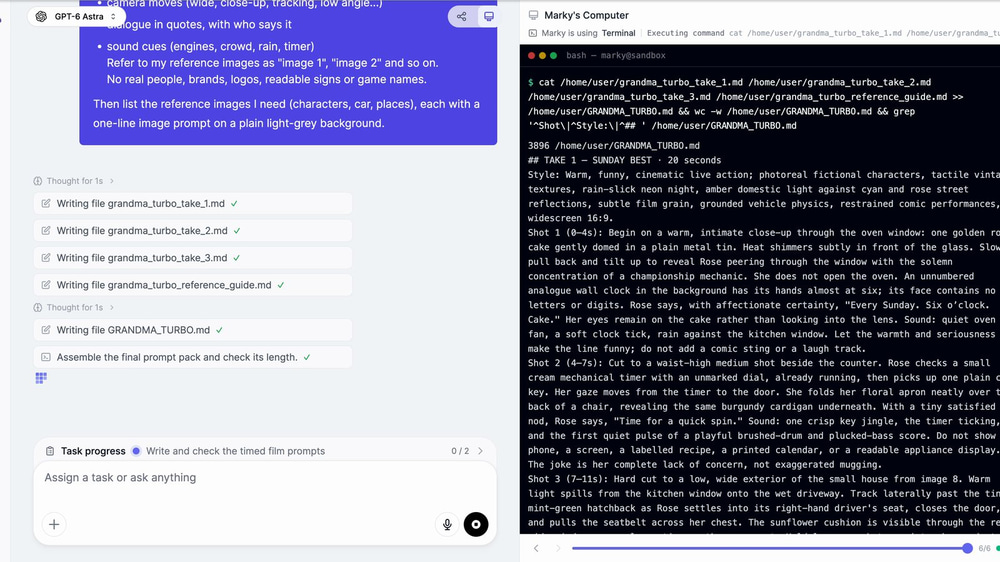
About seven minutes later we had three take prompts and a guide to the eight reference images. Marky also changed the story: it opened the film in Rose’s kitchen and ended it on her line “Still got it.” It was better, so we kept it. Read the prompts before you spend credits, though, because every word in them can end up on screen or in the soundtrack (more on that below).
Step 2: Design Your Characters and Places
▶︎ Watch this step in the video (2:16)
Seedance 2.5 Reference takes up to 30 reference images and uses them to keep faces, cars and rooms the same from shot to shot. We made eight in the AI Image Generator with GPT Image 2.5 Sunburst Medium, at 3 credits each, pasting Marky’s prompts one by one.
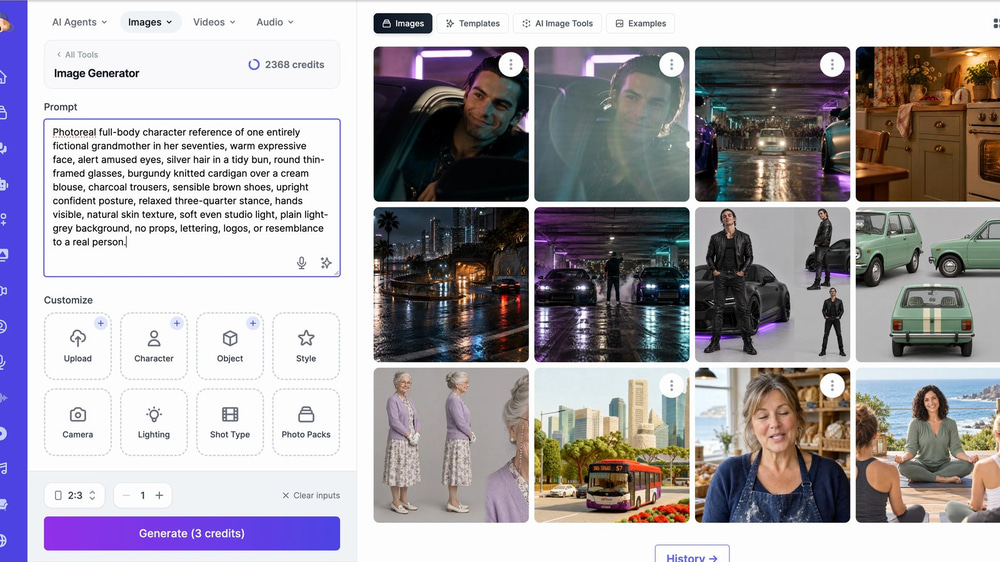
- Portrait (2:3) for people, widescreen (16:9) for cars and places. Each subject gets the frame it fills best.
- A plain light-grey background for people. Seedance copies the person, not a backdrop it might paste into every shot.
- No text, logos or badges. Seedance reproduces what it sees, including a badge on a grille or a sign on a wall.
- Invented people only. Everyone in our film is made up, so there is no likeness to worry about.
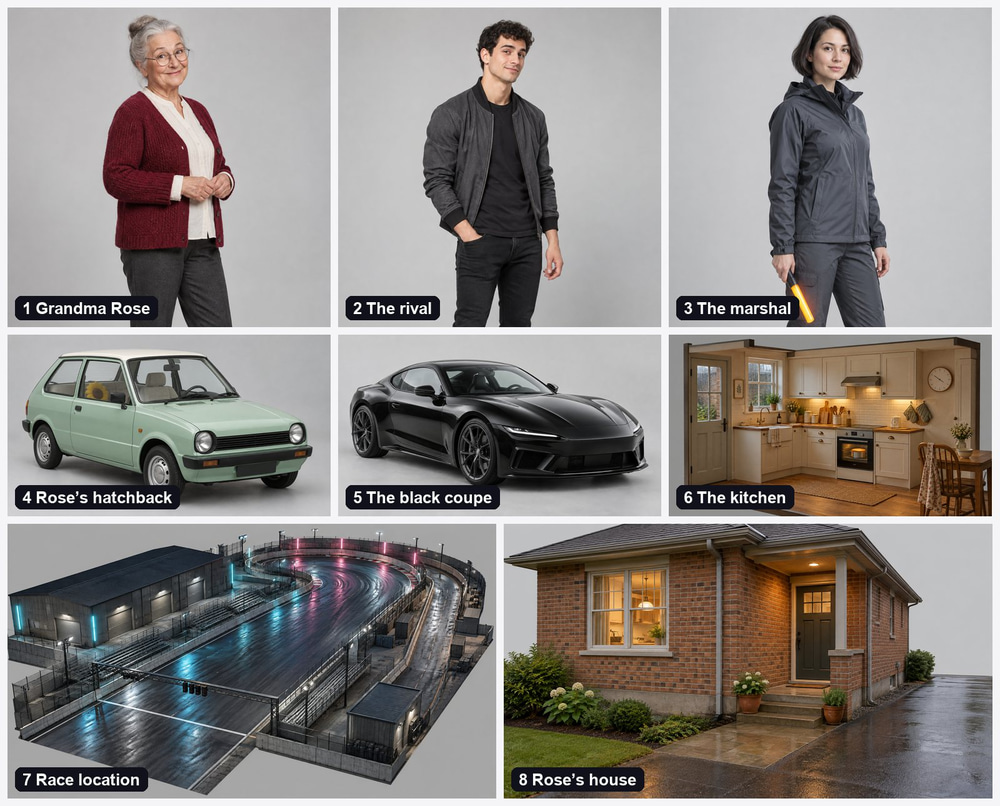
Our set: Grandma Rose, the young rival, the race marshal, Rose’s mint-green hatchback, the rival’s black coupe, her kitchen, the underground race course and her house. Keep Marky’s numbering, because the prompts call them “image 1” to “image 8”.
Step 3: Cast the Voices
▶︎ Watch this step in the video (2:48)
Seedance writes its own speech, and every new take could give the same character a different voice. To keep the voices consistent, we made one 15-second clip with both characters in the AI Audio Generator and attached it to every take.
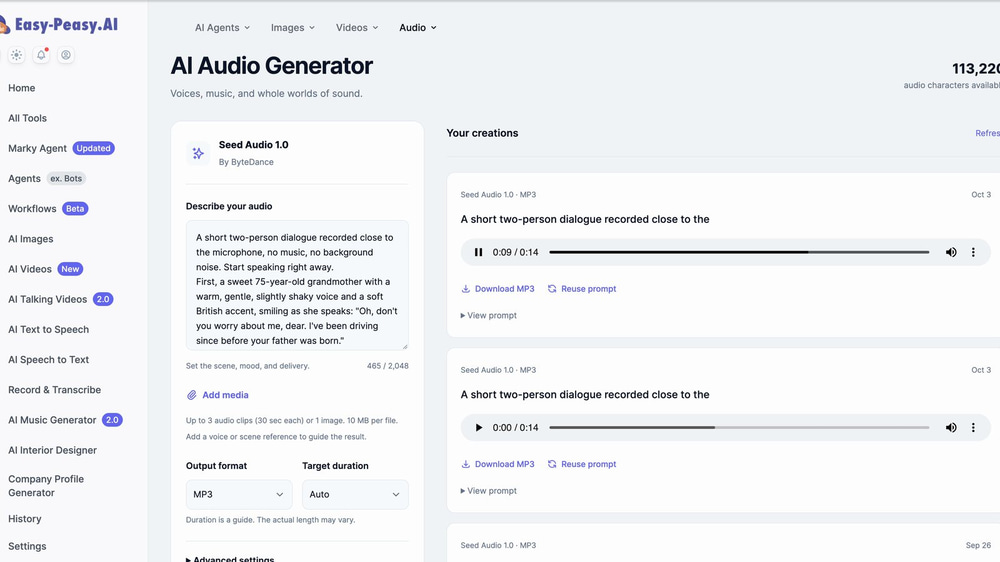
A short two-person dialogue recorded close to the microphone, no music, no background noise. Start speaking right away.
First, a sweet 75-year-old grandmother with a warm, gentle, slightly shaky voice and a soft British accent, smiling as she speaks: "Oh, don't you worry about me, dear. I've been driving since before your father was born."
Then a cocky young man in his twenties, smug and teasing, American accent: "Whatever you say, granny. Just try to keep up."
Give the voice clip different lines from the film. Seedance should learn how each character sounds, not paste the clip into the soundtrack. Then tell each take prompt which voice is which:
Voices come from audio 1: the first voice is Grandma Rose (image 1), the second voice is the young rival (image 2). Use these two voices for their dialogue.Step 4: Generate the First Take with Seedance 2.5 Reference
▶︎ Watch this step in the video (3:29)
Open the Seedance 2.5 video generator, choose Seedance 2.5 and click Add media. Add the eight images in Marky’s order (you can pick them from your image history), then attach the voice clip on the Audio tab. Adding media switches the model to Seedance 2.5 Reference by itself.
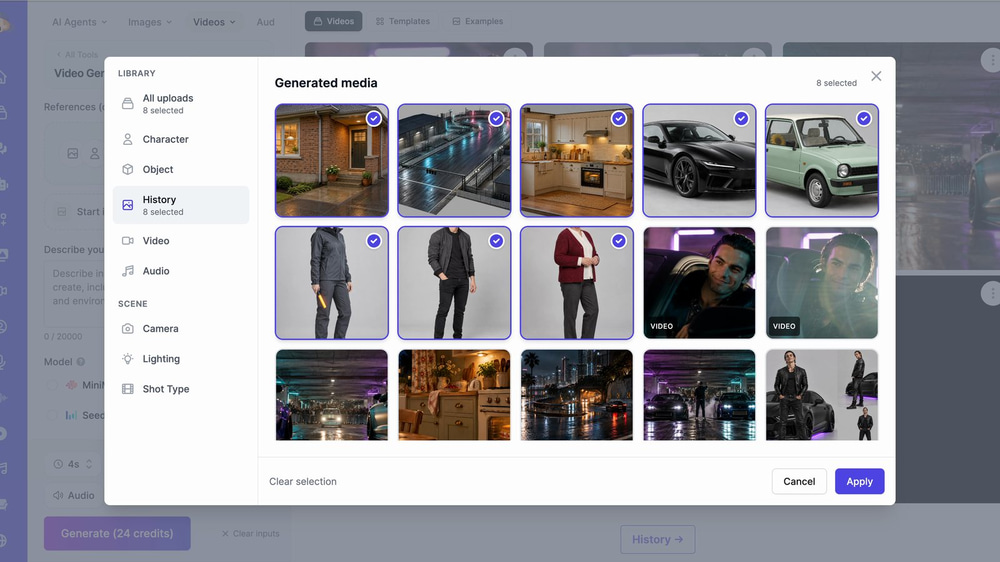
Paste the prompt for take 1 and set:
- 16:9 and the take’s length (20 seconds for take 1)
- 480p for the first draft, at 6 credits a second
- Audio on (with a voice clip attached, it always is)
The Generate button shows the price before you click. Our 480p draft cost 120 credits and came back in about four and a half minutes: every shot from the prompt was there, Rose spoke in the voice from the clip, and her lines landed where Marky wrote them. So we rendered take 1 again at 720p for 240 credits.
The 720p version is a new render, not an upscale of the draft, so details will change between the two. Use the draft to test the prompt, not to lock a shot you love.
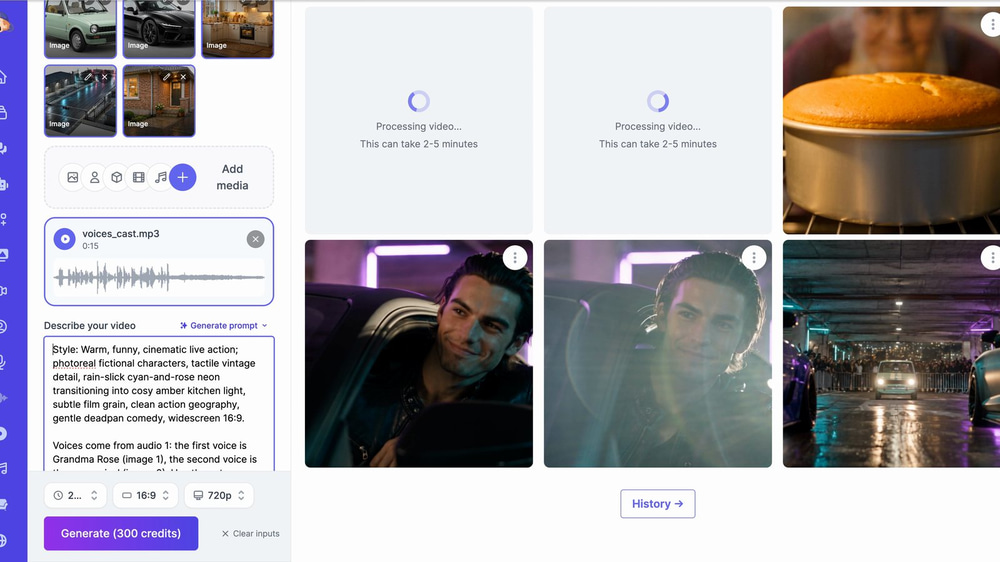
Once take 1 proved the setup, we queued takes 2 and 3 straight away at 720p and 25 seconds (300 credits each). Takes render in parallel, so you don’t wait three times. Each of ours took between 4 and 13 minutes.
Step 5: Fix and Extend Shots
▶︎ Watch this step in the video (6:14)
We wanted one more beat at the end of take 3: the rival’s coupe pulling up outside Rose’s kitchen. The Video Extender grows a clip from its last frame, so trim the clip first. Seedance 2.5 Extend bills the clip you send as well as the new seconds. We kept only the last 5 seconds and added 6, so we paid for 11 seconds: 121 credits. Extending the whole 25-second take would have cost 341.
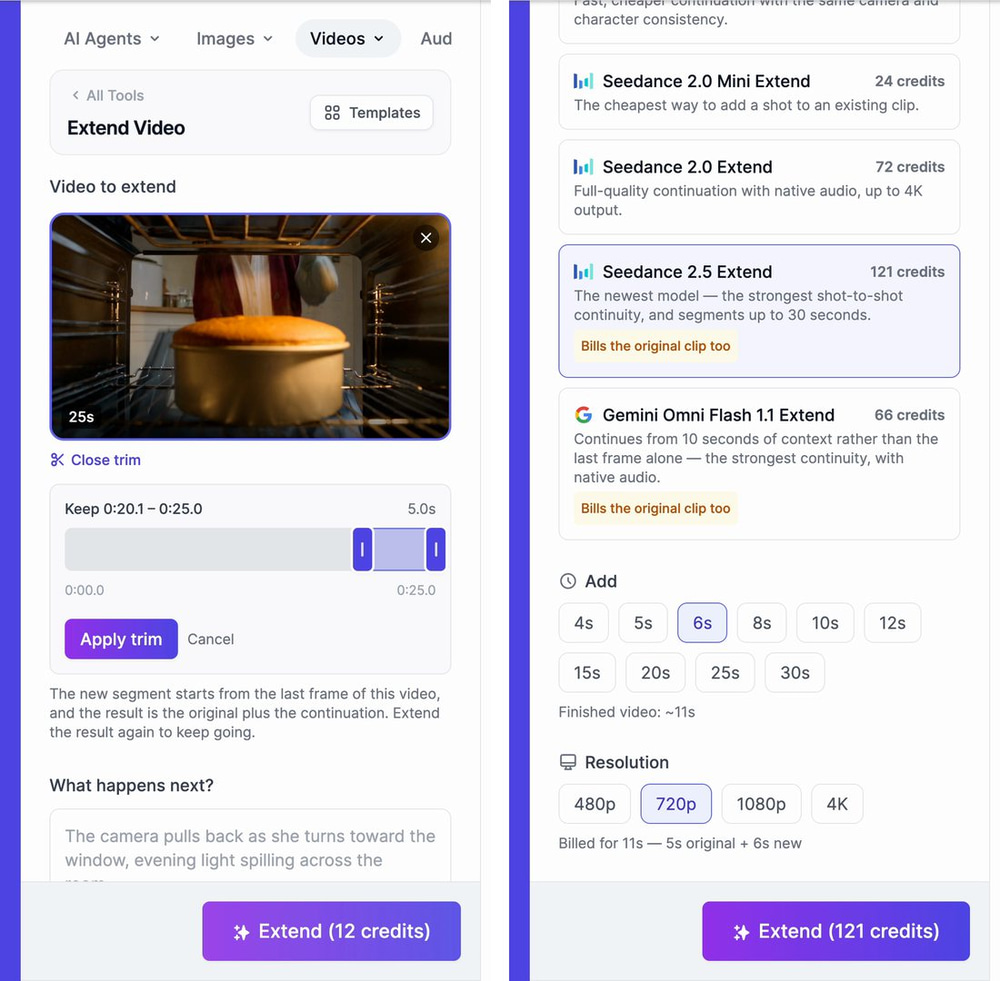
Our extension prompt was one short scene:
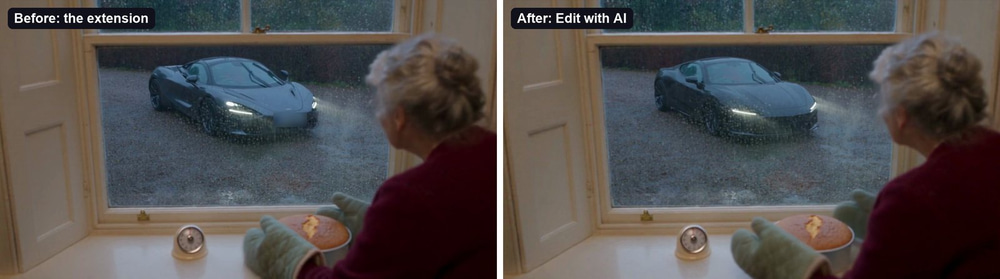
Cut to a medium shot of Rose setting the cake down on the counter by the kitchen window. Outside the rain-streaked window, the matte-black sports coupe pulls up and flashes its headlights twice. Rose glances out, raises one eyebrow, smiles, and turns the kitchen timer back to ten minutes with a crisp click. Sound: rain, a car idling outside, the timer click. No dialogue, no narration.The extension worked, with one problem: the coupe came out silver, looked a lot like a real supercar and had a readable number plate. An extension can’t see your reference images; it only sees the clip. That’s what Edit with AI is for.
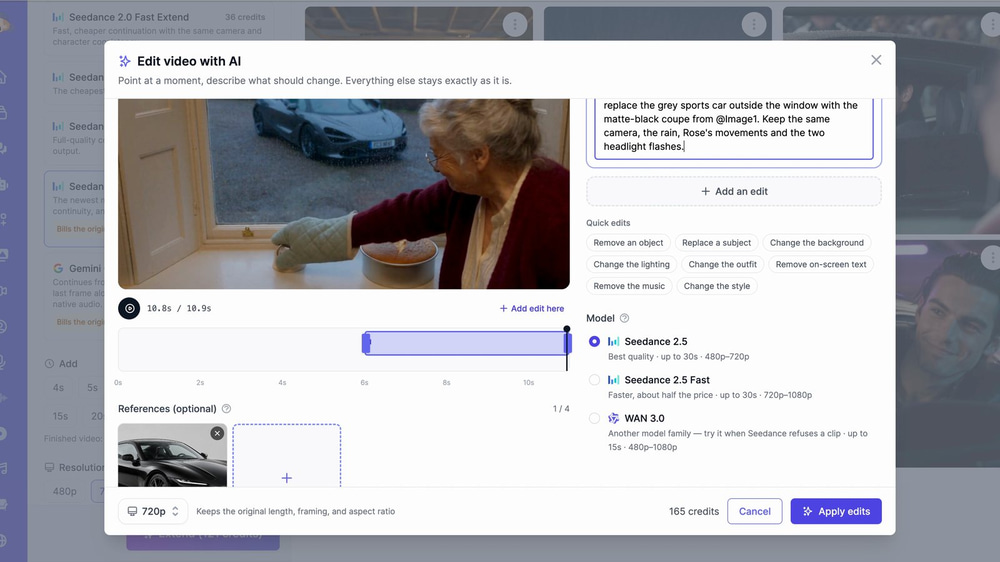
We marked 6 to 11 seconds on the clip’s timeline, asked for the grey sports car to be replaced with the matte-black coupe and attached the coupe’s reference image. Everything outside that range stays as it was. It cost 165 credits (15 a second for the 11-second clip).
Step 6: Add Music and Sound Effects
▶︎ Watch this step in the video (7:25)
Seedance records sound with the picture, so our takes already had the dialogue, engines, rain and the oven’s ding. For the score we used the AI Music Generator with Instrumental Only on. Each generation gives you two tracks to choose from.
Playful cinematic comedy score for a short film about a sweet grandmother who secretly street races: brushed jazz drums, plucked upright bass, twangy surf guitar and cheeky muted horns, building into a fast chase, then settling into a warm, cosy ending.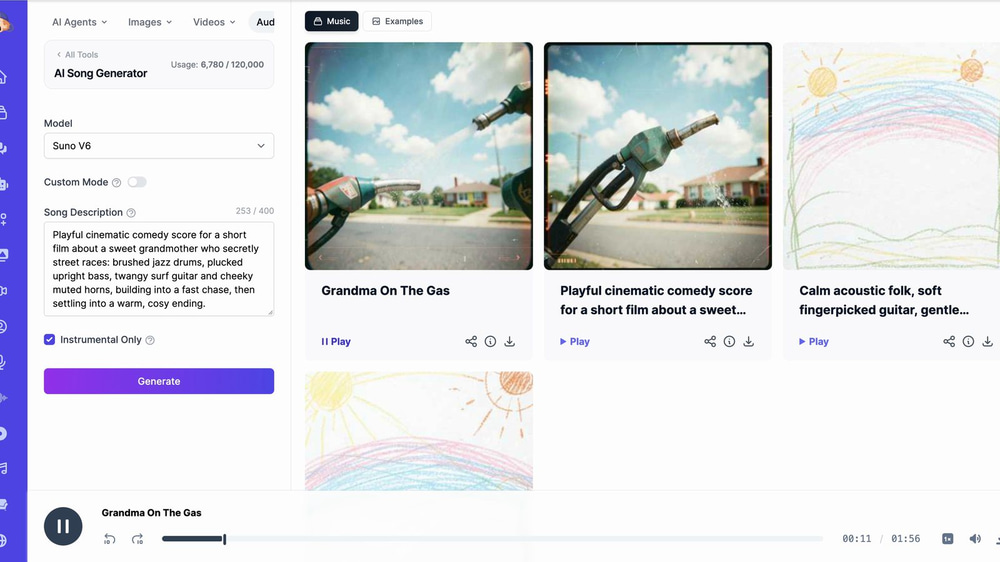
For a sound the takes are missing, use the AI Sound Effects Generator: describe the sound, set a length and you get a clean WAV. We made an engine rev to patch a gap in take 1, though a simple trim did the job in the end.
Step 7: Edit, Export and Upscale to 4K
▶︎ Watch this step in the video (7:59)
In the AI Video Editor, create a new project, import your clips and add them to the timeline. Trim each clip by dragging its edges. To remove a phrase from the middle of a take, add that take twice and trim each copy, so one ends before the phrase and the other starts after it. We did that for both of our spoken mistakes.
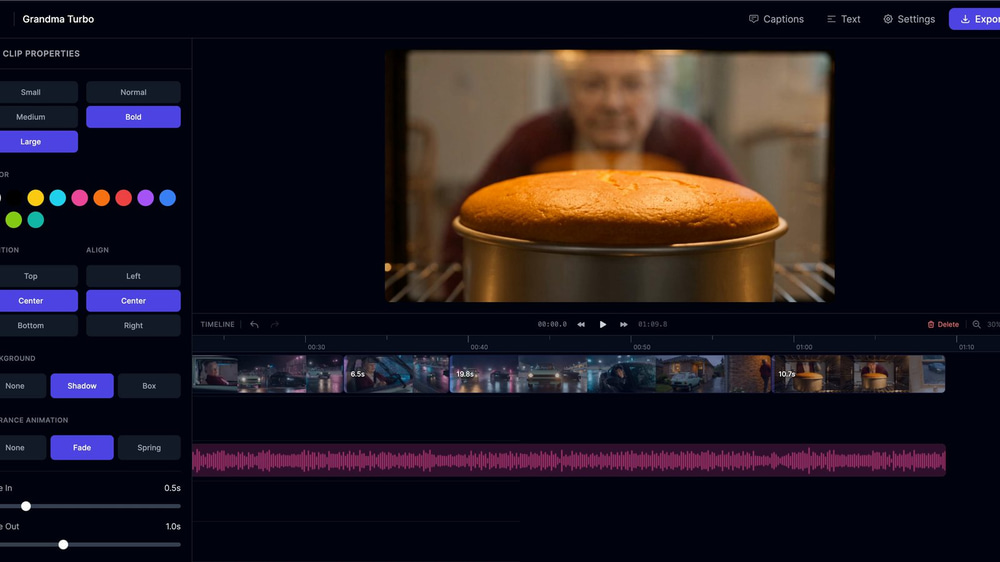
Put the music on its own track at about 15% volume so it sits under the dialogue, add a title and an end card, and export. A 1080p export costs 2 credits.
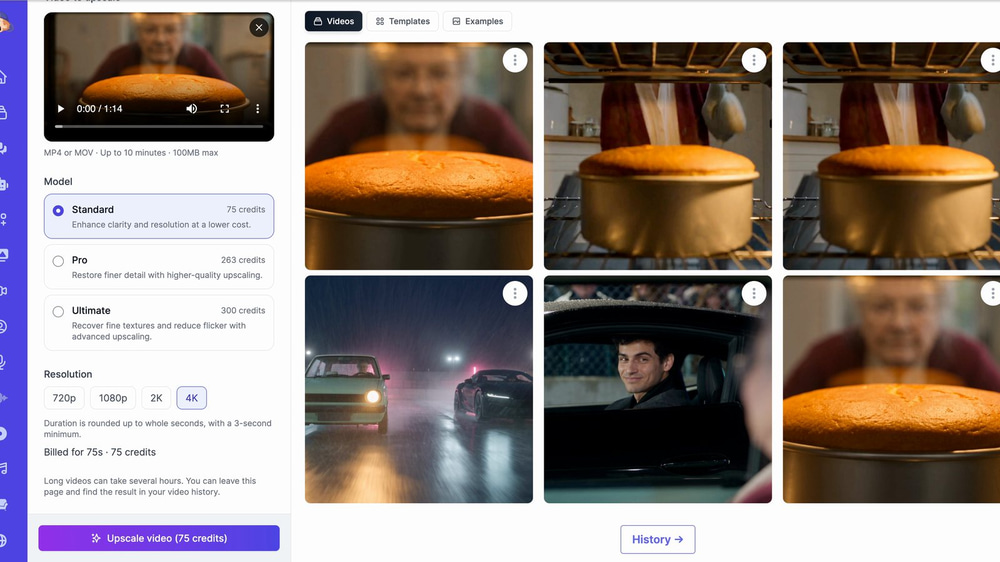
For a sharper upload, send the export to the Video Upscaler. The Standard model upscales to 4K for 1 credit a second, so our 74-second film cost 75 credits.
How to Write Seedance 2.5 Prompts for a Short Film
▶︎ Watch this part in the video (4:53)
Marky’s prompt for take 1 is about 5,500 characters long (Seedance 2.5 accepts up to 20,000). Long is fine, as long as it’s organised. It has five parts, in this order:
- Style line. One sentence that sets the look of the whole take.
- Voice line. Which voice in the audio clip belongs to which character.
- Image roles. What each reference image is for, plus the key details of the main character and her car, repeated in every take. Marky added a useful line: “These images define appearance and design, not frozen compositions.”
- Timed shots. Shot 1 (0–4s), Shot 2 (4–7s) and so on, each with the camera, the action, the line in quotes with its speaker, and the sounds.
- Rules. What must never appear: real people, brands, logos, readable signs, subtitles, watermarks.
Here are the style line and one shot from take 1:
Style: Warm, funny, cinematic live action; photoreal fictional characters, tactile vintage textures, rain-slick neon night, amber domestic light against cyan and rose street reflections, subtle film grain, grounded vehicle physics, restrained comic performances, widescreen 16:9.

Shot 2 (4–7s): Cut to a waist-high medium shot beside the counter. Rose checks a small cream mechanical timer with an unmarked dial, already running, then picks up one plain car key. Her gaze moves from the timer to the door. She folds her floral apron neatly over the back of a chair, revealing the same burgundy cardigan underneath. With a tiny satisfied nod, Rose says, "Time for a quick spin." Sound: one crisp key jingle, the timer ticking, and the first quiet pulse of a playful brushed-drum and plucked-bass score.
Two things went wrong in our takes, and both teach a rule.
Mistake 1: Words Between “Says” and the Quote Get Spoken
▶︎ Watch this part in the video (5:17)
In take 2 the prompt said:
Rose says, as if discussing a cake topping, "Oh, lovely."Rose said the whole thing: “as if discussing a cake topping. Oh, lovely.” Seedance can read anything next to a quote as dialogue. Put the delivery note in brackets before the line instead:
Rose (calmly, as if discussing a cake topping): "Oh, lovely."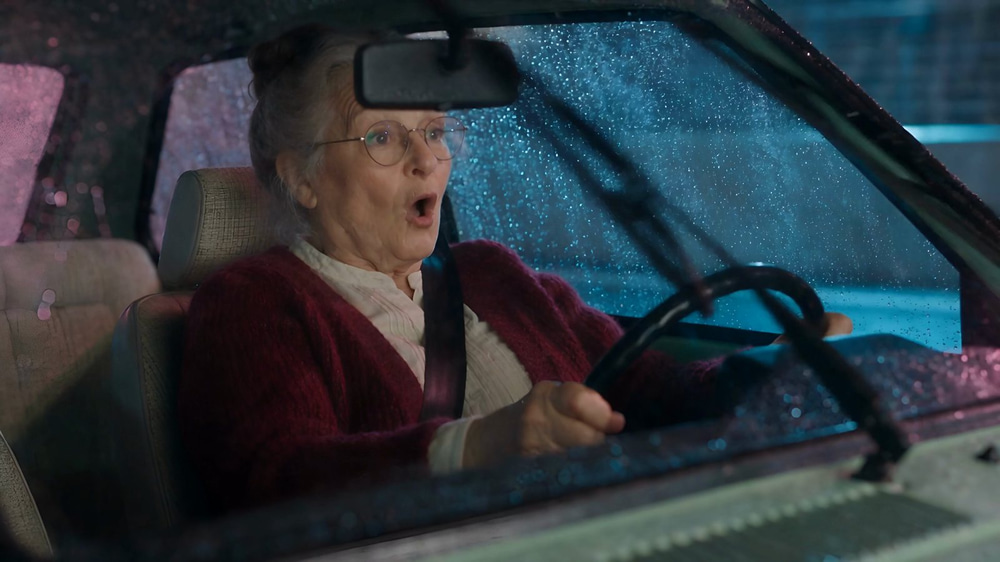
Mistake 2: Sound Cues Written as Sentences Get Voiced
▶︎ Watch this part in the video (5:40)
Take 1 had the cue “Sound: the little engine finding its rhythm”, and a voice said it out loud. Keep sound cues to short noun phrases, and add one line to every prompt:
Sound: engine revs, tyres hiss, rain.
No narration or voice-over; only the quoted lines are spoken.
The Finished Film: Grandma Turbo
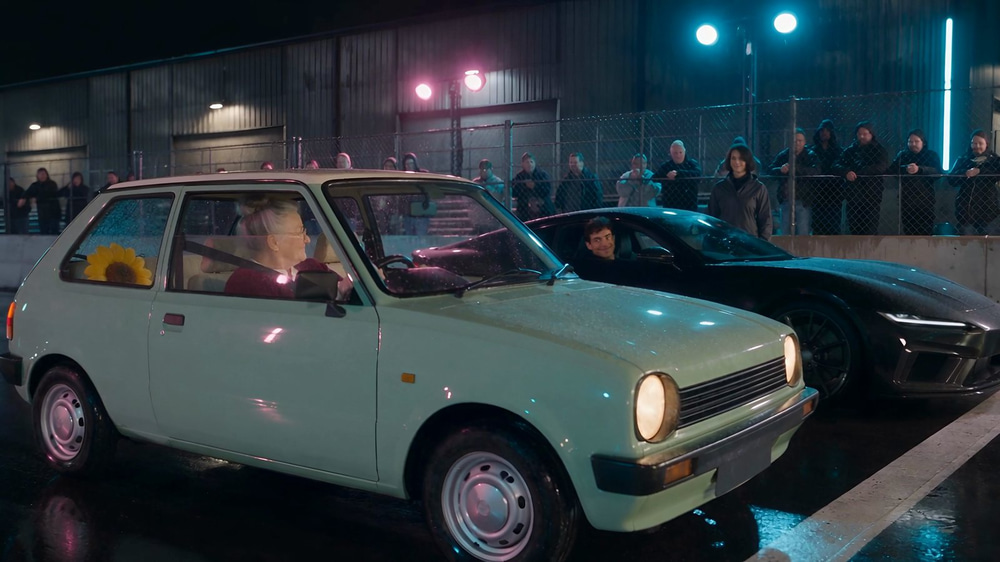
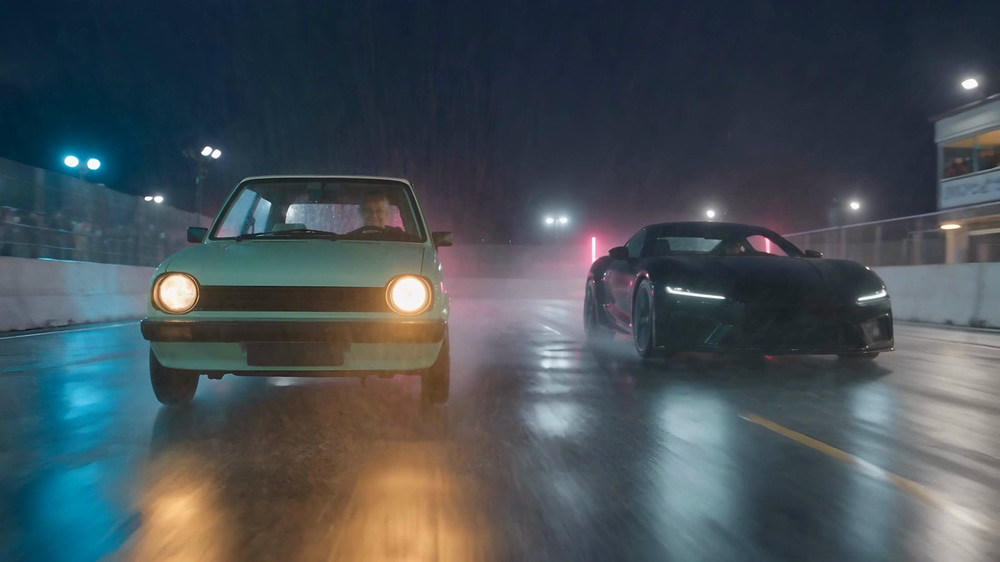
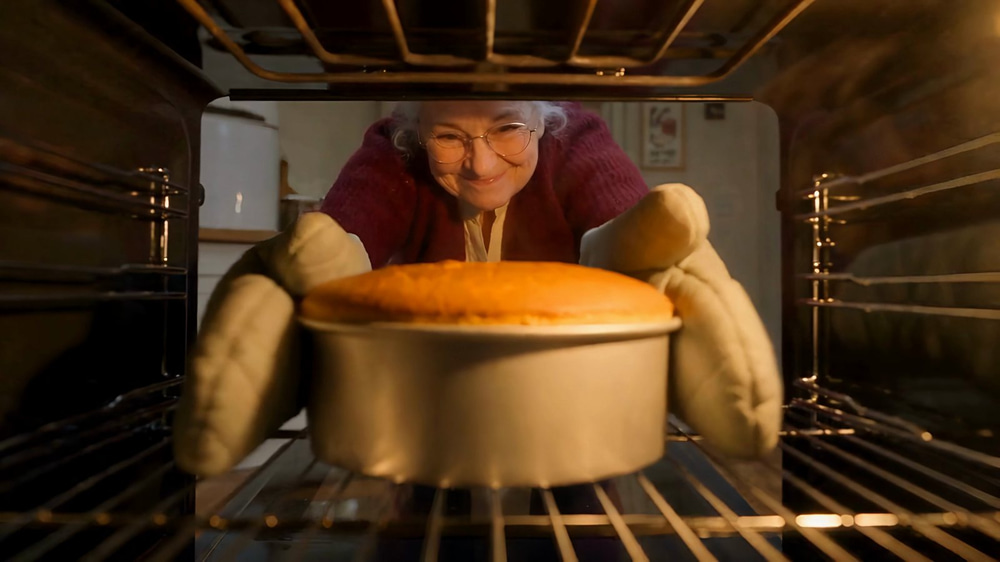
The cut runs 74 seconds. Rose leaves her cake in the oven, takes her little hatchback to an underground race, beats the rival in his black coupe and is home before the timer rings. Every frame below is from the 4K version.
What Our AI Short Film Cost
▶︎ Watch this part in the video (9:52)
| Item | Credits |
|---|---|
| 8 reference images (GPT Image 2.5 Sunburst Medium) | 24 |
| Take 1 draft, 20 s at 480p | 120 |
| Take 1, 20 s at 720p | 240 |
| Take 2, 25 s at 720p | 300 |
| Take 3, 25 s at 720p | 300 |
| Extend (5 s kept + 6 s new) | 121 |
| Edit with AI (11 s clip) | 165 |
| Video Editor export, 1080p | 2 |
| 4K upscale, Standard (75 s) | 75 |
| Total | 1,347 |
On top of that, the voice clip used 1,000 audio characters, the music 600 and the sound effect 1,000. Most of the credits went into the takes themselves: 960 of the 1,347.
Tips for Better AI Filmmaking
Draft at 480p, Finish at 720p
A 480p draft costs half as much and shows you whether the prompt, the references and the voices work. Fix the prompt on drafts, then render the final at 720p.
Repeat the Character Details in Every Take
Each take is rendered on its own. Describe the main character, her clothes and her car in every take prompt, even if it feels repetitive, and attach the same reference images each time.
Use One Voice Clip for the Whole Film
Attach the same voice clip to every take, with the same voice line in every prompt. That’s what keeps Rose sounding like Rose from the kitchen to the finish line.
Trim Before You Extend
Seedance 2.5 Extend bills the clip you send. Keep only the last few seconds you need; the new part grows from the final frame anyway. And if the extension needs a character or prop from your references, fix it afterwards with Edit with AI.
Watch Every Take with the Sound On
Stray words in a prompt can turn into spoken lines. Listen to each take before you build on it, and cut anything odd in the editor.
Keep Real Brands and People Out
Invent your characters, and ask for unbadged cars and signs without text. Seedance copies what it sees and reads, so a logo in a reference image or a brand name in a prompt can show up on screen.
Frequently Asked Questions
How long does it take to make an AI short film?
We made Grandma Turbo in one day. Marky wrote the prompts in about seven minutes, each Seedance 2.5 take rendered in 4 to 13 minutes, and the 4K upscale took about 45 minutes. The rest of the day went into reviewing takes and editing.
How much does it cost to make an AI movie?
Our 74-second film cost 1,347 credits, plus some audio characters for the voices, music and one sound effect. A minute of finished Seedance 2.5 footage at 720p is about 720 credits; drafts at 480p cost half that.
How long can a Seedance 2.5 video be?
Each take is 4 to 30 seconds. For a longer film, render several takes and join them in the AI Video Editor, or add a few seconds to a take with the Video Extender.
How do you keep characters consistent in an AI film?
Use Seedance 2.5 Reference with the same reference images and the same voice clip on every take, and repeat the character’s key details in every prompt. Our grandmother, her car and her kitchen stayed the same across all three takes.
Is Seedance 2.5 free?
No. Seedance 2.5 is on paid plans and uses credits: 12 a second at 720p and 6 at 480p. See the pricing page for how many credits each plan includes.
Do I need video editing skills?
No. Marky writes the prompts, and the AI Video Editor only needs you to place clips, drag their edges and add music. If you can trim a clip, you can finish a short film.
Start Making Your Own AI Short Film
You now have the whole workflow: a script and prompts from Marky, a cast of reference images and one voice clip, takes from Seedance 2.5 Reference, fixes with the Video Extender and Edit with AI, then music, the edit and a 4K upscale. Try Seedance 2.5 with a story of your own, and start with a 480p draft. If you want to plan your shots visually first, read our guide on how to create a storyboard with AI, or see how we made a longer film in how to make a documentary with AI.