Google's Gemini Image family
Generate · edit · iterate

NanoBanana

Three models. One visual language. The right speed for every idea.

Create and edit with the complete Nano Banana family in one studio. Start with Lite for speed, use Nano Banana 2 for the best everyday balance, or choose Pro when precision matters most.

Text + image inputNatural-language editsUp to 4K output
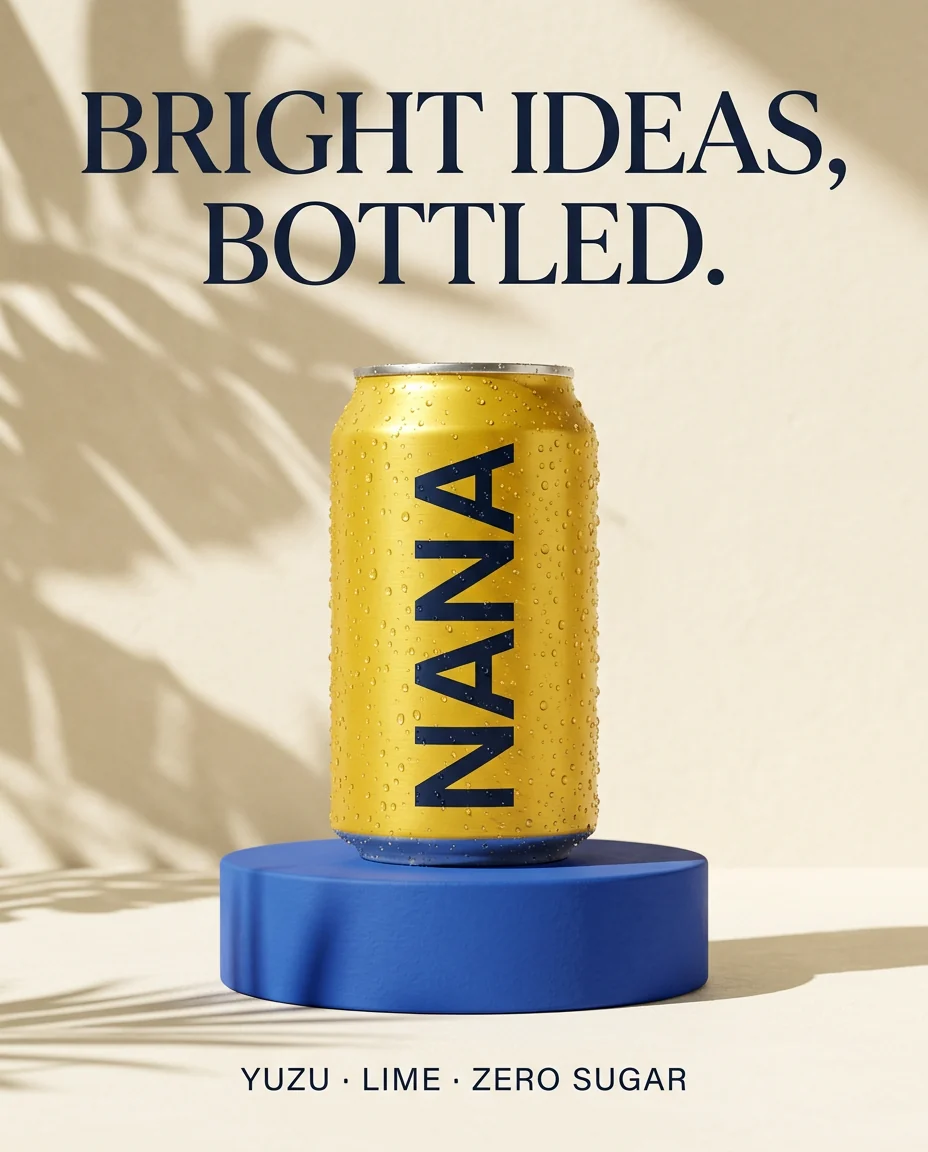
NANA sparkling citrus product poster generated with Nano Banana 2
Nano Banana 2
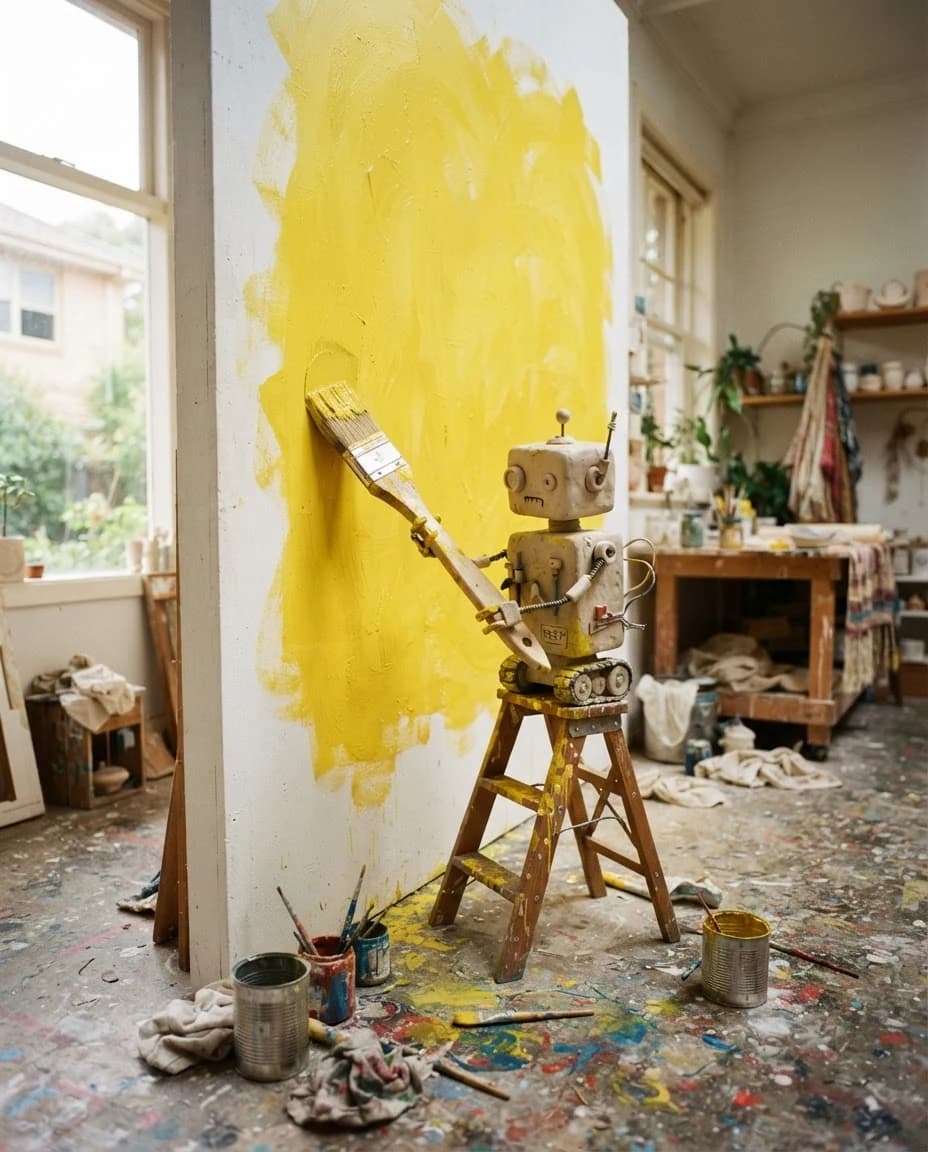
Ceramic robot painting a studio wall, generated with Nano Banana 2 Lite
2 Lite
Indigo glass and leather campaign still life generated with Nano Banana Pro
Nano Banana Pro
Lite
About 4 seconds
For drafts and scale
2
The all-rounder
For most creative work
Pro
Maximum control
For final production

Real Easy-Peasy outputs

Same brief. Same size. Three different decisions.

The test

A premium NANA citrus-drink poster with one exact headline, one exact flavor line, a yellow can, cobalt pedestal, leaf shadows, and no extra words. All outputs: 4:5 at 1K.

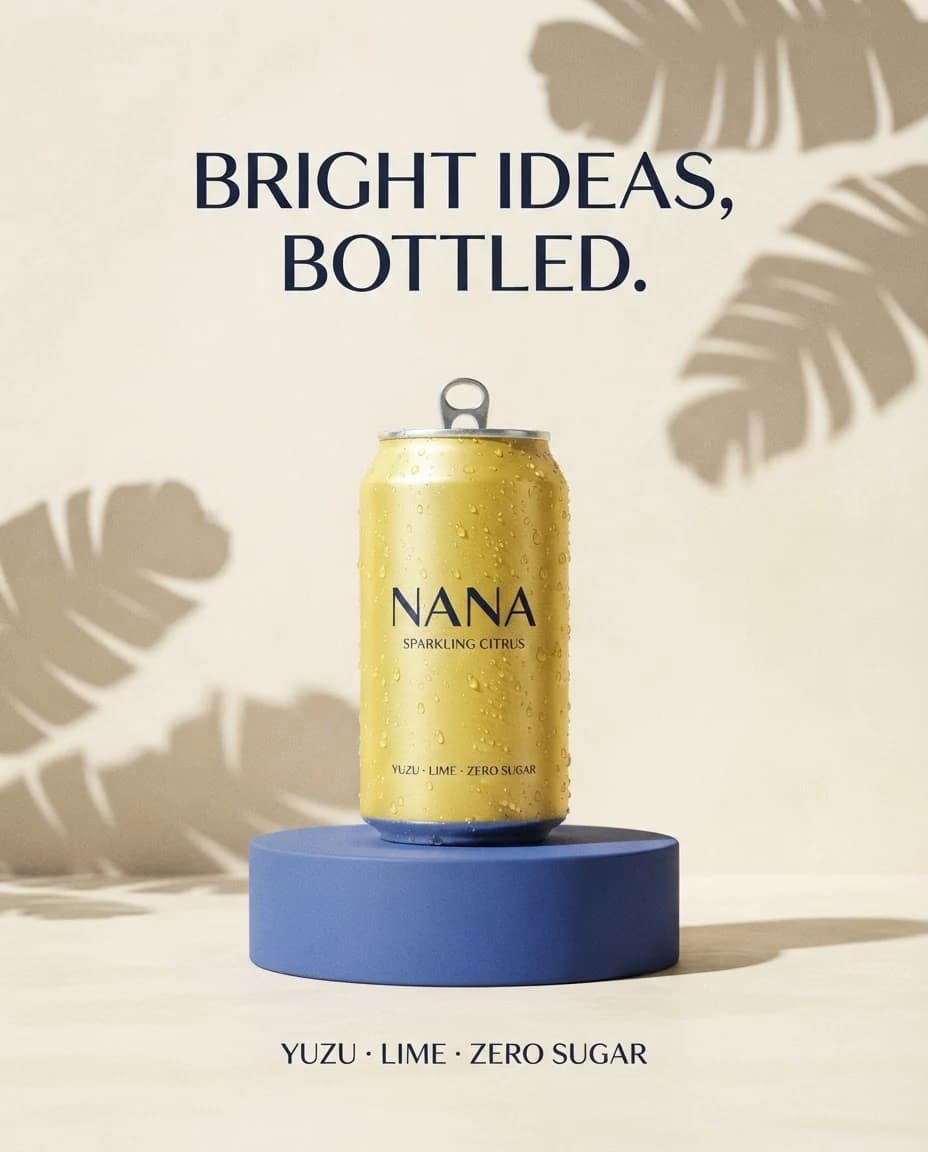
Nano Banana 2 Lite sample output for the NANA sparkling citrus poster comparison
Nano Banana 2 Lite

The fastest draft

Kept the requested headline, product, palette, and layout, while adding a second flavor line and small can copy.

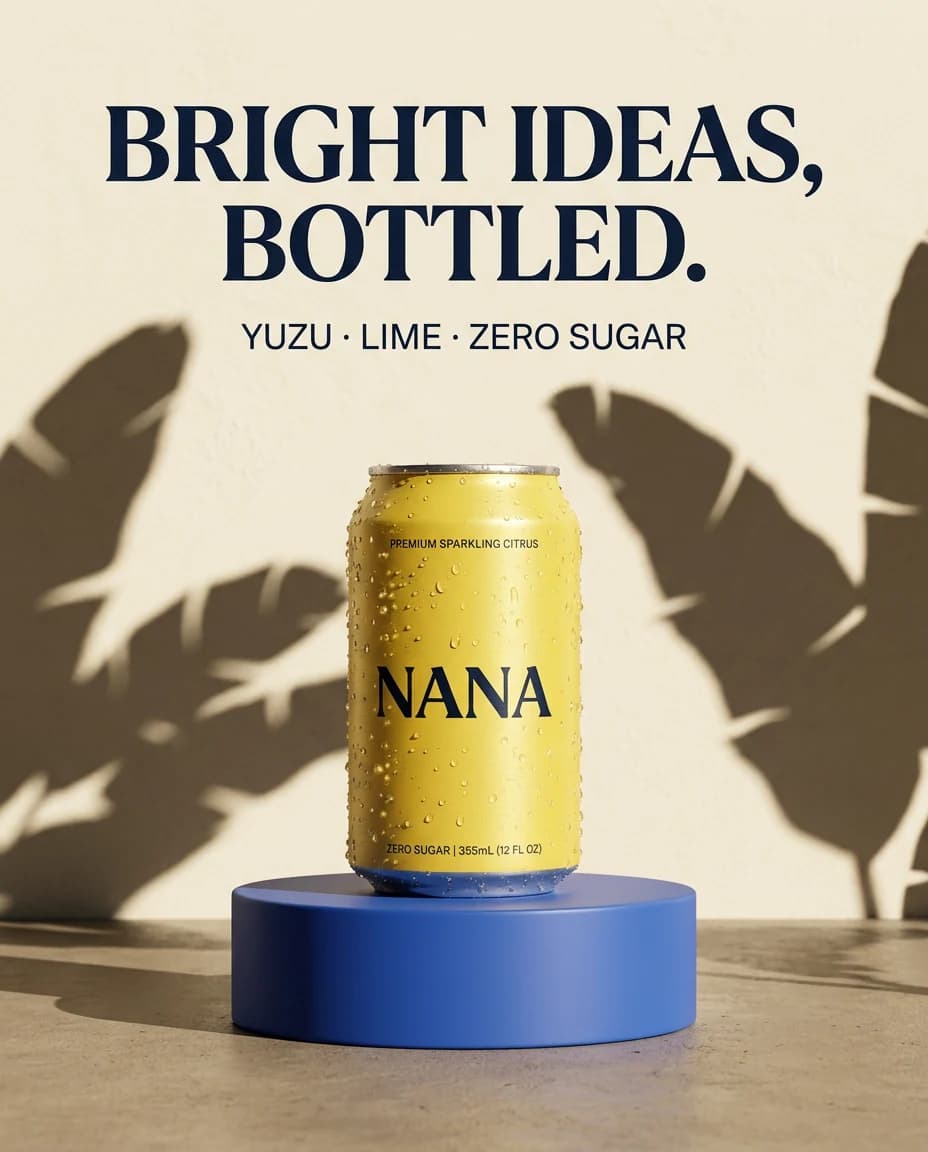
Nano Banana 2 sample output for the NANA sparkling citrus poster comparison
Nano Banana 2

The balanced result

Delivered clean product photography, strong hierarchy, and accurate headline text with one line of additional package copy.

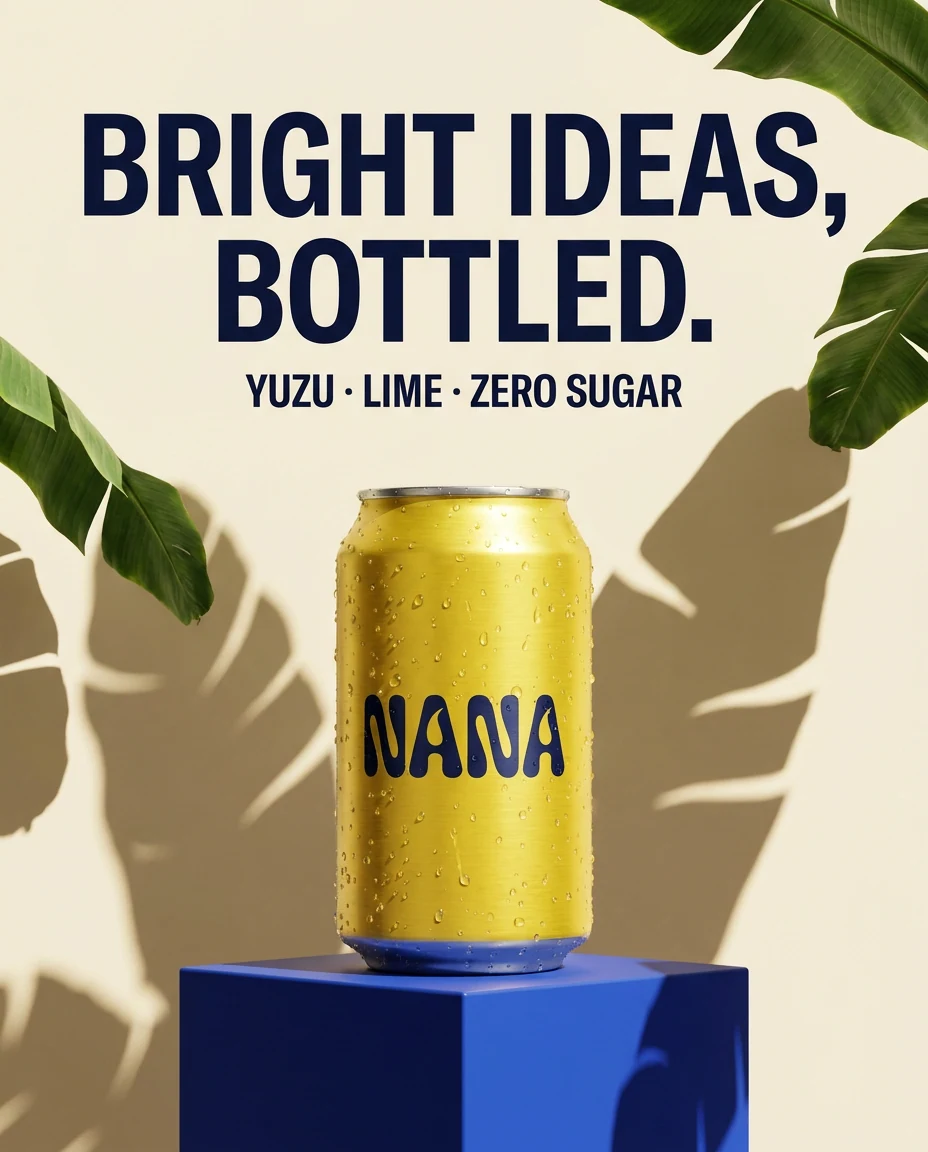
Nano Banana Pro sample output for the NANA sparkling citrus poster comparison
Nano Banana Pro

The controlled finish

Followed the requested copy most closely and added the most distinctive custom lettering and campaign art direction.

Read the exact comparison prompt+

Create a premium editorial poster for an imaginary sparkling citrus drink named NANA. Center one brushed-aluminum yellow can covered in realistic condensation on a cobalt-blue pedestal, with crisp banana-leaf shadows and a warm cream background. Include this exact headline in large dark navy type: “BRIGHT IDEAS, BOTTLED.” Include this exact smaller line: “YUZU · LIME · ZERO SUGAR”. High-end art direction, clean hierarchy, balanced negative space, realistic product photography, no extra words, no logos besides NANA.

Choose your model

The Nano Banana family, without the guesswork

The three models share natural-language generation and editing. What changes is how much they prioritize speed, price, reasoning, and production control.

Nano Banana 2 Lite output showing a small ceramic robot painting a yellow studio wall
01Fastest

Gemini 3.1 Flash-Lite Image

Nano Banana 2 Lite

Move at the speed of the idea

Use Lite for rapid visual exploration, thumbnails, social variations, and high-volume pipelines. It generates and edits at 1K, typically in about four seconds, for one Easy-Peasy credit.

Choose it when making more good options matters more than squeezing every last detail into one frame.

1K
output
~4 sec
generation
1
credit
Create with Nano Banana 2 Lite
Coral bicycle in a Mediterranean courtyard generated with Nano Banana 2
02Best all-rounder

Gemini 3.1 Flash Image

Nano Banana 2

Pro-level capability at Flash speed

Nano Banana 2 is the default choice for most generation and editing work. It combines precise instructions, readable text, subject consistency, and web plus image-search grounding with output from 0.5K to 4K.

Choose it for everyday campaigns, infographics, product concepts, photo edits, localization, and fast production iteration.

0.5K–4K
output
Grounded
knowledge
1–4
credits
Create with Nano Banana 2
Midnight-blue fashion campaign generated with Nano Banana Pro
03Maximum control

Gemini 3 Pro Image

Nano Banana Pro

When the image has a real job to do

Pro is built for complex professional assets. Its deeper reasoning, Google Search grounding, typography, localization, reference handling, and 4K delivery make it the deliberate choice for final campaign work.

Choose it for brand systems, detailed diagrams, packaging, multi-element compositions, and edits where precision outranks latency.

1K–4K
output
Studio
control
4–8
credits
Create with Nano Banana Pro

Nano Banana model comparison

Lite vs 2 vs Pro: specs that change the workflow

This table combines the underlying Google model capabilities with the resolutions and credit pricing currently available inside Easy-Peasy.

Comparison of Nano Banana 2 Lite, Nano Banana 2, and Nano Banana Pro
CompareNano Banana 2 LiteNano Banana 2Nano Banana Pro
Best forRapid drafts and volumeMost generation and editingComplex production assets
Google modelGemini 3.1 Flash-Lite ImageGemini 3.1 Flash ImageGemini 3 Pro Image
InputText and imagesText and imagesText and images
Easy-Peasy output1K0.5K, 1K, 2K, or 4K1K, 2K, or 4K
Search groundingNot availableGoogle web + image searchGoogle Search
Text in imagesLegible, draft-readyPrecise and localization-readyMost controlled for dense layouts
Reference sweet spotFast object-led editsMultiple objects and charactersBrand, style, and character control
Easy-Peasy credits1 at 1K1 / 2 / 3 / 4 by resolution4 at 1K–2K · 8 at 4K

Capability names were verified against Google DeepMind and the Gemini API documentation. Easy-Peasy pricing and available resolutions reflect the live model configuration as of August 30, 2026.

Read Google model docs

What you can make

Prompt it like a brief. Refine it like a conversation.

Nano Banana is natively multimodal. Words and images belong in the same workflow, so creating and editing feel like two parts of one conversation.

01

Generate from a detailed brief

Describe the subject, composition, camera, lighting, materials, exact words, and intended use. Gemini understands the relationship between those details instead of treating them as a loose keyword list.

02

Edit with natural language

Upload an image or several references and say what should change. Restyle a room, replace a product, alter the lighting, translate a poster, or carry a character into a new scene.

03

Render and localize text

Create posters, packaging, menus, diagrams, and social graphics with words in the image. Nano Banana 2 and Pro can also translate existing designs while preserving the visual system.

04

Use real-world knowledge

Nano Banana 2 and Pro can ground a generation with Google Search. That helps with recognizable places, factual diagrams, current references, and visuals that depend on more than style alone.

From idea to image

Three steps. Switch models whenever the work changes.

1

Choose the right model

Start with Lite for velocity, Nano Banana 2 for balance, or Pro for maximum control.

2

Write or upload

Describe the finished image in plain language. Add references when identity, style, layout, or an existing photo should carry through.

3

Set the format and create

Pick an aspect ratio and available resolution, generate, then refine the result with another prompt or image edit.

Open the Nano Banana image generator

FAQ

Nano Banana models, explained

What is Nano Banana?+

Nano Banana is Google's name for the Gemini family of native image-generation and editing models. The current family includes Nano Banana 2 Lite, Nano Banana 2, Nano Banana Pro, and the legacy original Nano Banana.

Is Nano Banana 2 the same as Gemini 3.1 Flash Image?+

Yes. Nano Banana 2 is the public name for Gemini 3.1 Flash Image. Nano Banana 2 Lite is Gemini 3.1 Flash-Lite Image, while Nano Banana Pro is Gemini 3 Pro Image.

What is the difference between Nano Banana 2, Nano Banana Pro, and Nano Banana 2 Lite?+

Lite prioritizes the lowest latency and cost. Nano Banana 2 is the all-rounder with the best balance of intelligence, quality, speed, and price. Pro prioritizes deeper reasoning and precise control for complex professional assets.

Which Nano Banana model should I use?+

Use Nano Banana 2 for most work. Pick Lite for rapid ideation, thumbnails, and high-volume variants. Move to Pro for brand systems, dense layouts, demanding reference workflows, or final 4K production assets.

Which Nano Banana model is fastest?+

Nano Banana 2 Lite is the fastest model in the family. Google reports about four seconds for a 1K text-to-image output, making it the best fit for rapid iteration and scale.

Can the Nano Banana models edit existing images?+

Yes. All three models on this page support image editing. Upload one or more images, describe the intended change in plain language, and choose a model based on the speed and control you need.

Can Nano Banana generate readable text?+

Yes. The family is designed to render legible text for posters, packaging, diagrams, menus, and marketing assets. Always proofread important names, prices, instructions, and factual claims before publishing.

What resolutions and aspect ratios are available?+

On Easy-Peasy, Lite generates at 1K; Nano Banana 2 offers 0.5K, 1K, 2K, and 4K; and Pro offers 1K, 2K, and 4K. Standard formats include 1:1, 2:3, 3:2, 3:4, 4:3, 4:5, 5:4, 9:16, 16:9, and 21:9. Image edits can also match the source.

How much do the Nano Banana models cost on Easy-Peasy?+

Nano Banana 2 Lite uses 1 credit. Nano Banana 2 uses 1 credit at 0.5K, 2 at 1K, 3 at 2K, and 4 at 4K. Nano Banana Pro uses 4 credits at 1K or 2K and 8 credits at 4K.

Do the Nano Banana models support reference images?+

Yes. The Gemini Image family supports multiple mixed references. Nano Banana 2 is especially useful for combining objects and maintaining characters, while Pro adds stronger brand, style, and precision-control workflows.

Does Nano Banana use Google Search?+

Nano Banana 2 can use Google web and image-search grounding, and Nano Banana Pro can use Google Search grounding. Nano Banana 2 Lite does not support Search grounding.

Are Nano Banana images watermarked?+

Google says images generated by its Nano Banana models include SynthID, an invisible watermark designed to help identify AI-generated media.

How were the examples on this page created?+

Every example was generated through the Easy-Peasy image API. The three poster outputs used the same prompt, aspect ratio, and 1K resolution so visitors can compare the models on equal footing.

Google, Gemini, and Nano Banana are trademarks of Google LLC. Easy-Peasy.AI is an independent platform and is not affiliated with or endorsed by Google.
3,482,705+ happy users

Testimonials

Our Trustpilot score

Read the comments that people have made on public platforms.

Jeff Wilson

By far the best compilation AI utility

By far the best compilation AI utility out there. Period. We have tried multiple platforms that would work for us - a small business - and it was a bit overwhelming two years ago. Easy-Peasy has been a godsend. So many freaking tools and no fewer than 10 (of the 200) are ones we use at least on a weekly basis. Ironically, their human support is one of the most appreciated elements.

Vivian Daze avatar

Vivian Daze

Great services

Great services, and lovely and attentive customer service. Would reccommend

Cody Crabb

Great service, Best AI tool

Kia Tiow | COGUE avatar

Kia Tiow | COGUE

Easy-peasy is an easy to pick up and awesome AI software. I love it.

Easy-Peasy AI

Dezign121 avatar

Dezign121

Easy-Peasy.AI is very user friendly & a lot more to explore not only in the lesson, very helpful assistant in both work & personal

Blanca Marin avatar

Blanca Marin

Very Good AI…

I really liked the easy-peasy AI service. It's a great tool, but I also had to ask them for a refund because I chose the wrong plan, and they were very quick to respond to my request. They looked into my case and I got my money back without any problems. Of course, I will continue to use it for my projects.

Easy-Peasy AI

Muhammad Md Rahim avatar

Muhammad Md Rahim

Very awesome and practical AI tool that can help improve our productivity and the quality of our work!

Ken Poon avatar

Ken Poon

Very useful and true to “Easy Peasy” on using AI. One platform on all the tools required for business needs. Marianna sharing is super informative on how to use easy-peasy.ai

Dennis Cambronero avatar

Dennis Cambronero

I have been using the tool for +1 year…

I have been using the tool for +1 year and I have to say it is amazing. I use it to create images, bots and access every LLM in one single place. I highly recommend it.

Yeah Likes avatar

Yeah Likes

Practical and Powerful Software which is all In one and versatile. Just finished their workshop and got practical and valuable tips and tricks.

Create Faster With AI.
Try it Risk-Free.

Stop wasting time and start creating high-quality content immediately with power of generative AI.

App screenshot