Most lists of AI agent examples talk about “goal-based agents” and “utility-based agents”. This one is different. Below are 10 real tasks I handed to Marky, the AI agent inside Easy-Peasy.AI, with the exact words I typed and what came back. Every example was recorded from start to finish, so you can watch it happen in the video.
If you only have a minute, jump to the table of use cases. If you want to try one yourself, every example includes the prompt, so you can copy it.
What Is an AI Agent (and How Is It Different from a Chatbot)?
A chatbot answers questions. An AI agent does the work. You give it a goal, and it plans the steps, uses tools, checks its own results and hands you a finished file, website or video.
Marky, for example, has its own computer in the cloud. It can read PDFs and photos, write and run code, search many websites at once, create images, voices, music and video, publish websites, run tasks on a schedule, and even use your own Chrome browser. That is why the examples below go far beyond “write me an email”.
10 Real AI Agent Examples You Can Try Today
1. It uses your own Chrome browser
What I asked:
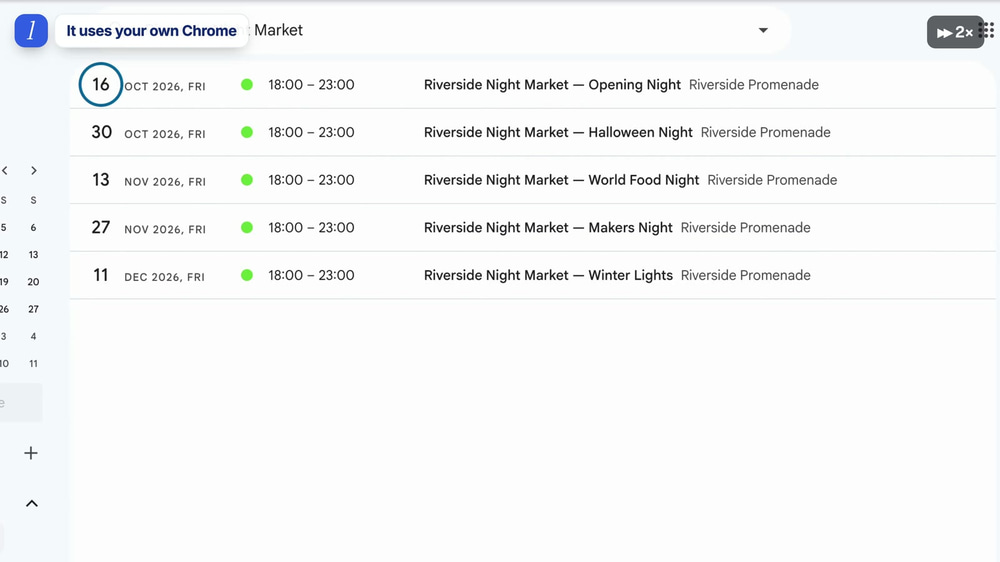
Open this page in my browser: [link to an events page] — find every market date and add each one to my Google Calendar (Singapore time). Add them all, no need to ask me first.
Marky opened a new tab in my own Chrome, read the event page, and added all five market nights to my Google Calendar, each with the right time and place. Because it works in your browser, it can use sites where you are already logged in.
This needs the free Easy-Peasy.AI Chrome extension. Here is the full guide to the Browser Agent.
2. A PDF floor plan becomes a real website
What I asked (with a PDF floor plan of a craft fair attached):
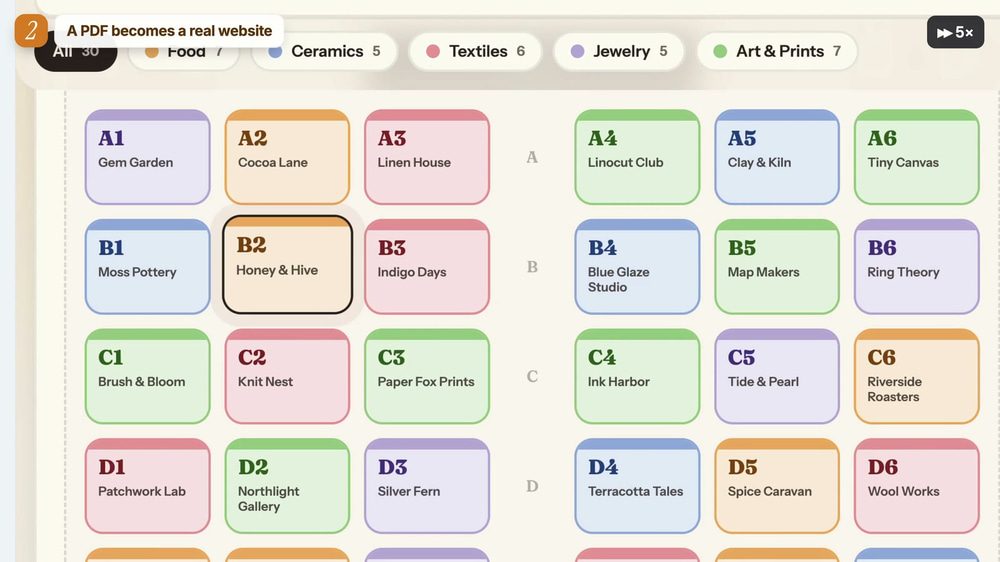
Turn this floor plan PDF into an interactive booth map website for visitors. Clicking a booth shows who is there and what they sell, and there is a search box to find a booth by name or category. Make it look nice on phones too.
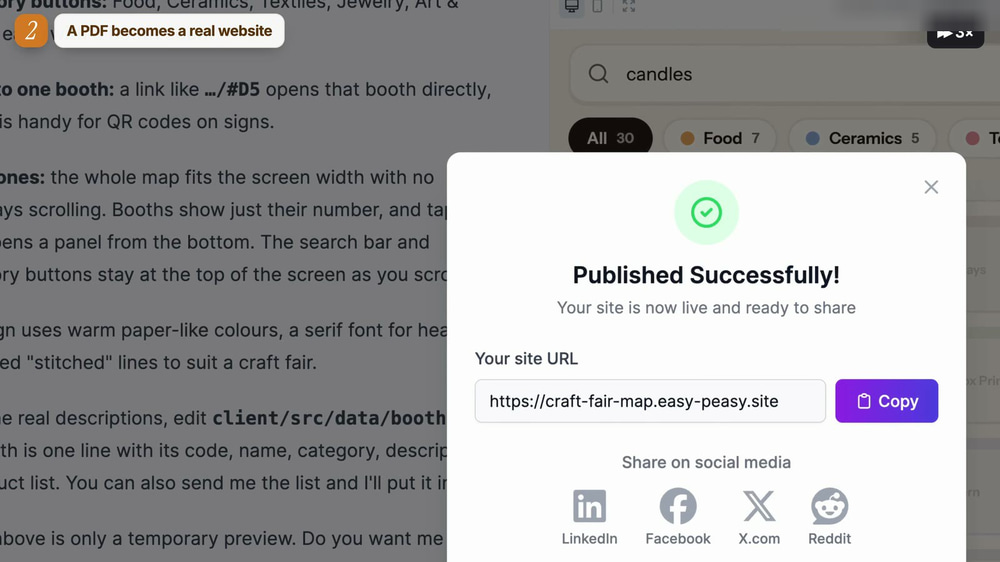
Marky read the booth names from the PDF, wrote the code, and built a live booth map. Click a booth and you see the maker and what they sell. Type “candles” and the matching booth lights up.
One click on Publish put it online at its own easy-peasy.site address. You can do the same with the Marky website builder.
3. A floor plan becomes every room, designed
What I asked (with an apartment floor plan attached):
Here is the floor plan of my apartment. Design every room in a cozy Nordic style and show me a picture of each room here in the chat. Go ahead, no need to ask me questions.
Marky read the room names on the plan and designed all eight rooms, from the living room and kitchen to the kids’ room and the balcony, in one consistent style. It took a few minutes.

For a single room, the AI Interior Designer is faster.
4. Your slides can talk
What I asked (with a 5-slide PowerPoint attached):
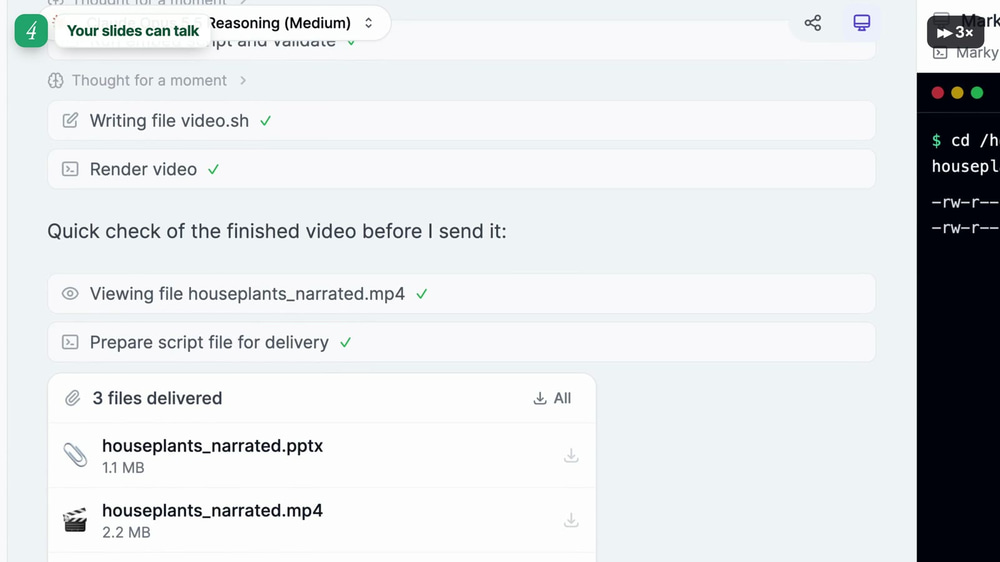
Add a voice-over to every slide of this presentation. Write a short, friendly script for each slide and use a warm voice. Give me back the PowerPoint with the audio on each slide, and also a video version.
Marky wrote a short script for each slide, recorded a voice for each one, put the audio inside the PowerPoint, and rendered a video version too. I got three files back: the narrated .pptx, an .mp4 and the scripts.

5. Receipt photos become a spreadsheet
What I asked (with 8 receipt photos attached):
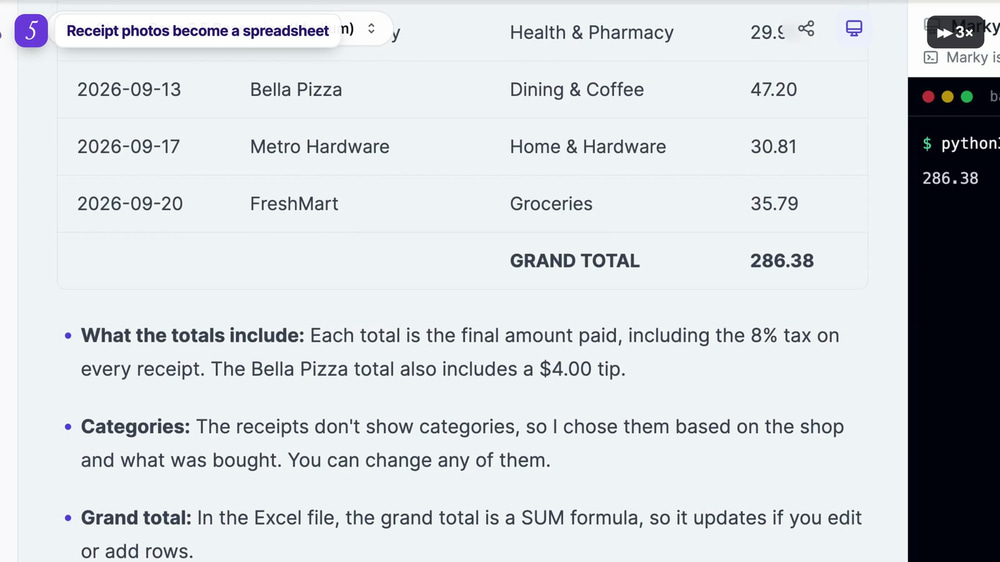
Here are my receipts from September. Put them in one spreadsheet with the date, shop, category and total, and add the grand total at the bottom. Give me an Excel file and also show the table here in the chat.
Marky read every photo, sorted each receipt into a category, and built one clean table with a grand total. In the Excel file the total is a real SUM formula, so it updates if you add rows.
6. Hours of research, done in minutes
What I asked:
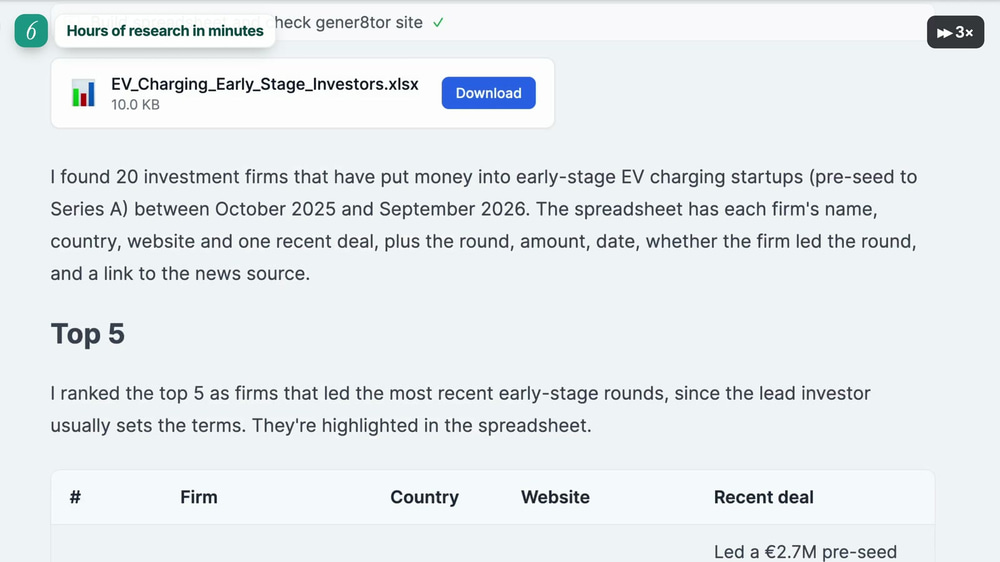
Find 20 investment firms that fund early-stage EV charging startups. For each one, give me the name, country, website and one recent deal. Put it all in a spreadsheet and show the top 5 here in the chat.
Marky searched many sites at the same time, checked that every website link actually works, and gave me a spreadsheet with 20 firms, their recent deals and a link to each source. The top 5 were ranked in the chat.
7. Old photos come back to life
What I asked (with a black-and-white photo from the 1880s):
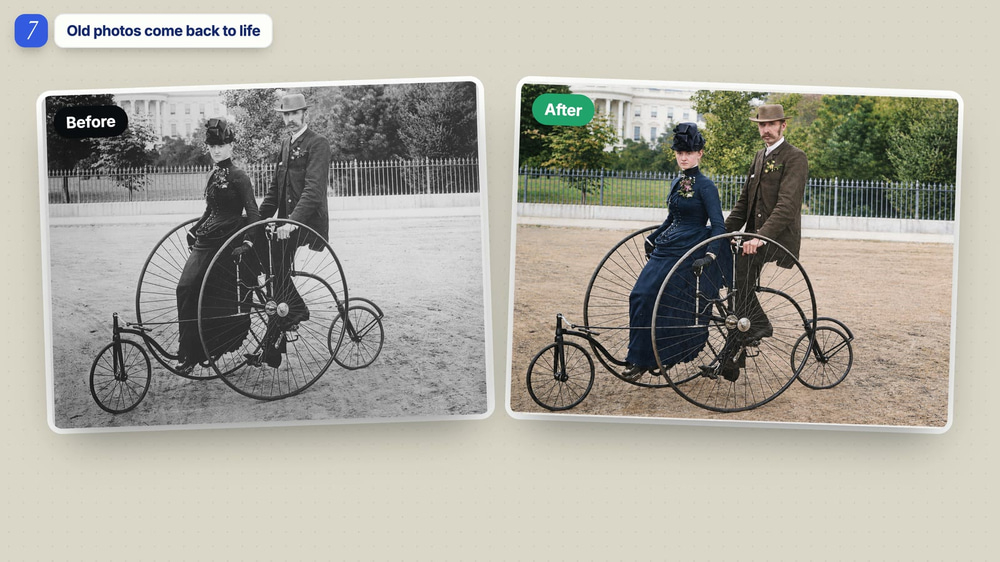
Colorize this old photo. Keep everything else exactly the same. Show me the result.
Then I added: “Now make it move: a 5-second video where they slowly ride the bicycle forward.” Marky colorized the photo first, then turned it into a short video clip.
You can animate any photo on its own with Animate Image.
8. A short story becomes a song
What I asked:
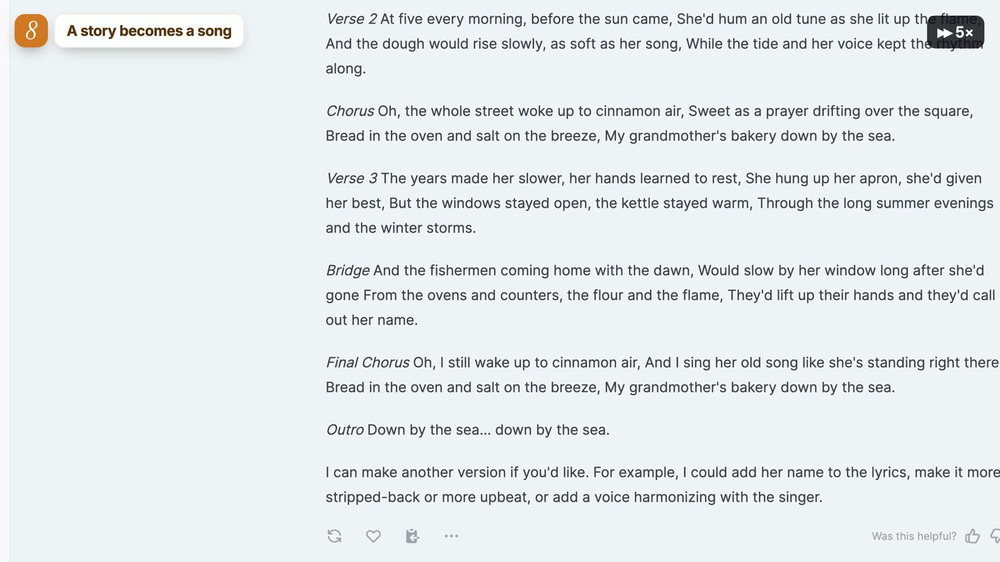
Turn this little story into a warm acoustic folk song with a female singer, with real vocals and music: “My grandmother had a tiny bakery by the sea…”
Marky wrote the lyrics (verses, chorus and a bridge) and made a full song with real vocals called “My Grandmother’s Bakery by the Sea”. Tip: say “with vocals”, or you may get an instrumental.
If you just want music, try the AI Music Generator.
9. It works while you sleep
What I asked:
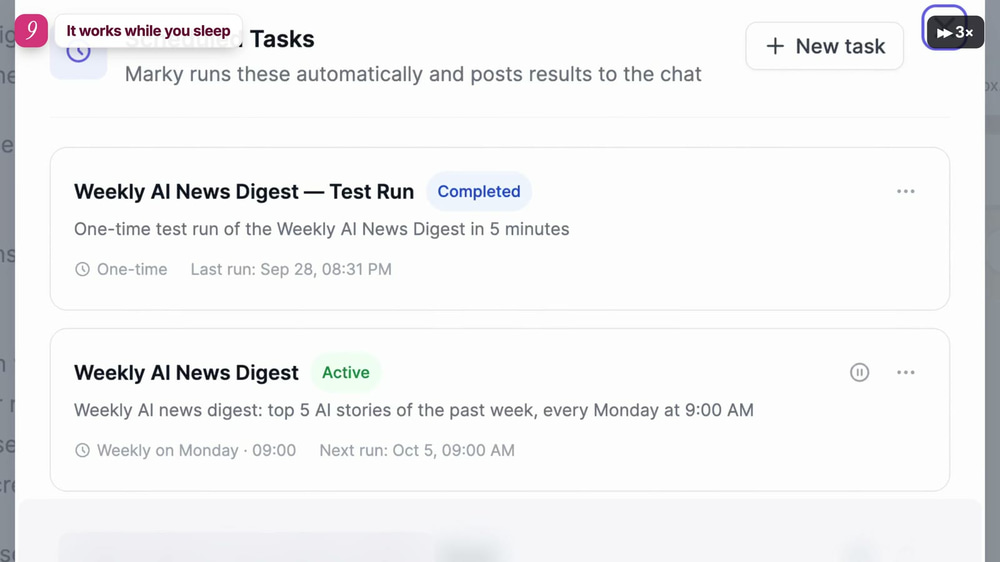
Every Monday at 9:00 AM, find the 5 most important AI news stories from the past week and send me a short summary with links. Also do one test run 5 minutes from now, so I can see how it looks.
Marky saved it as a scheduled task and ran a test five minutes later. Now a weekly AI briefing with links waits for me every Monday morning. You can pause or change the task any time.
10. One sentence becomes an animated short film
What I asked:
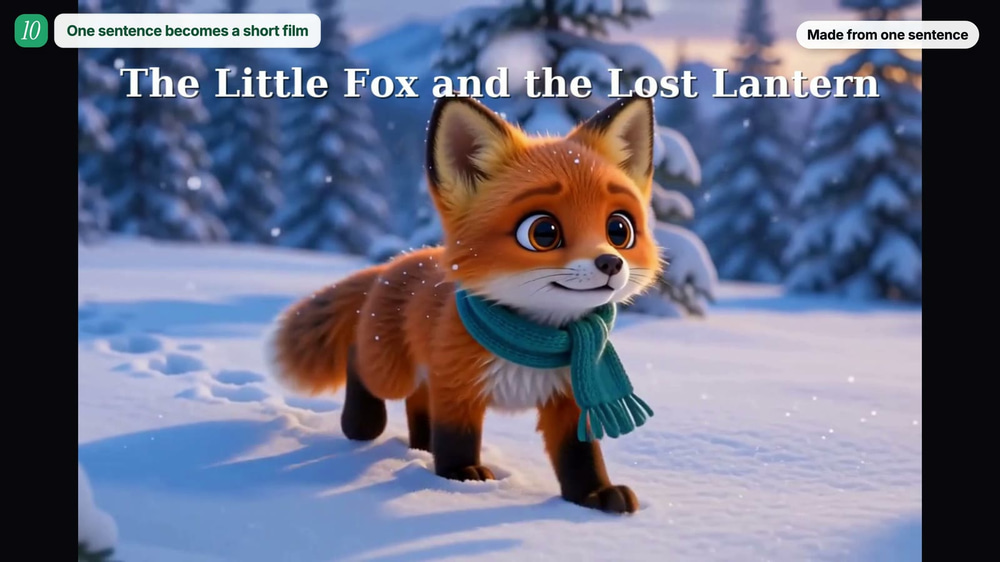
Make a 1-minute animated short film from one sentence: “A little fox finds a lost lantern in the snowy forest and brings it home.” Keep the fox looking the same in every scene. Add a warm narrator and gentle music, and join everything into one video. Show me the film.
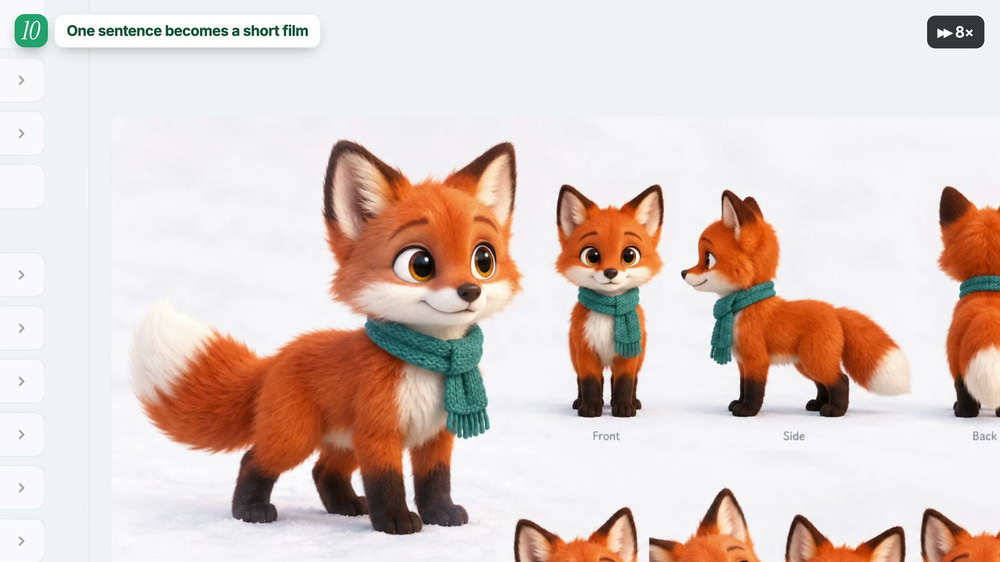
This one surprised me most. Marky first drew a character sheet so the fox looks the same in every scene. Then it made the key scenes, animated each one, added a narrator and music, and joined everything into a 1-minute film: “The Little Fox and the Lost Lantern”. It took about six minutes.
AI Agent Use Cases at a Glance
Here are the same 10 examples grouped by who they help most:
| Example | Great for | What you get |
|---|---|---|
| Use your own browser | Anyone busy | Tasks done on sites you are logged in to |
| PDF to website | Event organizers, small businesses | A live, clickable website |
| Floor plan to rooms | Home owners, real estate agents | A designed picture of every room |
| Talking slides | Teachers, trainers, sales teams | Narrated PowerPoint + video |
| Receipts to spreadsheet | Freelancers, finance teams | Excel file with totals |
| Investor research | Founders, analysts | Spreadsheet with checked sources |
| Old photo to video | Families, content creators | Colorized photo and a moving clip |
| Story to song | Gifts, creators, marketers | A song with real vocals |
| Weekly scheduled task | Anyone who follows news or data | A report every week, automatically |
| Sentence to film | Creators, teachers, marketers | A 1-minute animated film |
How to Try These AI Agent Examples Yourself (Step-by-Step)
- Open Marky and start a new chat.
- Attach your files with the + button, if the task needs them (a PDF, photos, a PowerPoint).
- Paste one of the prompts above and change the details to fit your task.
- Watch Marky work. You can see every step, and the Task progress panel shows where it is.
- Download or share the result. Files, links and videos appear right in the chat.
For example 1, install the Easy-Peasy.AI Chrome extension first and turn on My Browser in Connectors.
Tips for Writing Tasks an AI Agent Can Finish
Describe the finished result
Say what you want to receive: “an Excel file and a table in the chat”, “one video”, “a picture of each room”. The agent plans backwards from that.
Give permission up front
Phrases like “Go ahead, no need to ask me questions” keep the agent working instead of stopping to check with you.
Name the details that matter
Time zones, styles, voices and “with vocals” all change the result. If something must stay the same (like a character’s look), say so.
Ask to see the result in the chat
“Show me the result here” makes the agent put images, tables and videos straight into its reply.
What AI Agents Still Can’t Do Perfectly
AI agents are powerful, but not magic. Check anything important, like numbers in a spreadsheet or facts in research. Generated images and videos can have small mistakes, and big jobs like a short film use image and video credits. If a result is not right, just tell the agent what to change.
Frequently Asked Questions
What is a real example of an AI agent?
Turning 8 receipt photos into an Excel spreadsheet with a grand total is a good one: the agent reads each photo, sorts the receipts, writes the file and checks the total, all from one request.
What can AI agents do that chatbots can’t?
AI agents take actions. They can run code, create files, browse websites, publish a site, generate media and run tasks on a schedule, instead of only writing text.
Do I need to know how to code?
No. Every example above was done with plain English prompts. The agent writes and runs any code it needs by itself.
Is Marky free to try?
Yes, you can start on the free plan. Images, video and music use credits, so larger jobs like the short film need a paid plan. See pricing.
Can an AI agent use my browser safely?
With the Easy-Peasy.AI Chrome extension, Marky works in its own tab and asks your permission before it works on a new website. You can turn the connector off at any time.
Try These AI Agent Examples with Marky
The fastest way to understand AI agents is to give one a real task. Pick the example closest to your work, copy the prompt, and let Marky do it. To learn more, read the Marky docs.