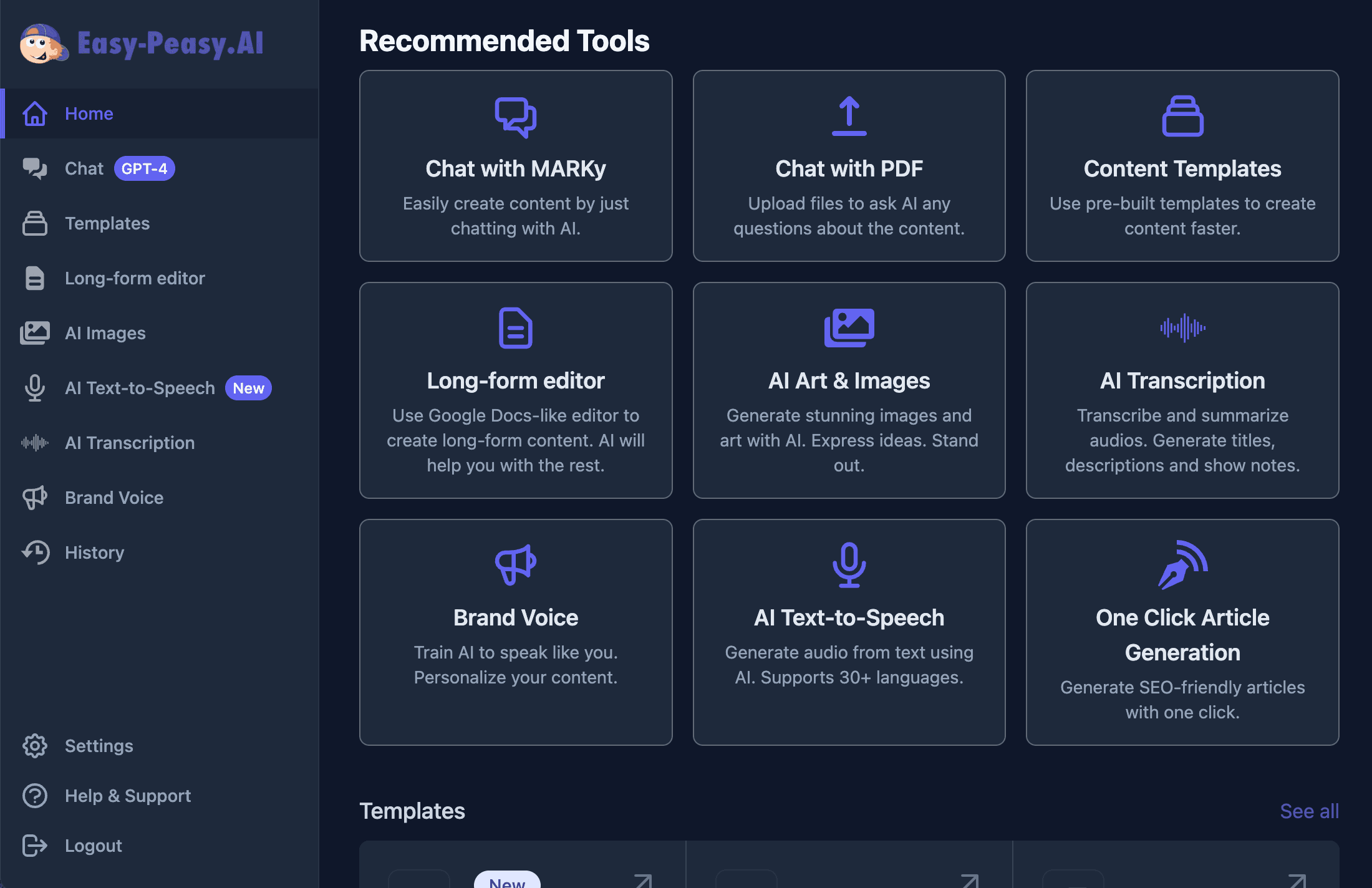
Tired of juggling between ChatGPT, Claude, Gemini, and a dozen other AI tools? What if one AI assistant could do it all — chat with 85+ models, build websites, generate images, run deep research, and even deploy projects — all in one place? Meet Marky, Easy-Peasy.AI’s all-in-one AI agent that turns your ideas into reality without switching tabs.
What Is Marky?
Marky is an AI-powered assistant built into Easy-Peasy.AI that goes far beyond simple chatbots. Think of it as your personal AI partner that can switch between different AI “brains” (like GPT-5, Claude Opus 4.6, or Gemini 3.1 Pro), perform deep web research, write code, generate images, create presentations, and even build and deploy full websites — all from a single chat window.
Unlike standalone tools that do one thing well, Marky combines the capabilities of a research assistant, coding partner, content writer, image creator, and web developer into one unified interface. You simply type what you need, and Marky figures out the best way to help.
Why Use Marky Instead of ChatGPT or Claude?
Most AI chat tools lock you into a single model. With Marky, you get access to every leading AI model and a suite of built-in tools that no single competitor offers.
- Content creators who need to write blog posts, social media captions, and marketing copy with different AI styles
- Developers who want to build, test, and deploy websites directly from a chat interface
- Researchers and students who need deep research with academic sources and citations
- Business professionals who create presentations, analyze documents, and generate reports
- Freelancers and solopreneurs who need an all-in-one AI toolkit without paying for multiple subscriptions
With Marky, you get access to 85+ AI models, 9 built-in capabilities, and an interactive workspace — starting at just $8/month (compared to $20/month for ChatGPT Plus).
85+ AI Models in One Place
One of Marky’s standout features is the ability to switch between AI models mid-conversation. Need creative writing? Try Claude. Need code generation? Switch to GPT-5 Codex. Need a massive context window? Use Gemini 3 Flash with its 1M token limit.
OpenAI Models (24+)
Access the full GPT-5 family including GPT-5, GPT-5 mini, GPT-5 nano, and the latest GPT-5.2 series. Plus reasoning models like o3 and o4-mini for complex problem-solving, and the specialized GPT-5 Codex for coding tasks.
Anthropic / Claude Models (20+)
From the powerful Claude Opus 4.6 to the fast Claude Haiku 4.5, you get the full Claude lineup — including reasoning variants that show their step-by-step thinking process.
Google Gemini Models (5+)
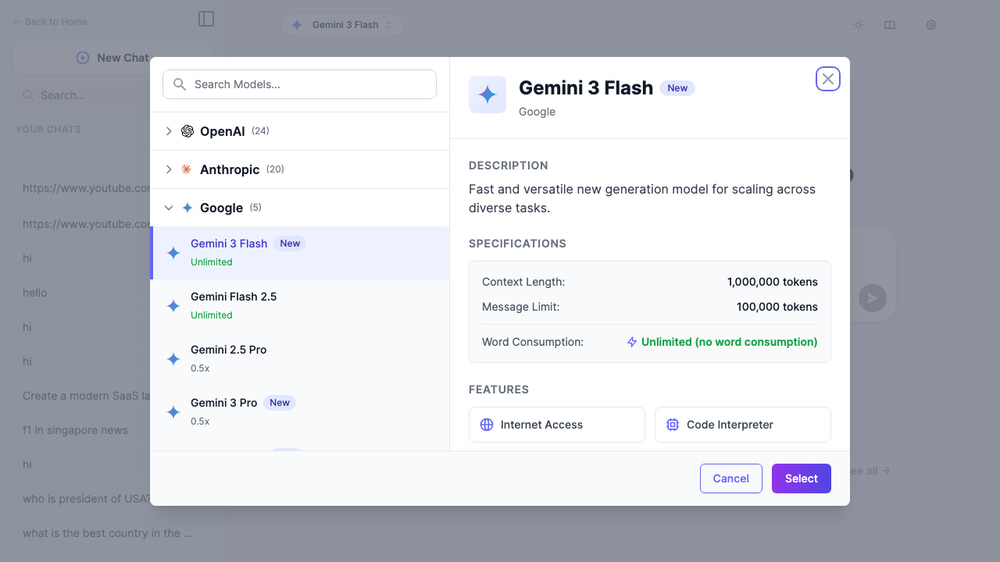
Use Gemini 3 Flash and Gemini 3 Pro with up to 1 million tokens of context — perfect for analyzing long documents or entire codebases.
Open-Source and Specialty Models
Marky also includes Meta’s Llama 4, xAI’s Grok 4, DeepSeek R1, Kimi K2.5, MiniMax M2.5, Qwen3, and more. Each model brings unique strengths — Grok for real-time knowledge, DeepSeek for reasoning, Kimi for long-context tasks.
How to Chat with Marky (Step-by-Step)
Here’s how to start using Marky and make the most of its capabilities.
Step 1: Open Marky
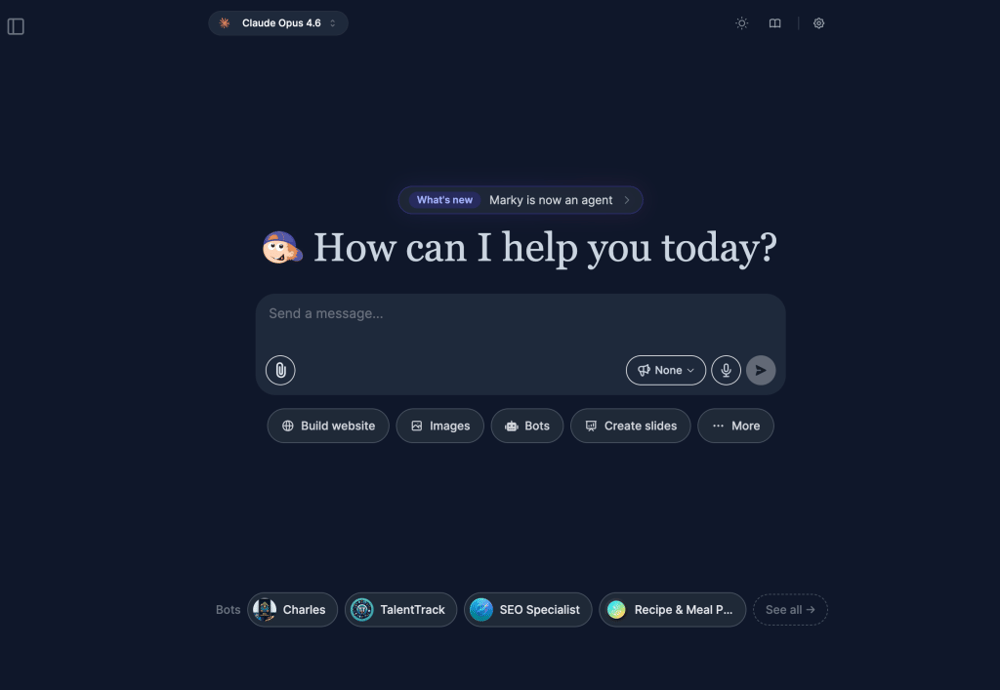
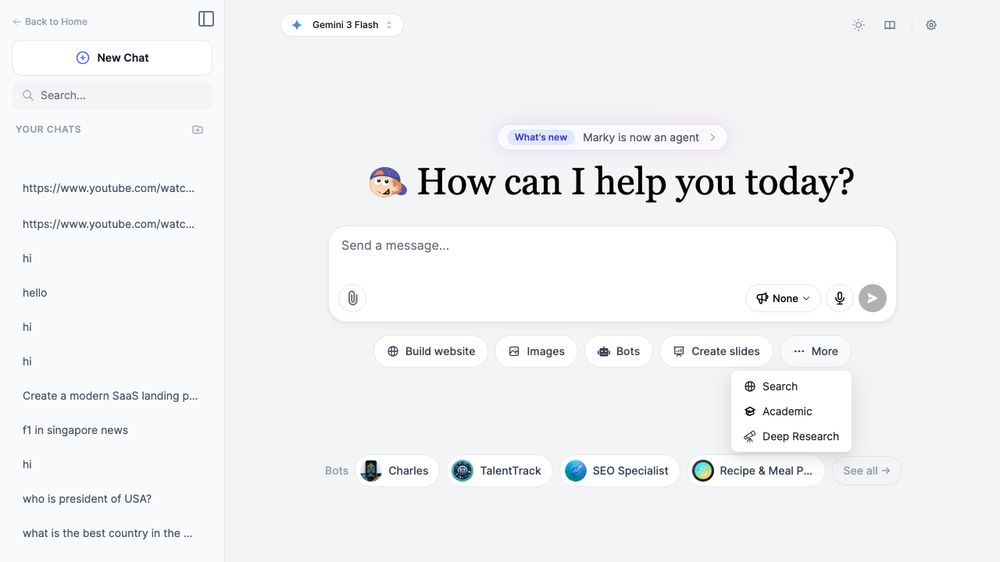
Go to easy-peasy.ai/chat and sign in. You’ll see Marky’s welcome screen with quick-action buttons for the most popular features: Build website, Images, Bots, Create slides, and more.
Step 2: Choose Your AI Model
Click the model name at the top of the chat to open the model selector. Browse by provider (OpenAI, Anthropic, Google, xAI, Meta, and more) and pick the model that fits your task. Each model shows its context window size and whether it’s free or premium.
Tip: Not sure which model to pick? Start with Gemini 3 Flash (free, 1M context) for general tasks, Claude Opus 4.6 for complex reasoning, or GPT-5 Codex for coding.
Step 3: Use Quick Actions or Type Your Prompt
You can type any question or instruction in the chat box. But for specialized tasks, use the quick-action buttons or click More to access additional modes like Search, Academic, and Deep Research.
Step 4: Upload Files (Optional)
Drag and drop files directly into the chat or click the upload button. Marky supports PDFs, Word documents, spreadsheets, images, CSV files, audio/video files, zip archives and more — up to 30 files per conversation and 50 MB per file. Ask Marky to summarize, analyze, or extract data from your documents.
Step 5: Get Results and Iterate
Marky responds with formatted text, code blocks, images, or interactive content depending on your request. You can continue the conversation to refine results, switch models mid-chat for a different perspective, or activate a new mode.
9 Core Capabilities
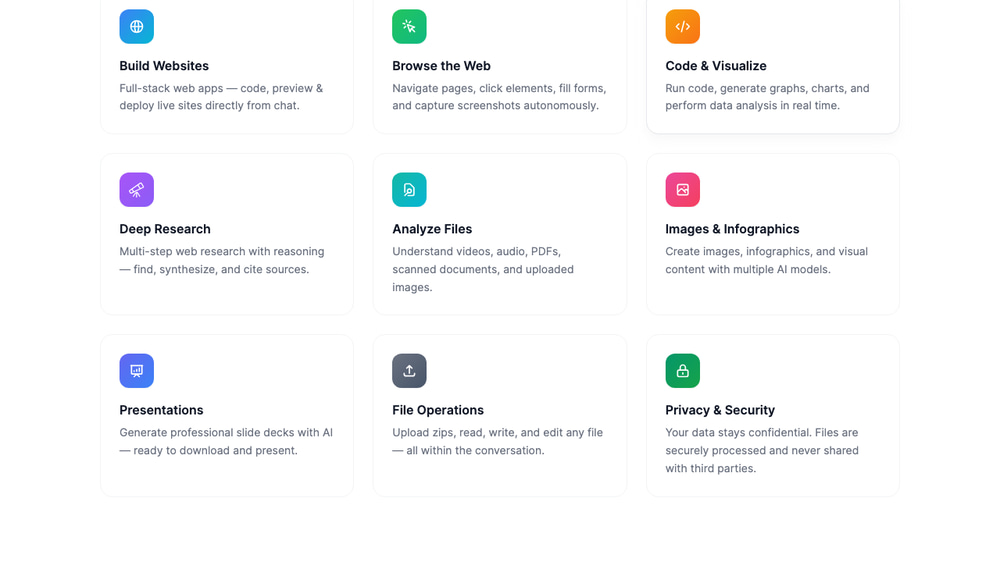
Marky isn’t just a chatbot — it’s a full AI workspace. Here are the 9 built-in capabilities you can activate from the chat interface.
1. Build Websites
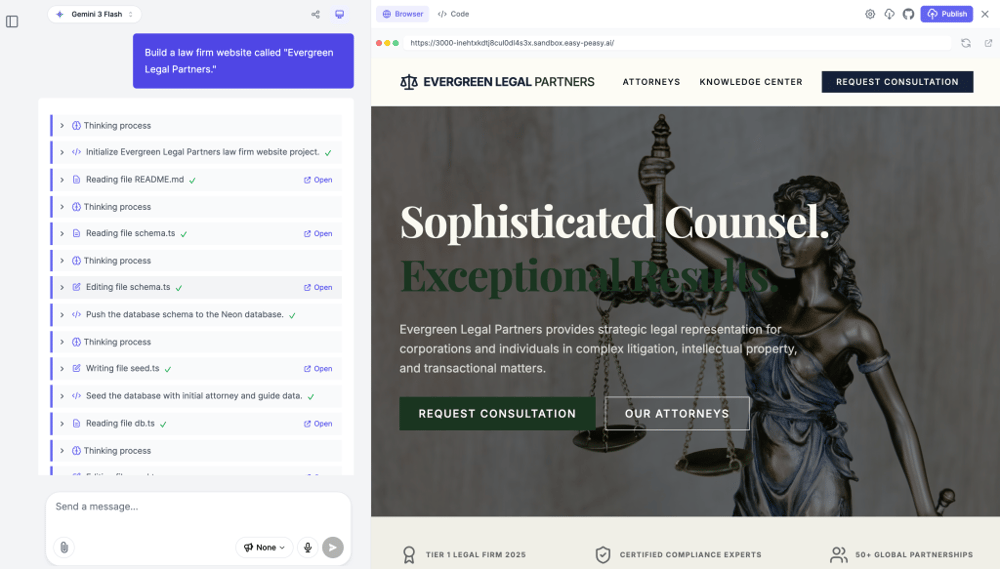
Describe what you want, and Marky creates a fully functional website with an interactive code editor and live preview. You can edit the code in real-time, run terminal commands, manage files, and even deploy your project to the web with permanent domain name with one click — no external tools needed.
2. Browse the Web
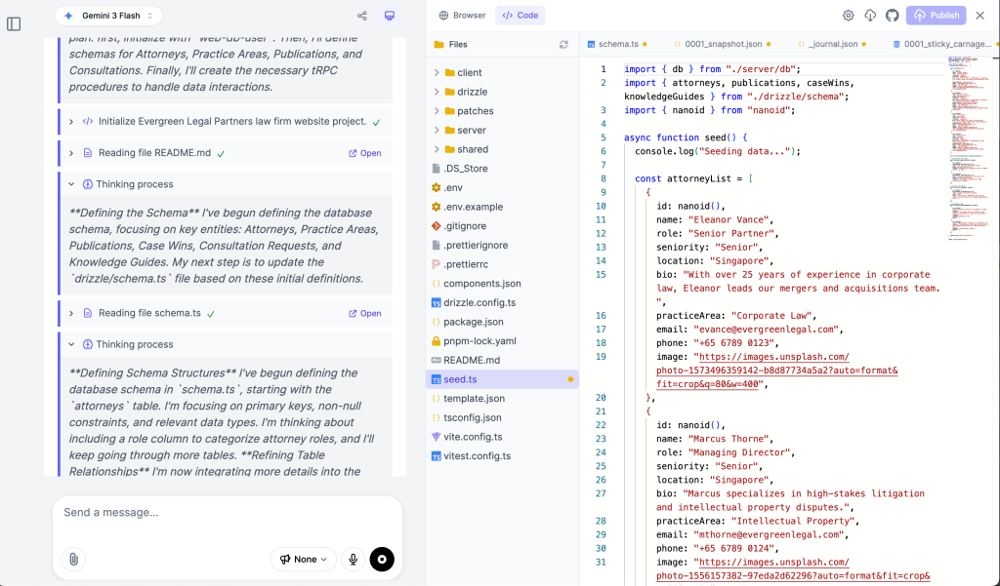
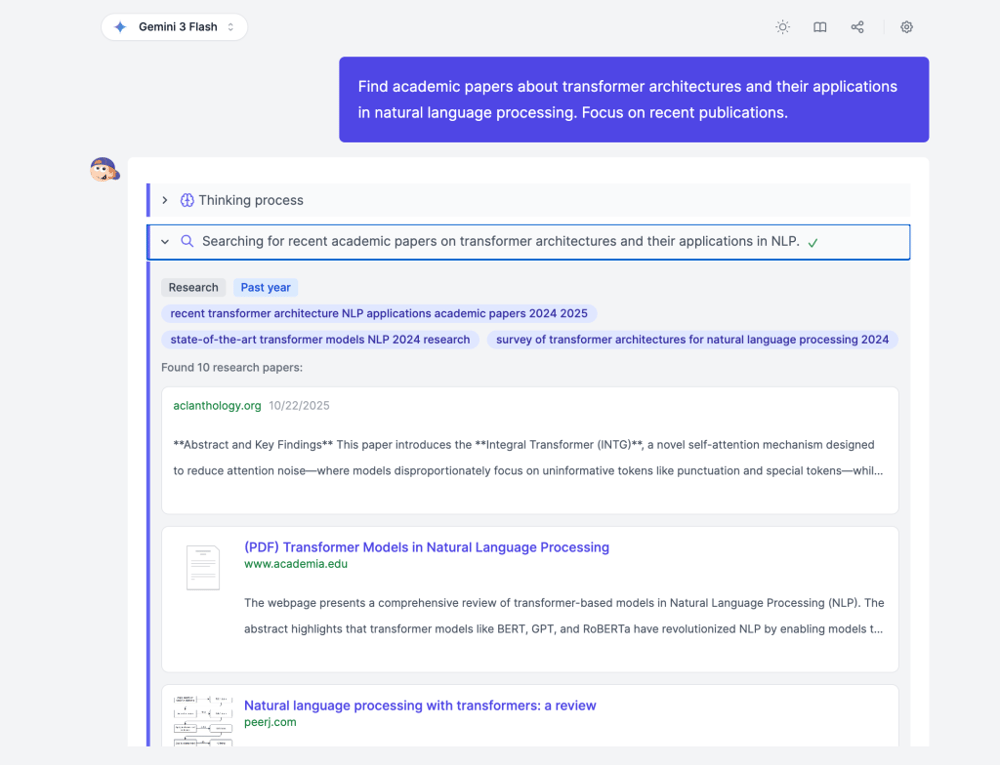
Marky can search the internet in real-time using real browser and bring back up-to-date information with source citations. Perfect for fact-checking, market research, or finding the latest documentation.
3. Code and Visualize
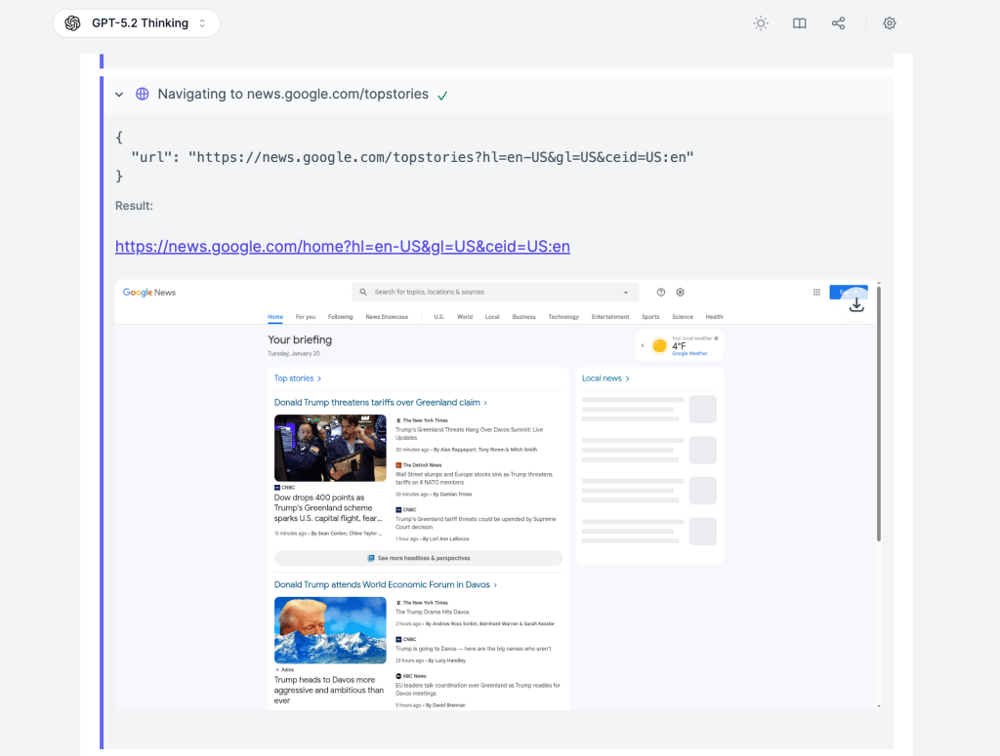
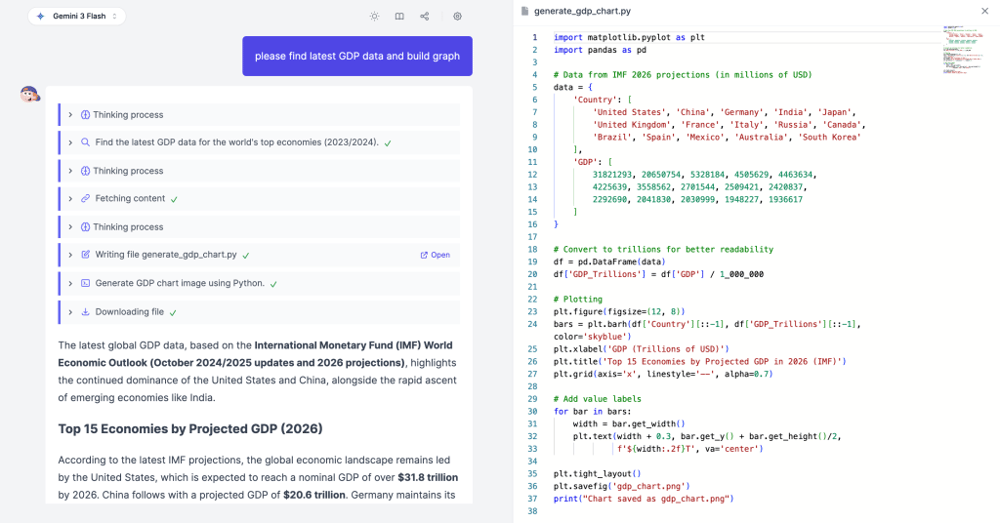
Write and execute Python code directly in the chat. Marky can generate data visualizations, run calculations, process datasets, and display charts — all without leaving the conversation.
4. Deep Research
Activate Deep Research mode for comprehensive, multi-step investigations. Marky creates a research plan, searches multiple sources (including academic databases), analyzes findings, identifies gaps, and synthesizes everything into a detailed report with confidence scores and citations.
5. Analyze Files
Upload documents, spreadsheets, PDFs, audios/videos or images and ask Marky to extract insights, summarize content, compare documents, or answer specific questions about your files.
6. Images and Infographics
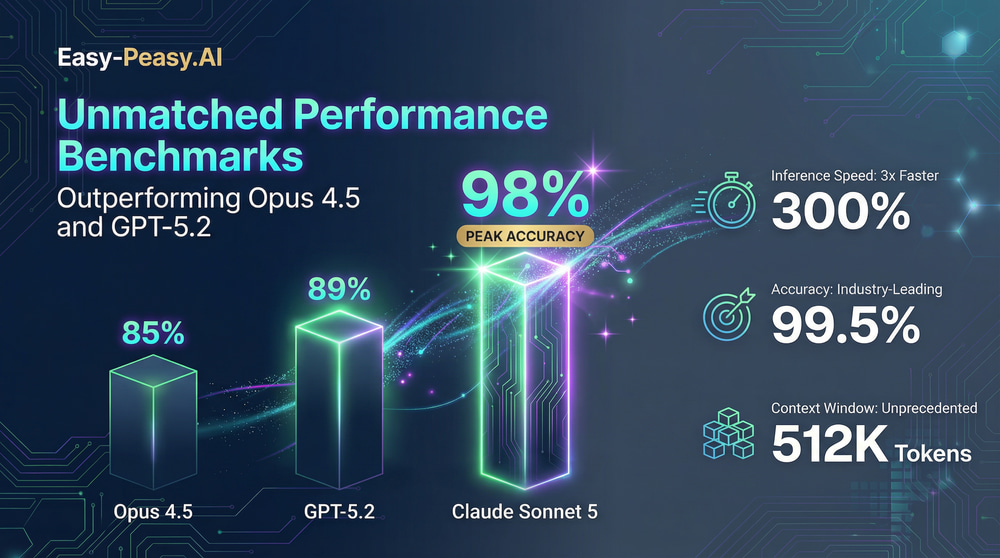
Generate AI images directly in the chat using models like Nano Banana 2, Seedream, and Z-Image Turbo. You can specify styles, edit existing images, and create infographics for presentations or social media.


7. Presentations
Ask Marky to create slide decks on any topic. It generates professional presentations with structured content, key points, and visual layouts that you can export and use immediately.
8. File Operations
Marky can read, write, edit, and manage files within its interactive workspace (secure sandbox). Create project structures, edit configuration files, or process data files — all through natural language commands.
9. Privacy and Security
Your conversations are private by default. Marky supports memory features that you can enable or disable, giving you control over what the AI remembers between sessions.
Deep Research: Your AI Research Assistant
Deep Research deserves a closer look because it’s one of Marky’s most powerful features. Unlike a simple web search, Deep Research follows a multi-step process:
- Planning — Marky creates a research strategy with specific search queries, rationale, and priority levels
- Searching — It searches the web and academic databases, collecting information from multiple sources
- Gap Analysis — It identifies what’s missing and conducts follow-up searches to fill the gaps
- Synthesis — It analyzes all findings, assigns confidence scores, and produces a comprehensive report with citations
This makes it ideal for literature reviews, competitive analysis, technical research, and any task where you need thorough, well-sourced information.
Interactive Workspace: Build and Deploy from Chat
The Interactive Workspace transforms Marky from a chatbot into a full development environment. When you ask Marky to build a website or web app, it opens a split-screen view with:
- Live preview — See your website update in real-time as Marky writes the code
- Code editor — View and edit the source code directly
- Terminal access — Run commands like
npm install,git push, or any shell command - File manager — Browse and manage all project files
- Database console — Execute SQL queries directly
- Checkpoint system — Save and rollback to previous states
- One-click deploy — Publish your project to a live URL instantly
- GitHub integration — Push your code to GitHub repositories
Whether you’re prototyping a landing page, building a data dashboard, or creating a full web application, you can go from idea to deployed website without leaving Marky.
Custom Bots and Community Marketplace
Marky lets you create and use custom AI bots — specialized chatbots trained with your own knowledge base and instructions.
Create Your Own Bot
Build a custom bot with specific instructions, personality, and knowledge. Upload documents, URLs, or text to create a knowledge base that your bot can reference when answering questions. Perfect for customer support, internal documentation assistants, or domain-specific advisors.
Community Bot Library
Browse bots created by the Easy-Peasy.AI community. Find pre-built bots for specific use cases — from marketing copywriters to coding tutors to language practice partners. You can like, share, and add community bots to your own collection.
Team Bots
Share bots with your team members. Create standardized AI assistants that everyone on your team can use, ensuring consistent responses for customer interactions, content creation, or technical support.
Memory: Marky Remembers What Matters
Enable the Memory feature and Marky remembers context across your conversations. It learns your preferences, writing style, project details, and common requests — so you don’t have to repeat yourself every time you start a new chat.
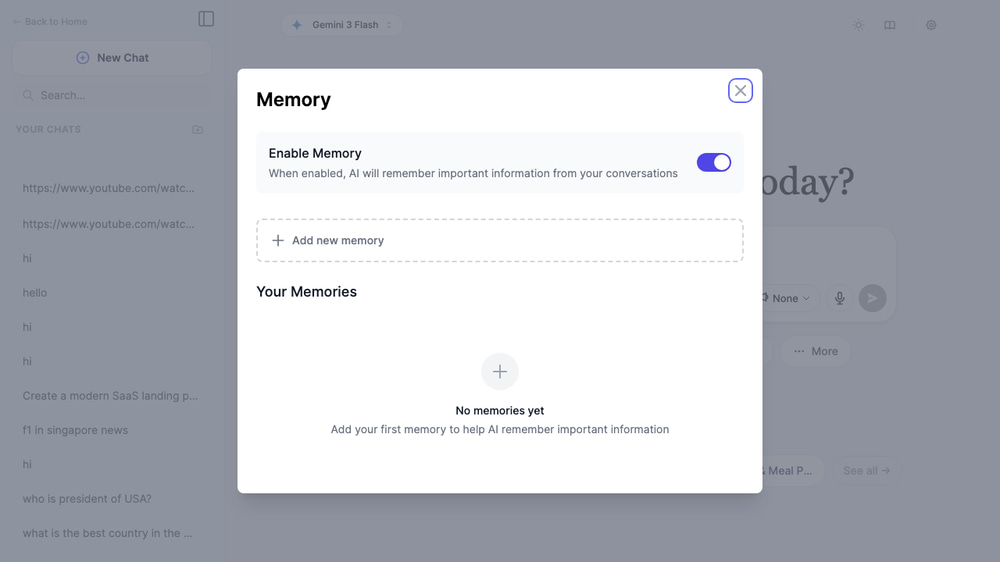
You’re always in control — toggle memory on or off, and manage what Marky remembers from the settings panel.
Tips for Getting the Best Results with Marky
Pick the Right Model for the Job
Use reasoning models (Claude Opus Reasoning, o3, Grok 4 Fast Reasoning) for complex logic and math. Use large-context models (Gemini 3 Flash, Kimi K2.5) for long documents. Use fast models (GPT-5 nano, Claude Haiku) for quick questions.
Use Modes Strategically
Don’t just type questions — activate the right mode. Deep Research for thorough investigations, Build Website for coding projects, Academic for scholarly sources. Modes change Marky’s behavior and available tools.
Upload Files for Context
Instead of pasting long text into the chat, upload your files directly. Marky handles PDFs, Word docs, spreadsheets, images, and more — and can reference them throughout the conversation.
Iterate and Switch Models
If you’re not happy with a response, try switching to a different model and asking again. Different models have different strengths, and sometimes a fresh perspective from Claude vs. GPT makes all the difference.
How Marky Works Behind the Scenes
For the technically curious, here’s what happens when you send a message to Marky:
- Model routing — Your message is sent to the selected AI provider (OpenAI, Anthropic, Google, etc.) via their respective APIs. Marky supports the AI SDK for standardized model access
- Tool execution — If the response requires actions (web search, code execution, file operations), Marky orchestrates the right tools automatically using agentic tool loops
- Streaming response — Results stream back in real-time, so you see the response as it’s being generated — no waiting for the full answer
- Context management — Marky manages conversation history, file references, and memory to keep context within each model’s token limits
The entire system runs on a serverless infrastructure, so responses are fast and reliable regardless of how many users are active.
Marky vs. ChatGPT vs. Claude: Quick Comparison
| Feature | Marky (Easy-Peasy.AI) | ChatGPT Plus | Claude Pro |
|---|---|---|---|
| AI Models Available | 85+ (all providers) | OpenAI only | Anthropic only |
| Web Search | Yes | Yes | Yes |
| Deep Research | Yes (with academic) | Yes | Limited |
| Image Generation | Multiple models | DALL-E only | No |
| Build & Deploy Websites | Yes (full IDE) | No | No |
| Code Execution | Yes (Python + shell) | Yes (Python) | Limited |
| Custom Bots | Yes (with knowledge base) | GPTs | Projects |
| Presentations | Yes | No | No |
| Memory | Yes | Yes | Limited |
| Starting Price | $8/month | $20/month | $20/month |
Frequently Asked Questions
Is Marky free to use?
Yes. Marky offers a free tier with access to several models including GPT-5 nano, GPT-4o mini, Gemini 3 Flash, and Llama models. Premium models like Claude Opus and GPT-5 require a paid plan starting at $8/month.
Can I use Marky for coding projects?
Absolutely. Marky includes an interactive workspace with a code editor, terminal, file manager, and live preview. You can build full websites, run Python scripts, execute shell commands, and deploy projects — all from the chat interface.
How does Deep Research work?
Deep Research creates a multi-step research plan, searches the web and academic databases, identifies information gaps, conducts follow-up searches, and synthesizes findings into a comprehensive report with citations and confidence scores.
Can I upload documents to Marky?
Yes. Marky supports PDF, DOCX, TXT, CSV, XLSX, PPTX, ZIP and audio, video, image files (PNG, JPEG, GIF, WEBP). You can upload up to 30 files per conversation.
What makes Marky different from ChatGPT?
Marky gives you access to 85+ models from every major provider (not just one), includes a built-in website builder with deployment, offers Deep Research with academic sources, and costs less than half the price of ChatGPT Plus.
Can I create custom AI chatbots?
Yes. You can create custom bots with specific instructions and knowledge bases, share them with your team, or browse community-created bots in the marketplace.
Do I need any technical skills?
No. Just type what you need in natural language and Marky handles the rest. Whether you’re building a website, generating images, or running research — the AI figures out the best approach. The interface is designed to be beginner-friendly.
Start Using Marky Today
Whether you need an AI writing assistant, a code companion, a research partner, or all three at once — Marky has you covered. With 85+ AI models, 9 built-in capabilities, and pricing that starts at $8/month, it’s the most versatile AI assistant available today. Try Marky now and see what your new AI partner can do.