Your AI bot already answers questions on your website — but what if it could also work inside the 8,000+ apps your business runs on? With the Easy-Peasy.AI app on Zapier, your bot’s brain becomes a building block in any automated workflow: answer incoming WhatsApp messages, draft replies to support emails, respond to form submissions, or generate content into Google Sheets — all automatically, all trained on your data.
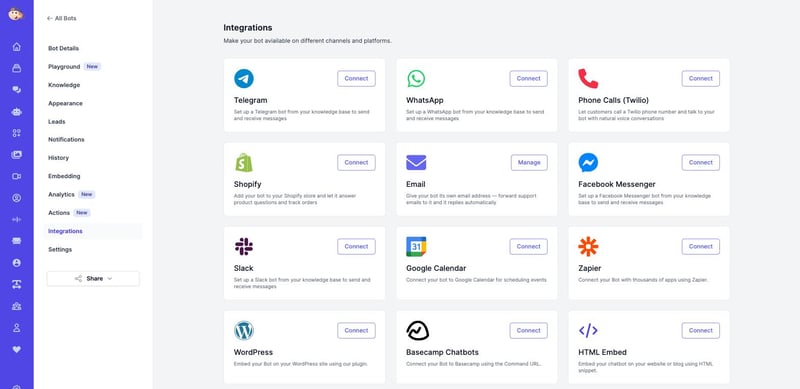
What Is the Zapier Integration?
Zapier connects apps with automated workflows called Zaps: a trigger in one app (a new email, a new row, a new message) fires actions in others. The Easy-Peasy.AI app gives your Zaps AI actions — most importantly Generate Bot Response, which sends any text to your trained bot and returns its answer. Whatever app the question came from, your bot’s knowledge can flow back into it.
What Your Zaps Can Do
The Easy-Peasy.AI app currently offers four actions:
- Generate Bot Response — send a message to one of your bots (by its Bot ID) and get an answer trained on your knowledge base. The star of this guide.
- Generate Response to Email — draft an email reply in your tone and brand voice.
- Custom Generator (Text) — generate any custom text, with optional background information.
- Create AI Transcription — transcribe an audio file, with optional speaker detection.
What You’ll Need
- An Easy-Peasy.AI account with a trained bot, plus your API key (in your account settings) and your bot’s Bot ID (on the bot’s Embedding page)
- A Zapier account (the free plan is enough to start)
How to Connect Your Bot to Zapier (Step-by-Step)
Step 1: Create a Zap and pick a trigger
In Zapier, click Create Zap and choose the app and event that should wake your bot up — for example New Email in Gmail, New Message in WhatsApp, New Form Submission in Typeform, or New Row in Google Sheets.
Step 2: Add the Easy-Peasy.AI action
Add an action step and search for Easy-Peasy.AI. Choose Generate Bot Response. The first time, Zapier asks you to connect your account — paste your Easy-Peasy.AI API key.
Step 3: Map the message and Bot ID
In the action’s setup, paste your Bot ID (copy it from your bot’s Embedding page) and map the message field to the text from your trigger — the email body, the chat message, the form answer.
Step 4: Send the answer somewhere
Add one more action to deliver your bot’s reply: send it back as a Gmail reply, a Slack message, a WhatsApp response, or a new row in a sheet. Test the Zap, turn it on, and your bot is now part of the workflow.
Zap Ideas to Steal
- Support inbox triage: New Gmail email → Generate Bot Response → create a draft reply for your team to approve.
- Form follow-up: New Typeform/Google Forms submission → Generate Bot Response to the visitor’s question → email them the answer instantly.
- CRM enrichment: New HubSpot ticket → Generate Bot Response → attach the suggested answer as a note for the agent.
- Knowledge on tap in Slack: New message in a #questions channel → Generate Bot Response → post the answer as a thread reply. (For a richer native experience, see the Slack integration.)
Frequently Asked Questions
Where do I find my Bot ID?
Open your bot and click Embedding in the sidebar — the Bot ID is the first thing on the page, with a copy button.
Where do I find my API key?
In your Easy-Peasy.AI account settings. Treat it like a password — anyone with it can use your account’s quota.
Does the bot remember conversation history in Zaps?
Each Zapier call is a standalone request — ideal for one-shot answers like email replies and form responses. For ongoing conversations, use a native channel like WhatsApp, Telegram, or Messenger.
Does this cost extra?
Bot responses generated through Zapier count toward your Easy-Peasy.AI plan’s usage, and Zapier bills its own task usage per its plans.
Which apps can I connect?
Anything on Zapier — 8,000+ apps including Gmail, Slack, WhatsApp, HubSpot, Notion, Google Sheets, Airtable, Discord, and Outlook.
Put Your Bot to Work Everywhere
One trained bot, thousands of apps. Create your AI agent, grab its Bot ID from the Embedding page, and add the Easy-Peasy.AI action to your first Zap — your workflows just got a lot smarter.