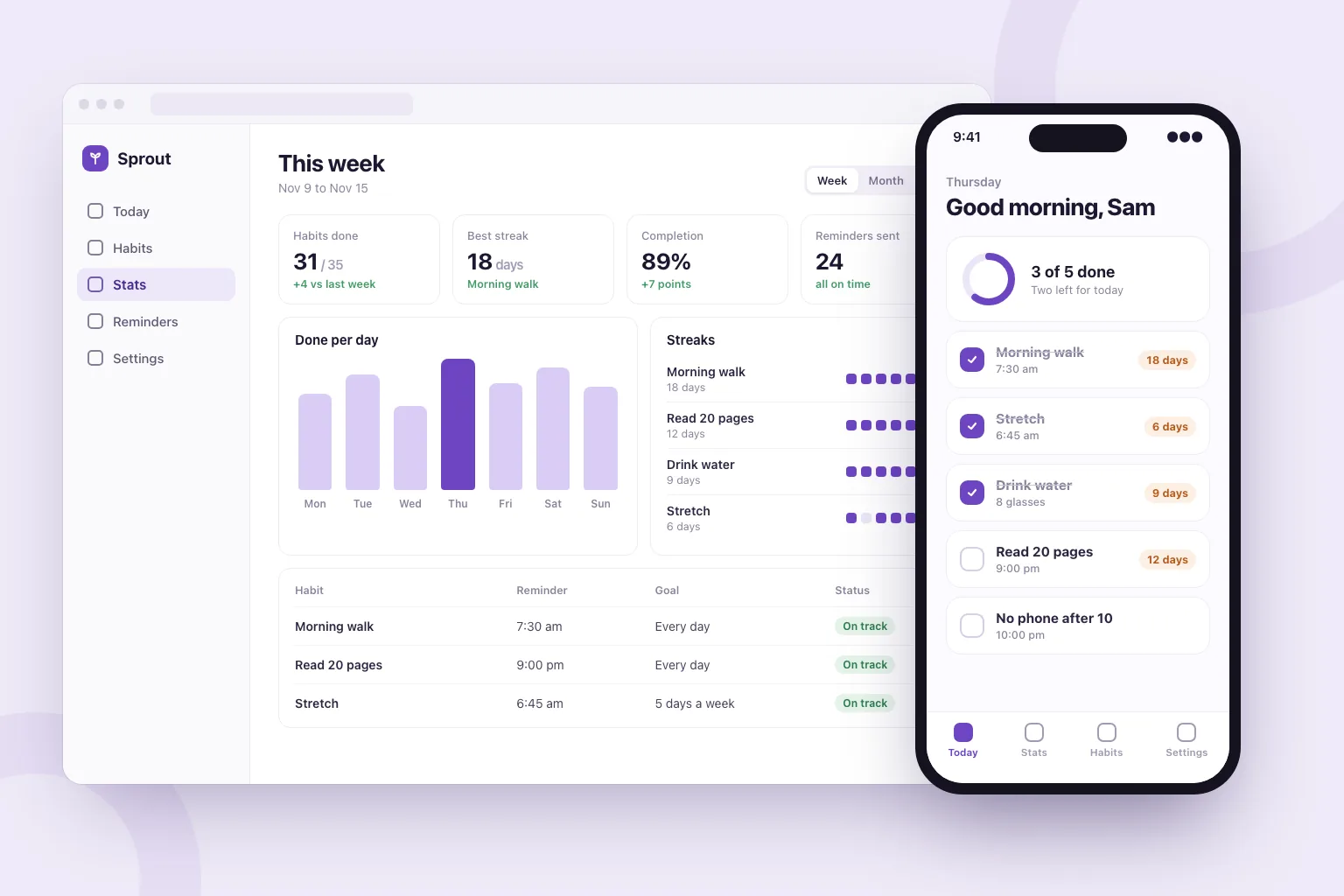
Web apps and phone apps
Web apps run in any browser. Phone apps are built with Expo and open on your phone from a QR code while Marky works.
핵심 답변
AI 앱 빌더는 쉬운 말로 쓴 설명을 목업이 아닌 실제로 작동하는 앱으로 바꿔 줍니다. Marky는 웹 앱이면 React와 TypeScript로, 모바일 앱이면 Expo로 실제 프로젝트를 작성하고, 앱에 필요하면 Postgres 데이터베이스, 로그인, 서버 코드도 추가합니다. 실시간 미리보기에서 사용해 보고, 채팅으로 수정을 요청한 뒤, 게시하거나 코드를 GitHub에 푸시할 수 있습니다.
실제 업무에 맞춘 설계
These are functional product layers tied to the workflow—not decorative sections copied from a template.
Web apps run in any browser. Phone apps are built with Expo and open on your phone from a QR code while Marky works.
Registration, Google sign-in and screens only members can open, built around how your app is used.
Marky designs the tables, stores the app's data in Postgres and changes the schema as the app grows.
Business rules, private API keys and webhooks stay on the server. Marky connects payments, email or maps when you add their keys.
Add chat, image, voice or transcription features through the Easy-Peasy.AI API when the idea needs them.
Every change shows up in a live preview. Save versions, roll back, publish to your own address and push the code to GitHub.
권장 데이터 모델
프롬프트 예시
“Build a habit tracker web app. People sign in with Google, add daily habits, tick them off and see their streaks. Add a weekly stats page, reminder settings and a home screen with today's habits. Store everything in a database and make it work well on phones.”이 내용으로 시작하기
실용적인 구축 순서
Say who uses it, the main thing they do and what they should see first.
Marky lists the features it plans to build. Edit, add or remove lines before it starts.
Click through the app in the preview, or scan the QR code to open a phone app on your phone, and ask for changes in plain words.
Publish it to its own address, connect a domain or GitHub, and keep adding features in the same chat.
공통 프로덕션 스택
독자적인 페이지 형식이 아닌, 편집 가능한 프런트엔드.
영구 레코드와 보호된 서버 측 로직.
연동을 위한 인증 및 보호된 자격 증명.
기본 게시 대상은 Cloudflare이며, 페이지는 서버에서 렌더링되어 검색 엔진과 AI 도구가 읽을 수 있습니다. AWS 서비스는 보호된 자격 증명으로 연동할 수 있으며, 개발자가 GitHub 코드베이스를 AWS 배포에 맞게 조정할 수 있습니다.
구체적인 질문
Yes. In Build app mode Marky makes the app with Expo (React Native), with a database and server code when it needs them. You open it on your phone by scanning a QR code: in the browser, or in the Expo Go app for the full native feel.
Not from Marky. You can publish the app at its own web address and push its code to GitHub. Getting it into the stores takes an Apple or Google developer account and an Expo build, which a developer can make from that code.
Yes, in the sense that you describe what you want and the AI writes the code. Marky also sets up the database, sign-in and hosting, checks its work in a browser, and lets you keep the code.
No. You describe the app and ask for changes in plain words. The code is a standard React and TypeScript project, so a developer can pick it up later if you want.
You can start on the Free plan, which has a small monthly allowance. An app is a long job (screens, a database, sign-in and testing), so finishing most apps takes a paid plan. Paid plans also add the strongest models and commercial use.
더 살펴보기
작동하는 첫 버전 만들기