ByteDance's newest image model
Unrestricted image creation

Seedream 5.5

Real light. Readable small print. Edits that leave the rest alone.

Generate images from a prompt, or edit with up to 10 reference images. Seedream 5.5 renders natural skin and materials, keeps small text legible, makes transparent PNGs on request and costs from 1 credit an image.

Text to imageEdit with up to 10 images1K, 1.5K or 2K output
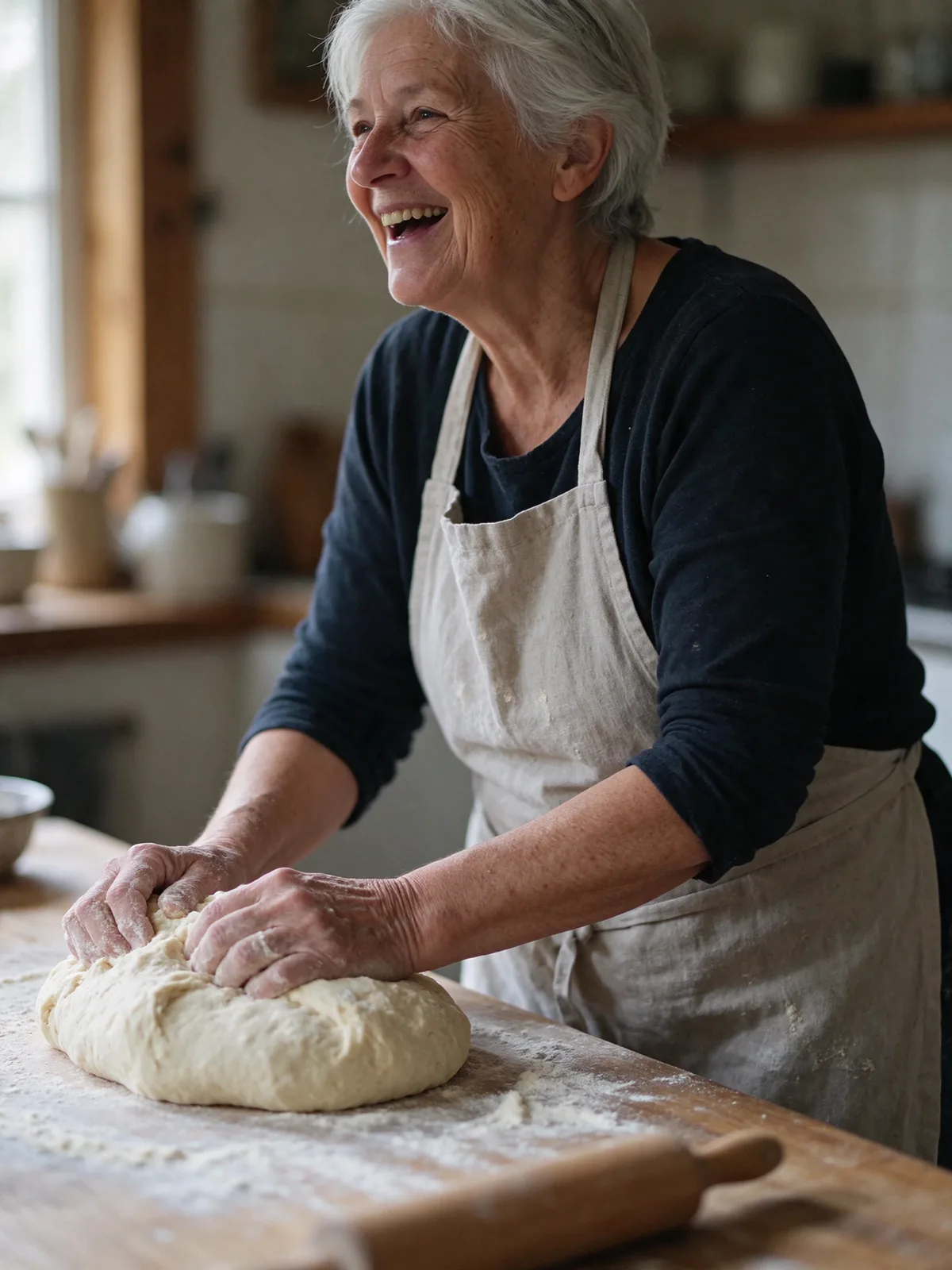
Seedream 5.5 portrait of a laughing woman kneading dough in soft window light
Green race car on a rainy Tokyo street at night, made with Seedream 5.5
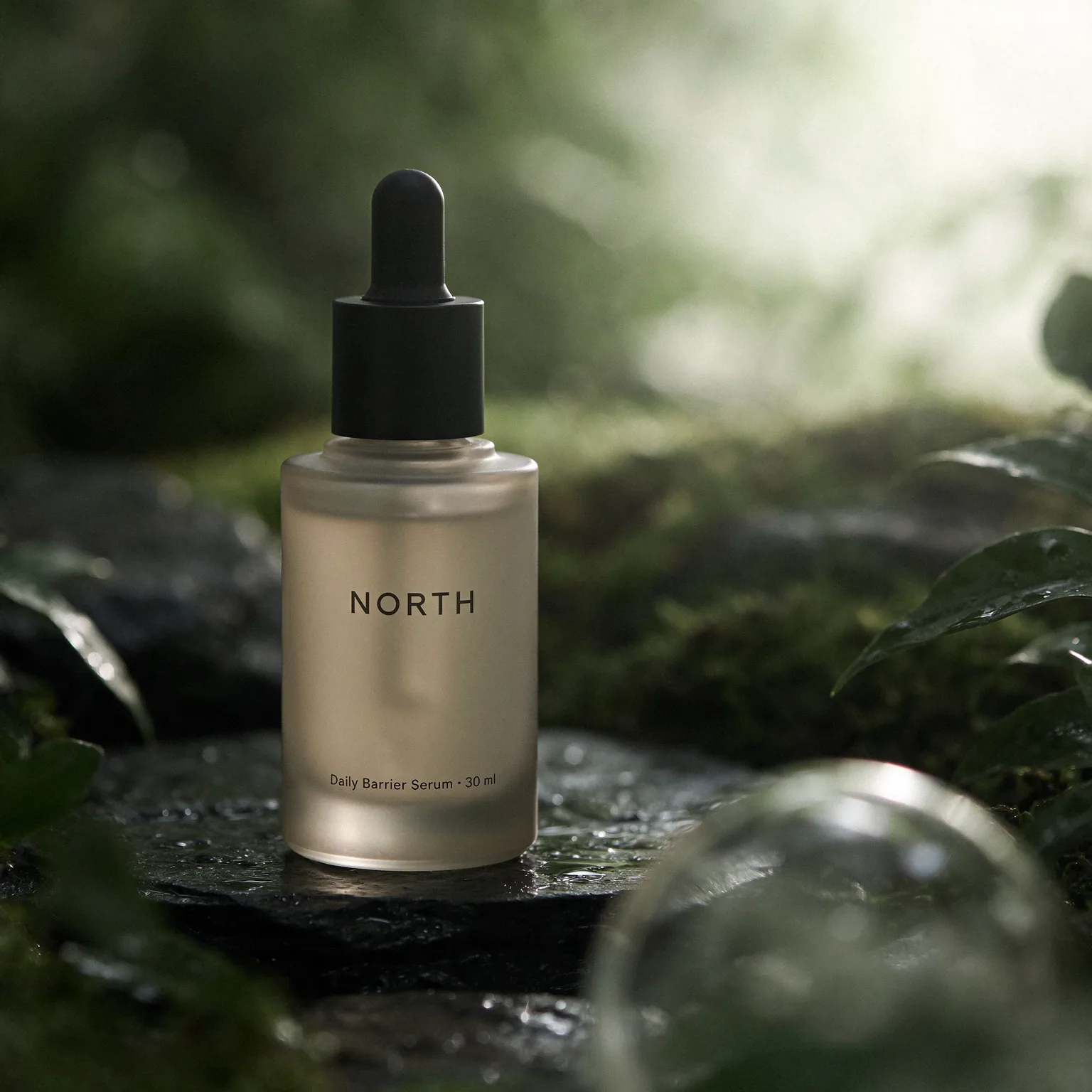
Serum bottle with a small printed label, made with Seedream 5.5
Fox mascot sticker with a transparent background, made with Seedream 5.5
Made in Easy-Peasy
1 credit
per image at 1K or 1.5K
10
reference images per edit
2K
maximum output
PNG
with transparent backgrounds

Made with Seedream 5.5

Photos that look shot. Text that reads right.

Create with Seedream 5.5
Fine lines, freckles and flour-dusted hands, lit by soft morning light instead of studio gloss.
Natural skin in window light

Fine lines, freckles and flour-dusted hands, lit by soft morning light instead of studio gloss.

Rain spray, neon reflections and wet paint on a race car speeding through Tokyo.
Wet streets at night

Rain spray, neon reflections and wet paint on a race car speeding through Tokyo.

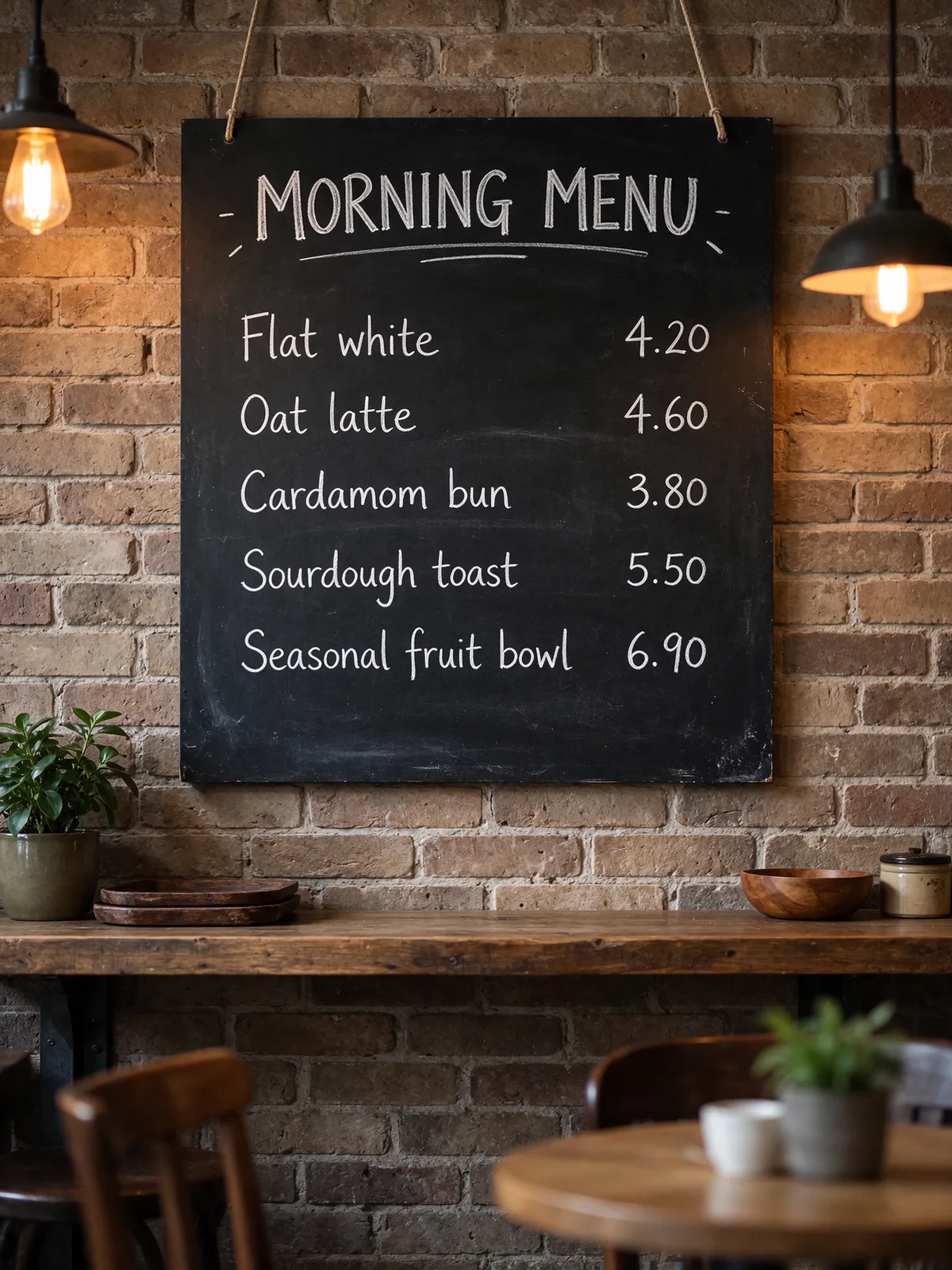
A café menu with all five items and prices written exactly as the prompt asked.
Exact prices on a chalkboard

A café menu with all five items and prices written exactly as the prompt asked.

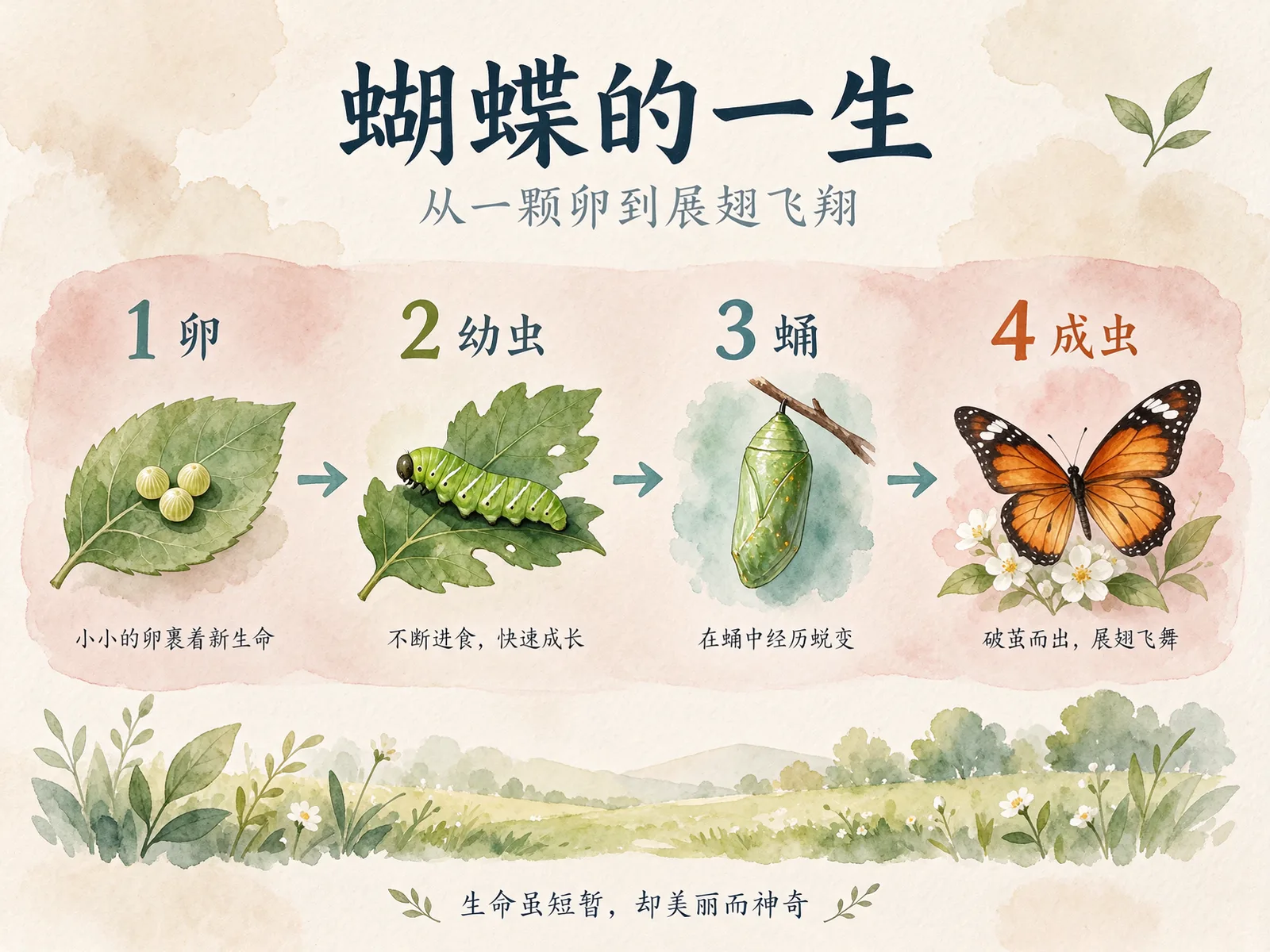
A life-cycle poster with a Chinese title, numbered stages and short captions, all legible.
Chinese text that reads correctly

A life-cycle poster with a Chinese title, numbered stages and short captions, all legible.

The fine print “Daily Barrier Serum · 30 ml” stays sharp on a frosted bottle on wet slate.
Small print on product labels

The fine print “Daily Barrier Serum · 30 ml” stays sharp on a frosted bottle on wet slate.

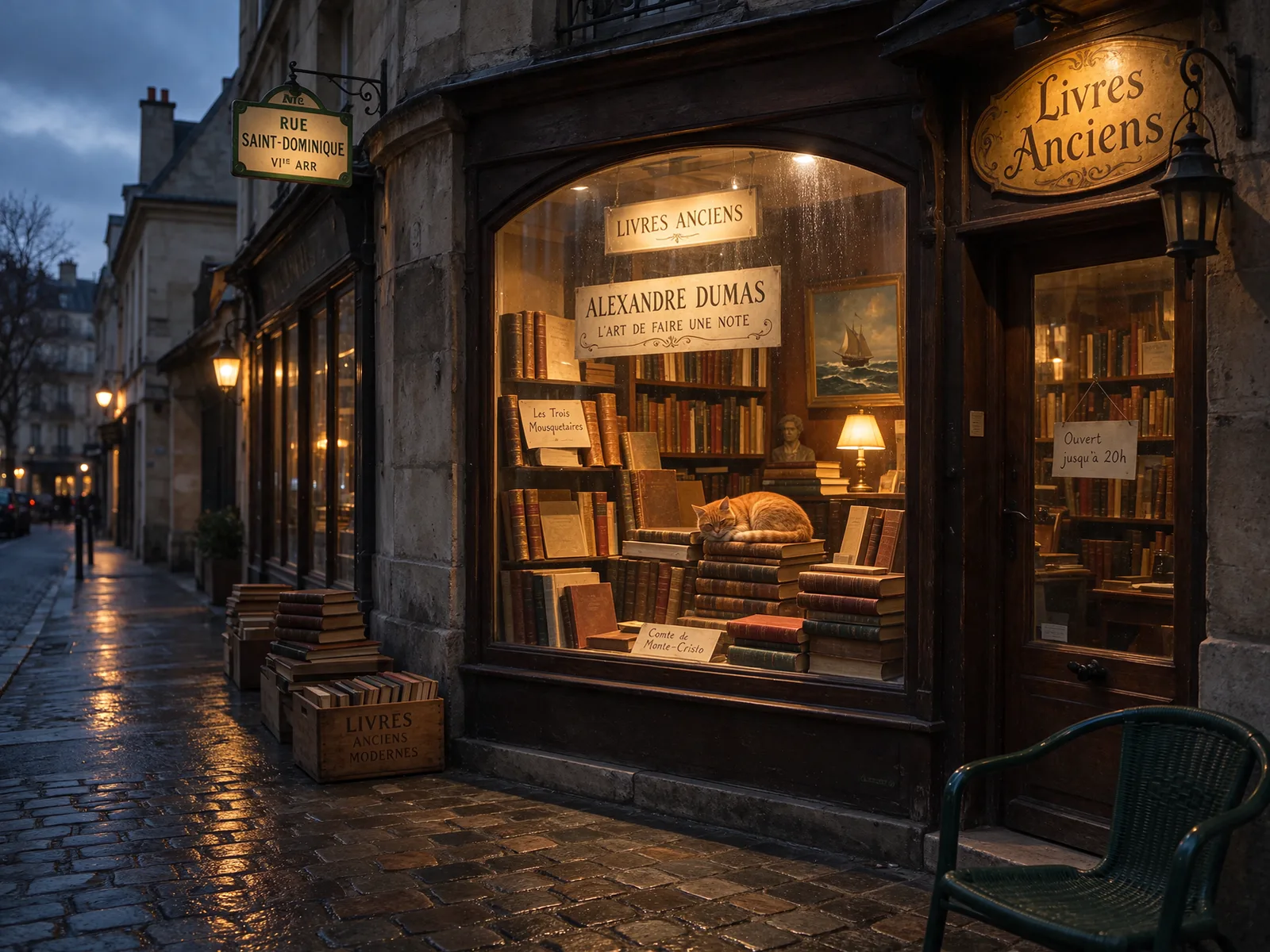
A Paris bookshop with “Livres Anciens” above the door and a handwritten note in French.
Signs in other languages

A Paris bookshop with “Livres Anciens” above the door and a handwritten note in French.

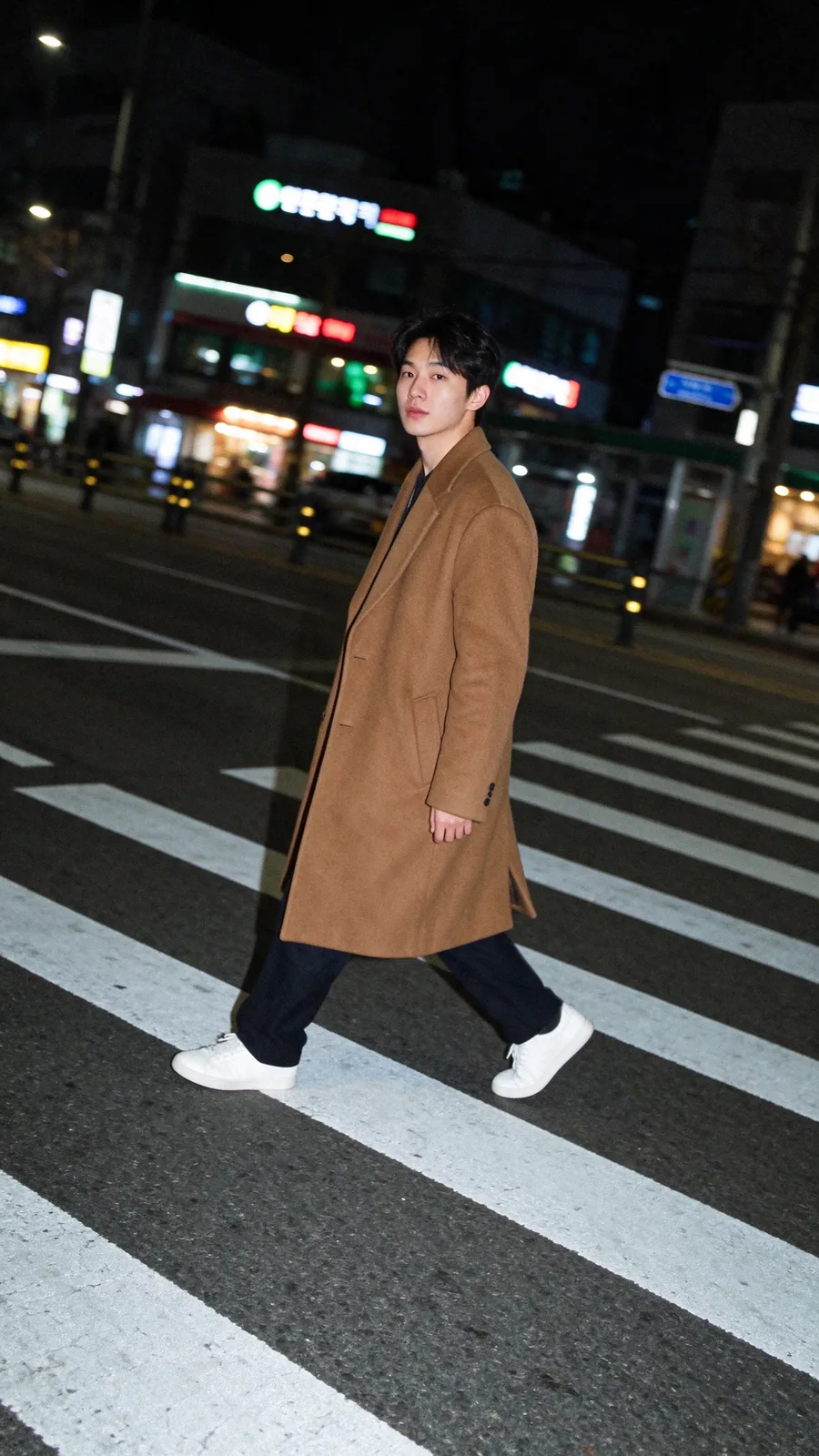
On-camera flash, film grain and a tilted frame, like a candid shot at a Seoul crossing.
Flash street photography

On-camera flash, film grain and a tilted frame, like a candid shot at a Seoul crossing.

Flaky layers, pearl sugar and stray crumbs on parchment, in plain window daylight.
Food texture

Flaky layers, pearl sugar and stray crumbs on parchment, in plain window daylight.

Every image above was generated with Seedream 5.5 through the Easy-Peasy API at 1.5K, then checked for accurate text. The signs, labels and prices we asked for appear exactly as prompted.

Edit after edit

Change one thing. Keep everything else.

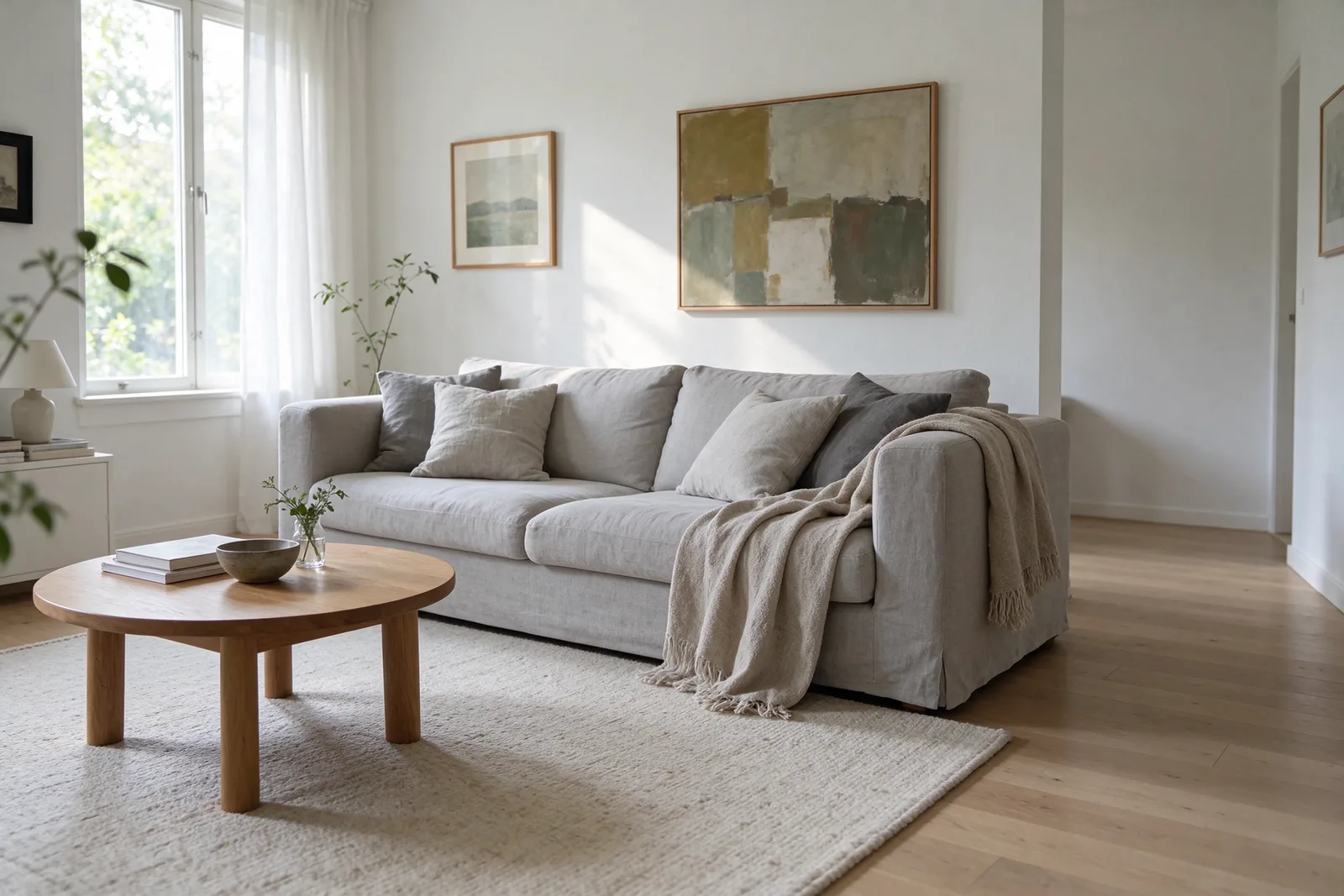
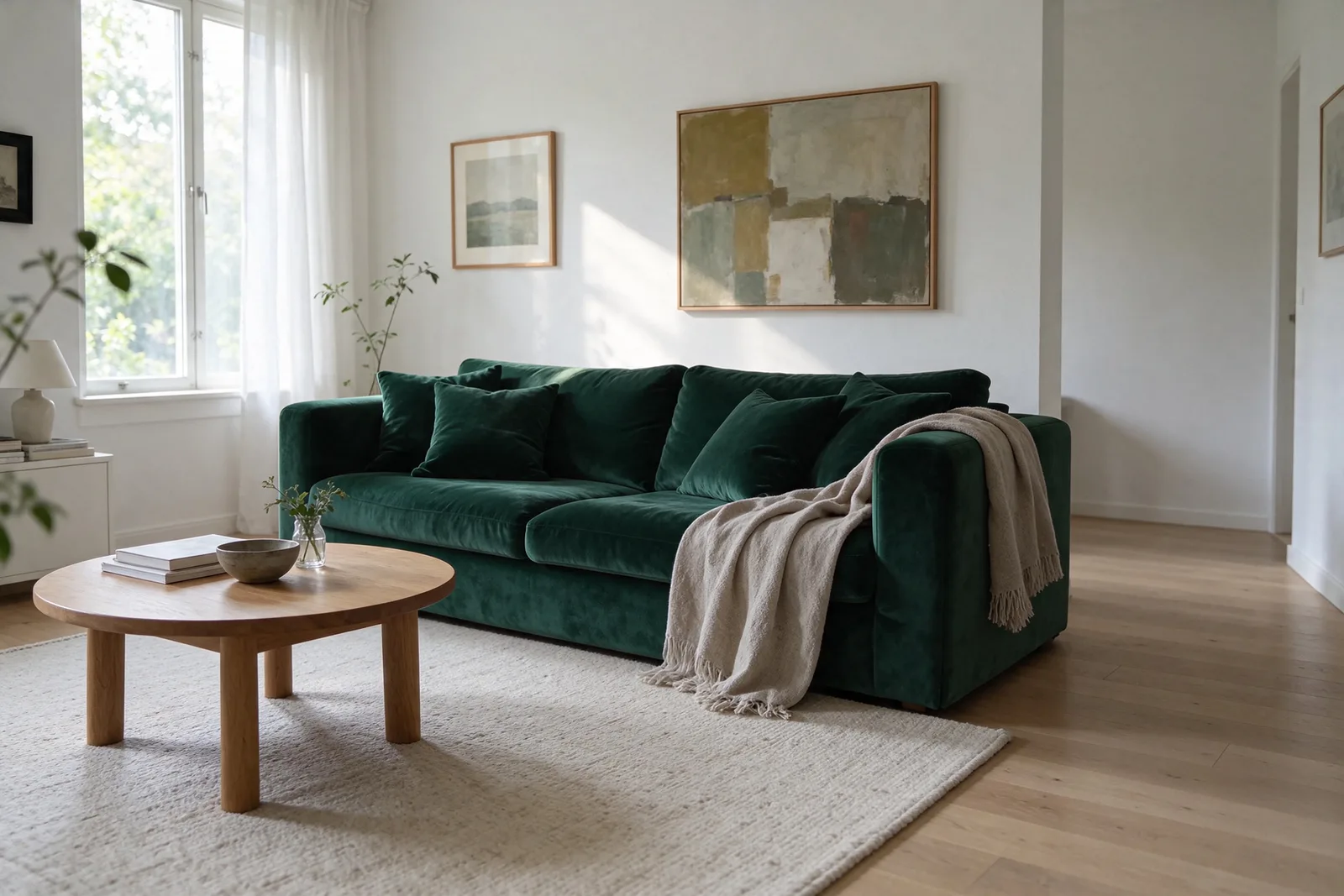
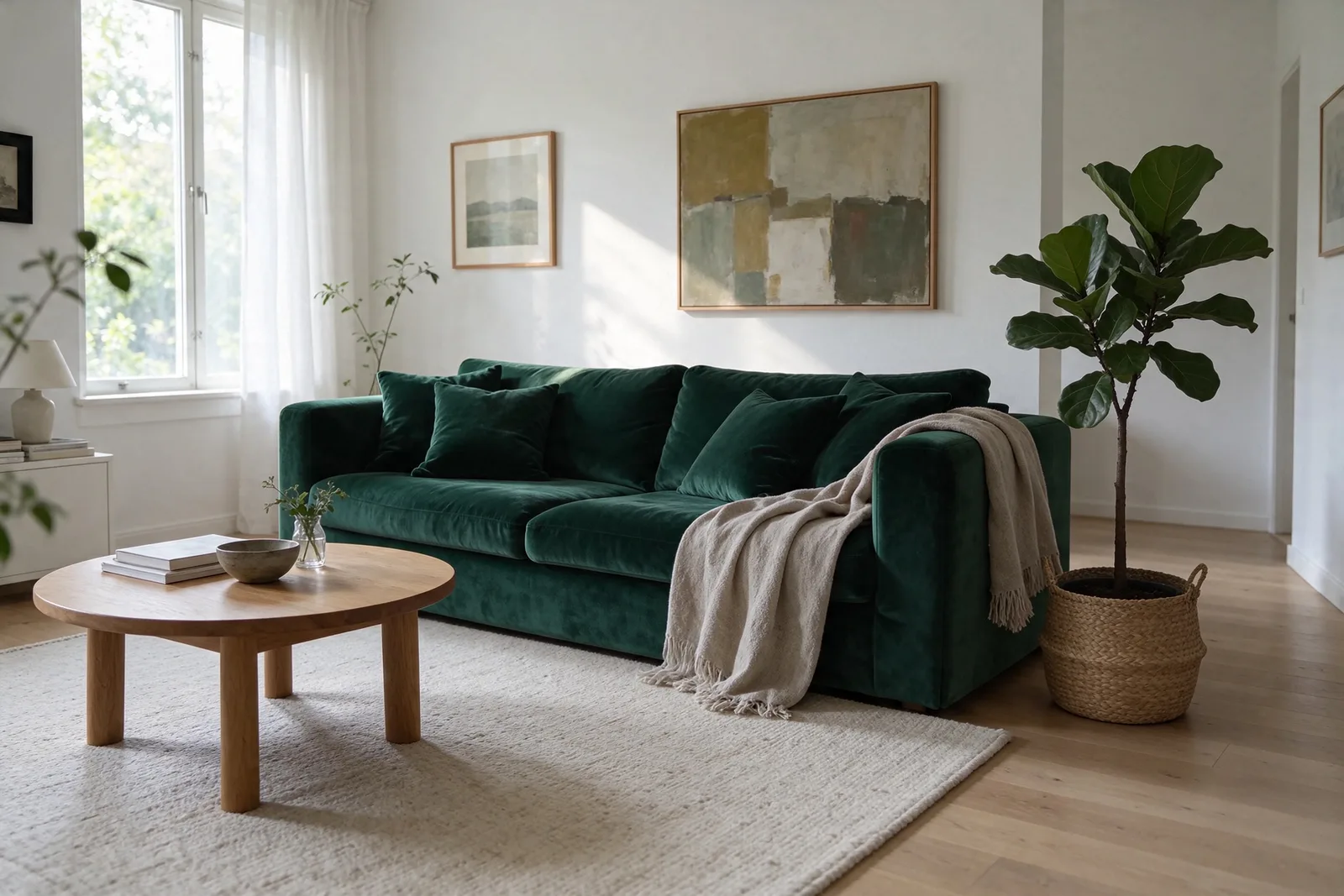
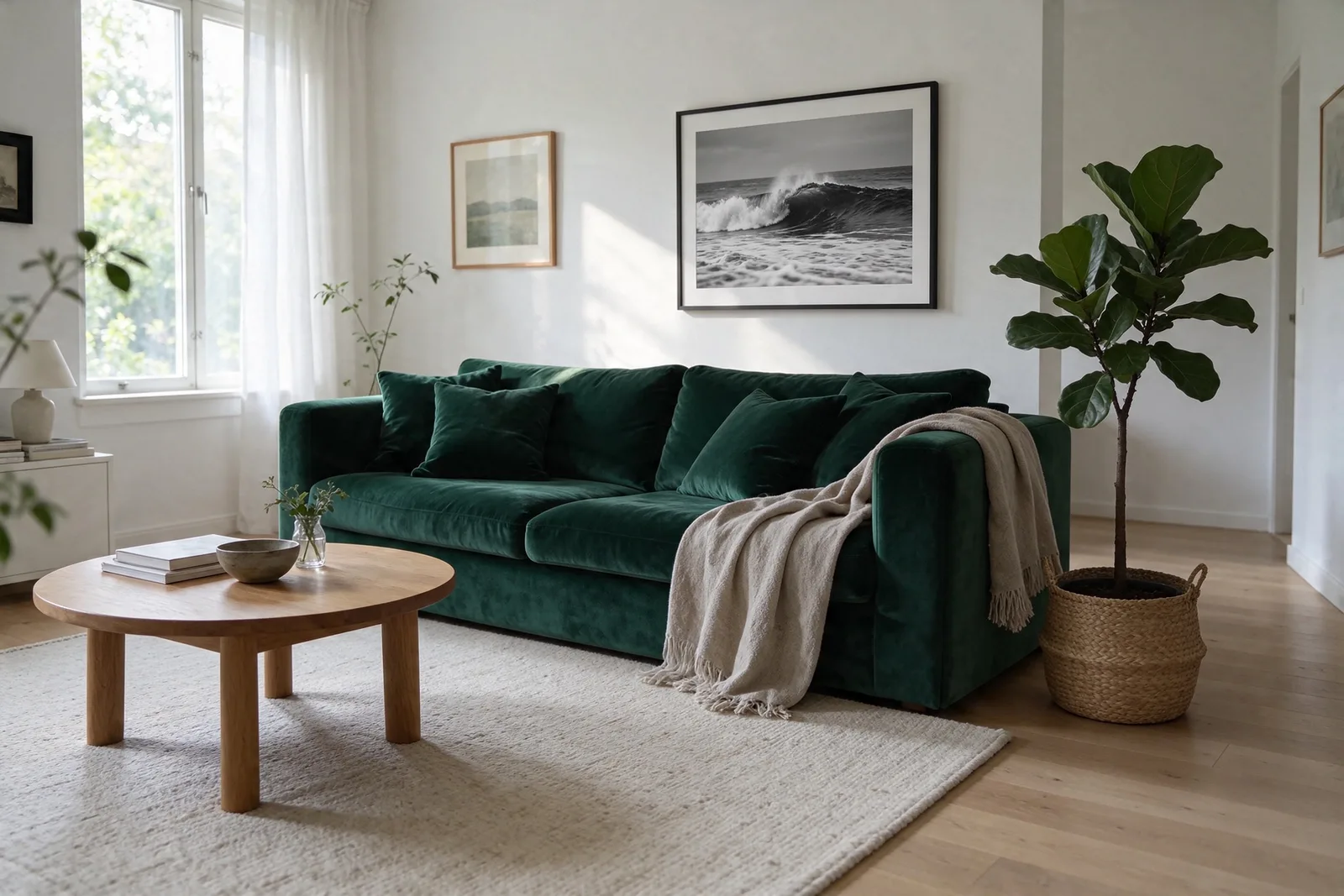
We generated one living room, then made three edits in a row, each on the previous result. Every edit changed only what its prompt named.

After all three, the parts we never mentioned (the window, the rug, the coffee table) were within 2 to 4 levels out of 255 of the original on average. You can’t see the difference.

  1. Generated from a text promptOriginal
    Generated from a text prompt
  2. Replace the sofa with a green velvet oneEdit 1
    Replace the sofa with a green velvet one
  3. Add a fiddle-leaf fig by the doorwayEdit 2
    Add a fiddle-leaf fig by the doorway
  4. Swap the painting for a sea photographEdit 3
    Swap the painting for a sea photograph

ByteDance reports stable results across 100 edits in a row on one image.

Try an edit

Transparent PNG

Ask for no background. Get no background.

Add “transparent background” to a prompt for a sticker, logo, icon or product cut-out. Seedream 5.5 returns a PNG with a real alpha channel, soft shadows and clean edges included, so it drops straight into a design without a background remover.

Prompt

A cheerful cartoon fox mascot holding a takeaway coffee cup, die-cut sticker style with a thick white outline and a soft drop shadow, on a fully transparent background.

Fox mascot sticker with a transparent background, made with Seedream 5.5
Transparent
Fox mascot sticker with a transparent background, made with Seedream 5.5
On green
Fox mascot sticker with a transparent background, made with Seedream 5.5
On amber
Fox mascot sticker with a transparent background, made with Seedream 5.5
On dark

What’s new in 5.5

Built for pictures that have to pass as real

ByteDance aimed this release at what gives AI images away: plastic skin, mangled small print and edits that quietly change the whole picture.

01

Light and skin that look photographed

ByteDance tuned 5.5 for natural lighting, materials and skin texture, with less of the plastic gloss and blown-out highlights that give AI photos away.

02

Small text that stays readable

Menus, labels, price tags and dense captions come out legible, in English and in Chinese. ByteDance reports serious text errors in 0.4% of its test images.

03

Edits that leave the rest alone

Each edit changes what you name and holds the rest of the picture steady, so you can keep refining one image instead of starting over. ByteDance shows 100 edits in a row on a single photo.

04

Transparent backgrounds on request

Ask for a transparent background and get a PNG with a real alpha channel, ready for stickers, logos, icons and product cut-outs.

From prompt to picture

Three steps, then keep editing.

1

Choose Seedream 5.5

Open the Image Generator and pick Seedream 5.5 from the model list.

2

Describe it or add references

Write a prompt, or upload up to 10 images to edit, restyle or combine.

3

Pick a size and create

Choose 1K, 1.5K or 2K and an aspect ratio, generate, then keep editing the result.

Open the Image Generator

Model guide

Seedream 5.5 or 5.0 Pro?

Seedream 5.5 is the newer model and costs far less per image. Seedream 5.0 Pro is still there if your prompts rely on its reasoning-heavy layouts.

Modes
Text to image and image editing
References
1 to 10 images per edit
Output
1K, 1.5K or 2K, as PNG
Aspect ratios
1:1, 2:3, 3:2, 3:4, 4:3, 4:5, 5:4, 9:16, 16:9, 21:9
Plans
Every plan, Free included
Read about Seedream 5.0 Pro
CompareSeedream 5.5Seedream 5.0 Pro
Best forRealistic photos, small text, repeated editsDense, reasoning-heavy layouts
Resolution1K, 1.5K or 2K1K or 2K
Credits per image (1K / 2K)1 / 1.754 / 8
Credits per edit with one image (1K / 2K)1.5 / 2.254 / 8
PlansEvery plan, Free includedPaid plans
Seedream 5.5 credits per image
Task1K or 1.5K2K
Text to image11.75
Edit with 1 image1.52.25
Edit with 2 images22.75
Edit with 5 images33.75
Edit with 10 images55.75

FAQ

Seedream 5.5, explained

What is Seedream 5.5?+

Seedream 5.5 is ByteDance's newest image generation and editing model, released on November 9, 2026. It focuses on realistic light and skin, legible small text, edits that keep everything you didn't ask to change, and transparent backgrounds.

What does unrestricted mean on this page?+

Unrestricted describes the broad creative workflow available through Easy-Peasy, including image generation and editing with real-person reference photos. Requests must still follow our Terms of Service and applicable law.

How is Seedream 5.5 different from Seedream 5.0 Pro?+

Seedream 5.5 is the newer model. ByteDance reports better results than 5.0 Pro in all six areas it tested, from e-commerce to film and fashion, and on Easy-Peasy it costs about a quarter as much per image. Seedream 5.0 Pro is still available on paid plans.

How much does Seedream 5.5 cost on Easy-Peasy?+

An image costs 1 credit at 1K or 1.5K and 1.75 credits at 2K. An edit costs 1.5 credits with one reference image (2.25 credits at 2K), plus a little for each extra image, up to 5 credits with ten (5.75 credits at 2K).

Can I edit images with Seedream 5.5?+

Yes. Switch to image editing, upload one to ten images and describe the change. The edit keeps what you don’t mention, and you can edit the result again as many times as you like.

Can Seedream 5.5 make transparent backgrounds?+

Yes. Ask for a transparent background in your prompt, for example “a fox sticker on a transparent background”, and the PNG comes back with an alpha channel. Download the file to keep the transparency.

Which resolutions and aspect ratios can I use?+

Choose 1K, 1.5K or 2K in 1:1, 2:3, 3:2, 3:4, 4:3, 4:5, 5:4, 9:16, 16:9, 21:9. An edit can also keep the shape of your first image.

Does Seedream 5.5 write text correctly?+

It handles small and dense text much better than earlier Seedream models, and ByteDance demonstrates it in English and Chinese. As with any image model, check names, prices and legal wording before you publish.

Can I use Seedream 5.5 on the Free plan?+

Yes, Seedream 5.5 is available on every plan. Images made on the Free plan are for personal, non-commercial use; paid plans include full commercial rights.

Is there a Seedream 5.5 Pro?+

ByteDance says a Pro version of Seedream 5.5 will follow, but it has no release date yet. Seedream 5.5 is the newest Seedream you can use today.

How were the examples on this page made?+

Each one was generated or edited with Seedream 5.5 through the Easy-Peasy API at 1.5K. The room is one generation followed by three edits in a row, each made on the previous result.

3,482,705+ happy users

Testimonials

Our Trustpilot score

Read the comments that people have made on public platforms.

Jeff Wilson

By far the best compilation AI utility

By far the best compilation AI utility out there. Period. We have tried multiple platforms that would work for us - a small business - and it was a bit overwhelming two years ago. Easy-Peasy has been a godsend. So many freaking tools and no fewer than 10 (of the 200) are ones we use at least on a weekly basis. Ironically, their human support is one of the most appreciated elements.

Vivian Daze avatar

Vivian Daze

Great services

Great services, and lovely and attentive customer service. Would reccommend

Cody Crabb

Great service, Best AI tool

Kia Tiow | COGUE avatar

Kia Tiow | COGUE

Easy-peasy is an easy to pick up and awesome AI software. I love it.

Easy-Peasy AI

Dezign121 avatar

Dezign121

Easy-Peasy.AI is very user friendly & a lot more to explore not only in the lesson, very helpful assistant in both work & personal

Blanca Marin avatar

Blanca Marin

Very Good AI…

I really liked the easy-peasy AI service. It's a great tool, but I also had to ask them for a refund because I chose the wrong plan, and they were very quick to respond to my request. They looked into my case and I got my money back without any problems. Of course, I will continue to use it for my projects.

Easy-Peasy AI

Muhammad Md Rahim avatar

Muhammad Md Rahim

Very awesome and practical AI tool that can help improve our productivity and the quality of our work!

Ken Poon avatar

Ken Poon

Very useful and true to “Easy Peasy” on using AI. One platform on all the tools required for business needs. Marianna sharing is super informative on how to use easy-peasy.ai

Dennis Cambronero avatar

Dennis Cambronero

I have been using the tool for +1 year…

I have been using the tool for +1 year and I have to say it is amazing. I use it to create images, bots and access every LLM in one single place. I highly recommend it.

Yeah Likes avatar

Yeah Likes

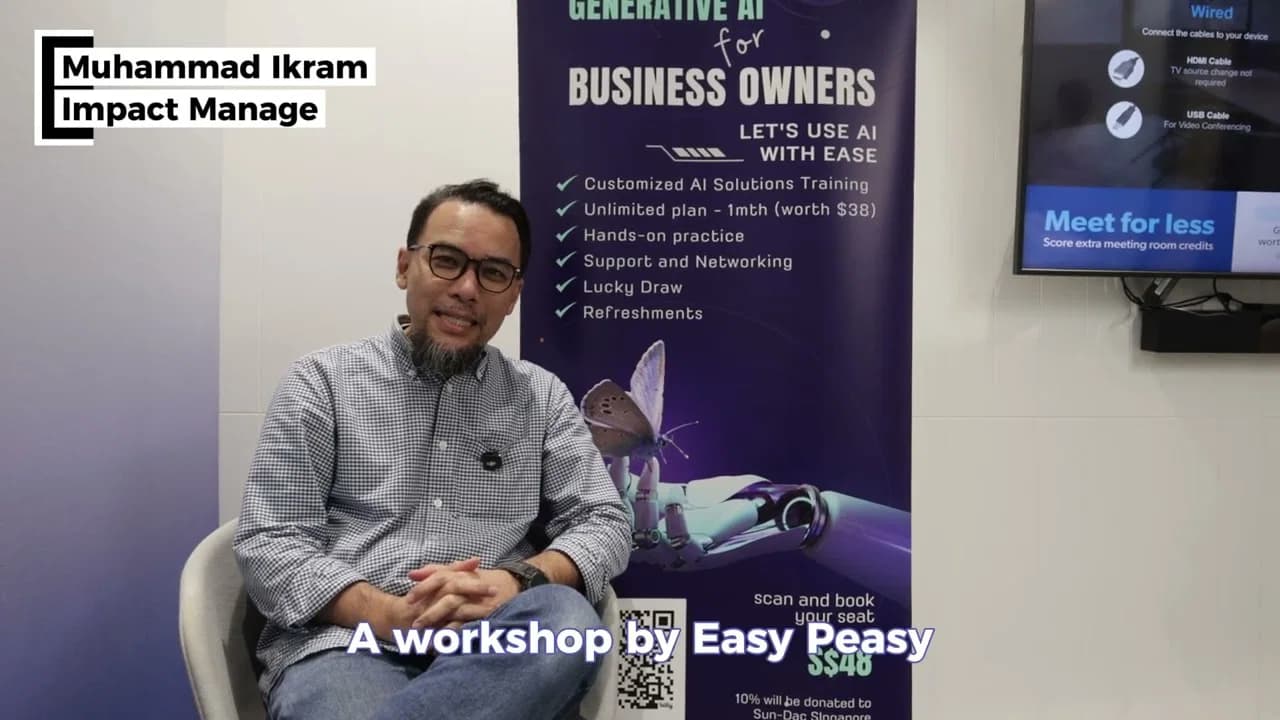
Practical and Powerful Software which is all In one and versatile. Just finished their workshop and got practical and valuable tips and tricks.

Create Faster With AI.
Try it Risk-Free.

Stop wasting time and start creating high-quality content immediately with power of generative AI.

App screenshot