If you are a therapist, counselor, social worker, psychologist, rehab clinician, or behavioral health provider, your clinical work does not end when the session ends. You still need a progress note that is accurate, defensible, structured, and ready for your EHR. The best AI progress note generator turns rough session shorthand, dictation, or a recording into a clean first draft — while keeping you in control of the final clinical record.
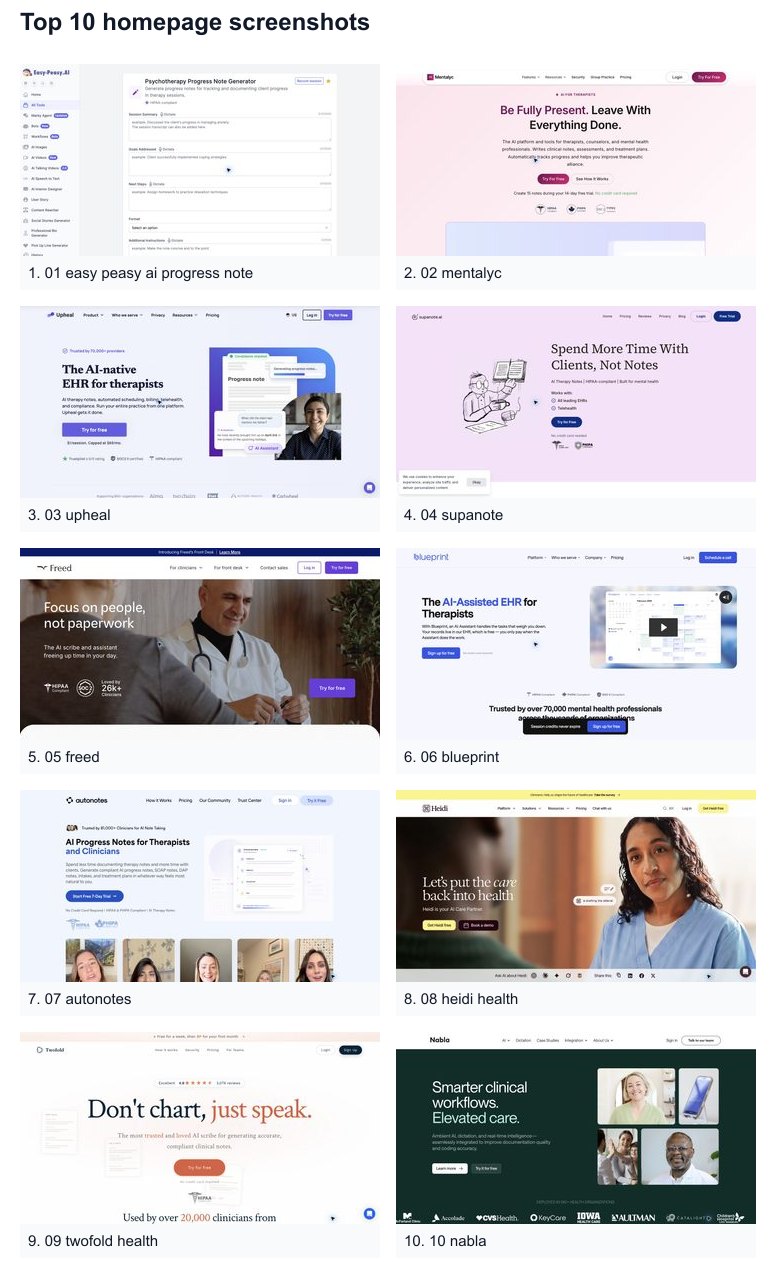
This expanded 2026 guide compares the 10 best AI progress note generators for therapists, including therapy-first platforms, all-in-one EHRs, and broader medical scribes that can work for behavioral health. We start with Easy-Peasy.AI’s Progress Note Generator because it gives clinicians a free, flexible way to create SOAP, DAP, BIRP, GIRP, and PIE notes without committing to a new EHR.
Pricing and product details were checked on June 19, 2026. Healthcare software pricing changes often, so confirm current rates, HIPAA terms, BAA availability, and data-retention settings directly with each vendor before entering protected health information.
What Is an AI Progress Note Generator?
A progress note documents what happened in a client or patient encounter, how the person responded, what changed clinically, and what comes next. Clinicians often use formats such as SOAP (Subjective, Objective, Assessment, Plan), DAP (Data, Assessment, Plan), BIRP (Behavior, Intervention, Response, Plan), GIRP (Goal, Intervention, Response, Plan), or PIE (Problem, Intervention, Evaluation).
An AI progress note generator helps draft that documentation from your input. Depending on the tool, the input can be a typed summary, dictated recap, pasted transcript, uploaded audio file, or live session recording. The AI produces a structured draft, but the clinician still reviews, edits, and approves the final note. That distinction matters: AI can reduce typing and blank-page friction, but it does not replace clinical judgment.
How We Evaluated the Best Tools
For this Top 10 list, we looked beyond basic note generation. A serious clinical documentation tool should support the way you actually practice, not just produce polished paragraphs.
- Clinical note formats — SOAP, DAP, BIRP, GIRP, PIE, intake notes, treatment plans, supervision notes, discharge notes, and custom templates.
- Input flexibility — Typed notes, dictation, pasted transcripts, uploaded recordings, live session capture, telehealth capture, and mobile capture.
- Compliance posture — HIPAA claims, BAA availability, SOC 2, ISO 27001, PHIPA, data retention, audio deletion, encryption, and whether the vendor says data is used for model training.
- Workflow fit — Standalone copy-and-paste generator, EHR add-on, full EHR replacement, or enterprise ambient scribe.
- Customization — Saved instructions, desired output examples, custom templates, clinician voice, specialty-specific language, and payer-specific documentation requirements.
- Pricing model — Free tools, per-note pricing, per-session pricing, monthly subscriptions, annual discounts, and team plans.
- Clinical safety — Clear review workflow, clinician approval, ability to edit, audit-readiness, and avoiding over-automation of clinical reasoning.
Quick Comparison: Best AI Progress Note Generators
| Rank | Tool | Best for | Formats and outputs | Compliance notes | Free option | Starting price |
|---|---|---|---|---|---|---|
| 1 | Easy-Peasy.AI | Best free multi-format note generator | SOAP, DAP, BIRP, GIRP, PIE, custom instructions | HIPAA-ready, BAA available, ISO 27001 and SOC 2 badges shown for clinical tools | Yes | Free to start |
| 2 | Mentalyc | Therapy-first AI documentation and progress tracking | SOAP, DAP, intake, BIRP/GIRP/PIE on higher tiers, treatment plans, alliance insights | HIPAA, PHIPA, SOC 2 Type II, BAA from account settings per vendor FAQ | 14-day trial | From $19.99/mo monthly, or $14.99/mo billed annually |
| 3 | Upheal | All-in-one AI-native EHR for therapists | SOAP, DAP, BIRP, GIRP, custom templates, treatment plans, compliance checker | HIPAA-compliant, SOC 2 Type II badge, free HIPAA-compliant telehealth | Free plan after trial | $1/session, capped at $69/mo |
| 4 | Supanote | Budget-friendly mental health notes with templates | Therapy notes, custom templates, treatment plans, EHR copy/paste or download | HIPAA and PHIPA positioning, BAA included on paid plans | 14-day trial | From $29.99/mo |
| 5 | Freed | Ambient AI scribe for small clinical practices | Specialty-specific notes, template builder, letters, referrals, coding on higher tiers | HIPAA and SOC 2 Type II badges | Trial | From $39/mo for up to 40 notes |
| 6 | Blueprint | Free EHR plus per-session AI assistant | Progress notes, treatment plans, discharge summaries, client summaries, session prep | HIPAA, PHIPA, SOC 2 badges | Free EHR | AI from $0.99/session |
| 7 | AutoNotes | Behavioral health teams that want many note formats | Progress, SOAP, DAP, BIRP, GIRP, PIE, EMDR, intake, treatment plans | HIPAA and PHIPA; mutually signed BAAs; clinician approval workflow | 7-day trial | From $29/mo monthly, or $24/mo annually |
| 8 | Heidi Health | Free general clinical scribe with mental health specialty support | Scribe notes, standard and advanced templates, task management, patient/session linking | HIPAA resource available; confirm regional terms and BAA coverage | Yes | Free plan; paid tiers on pricing page |
| 9 | Twofold Health | Cross-specialty scribe with strong personalization | Progress notes, SOAP, H&P, discharge summaries, referrals, coding, reports | HIPAA compliant; signed BAA included; audio auto-deletion noted by vendor | 7-day trial | Personal plan listed at $69/mo, with promotional first-month pricing |
| 10 | Nabla | Enterprise-grade ambient AI, dictation, and EHR integrations | Ambient AI notes, dictation, real-time intelligence, EHR integrations, API | SOC 2 Type II and ISO 27001 stated on security page; confirm HIPAA/BAA terms | Free trial link | Contact sales / plan-dependent |
The 10 Best AI Progress Note Generators in 2026
1. Easy-Peasy.AI — Best Free Multi-Format Progress Note Generator
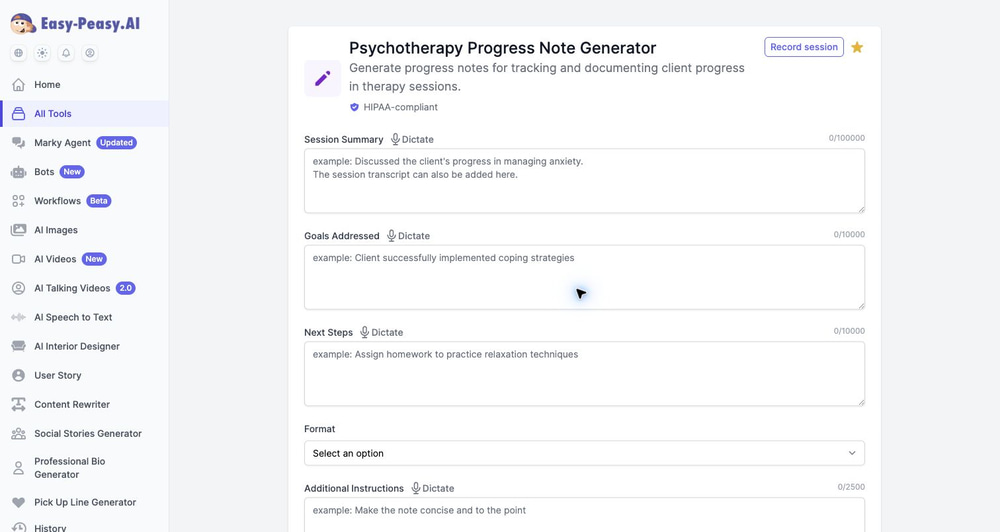
Easy-Peasy.AI’s Progress Note Generator is the best starting point for clinicians who want structured notes without replacing their EHR. It is a standalone generator: you enter session details, choose a note format, generate a draft, review it, and paste the approved note wherever your clinical record lives.
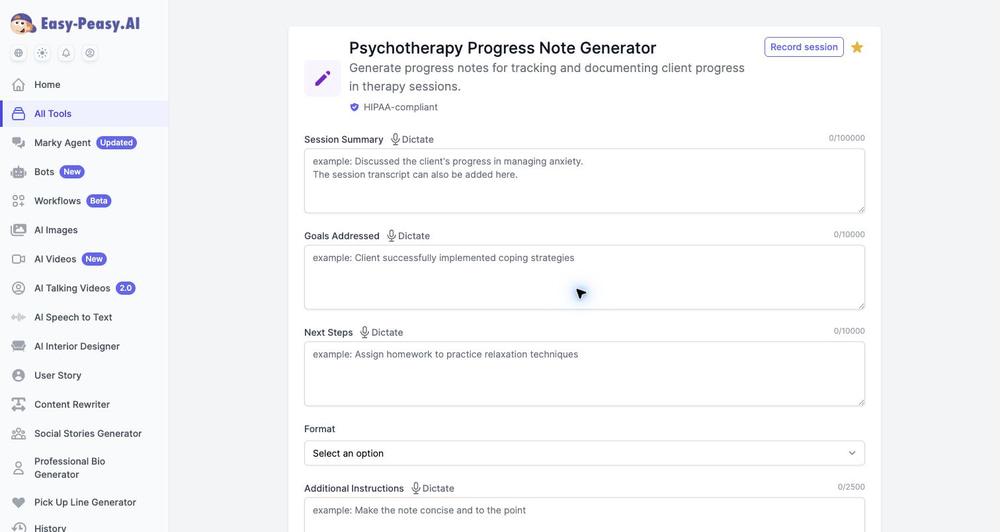
The tool is especially useful when you need flexibility. You can create a general progress note or switch to SOAP, DAP, BIRP, GIRP, or PIE from the same form. That matters if your payer, clinic, supervisor, or specialty requires a specific documentation style.
Key features:
- Session Summary field for shorthand notes, clinical observations, or a pasted transcript.
- Goals Addressed field for treatment goals, interventions, homework review, exposure work, skills practice, or functional progress.
- Next Steps field for homework, care plan updates, referrals, risk follow-up, or next-session focus.
- Format selector with None, SOAP, DAP, BIRP, GIRP, and PIE.
- Additional Instructions for style, length, payer language, medical necessity, specialty requirements, or documentation constraints.
- Dictate buttons on the main fields, so you can speak your notes instead of typing.
- Record session button that routes to therapy-session recording for clinicians who prefer audio capture.
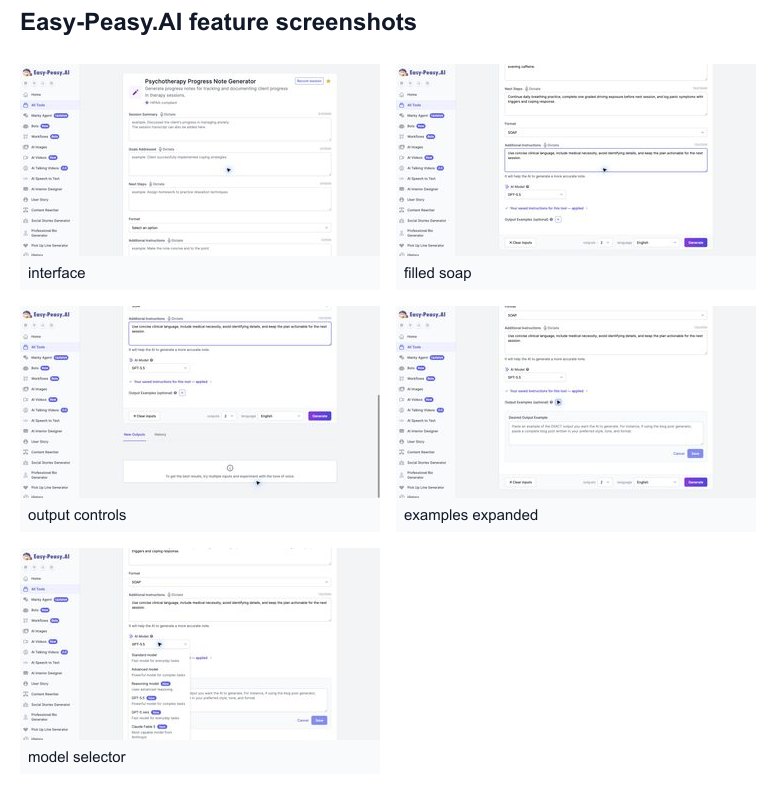
- Model selector with standard, advanced, reasoning, GPT-5.5, GPT-5 mini, and Claude options visible in the app.
- Saved instructions that can apply your preferred documentation rules automatically.
- Desired Output Example so you can paste an exact note style you want the AI to mimic.
- Output count and language controls for generating multiple drafts or writing notes in another language.
- History tab for reviewing previous outputs inside the app.
Easy-Peasy.AI is also strong for clinicians with niche documentation needs. For example, a lymphedema therapist could save instructions to always include limb volume, compression schedule, skin integrity, self-management education, and functional response. A trauma therapist could ask for concise, non-graphic language that documents intervention and response without over-detailing trauma content. A school-based clinician could request objective, goal-linked language suitable for team review.
Compliance and data handling: The clinical preset page displays HIPAA-compliant messaging, and the public clinical-template pages show HIPAA, ISO 27001, and SOC 2 certification badges. In the account BAA flow, Easy-Peasy.AI includes a zero-retention policy for the Psychotherapy Progress Note Generator, SOAP Note Generator, DAP Note Generator, Treatment Plan Generator, and BIRP Note Generator, with generated content deleted within 24 hours as part of HIPAA compliance measures. As always, do not enter real PHI until your account and workflow are covered by the right agreement.
Best for: Solo clinicians, small practices, students, supervisors, and rehab or behavioral health providers who want a free, flexible, multi-format note generator that works alongside any EHR. Watch-out: because it is standalone, you still copy the final reviewed note into your record system.
2. Mentalyc — Best Therapy-First Platform for Notes, Treatment Plans, and Progress Tracking
Mentalyc is built specifically for therapists, counselors, psychologists, social workers, and behavioral health professionals. It can record sessions, upload audio, accept dictated recaps, or work from typed notes, then generate clinical notes and related documentation.
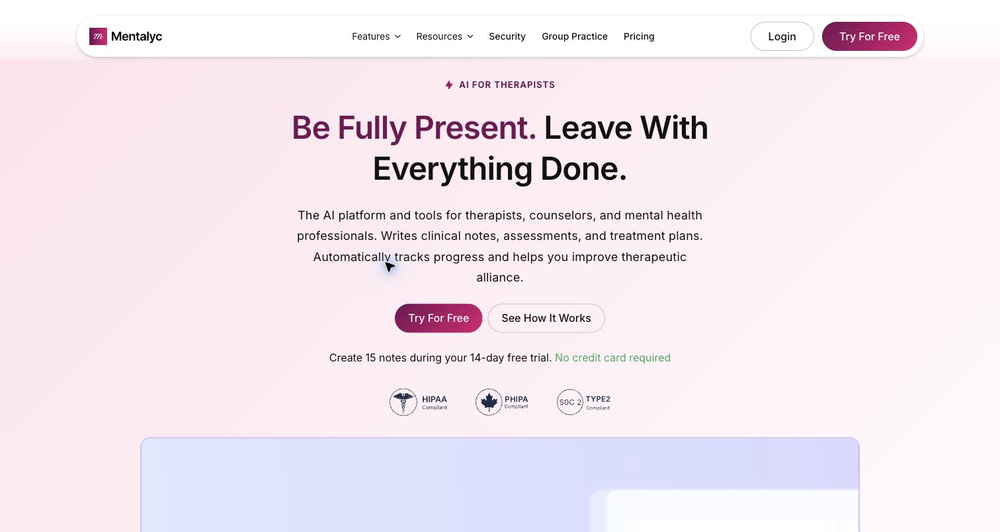
Mentalyc stands out because it goes beyond one note at a time. The platform emphasizes AI note taking, treatment planning, progress tracking, and therapeutic alliance insights. Its homepage describes support for SOAP, DAP, BIRP, GIRP, PIRP, PIE, progress notes, intake notes, and supervision or consultation notes, with individual, group, couples, family, child, and supervisee client types on appropriate tiers.
Best for: Therapists who want clinical continuity, longitudinal progress insight, treatment-plan support, and therapy-specific note formats. Watch-out: the richer formats and advanced modalities are concentrated on higher tiers, so check plan limits before choosing.
3. Upheal — Best All-in-One AI-Native EHR for Therapists
Upheal is not just an AI progress note generator. It is an AI-native EHR for therapists with notes, treatment plans, scheduling, forms, telehealth, secure messaging, payments, and billing tools.
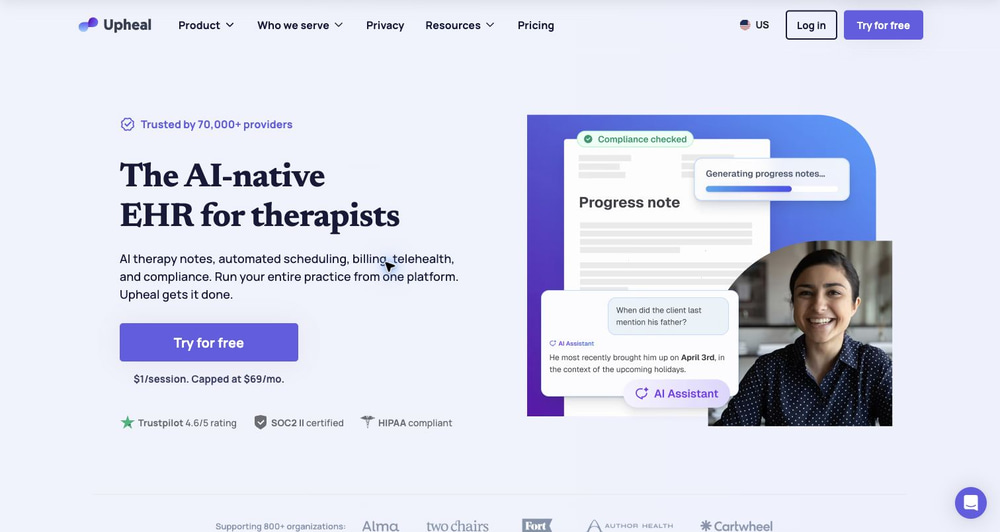
Upheal is strongest when you want documentation and practice operations in one system. Its site highlights customizable note templates, including SOAP, DAP, BIRP, and GIRP, plus a “Golden Thread” that connects problems, goals, interventions, and progress across sessions.
Best for: Therapists who are open to moving core practice operations into a single EHR. Watch-out: adopting a full EHR is a bigger workflow decision than using a standalone generator. If your existing EHR is already deeply embedded in your practice, compare migration effort carefully.
4. Supanote — Best Template-Focused Option for Mental Health Providers
Supanote is a mental-health-focused AI note tool for therapists, psychologists, social workers, psychiatrists, and related providers. It emphasizes a simple workflow: record, dictate, or upload a session; review and approve the note; then copy, paste, or download it for your EHR.
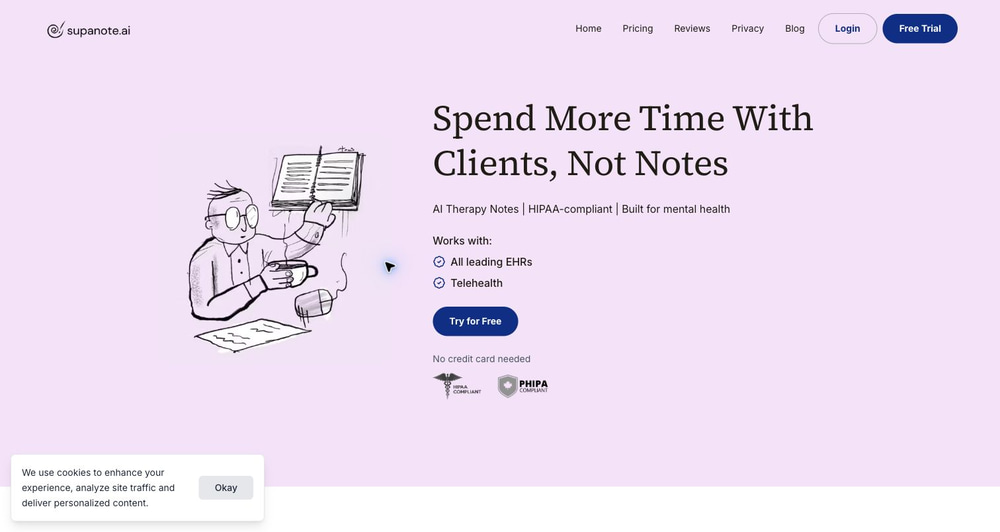
Supanote is attractive if you want a dedicated therapy-note product but do not want to adopt a full EHR. Its pricing page lists a 14-day trial, a Starter tier with 40 notes per month, and higher tiers with unlimited notes, EHR integration, personalization, unlimited custom templates, and automatic note deletion.
Best for: Clinicians who want a simple note workflow, custom templates, and mental-health-specific positioning. Watch-out: lower tiers have note caps, and advanced features such as EHR integration and unlimited notes require higher plans.
5. Freed — Best Ambient Medical Scribe for Small Practices
Freed is a broader AI medical scribe used across many clinical specialties. It turns patient conversations into clinical notes, offers EHR transfer, and includes higher-tier tools for patient instructions, referral letters, coding, and visit summaries.
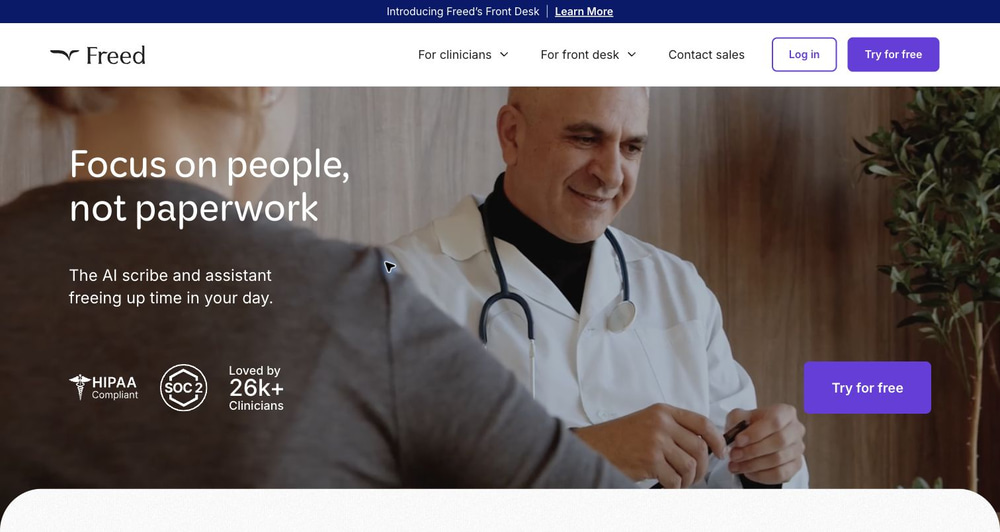
Freed is useful for clinicians who want a polished ambient scribe with minimal setup. It is less therapy-specific than Mentalyc, Upheal, Supanote, or AutoNotes, but it can be practical for behavioral health, psychiatry, integrated care, and mixed-specialty clinics that want a general scribe.
Best for: Small practices that want ambient documentation and EHR transfer without a therapy-only platform. Watch-out: therapists with highly specific BIRP, DAP, or payer-required templates should verify how much template control is available on their plan.
6. Blueprint — Best Free EHR with Per-Session AI Assistance
Blueprint positions itself as an AI-assisted EHR for therapists. The EHR is free, and AI support is priced per session on paid tiers.
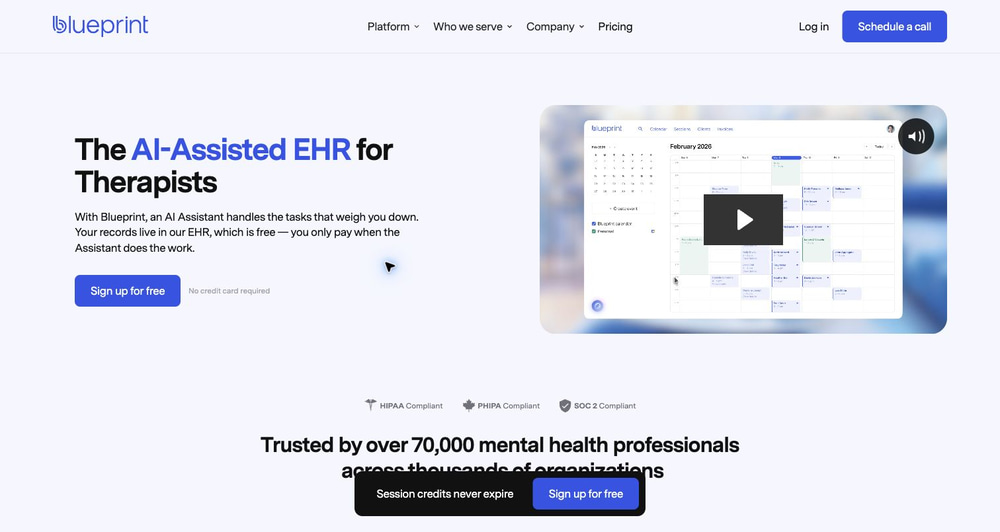
Blueprint’s AI assistant supports work before, during, after, and between sessions. The pricing page lists AI-generated notes, treatment plans, discharge summaries, after-visit client summaries, prior-session recaps, suggested focus areas, suggested assessments, worksheets, and intervention ideas. This makes Blueprint especially relevant for clinicians who want documentation tied to practice management and care planning.
Best for: Therapists who want a free EHR foundation and usage-based AI. Watch-out: per-session pricing can be efficient for variable caseloads, but high-volume practices should compare monthly totals against flat-rate competitors.
7. AutoNotes — Best Behavioral Health Tool for Format Variety
AutoNotes is explicitly built for therapists, clinicians, counselors, social workers, and behavioral health teams. Its homepage emphasizes AI progress notes, SOAP notes, DAP notes, intakes, treatment plans, and multiple input methods.
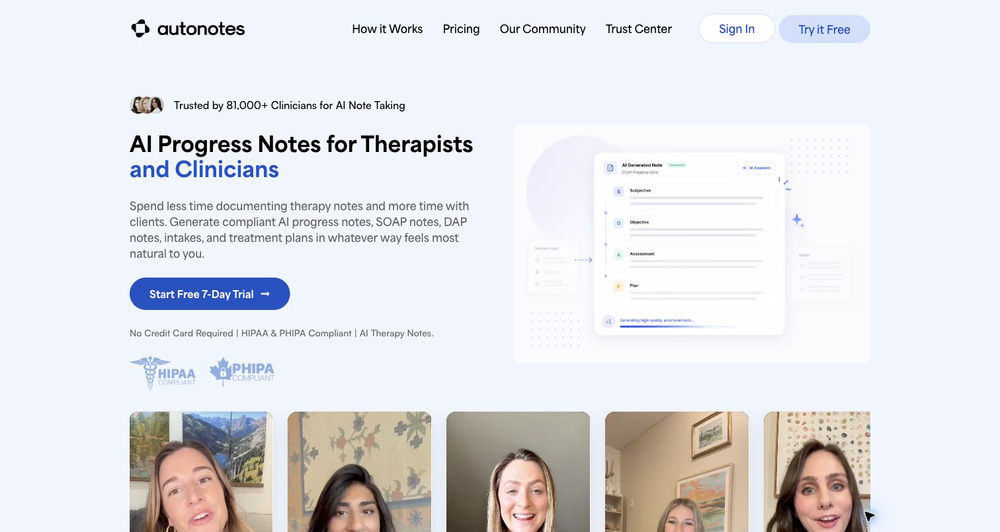
AutoNotes supports progress, SOAP, DAP, BIRP, GIRP, PIE, intake, discharge, group therapy, couples therapy, family therapy, and EMDR-style documentation. Its site also highlights note-to-note continuity, custom templates, clinician review, and the ability to delete recordings or enable automatic deletion after note generation.
Best for: Behavioral health teams that need many formats, note continuity, custom templates, and clinician approval controls. Watch-out: live recording and deeper continuity features are on higher tiers, so compare Economy and First Class carefully.
8. Heidi Health — Best Free General Clinical Scribe with Mental Health Support
Heidi Health is a broad AI care partner for clinical practice. It is not therapist-only, but it lists Mental Health and Allied Health among its specialties and offers a free plan.
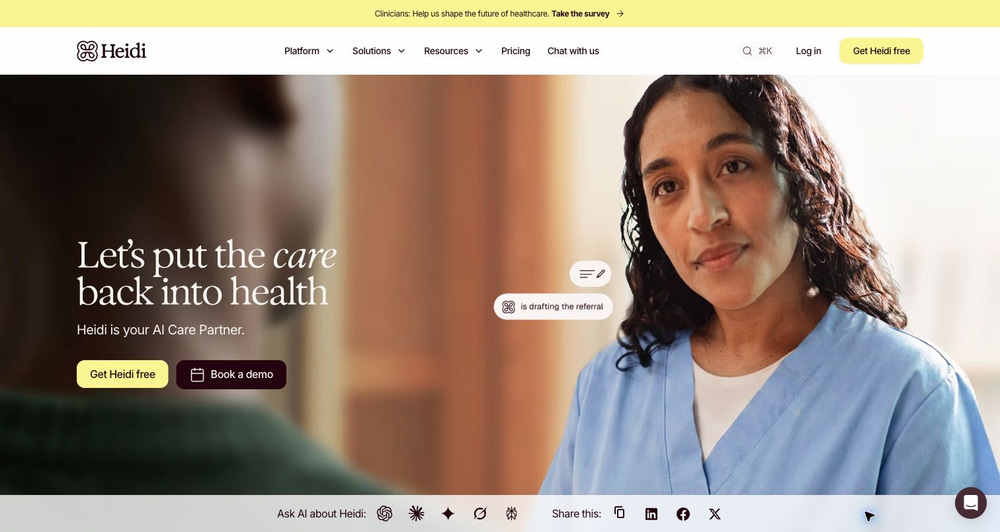
Heidi is strongest when you want a general clinical assistant rather than a therapy-specific note product. Its pricing page lists free, Evidence Plus, Clinician, and Practice tiers, with features such as unlimited transcription, standard and advanced templates, task management, patient/session linking, personalizations, document sharing, and coding depending on plan.
Best for: Clinicians who want a free general scribe and may work across mental health, allied health, or mixed clinical settings. Watch-out: because Heidi serves many specialties, therapists should test whether its templates match psychotherapy documentation norms before relying on it for payer-facing progress notes.
9. Twofold Health — Best Cross-Specialty Scribe for Personalized Note Style
Twofold Health is a cross-specialty AI medical scribe that supports mental health, primary care, pediatrics, allied health, dentistry, aged care, veterinary medicine, and more. Its homepage includes progress notes, SOAP notes, H&P notes, discharge summaries, referral letters, coding, and patient progress tracking.
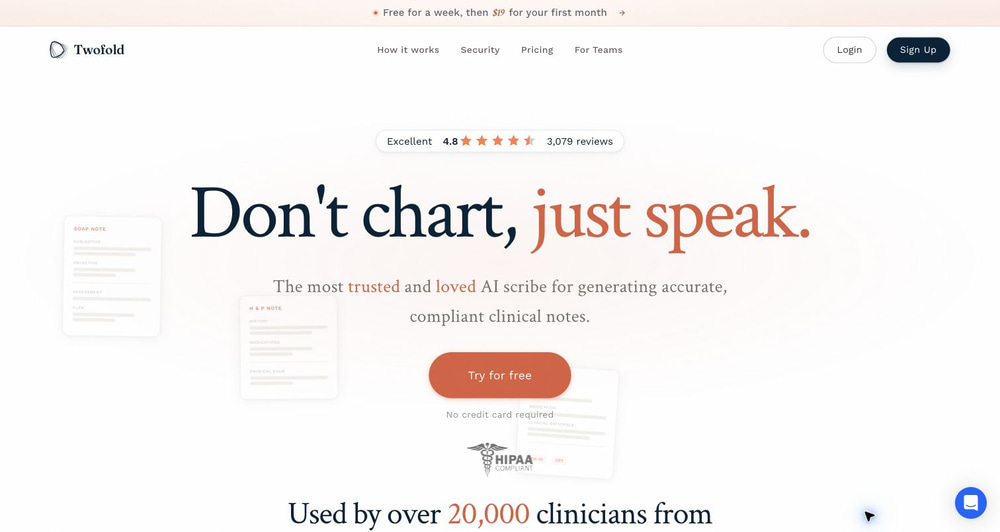
Twofold is especially interesting for clinicians who want capture flexibility: live session, dictated summary, typed rough notes, or uploaded recording. The site also emphasizes personal note style, device flexibility, telehealth capture, signed BAA inclusion, and audio auto-deletion unless the user opts into retention.
Best for: Clinicians who work across behavioral health and other clinical contexts, or who want a single scribe that adapts to different note structures. Watch-out: the product is broader than therapy documentation, so test specialty-specific behavior before standardizing across a behavioral health team.
10. Nabla — Best Enterprise-Grade Ambient AI and EHR Integration Platform
Nabla is an ambient AI, dictation, and real-time clinical intelligence platform with broad EHR integration support. It is more enterprise-oriented than most tools in this list, but clinicians in psychiatry, psychology, and behavioral health appear in its public testimonials.
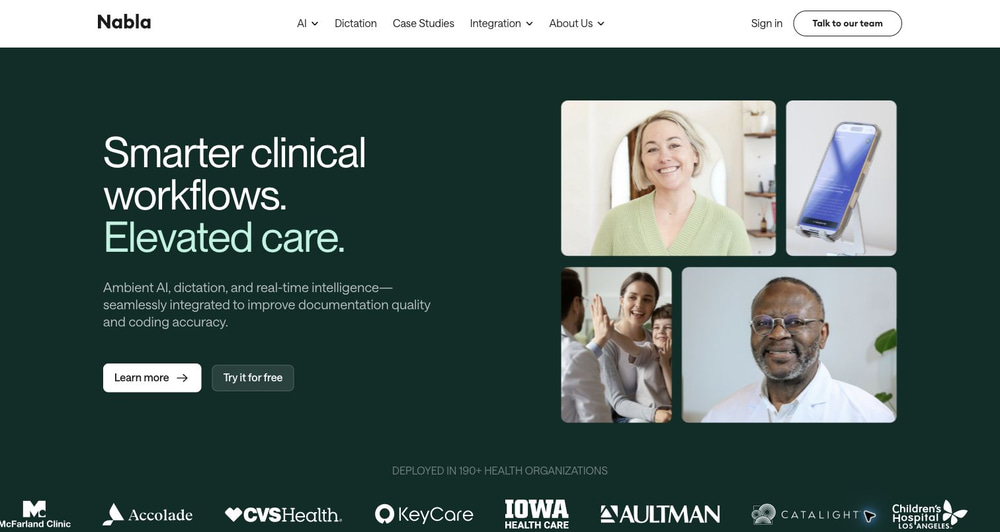
Nabla is best evaluated as a documentation platform rather than a simple progress note generator. It highlights ambient AI, dictation, real-time intelligence, EHR integrations, API access, and deployment across health organizations. Its security page states that its information security program follows SOC 2 Type II and ISO 27001 frameworks and has obtained the associated certifications.
Best for: larger practices, clinics, or organizations that need EHR integrations, security documentation, and scalable ambient documentation. Watch-out: pricing and implementation are less self-serve than lightweight note generators, and clinicians should confirm HIPAA/BAA terms in the vendor agreement.
Deep Dive: How to Use Easy-Peasy.AI’s Progress Note Generator
Because Easy-Peasy.AI is the fastest free option to try, here is a detailed workflow you can use for your next note.
Step 1: Open the Progress Note Generator
Go to the Progress Note Generator. The main form includes Session Summary, Goals Addressed, Next Steps, Format, and Additional Instructions. The page also displays a HIPAA-compliant banner for clinical use.
Step 2: Add Session Details Without Overwriting Your Clinical Judgment
You can paste a concise clinical recap, dictate into each field, or use a session transcript in the Session Summary box. Keep your input objective and relevant. A strong input might include current symptoms, interventions used, client response, risk status, functional change, homework review, barriers, and next steps.
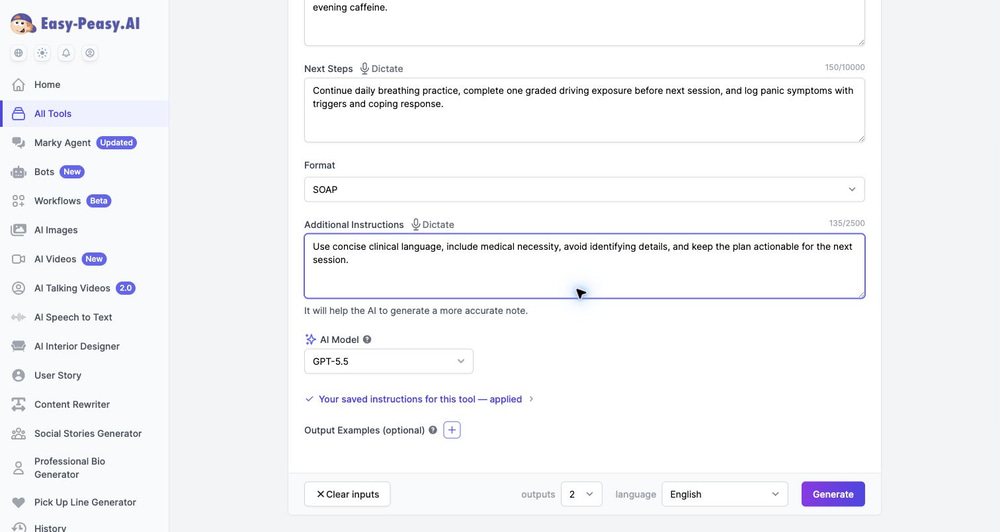
Step 3: Pick the Format That Matches Your Record Requirement
The Format selector supports None, SOAP, DAP, BIRP, GIRP, and PIE. Use SOAP when your documentation needs a medical-style structure. Use DAP when your practice prefers a compact therapy format. Use BIRP or GIRP when behavior, interventions, goals, and response need to be explicit.
Step 4: Use Additional Instructions Like a Documentation Policy
The Additional Instructions field is where advanced users get better results. Instead of writing “make it better,” give a rule set:
- “Use concise clinical language and include medical necessity.”
- “Avoid identifying details and use client initials only.”
- “Document CBT intervention, client response, risk status, and homework.”
- “For lymphedema sessions, include limb volume, skin integrity, compression schedule, and self-management education.”
- “For ABA sessions, use observable behavior, measurable data, antecedents, interventions, and response.”
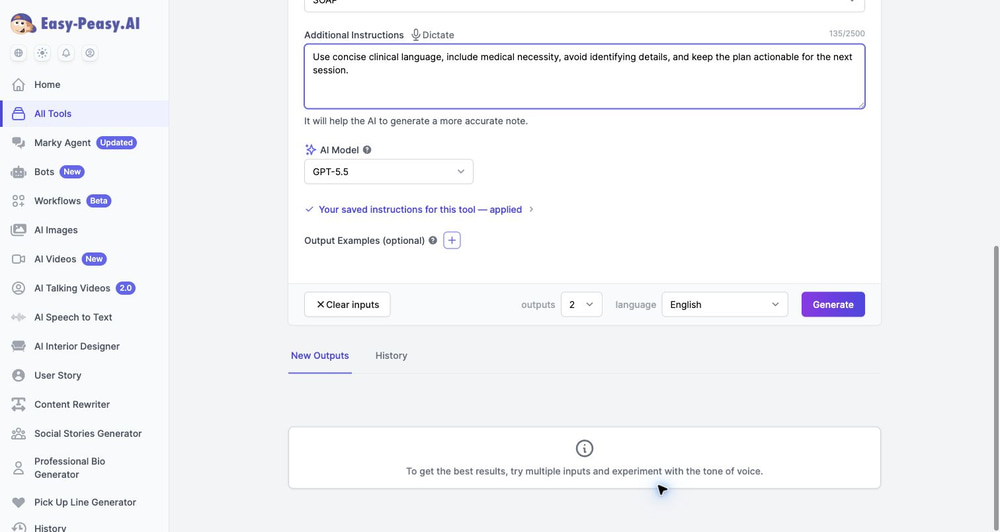
Step 5: Choose Output Settings
Easy-Peasy.AI lets you choose how many outputs to generate and the output language. Generating more than one draft can be useful when you want a concise version and a more detailed version for comparison.
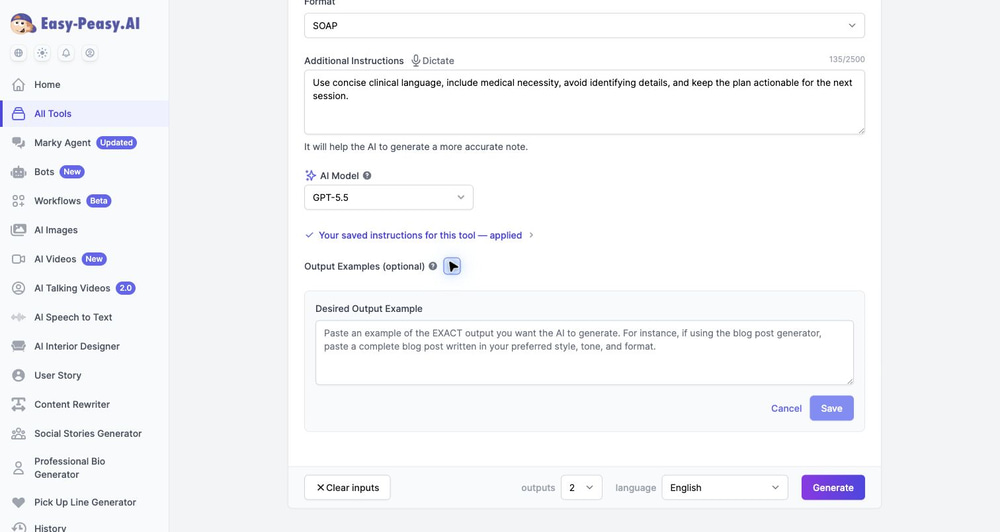
Step 6: Add a Desired Output Example
The optional Desired Output Example field is one of the most useful advanced controls. Paste an example of the exact note style you want: headings, tone, section length, risk language, medical necessity phrasing, or payer-specific wording. The AI can then follow that structure more closely.
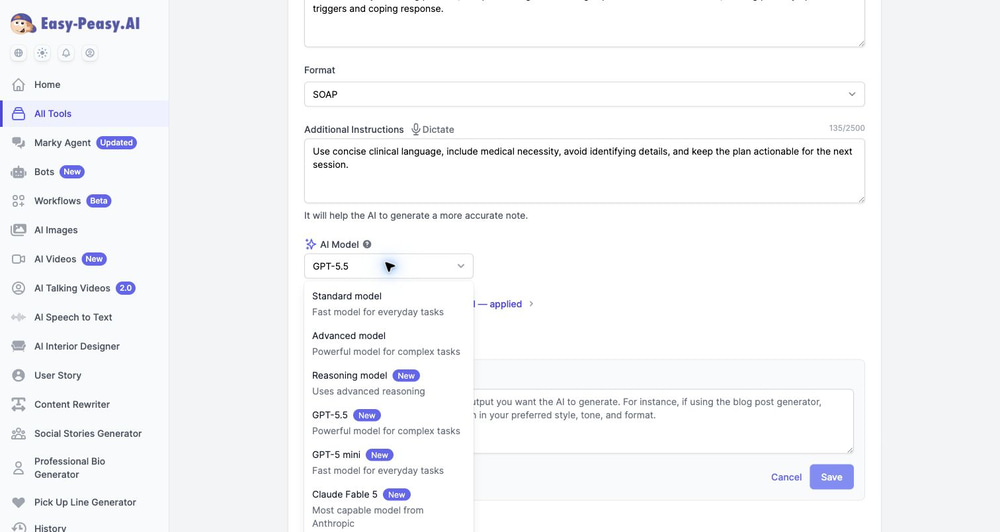
Step 7: Choose the AI Model for the Complexity of the Case
The AI model selector includes standard, advanced, reasoning, GPT-5.5, GPT-5 mini, Claude Fable 5, Claude Opus 4.8, Claude Sonnet 4.6, and a legacy standard model option in the captured app state. For ordinary low-complexity notes, a fast model may be enough. For complex cases involving multiple goals, medical necessity, risk documentation, or nuanced clinical formulation, choose a stronger model and review carefully.
Step 8: Review, Edit, and Paste Into Your EHR
After generation, read the note as the responsible clinician. Confirm that the assessment matches the actual session, the plan is clinically appropriate, risk language is accurate, and no unsupported claims were added. Then paste the approved note into your EHR.
Which Tool Should You Choose?
There is no single best AI progress note generator for every clinician. The right tool depends on your practice model.
- Choose Easy-Peasy.AI if you want a free, flexible, fast generator that works with any EHR and supports several note formats.
- Choose Mentalyc if you want a therapy-first platform with treatment planning, progress tracking, and alliance insights.
- Choose Upheal if you want to run notes, telehealth, scheduling, forms, and payments from one AI-native EHR.
- Choose Supanote if you want mental-health-specific notes with a straightforward record-review-copy workflow.
- Choose Freed if you want a polished general medical scribe for a small clinic or mixed-specialty setting.
- Choose Blueprint if you want a free EHR foundation with per-session AI documentation and practice support.
- Choose AutoNotes if you want behavioral health format variety and note-to-note continuity.
- Choose Heidi if you want a free general clinical scribe and are comfortable tailoring it to therapy documentation.
- Choose Twofold if you want a cross-specialty scribe with strong personalization and capture flexibility.
- Choose Nabla if your organization needs enterprise-grade ambient documentation, integrations, and security documentation.
Advanced Tips for Better AI Progress Notes
Give the AI a Clinical Skeleton
AI performs better when your input has structure. Instead of pasting a stream-of-consciousness paragraph, separate symptoms, intervention, response, risk, homework, and plan. You do not need perfect prose; you need the right facts.
Write a Standing Instruction Once
If you correct the same issue repeatedly, turn that correction into a saved instruction. Examples: “never state the client mastered a skill unless explicitly stated,” “always include risk status,” or “write in objective, audit-friendly language.”
Use Output Examples for Specialty Notes
For niche fields such as EMDR, ABA, lymphedema therapy, school counseling, group therapy, or rehab, a desired output example is more useful than a generic prompt. It shows the AI what your note should look like.
Do Not Let the AI Invent Clinical Reasoning
Review assessment sections carefully. AI may write plausible language that goes beyond the facts you provided. Delete anything that was not observed, reported, assessed, or clinically justified.
Separate Drafting From Signing
Treat the AI note as a draft. Your final review should confirm accuracy, medical necessity, risk status, client response, plan, and compliance with your organization’s documentation policies.
Compliance Checklist Before Using AI for Progress Notes
Before entering real PHI into any AI progress note generator, confirm the basics:
- Is the tool intended for healthcare or clinical documentation?
- Will the vendor sign a Business Associate Agreement?
- Does your account actually have the BAA in place?
- Where is data stored and processed?
- Are recordings deleted automatically, manually, or retained?
- Is your data used to train models?
- Can you export, delete, or audit records?
- Does the tool support your required note format?
- Can you edit every note before it enters the chart?
- Does your employer, payer, supervisor, or licensing board allow this workflow?
Frequently Asked Questions
What is the best free AI progress note generator?
Easy-Peasy.AI’s Progress Note Generator is the best free starting point because it supports multiple note formats, accepts detailed clinical instructions, includes dictation entry points, and works alongside any EHR.
Are AI progress note generators HIPAA-compliant?
Some are designed for HIPAA-compliant workflows, but you must verify the exact vendor terms. Look for a signed BAA, data-retention controls, encryption, access controls, and a clear statement about whether your data is used for model training.
Can AI write SOAP, DAP, and BIRP notes?
Yes. Many tools in this guide support SOAP and DAP, and several support BIRP, GIRP, PIE, EMDR, intake, group, couples, family, treatment plan, and discharge-note formats. Easy-Peasy.AI supports SOAP, DAP, BIRP, GIRP, and PIE directly in the Progress Note Generator.
Can I use ChatGPT for therapy progress notes?
You should not enter PHI into a general-purpose AI chat unless your organization has approved the workflow and the required privacy agreements are in place. For clinical notes, use a healthcare-oriented tool with appropriate contractual, security, and retention controls.
Will AI progress notes pass an insurance audit?
AI can help produce organized, complete drafts, but audit-readiness depends on your clinical accuracy, medical necessity, treatment-plan linkage, and payer requirements. The clinician remains responsible for the final note.
What is the difference between a standalone generator and an AI EHR?
A standalone generator creates a draft you paste into your existing EHR. An AI EHR stores the client record, schedule, forms, payments, telehealth, and documentation in one system. Standalone tools are faster to adopt; AI EHRs can reduce duplicate work if you are ready to migrate.
What information should I put into an AI progress note generator?
Include the session focus, symptoms or client report, objective observations, interventions, client response, progress toward goals, risk status when relevant, homework, referrals, and next steps. Avoid unnecessary identifying details unless your account is covered by the correct privacy agreement.
Can AI progress note tools work for specialties like ABA, EMDR, rehab, or lymphedema?
Yes, but customization matters. Choose a tool that supports custom instructions, templates, or desired output examples. Easy-Peasy.AI is especially useful for this because you can add specialty-specific documentation requirements in Additional Instructions and save standing instructions for repeated use.
Start Generating Better Progress Notes Today
The best AI progress note generator is the one that reduces documentation time without weakening clinical quality, privacy, or accountability. If you want the fastest place to start, try Easy-Peasy.AI’s Progress Note Generator. It is free to use, supports SOAP, DAP, BIRP, GIRP, and PIE, and gives you enough customization to write notes that sound like your clinical workflow — not a generic template.
You can also explore related Easy-Peasy.AI clinical tools, including the SOAP Note Generator, DAP Note Generator, BIRP Note Generator, and Treatment Plan Generator.