How to Make an AI Commercial with Fable 5.2 and Seedance 2.5

Every shot, voice and sound in this 60-second AI commercial came out of one chat. We gave Marky a brief for Velaria, a made-up airship cruise line, and Claude Fable 5.2 directed the whole ad: it wrote the shot list, cast the characters, filmed 16 takes with Seedance 2.5, caught the mistakes in its own footage and cut the final ad. This guide shows you how to make an AI commercial the same way, with our real brief, a prompt Marky wrote, what went wrong and what every step cost.
Prefer to watch? The tutorial shows the finished ad first, then every step on screen.
What You Need to Make an AI Commercial
You need a paid Easy-Peasy.AI plan. Marky’s Video mode, Claude Fable 5.2 and the Upscale Video tool are all on paid plans. Three tools did the work:
| Tool | What it did for our ad |
|---|---|
| AI Image Generator | A quick test of four image models on our hardest face, before the brief |
| Marky in Video mode, with Claude Fable 5.2 | The shot list, four character sheets, 14 drafts and 2 redrafts with Seedance 2.5, a review of every take, the cut, the sound mix and the end card |
| Upscale Video (Ultimate) | The 480p cut turned into a 4K master |
You also need one good idea and a few pictures of your product or place. That’s it: no camera, no actors, no editing software.
How to Make an AI Commercial (Step-by-Step)
Here is the whole process, from an empty chat to a 4K ad, in ten steps.
Step 1: Start with One Idea You Can Hear
A good commercial sells one feeling. Velaria’s website (which Fable 5.2 built in our previous tutorial) already had its line: “Three hundred metres up. Not a sound.”
So the whole ad is built on sound. Eleven seconds of the loudest world we could film, then a smash cut to an airship where the loudest thing aboard is a small brass bell. Pick your one idea before you open Marky, and write it as a contrast or a surprise. Every later decision (the shots, the sound, the end card) then has something to serve.
Step 2: Turn On Marky’s Video Mode
Open Marky and click the Video chip under the message box. The box changes to “What are we filming today?” and three settings appear: the video model, the aspect ratio and the length. We picked Seedance 2.5, 16:9 and 1 min. Pick 9:16 instead if your ad is for Reels, TikTok or Shorts.
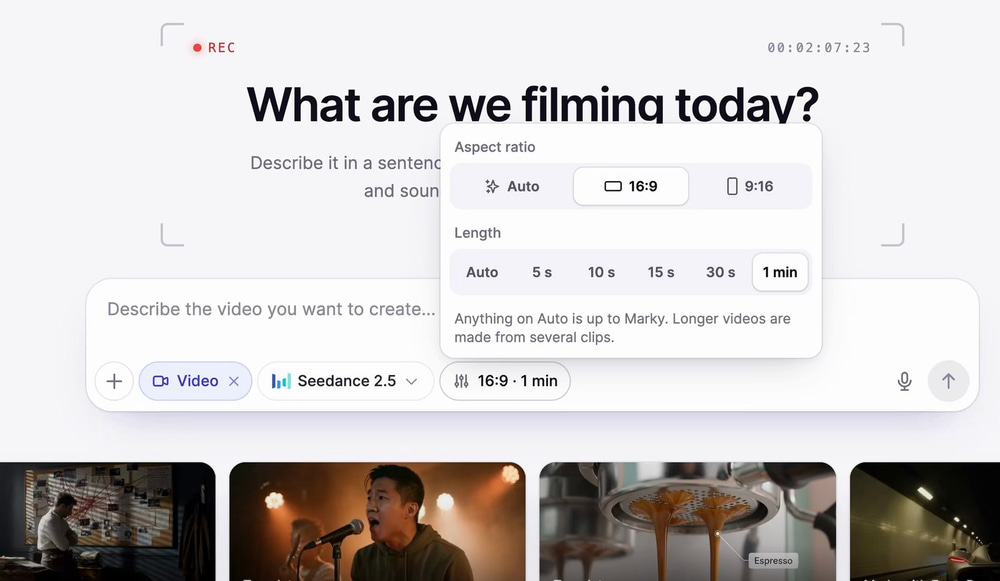
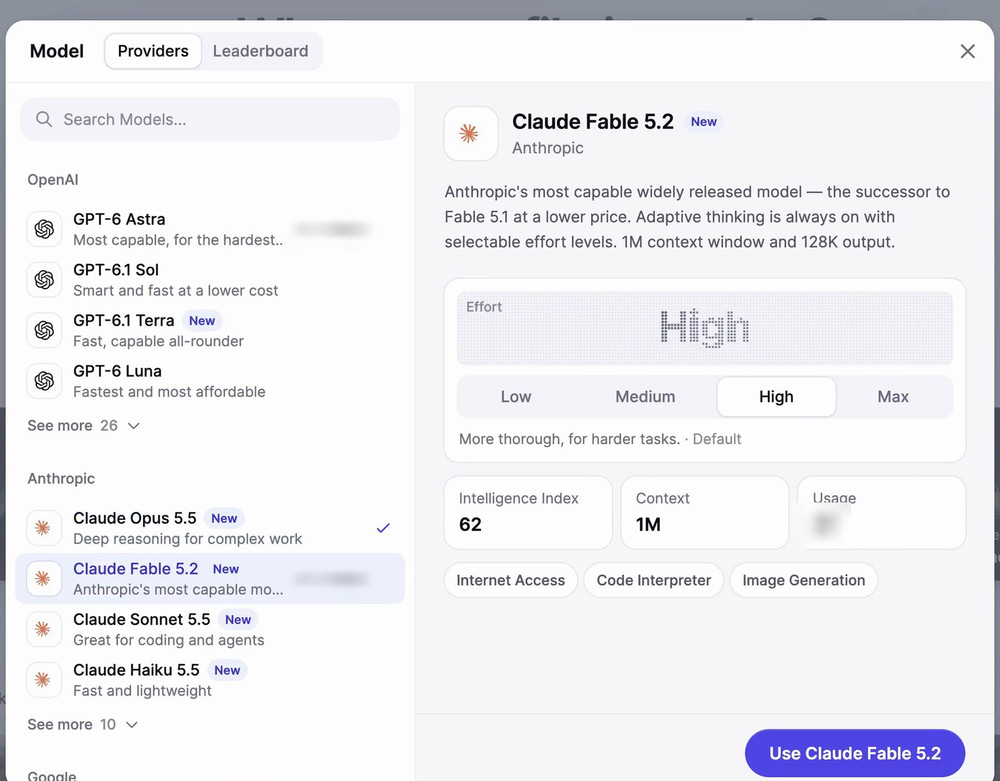
Then pick the chat model that directs. We used Claude Fable 5.2 on High effort. It plans the shots, writes every prompt, checks the footage and edits the ad, so a strong model pays off here.
Step 3: Test Image Models on Your Hardest Face
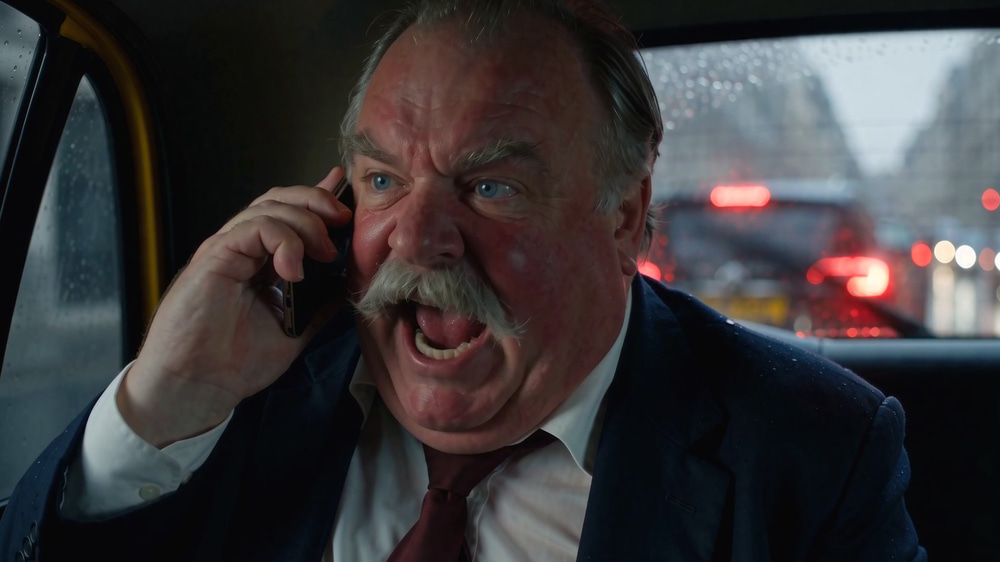
Seedance 2.5 keeps a face the same from shot to shot when you give it a reference image, so the stills decide how real your people look. Before the brief, we ran the exact same prompt for Gus, our loud man, through four models in the AI Image Generator:
- GPT Image 2.6 was so sharp it looked crunchy: every wrinkle looked carved.
- Nano Banana 2 made him younger and smoother, and he lost the weight we asked for.
- Nano Banana Pro looked very real, but slimmer.
- Seedream 5.5 gave natural skin, the broad build, and the same man in all three views.
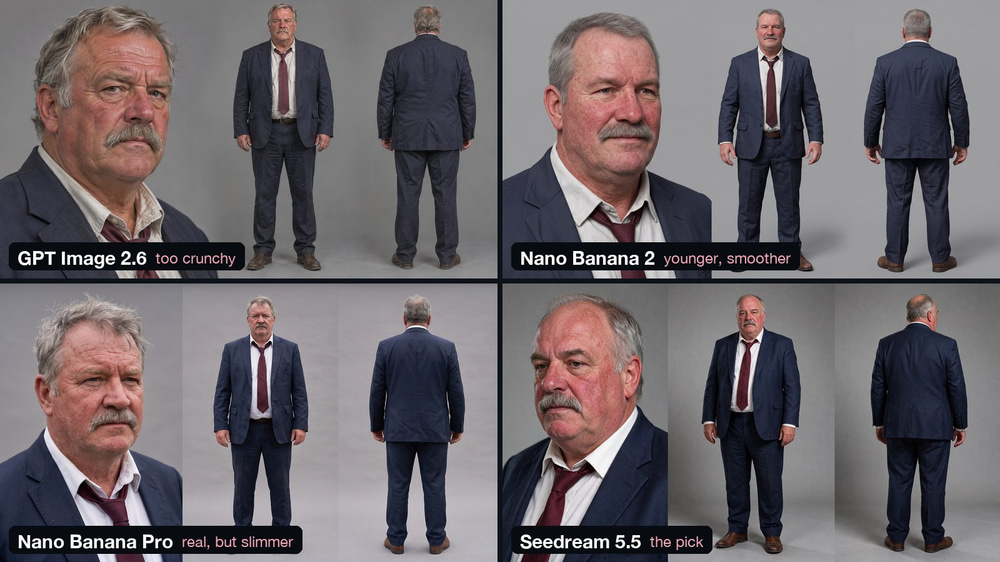
Seedream 5.5 won, so we picked it in Marky’s image picker (the Images chip). Marky then uses that model for every still it makes in the chat.
Step 4: Brief Marky Like a Director
Attach your brand’s own pictures first. We attached four photos from Velaria’s website (the airship, the glass-floor observation deck, the view over the fjord and the lounge) so the ad would match the brand.
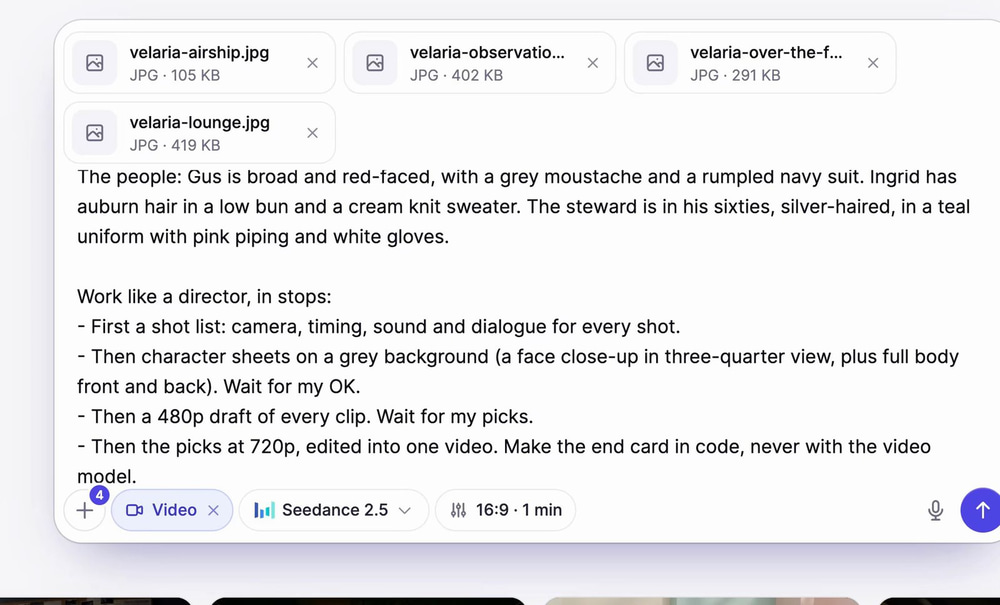
Then write the brief in four parts: the idea, the story beats, the people, and how you want to work. Here is ours, word for word:
Make a 60-second cinematic TV commercial for Velaria, our airship cruise line (velaria.easy-peasy.site). The attached photos are the real ship, the observation deck and the lounge: use them as references.
The idea is the line on the website: “Three hundred metres up. Not a sound.”
1. Noise: a jackhammer, a packed airport gate, and Gus, a loud man in his fifties, shouting into his phone in a taxi stuck in the rain.
2. Silence: smash cut to Velaria drifting over a Norwegian fjord at dawn as her four fans stop. Ingrid, a guest in her thirties, steps onto the glass floor and hears a waterfall far below.
3. The steward rings a small brass bell, and everyone in the lounge goes to the window to see a stag on the ridge.
4. End card: the Velaria logo and the line.
5. Tag: Gus is aboard in a robe. His phone rings, he answers far too loud, the whole lounge turns, and he whispers: “I’ll call you back.”The people: Gus is broad and red-faced, with a grey moustache and a rumpled navy suit. Ingrid has auburn hair in a low bun and a cream knit sweater. The steward is in his sixties, silver-haired, in a teal uniform with pink piping and white gloves.
Work like a director, in stops:
- First a shot list: camera, timing, sound and dialogue for every shot.
- Then character sheets on a grey background (a face close-up in three-quarter view, plus full body front and back). Wait for my OK.
- Then a 480p draft of every clip. Wait for my picks.
- Then the picks at 720p, edited into one video. Make the end card in code, never with the video model.
Two lines do a lot of work here. “In stops” means Marky waits for your OK before every expensive step. And “make the end card in code” keeps the logo and the words away from the video model, which garbles letters.
Step 5: Approve the Shot List and the Character Sheets
Four minutes after we hit Send, Fable 5.2 came back with a 12-shot list, with the camera, the timing and the sound for every shot, and four character sheets made with Seedream 5.5.
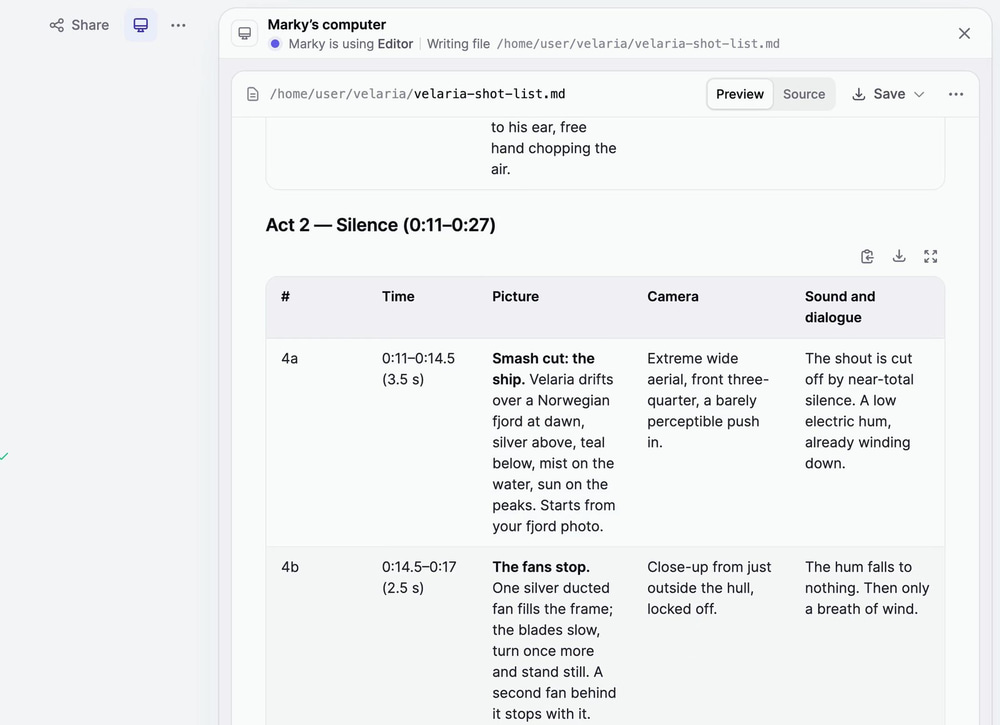
Each sheet has a face close-up in three-quarter view plus the full body from the front and the back, on plain grey so no coloured light falls on the skin. Character sheets are what keep a face the same from shot to shot. Marky even made one we didn’t ask for: Gus in a bathrobe, for the joke at the end.
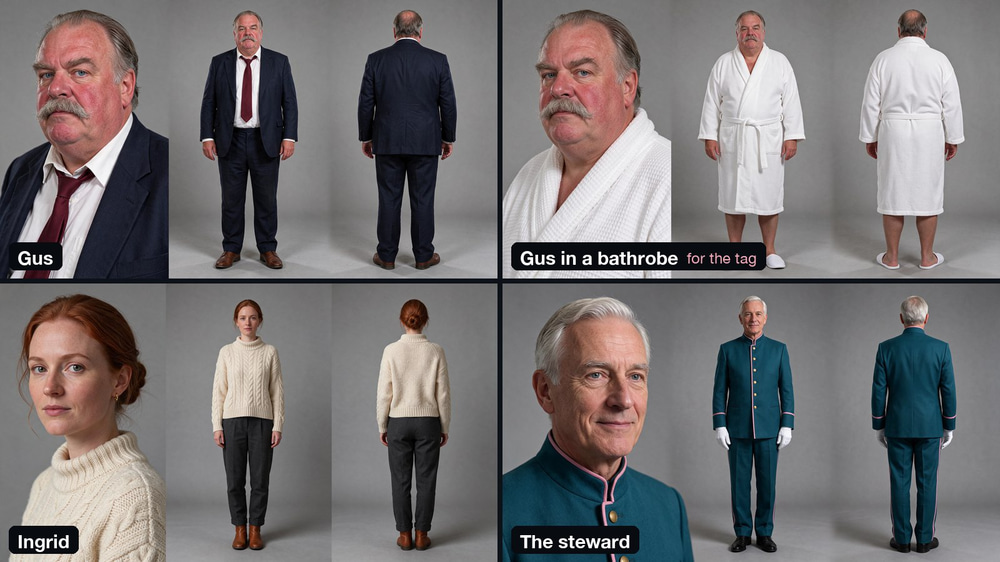
This is your first stop. Read the shot list like a director: is the story clear, and does every shot serve the idea? Then say what to change, or tell Marky to go ahead.
Step 6: Draft Every Clip at 480p
Drafts are the cheap way to find out what works. Marky rendered every clip at 480p, two takes each: 14 videos for seven clips. Each clip got its own references, such as Gus’s sheet for the taxi and the deck photo for the glass floor. Seedance 2.5 accepts up to 30 reference images per clip.
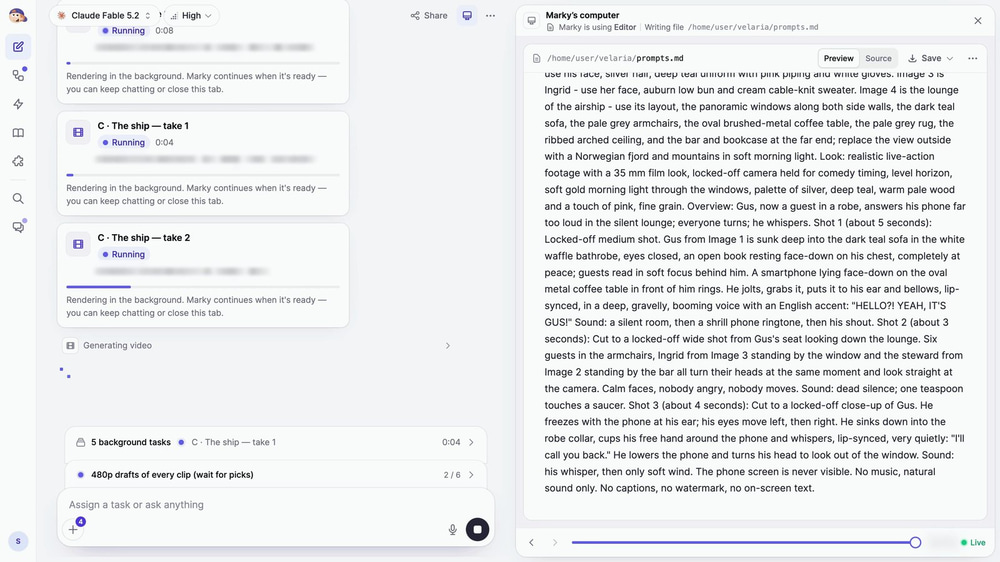
The clips render in the background, and Marky comes back by itself when they’re done. You never write these prompts yourself. Here is part of the one Fable 5.2 wrote for the tag, where “Image 1” is Gus’s character sheet:
Shot 1 (about 5 seconds): Locked-off medium shot. Gus from Image 1 is sunk deep into the dark teal sofa in the white waffle bathrobe, eyes closed, an open book resting face-down on his chest, completely at peace; guests read in soft focus behind him. A smartphone lying face-down on the oval metal coffee table in front of him rings. He jolts, grabs it, puts it to his ear and bellows, lip-synced, in a deep, gravelly, booming voice with an English accent: “HELLO?! YEAH, IT’S GUS!” Sound: a silent room, then a shrill phone ringtone, then his shout.
Shot 2 (about 3 seconds): Cut to a locked-off wide shot from Gus’s seat looking down the lounge. Six guests in the armchairs, Ingrid from Image 3 standing by the window and the steward from Image 2 standing by the bar all turn their heads at the same moment and look straight at the camera. […] Sound: dead silence; one teaspoon touches a saucer.
[…] No music, natural sound only. No captions, no watermark, no on-screen text.
Notice the structure: numbered shots with a length, one camera setup each, the exact spoken line in quotes, and a separate sound line. Laid out like this, Seedance 2.5 can film several shots inside one clip.
Step 7: Let Marky Check Its Own Takes
This is the part that impressed us most. Marky watched and listened to every take, then told us what was wrong with its own footage.
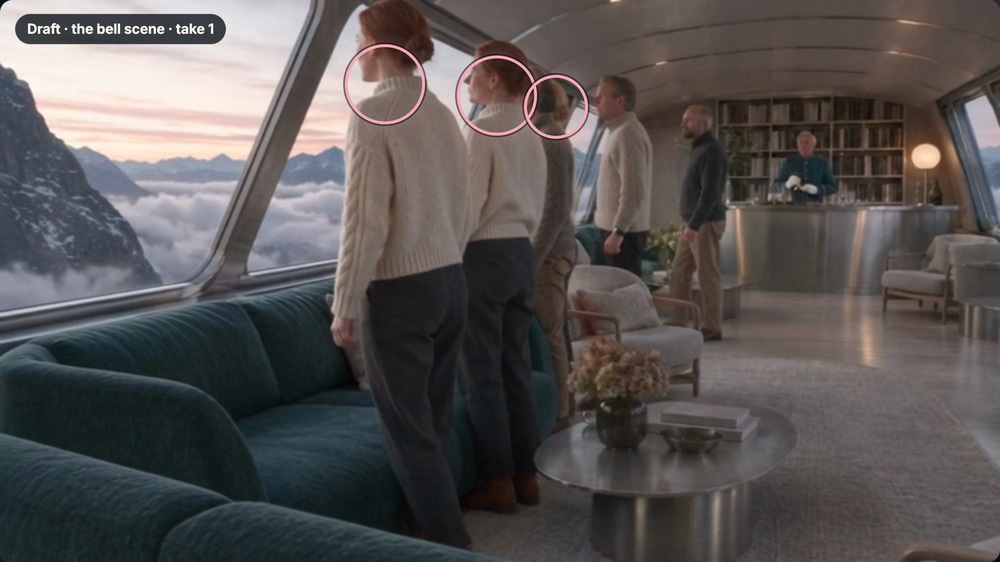
In the bell scene, there were three copies of Ingrid. Its own prompt had seated her with the guests and walked her in.
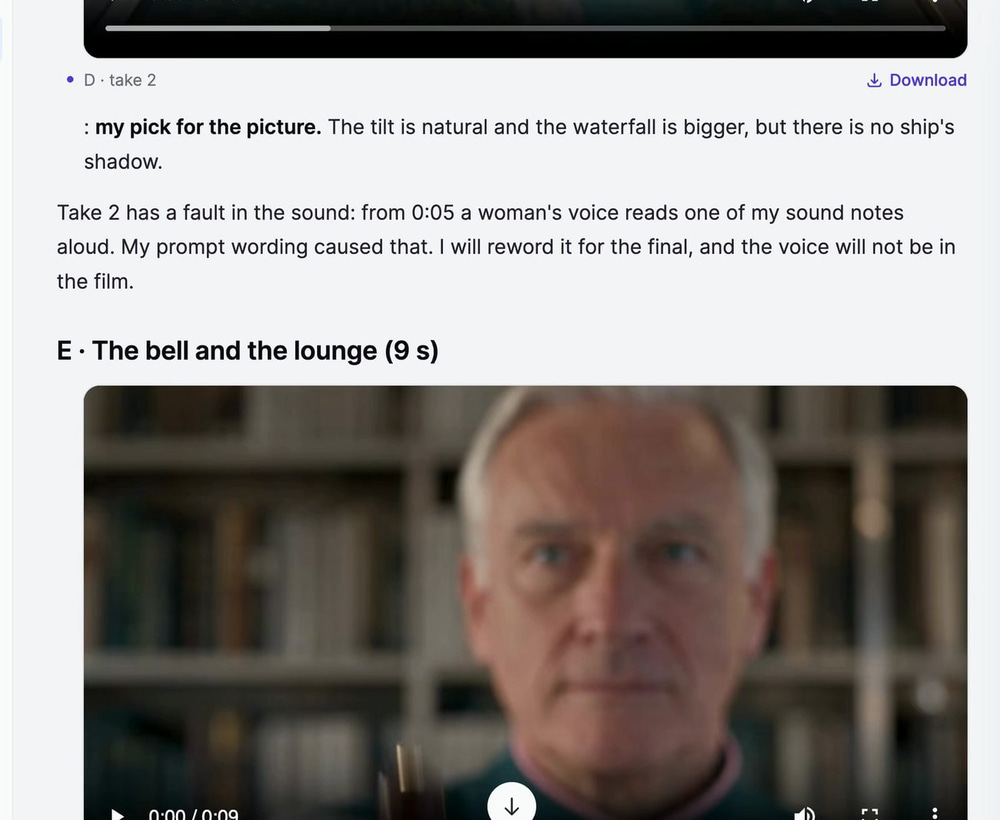
And in one glass-floor take, a woman’s voice reads one of its sound notes out loud. Marky caught that too and said exactly why it happened. It still picked that take for the picture, and in the cut it gave the shot room tone and the waterfall from the other take, so the voice never reached the ad.
Step 8: Give Notes, Not Prompts
Marky gave us its pick for every clip. We agreed with most of them and overruled one: we liked the stag in the mist better. Our whole reply was a few lines of notes:
Agreed on A2, B2, C2, D2 and G2, but take F2 for the stag: I like the mist and heather more. Keep Gus English. Yes, redraft E and G at 480p with the fixes first.
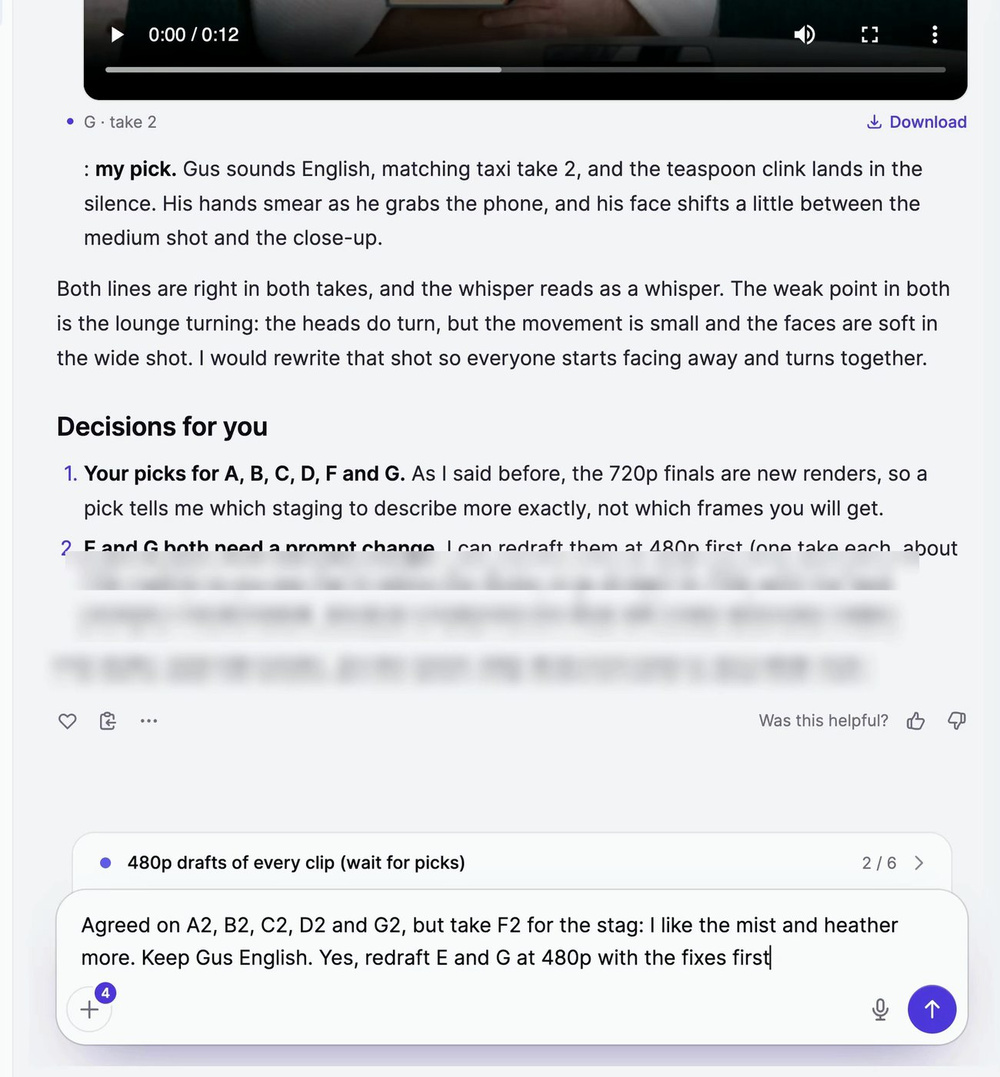
Marky then rewrote the prompts for the two broken clips and redrafted just those. The fixes worked: one Ingrid, and the whole lounge turns to stare at Gus.
Step 9: Upscale the Takes You Love Instead of Re-Rendering
Our brief asked for 720p finals, the usual next step: re-render every keeper in higher quality. But a new render is a brand-new take, and it can go wrong in brand-new ways: a different face, a lost gesture, a new glitch.
So we tried the opposite. We kept the 480p take we loved and put it through Upscale Video, on Ultimate, to 4K. Look at his face: the eyes, the moustache, the raindrops on his jacket.
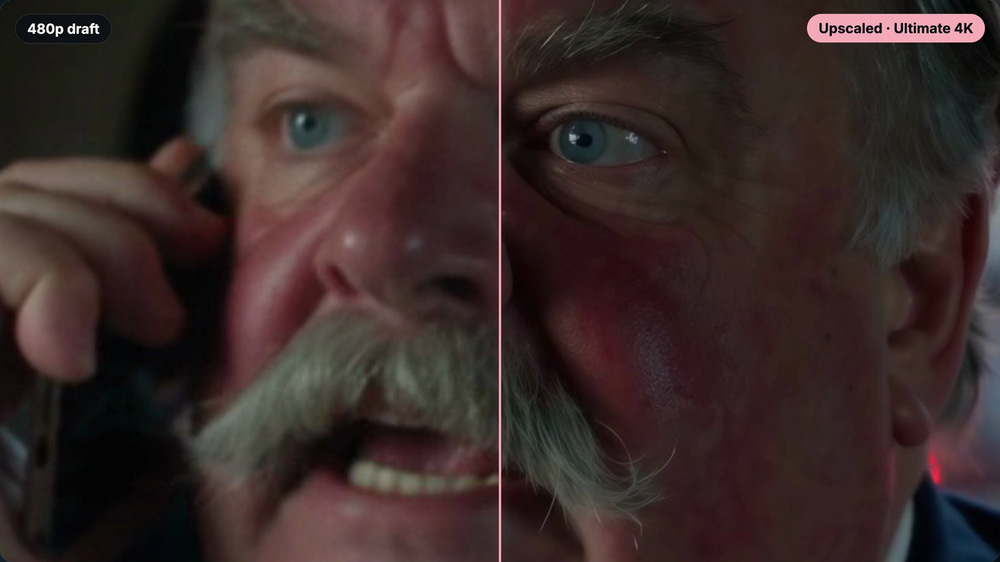
It worked, so we skipped the 720p finals entirely. Same takes, no new mistakes, and much cheaper than rendering them again.
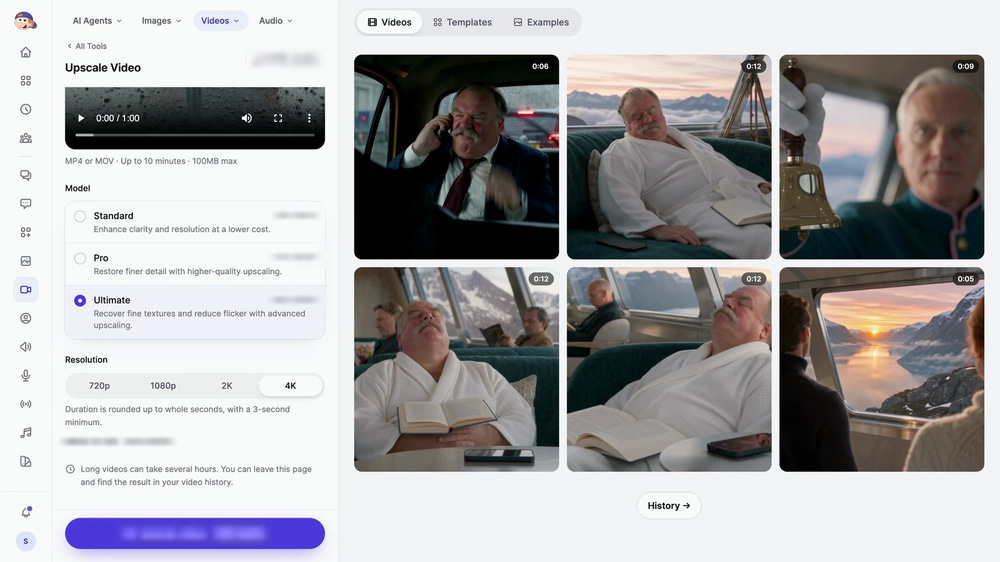
Step 10: Let Marky Cut and Mix the Ad
Then we asked Marky to cut the commercial from the 480p picks. Fable 5.2 edited it in its own sandbox, and the sound work is wild:
- It compared three teaspoon clinks by pitch and ring time to pick one.
- It cut out of the taxi mid-word, straight into the silence.
- It took a grunt out of the stag.
- It drew the end card in code, from the website’s logo, fonts and colours, so every letter is sharp.
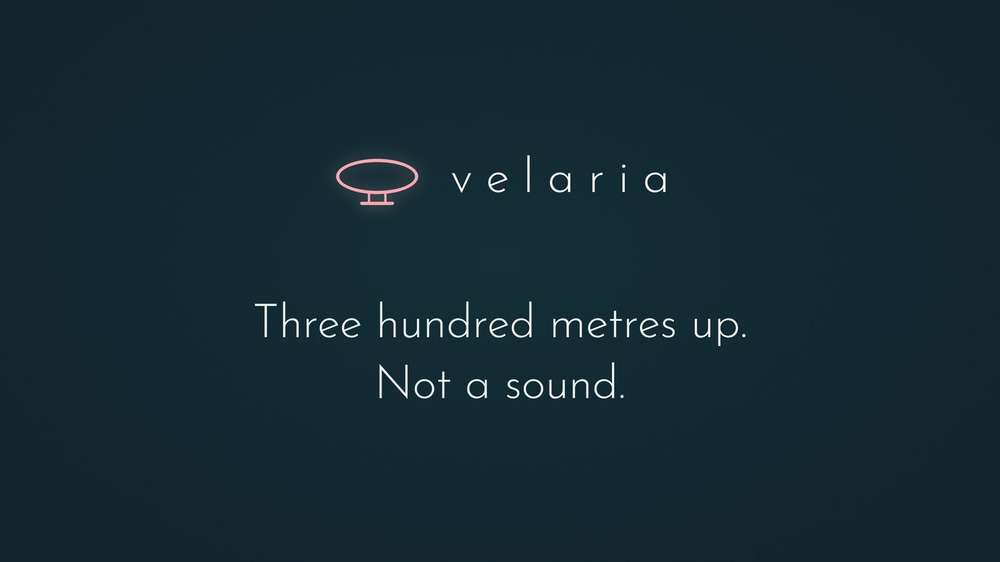
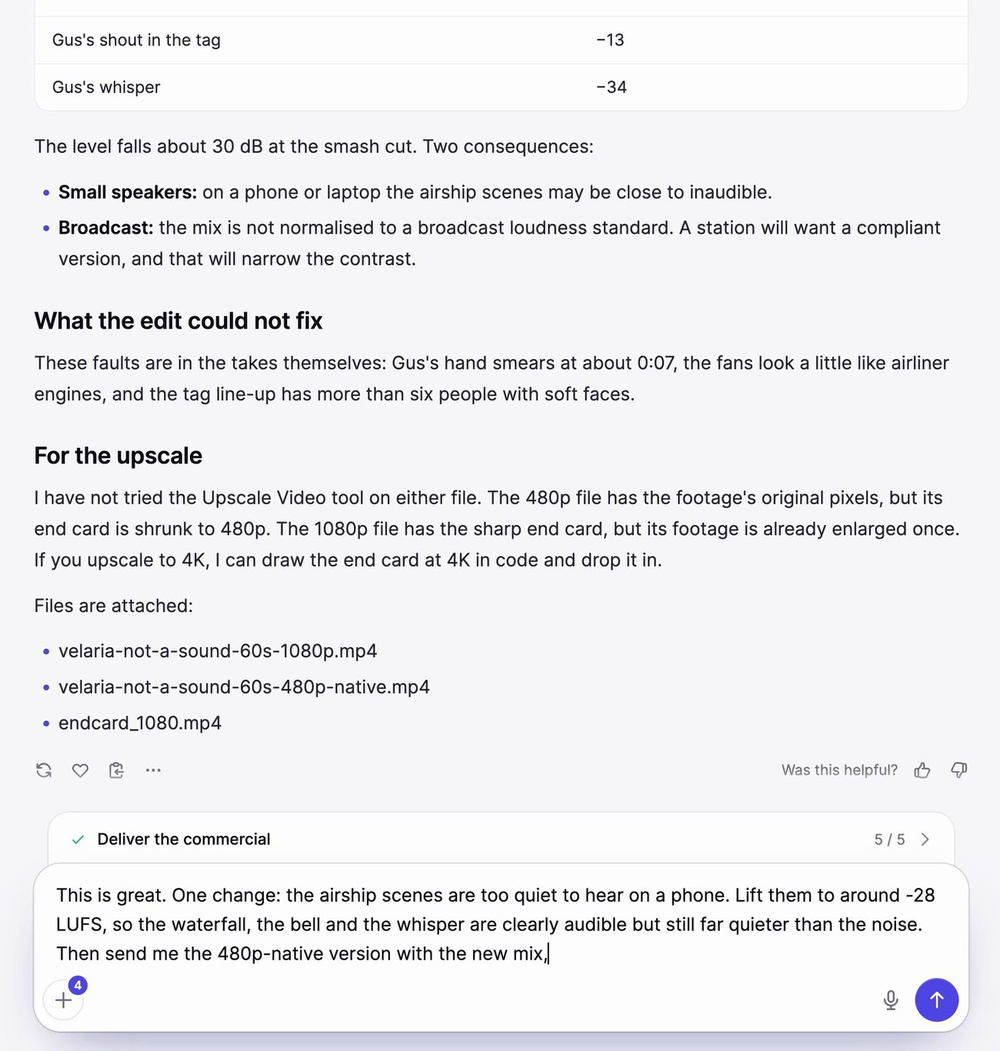
Its first mix kept the airship scenes too quiet for a phone speaker. We asked for more (around -28 LUFS, so the waterfall, the bell and the whisper are clearly audible but still far quieter than the noise), and it remixed in minutes.
One Ultimate 4K upscale of the whole minute, the end card dropped in at 4K, and the ad was done.
The Finished AI Commercial: “Not a Sound”
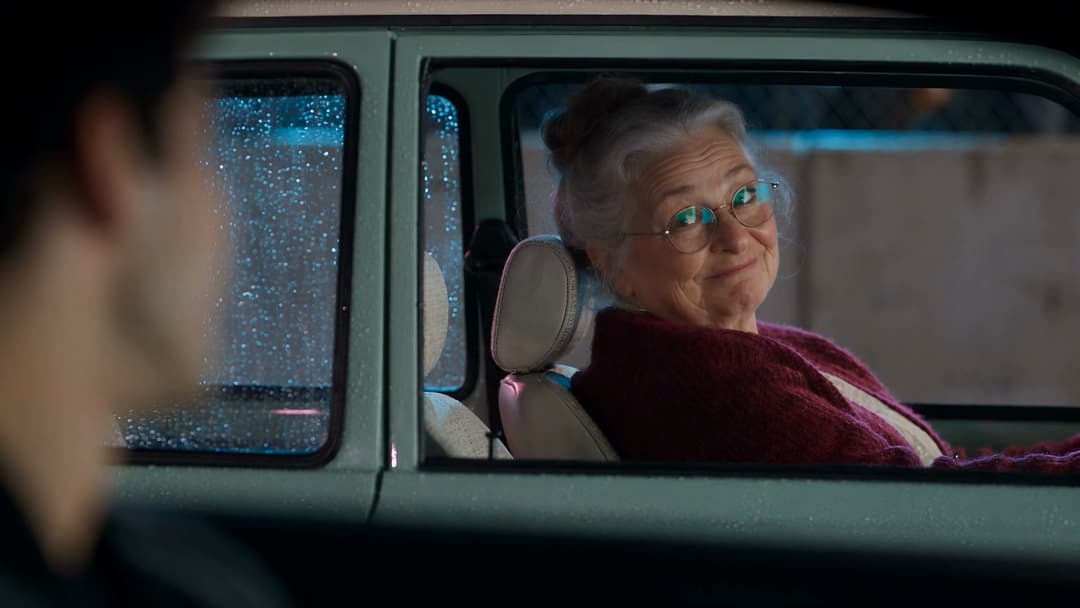
Eleven seconds of noise: a jackhammer, a packed airport gate, and Gus shouting into his phone in a taxi. Then a smash cut to Velaria drifting over a Norwegian fjord at dawn as her four fans stop. Ingrid steps onto the glass floor and hears a waterfall far below. The steward rings a small brass bell, and the whole lounge goes to the window to see a stag on the ridge.
Then the end card. And the tag: Gus is aboard in a bathrobe. His phone rings, he answers far too loud, the whole lounge turns, and he whispers: “I’ll call you back.”
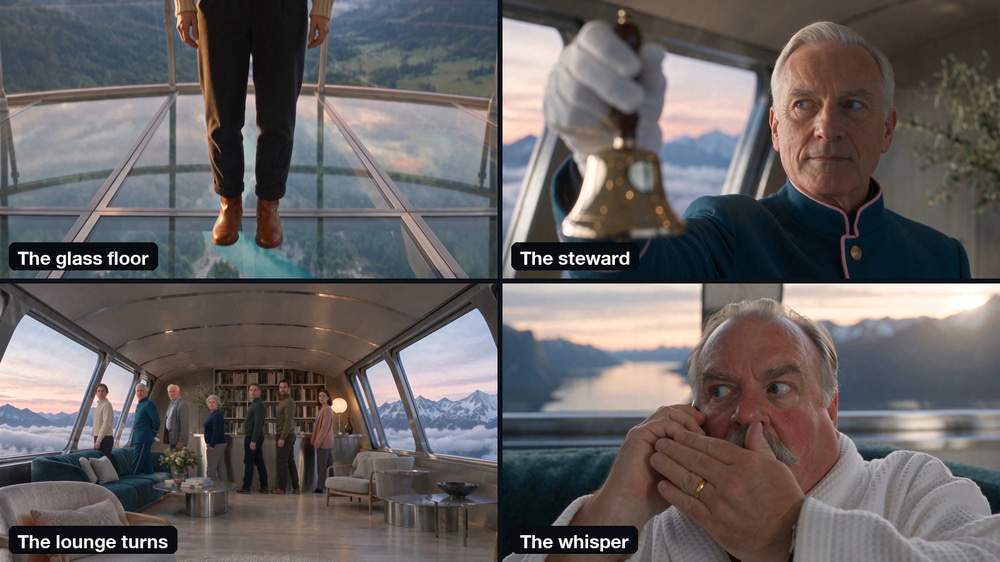
Every voice and sound in the ad comes from the Seedance 2.5 takes themselves, which record dialogue and sound in the same pass as the picture. Marky only cut and mixed them. There is no music, no voice-over and no stock footage.
What Our AI Commercial Cost
Here is every credit we spent, taken from the account’s history:
| Step | Model | Credits |
|---|---|---|
| Image model test (one still of Gus in each model) | GPT Image 2.6, Nano Banana 2, Nano Banana Pro, Seedream 5.5 | 17.75 |
| Four character sheets | Seedream 5.5 | 7.5 |
| 14 drafts (seven clips, 54 seconds in all, two takes each, at 480p) | Seedance 2.5 | 648 |
| Two redrafts at 480p | Seedance 2.5 | 126 |
| Upscale test (7 seconds) | Upscale Video, Ultimate, 4K | 28 |
| Final upscale (the whole minute) | Upscale Video, Ultimate, 4K | 240 |
| Total | 1,067.25 |
On top of that, Marky’s chat uses your plan’s words, as every chat does. Seedance 2.5 costs 6 credits per second at 480p and 12 at 720p, and an Ultimate 4K upscale costs 4 credits per second. So seven 720p finals would have cost another 648 credits for brand-new takes, while the 4K upscale of the whole minute cost 240.
It took about three hours from the first test image to the finished 4K file, and most of that was waiting. The shot list and the sheets took four minutes; the drafts rendered in the background; the cut and the remix took one short session; and the Ultimate 4K upscale of the full minute took a little over an hour.
Tips for Making a Cinematic AI Commercial
Describe Your People Yourself
Give every character one sentence: build, hair, clothes and age. “Gus is broad and red-faced, with a grey moustache and a rumpled navy suit” is enough for consistent sheets. Leave it out and the model picks a generic face.
Test Image Models on Your Hardest Face
The face that’s easiest to get wrong decides the model. Run that one prompt through three or four models before the brief; it costs a few credits and saves a whole round of drafts.
Reuse Your Brand’s Own Pictures
Real photos of your product, store or place keep the ad on-brand. Attach them to the brief and Marky passes them to Seedance 2.5 as references.
Draft Cheap, Pick the Best Take
480p drafts cost half as much as 720p. Two takes per clip give you a real choice, and you only pay for the expensive steps once you know what works.
Fix Mistakes with Words
When a take goes wrong, don’t just roll the dice again. Ask Marky what caused it, let it change the prompt, and redraft only that clip.
Don’t Re-Render the Take You Love: Upscale It
A higher-resolution render is a new take with new risks. Upscale Video on Ultimate keeps the exact performance you picked and gets it to 4K.
Keep Text and Logos Out of the Video Model
Video models garble letters. Ask for the end card, captions and prices in code, the way our brief did, and they come out sharp every time.
Frequently Asked Questions
How long does it take to make an AI commercial?
Our 60-second ad took about three hours from the first test image to the 4K file, mostly waiting for renders. The shot list and the character sheets came back in four minutes.
Do I need to write prompts?
No. We wrote one brief and then gave notes. Claude Fable 5.2 wrote every image and video prompt, including the dialogue and the sound for each shot.
Which AI video model is best for commercials?
We used Seedance 2.5: it keeps faces consistent from reference images, records dialogue and sound with the picture, and makes clips of up to 30 seconds. Marky’s Video mode also offers Kling 4.0, MiniMax H3 Max, WAN 3.0 and Seedance 2.0, or Auto to let Marky choose.
How does the AI keep the same character in every shot?
With character sheets. Marky makes a sheet for each person (a face close-up and full body views on grey) and passes it to Seedance 2.5 as a reference image for every clip that person is in.
Can I make a vertical ad for Reels, TikTok or Shorts?
Yes. Pick 9:16 in the Video mode settings before you send the brief, and Marky plans and films the shots for a vertical screen.
Can I use the AI commercial for my business?
Yes, on paid plans: you keep full commercial rights to everything you make during your subscription (see our terms of use). Marky’s Video mode is a paid feature. Keep real people, brands and logos you don’t own out of your ad.
Is Velaria a real company?
No. Velaria is a made-up airship cruise line, and the people in the ad are AI-generated. Its website is a demo that Claude Fable 5.2 built in Marky.
Start Making Your AI Commercial
Open Marky, click Video, pick Seedance 2.5 and Claude Fable 5.2, attach your brand’s photos and write a brief like a director. You give the notes; Marky writes the shots, films the takes, checks its own footage and cuts the ad.
Want a quick ad from one product photo instead? Follow our step-by-step product commercial guide. And for a story with characters and dialogue, see how to make an AI short film with Seedance 2.5.