Gamma alternative
A deck in PowerPoint or Google Slides. And the website after it.
Like Gamma, Marky turns a topic or a document into a finished deck. Marky gives you an editable PowerPoint or designed picture slides, sends a deck straight to Google Slides, refills its free allowance every month, and builds real websites and apps in the same chat.
Last checked: November 2026Every Gamma fact links to its source
The short version. Both are good tools. They suit different jobs.
 Choose Marky if
- You want an editable PowerPoint with real text boxes, or a deck that lands straight in Google Slides in your Drive.
- You want a free allowance that comes back every month, not 400 credits that end once they’re spent.
- You also need a real website or app with sign-in and a database, or research and spreadsheets analyzed in the same chat.
Stay with Gamma if
- You like editing every card by hand in a polished editor, with custom themes, fonts and CSS, and charts and diagrams.
- You want analytics on who viewed each slide, or password-protected docs.
- You make documents and carousels for Instagram and LinkedIn as well as decks.
Marky vs Gamma, feature by feature. Checked November 2026.
| Feature | Marky | Gamma |
|---|---|---|
| Price and plans | ||
| Price to start | Free plan, then Starter at $16 a month ($8 a month billed yearly) | Plus is $12 a month, or $9 billed yearly. Pro is $25 ($18), Ultra $100 ($90)[1] |
| Free plan | 2,000 words a month and a choice of free models, no credit card needed | 400 credits at sign-up that don’t refill, up to 10 slides per prompt, and the Gamma badge on shared views and exports[1][2][5] |
| What you pay for | One plan covers Marky and Easy-Peasy.AI’s image, video and voice tools. Marky uses the plan’s words at each model’s rate; on paid plans the default, GLM 5.3 Flash, counts 1,000 words of its work as 50 | Credits for every AI action, metered per slide and per image; stronger models use more. Editing by hand is free[2] |
| Teams | 1 user on individual plans; Teams plans start at 3 seats | Extra members on individual plans pay for a seat; Business is $40 a seat a month billed yearly, with shared credits and SSO[1][6] |
| Making decks | ||
| How decks are made | Slides mode: Creative decks of designed picture slides, or Editable decks with real text boxes | An agent that plans and builds an editable deck of cards; picture-based Image slides on Pro and up[7][8] |
| Downloads | PowerPoint and PDF, or straight into Google Slides. Both PowerPoints carry your speaker notes | PDF, PNG and PowerPoint with speaker notes; Google Slides by uploading the PowerPoint[3] |
| Editing a deck | Type over text on Editable decks; on any deck, reorder slides, use AI edit on one spot or ask Marky in the chat | Edit by hand, or ask the agent to change the whole deck, one slide or one element, with a before-and-after view[9] |
| Templates and your brand | A template gallery or your brand’s colors and fonts; upload a deck of your own as the template on paid plans | Custom themes with your colors, fonts, logo and CSS; import a theme from PowerPoint or Google Slides[10] |
| Presenting | Full-screen Present, and a presenter view with your notes, the next slide and a timer | Present mode with presenter view, spotlight mode and speaker notes[11] |
| Research for the deck | Search, Academic and Deep Research modes, with a source after each point | A Research flow that reads sources across the web before writing, on Pro and up[7] |
| Beyond decks | ||
| Websites and web apps | Websites and web apps with sign-in, a database and an API, which Marky checks in its own browser | Publish a gamma as a single-page site on gamma.site, with custom domains on Pro and up; no e-commerce or blogging[4][12] |
| Documents and social posts | Documents, spreadsheets and charts, handed back as files you can download | Documents, carousels for Instagram and LinkedIn, and standalone graphics[13] |
| Security and compliance | SOC 2, ISO 27001, GDPR and HIPAA compliant, with a Business Associate Agreement on paid plans | SOC 2 Type II compliant; SSO on Business[1][6] |
Numbers in brackets link to the Gamma page each fact comes from. Our side links to the Marky guide. Plans and features change: check both sites before you decide.
What’s actually different. The four that matter most.
An editable PowerPoint, or straight into Google Slides
Gamma reaches Google Slides by uploading its PowerPoint export. Marky’s Editable decks download as a PowerPoint with real text boxes, and with your Google account connected Marky converts any deck straight into Google Slides in your Drive, speaker notes included.[3]




A free allowance that comes back every month
Gamma’s Free plan gives 400 credits at sign-up, and they don’t refill. Marky’s Free plan includes 2,000 words every month. On Free, a Creative deck stops at a preview of its cover, and Marky can make the whole deck as an Editable one.[2]
Real websites, not just a deck as a page
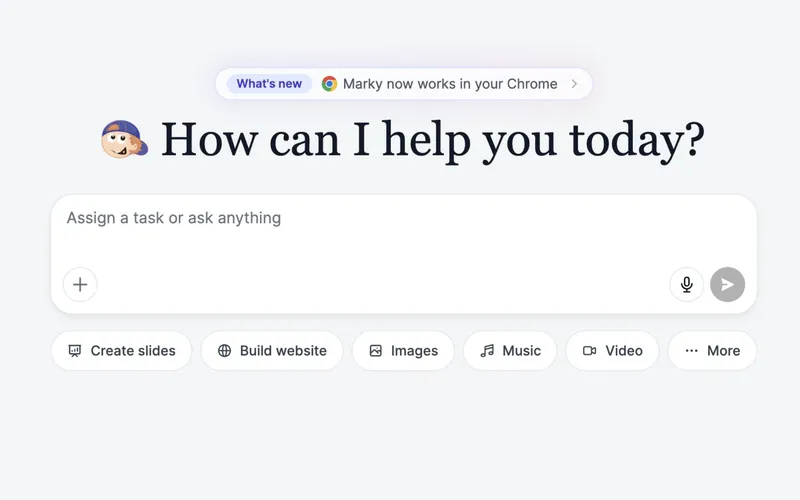
Gamma publishes a gamma as a single-page site with no e-commerce or blogging, and its agent can’t create or publish sites. Marky builds websites and web apps with sign-in and a database, tests them in its own browser and publishes them.[4]

One agent for the work around the deck
Marky is a general agent: before the deck it can research with sources, analyze your spreadsheet in Python for the numbers, or read the Word file you attach, all in the same chat.
What you’d pay. US dollars before tax, checked November 2026.
Gamma
As listed on Gamma’s own pages
- 400 credits at sign-up, no refill
- Up to 10 slides per prompt
- “Made with Gamma” badge
- 1,500 credits a month
- Up to 100 slides per prompt
- No Gamma badge
- 4,000 credits a month
- Up to 10 custom domains
- Analytics and custom branding
- 20,000 credits a month
- Up to 100 custom domains
- 10,000 credits a seat a month
- Shared credits and SSO
Gamma sells credits for every AI action, metered per slide and per image, and stronger models use more. Free gets 400 credits once; paid plans get monthly credits that roll over up to twice the monthly amount, and top-ups start at $6 for 1,500 credits.[2][14]
MarkyToday’s prices from our checkout
Free
$0
No credit card
- 2,000 words a month
- A choice of free models
- Publish websites and apps for free
- Work made on Free is for non-commercial use
Starter
$16/mo
$8/mo billed yearly
- 25,000 words a month
- Every model, Claude and Grok among them
- Video in the chat, and whole Creative decks
- Android app builds and commercial use
Unlimited
$32/mo
$16.50/mo billed yearly
- Everything in Starter
- 100,000 words a month
- GPT-5 nano, GPT-4o mini and Gemini Flash 2.5 use no words
One plan covers Marky and Easy-Peasy.AI’s image, video and voice tools. Marky counts the words it writes at each model’s rate: on paid plans the default model, GLM 5.3 Flash, counts 1,000 words of its work as 50. Images and video use the plan’s image and video credits. Publishing is free; a domain you buy in the app is paid for separately.
In fairness
When Gamma is the better choice.
We’d rather you pick the right tool than switch and regret it. Gamma is the stronger choice if:
- 1
You like to edit every card by hand in a polished editor, with custom themes, fonts and CSS, and charts and diagrams.[10][15]
- 2
You want analytics on who viewed each slide and for how long, or password-protected docs, on Pro and up.[16][5]
- 3
You make documents, carousels for Instagram and LinkedIn, and standalone graphics as well as decks.[13]
- 4
Your team shares one workspace and credit pool, with SSO on Business.[6]
Switching from Gamma. Four steps, no code.
You don’t have to start over: download your Gamma deck and bring it to Marky.
- 1
Download your deck from Gamma
Export it as a PowerPoint or a PDF from Gamma’s export menu.
- 2
Attach it in Slides mode
Open Slides mode in Marky and attach the file. On a paid plan you can upload it as your template, so new decks match its style.
How it works - 3
Ask for the deck you want
Say what to keep, what to change and how many slides, and pick Creative or Editable.
How it works - 4
Download, present or share
Get a PowerPoint or PDF, present full screen with presenter view, or send the deck straight to Google Slides.
How it works
Questions, answered.
The Marky guide covers every feature step by step.
What is the best Gamma alternative?
It depends on how you work. If you want an editable PowerPoint, decks that land straight in Google Slides, a free allowance that refills every month, or one agent that also builds websites and researches, Marky fits. If you like editing every card by hand and tracking views per slide, Gamma fits well.
How much does Gamma cost?
As of November 2026, Gamma Plus is $12 a month ($9 billed yearly) with 1,500 credits, Pro is $25 ($18) with 4,000 and Ultra is $100 ($90) with 20,000. The Free plan gives 400 credits at sign-up that don’t refill.
How is Marky priced differently?
Marky runs on your Easy-Peasy.AI plan, which also covers the image, video and voice tools. It counts the words Marky writes at each model’s rate, and the Free plan’s 2,000 words come back every month. Starter is $16 a month.
Can Marky export to PowerPoint and Google Slides?
Yes. Editable decks download as an editable PowerPoint with real text boxes and your speaker notes, and Creative decks as a PowerPoint where each slide is a picture. Every deck also downloads as a PDF, and with your Google account connected Marky converts it straight into Google Slides.
Can I bring my Gamma deck to Marky?
Yes. Export it from Gamma as a PowerPoint or PDF and attach it in the chat: Marky reads it and can rework it. On paid plans you can also upload it as a template so new decks match its style.
Is Marky free for presentations?
You can start on the Free plan, which has a small monthly allowance. On Free, a Creative deck stops at a preview of its cover, and Marky can make the whole deck as an Editable deck instead. Paid plans add whole Creative decks, more words, every model, your own templates and commercial use.
Can I use the slides for my business?
Yes, on paid plans. Decks made on Marky’s Free plan are for non-commercial use.
More comparisons. Same rules: official sources, checked dates.
- Marky vs ManusGeneral AI agent. Credits by usage, Wide Research on paid plans, and site hosting billed by usage.Manus alternative
- Marky vs GensparkGeneral AI agent with an office suite. Credits by tier, hosting from Plus, and phone calls on paid plans.Genspark alternative
- Marky vs ReplitAI app builder in a cloud workspace. Dollar credits for building and hosting, iOS and Android apps, and up to 15 builders on Pro.Replit alternative
- Marky vs LovableAI app builder for web apps. One credit balance for building and hosting, and two-way Git sync on every plan.Lovable alternative
- Marky vs Base44AI app builder from Wix. Message and integration credits, model choice from Builder, and store apps as web-view wrappers.Base44 alternative
- Marky vs Bolt.newAI app builder for web and mobile. Token plans, iOS and Android apps with Expo, and custom domains on paid plans.Bolt.new alternative
Sources
Last checked: November 2026Every fact about Gamma on this page comes from Gamma’s own pricing page, docs, help center or blog. Facts about Marky come from our product and the Marky guide. Gamma is a trademark of its owner, named here only to compare. Seen something out of date? Tell us.
- [1]Gamma pricing pagegamma.app/pricing
- [2]Gamma help: how credits workhelp.gamma.app/en/articles/7834324-how-do-credits-work-in-gamma
- [3]Gamma help: exportinghelp.gamma.app/en/articles/8022861-what-s-the-easiest-way-to-export-my-gamma
- [4]Gamma help: publishing a sitehelp.gamma.app/en/articles/8429268-how-do-i-create-publish-a-site-in-gamma
- [5]Gamma help: sharing settingshelp.gamma.app/en/articles/11047226-how-do-collaboration-and-sharing-settings-work-in-gamma
- [6]Gamma help: Gamma for businesshelp.gamma.app/en/articles/11594955-what-options-does-gamma-offer-for-business
- [7]Gamma help: creating with the agenthelp.gamma.app/en/articles/15002203-how-do-i-create-with-agent-in-gamma
- [8]Gamma help: image slideshelp.gamma.app/en/articles/17238075-what-are-image-slides-and-how-do-i-use-them
- [9]Gamma help: editing with AIhelp.gamma.app/en/articles/8033284-how-do-i-edit-my-content-with-ai
- [10]Gamma help: themes, colors and fontshelp.gamma.app/en/articles/11029150-how-do-i-customize-themes-colors-and-fonts-in-gamma
- [11]Gamma help: presentinghelp.gamma.app/en/articles/8032935-what-s-the-best-way-to-present-my-gamma
- [12]Gamma help: custom domainshelp.gamma.app/en/articles/17683486-how-do-i-connect-and-troubleshoot-a-custom-domain
- [13]Gamma help: what Gamma makeshelp.gamma.app/en/articles/18343586-what-is-gamma-and-how-do-i-get-started
- [14]Gamma help: buying more creditshelp.gamma.app/en/articles/12466653-how-do-i-purchase-more-credits
- [15]Gamma help: charts and diagramshelp.gamma.app/en/articles/11029098-how-can-i-generate-charts-and-diagrams-in-gamma
- [16]Gamma help: analyticshelp.gamma.app/en/articles/11047329-how-do-i-track-my-gamma-s-performance-using-analytics
- [17]Gamma help: the effort pickerhelp.gamma.app/en/articles/16951195-what-is-the-effort-picker-and-how-do-i-use-it
Try Marky free. Keep Gamma until you’re sure.
Start free, no credit card needed. Describe the job and watch Marky do it, step by step.