
Research modes
Start a new chat, click More under the message box, and pick a mode. Then ask your question as usual.
All three need a model with Internet Access. If the current model doesn’t have it, you’ll see a message that the model doesn’t support the mode; pick another model. See Models and words.
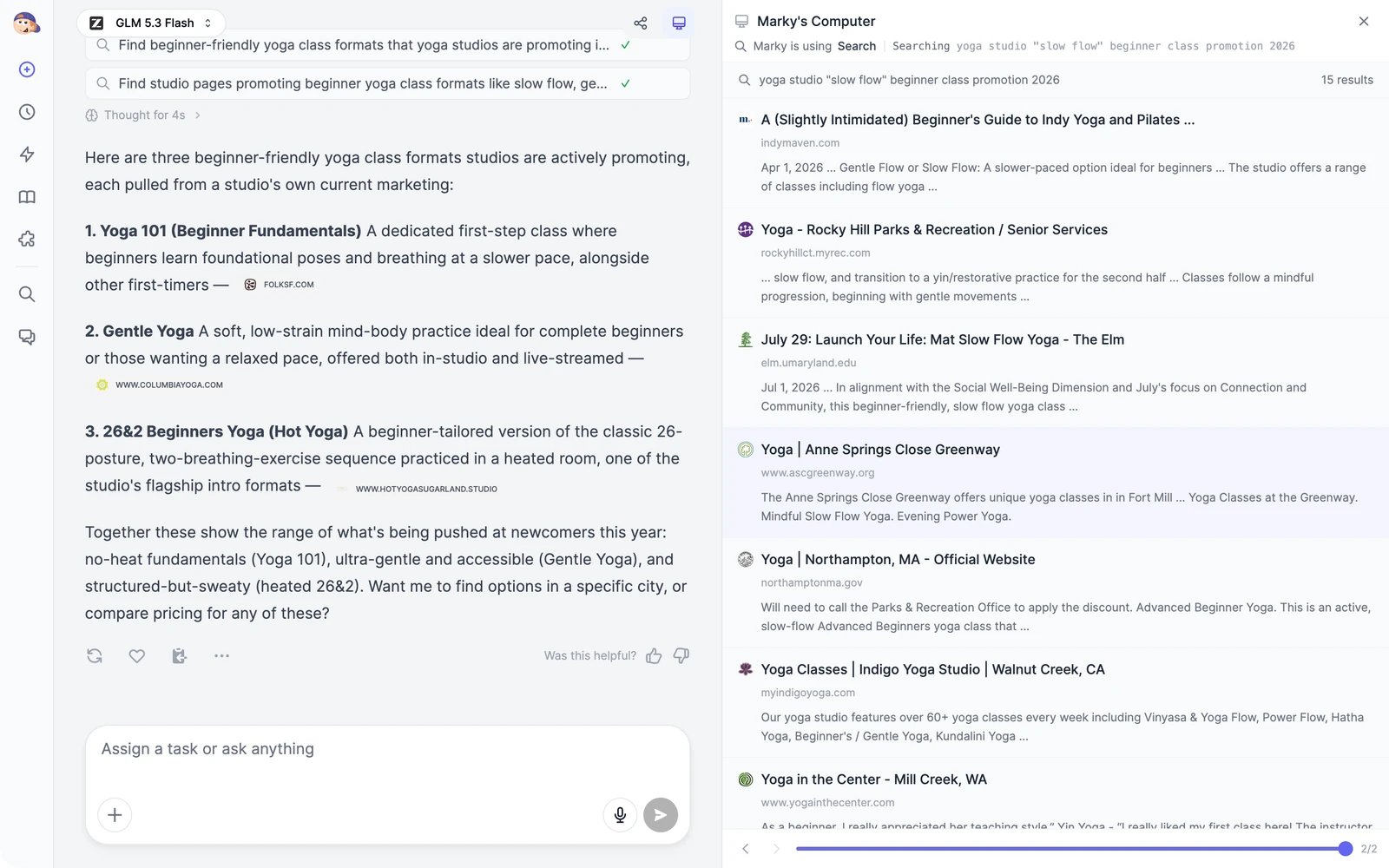
Check the sources
- Each source appears as a small link after the sentence it supports. Click it to open the page.
- Open Marky’s Computer to see every search Marky ran and all the results it looked at.
Read websites that need a browser
For pages that search can’t read, Marky opens them in a real browser. Reddit, LinkedIn, and Facebook always go through the browser. See Browse the web.Tips
- Say how fresh the information must be: “only sources from 2026”.
- Ask for the format you need: “a table comparing price, features, and reviews”, “a one-page summary with citations”.
- Follow up in the same chat to dig deeper into one point. Marky keeps the earlier research in mind.
- For research you repeat, such as a weekly competitor check, set up a scheduled task.