GPT Image 2.6 Generator
One prompt, three formats. Picture, GIF or SVG.
GPT Image 2.6 is the image model OpenAI released in November 2026. It writes words that read right, edits photos without redrawing them, and makes looping GIFs and SVG files. Use it here in your browser, with no OpenAI account or API key.
- Readable text in images
- Edits your own photos
- Free to start
- Readable text
- Animated GIF

- SVG file
- Photo edit
Trusted by teams at companies and universities like





What GPT Image 2.6 makes. Each from one prompt.
Every example on this page is a real, unretouched result, shown with the prompt that made it. Press “Use this prompt” to start from the same words.
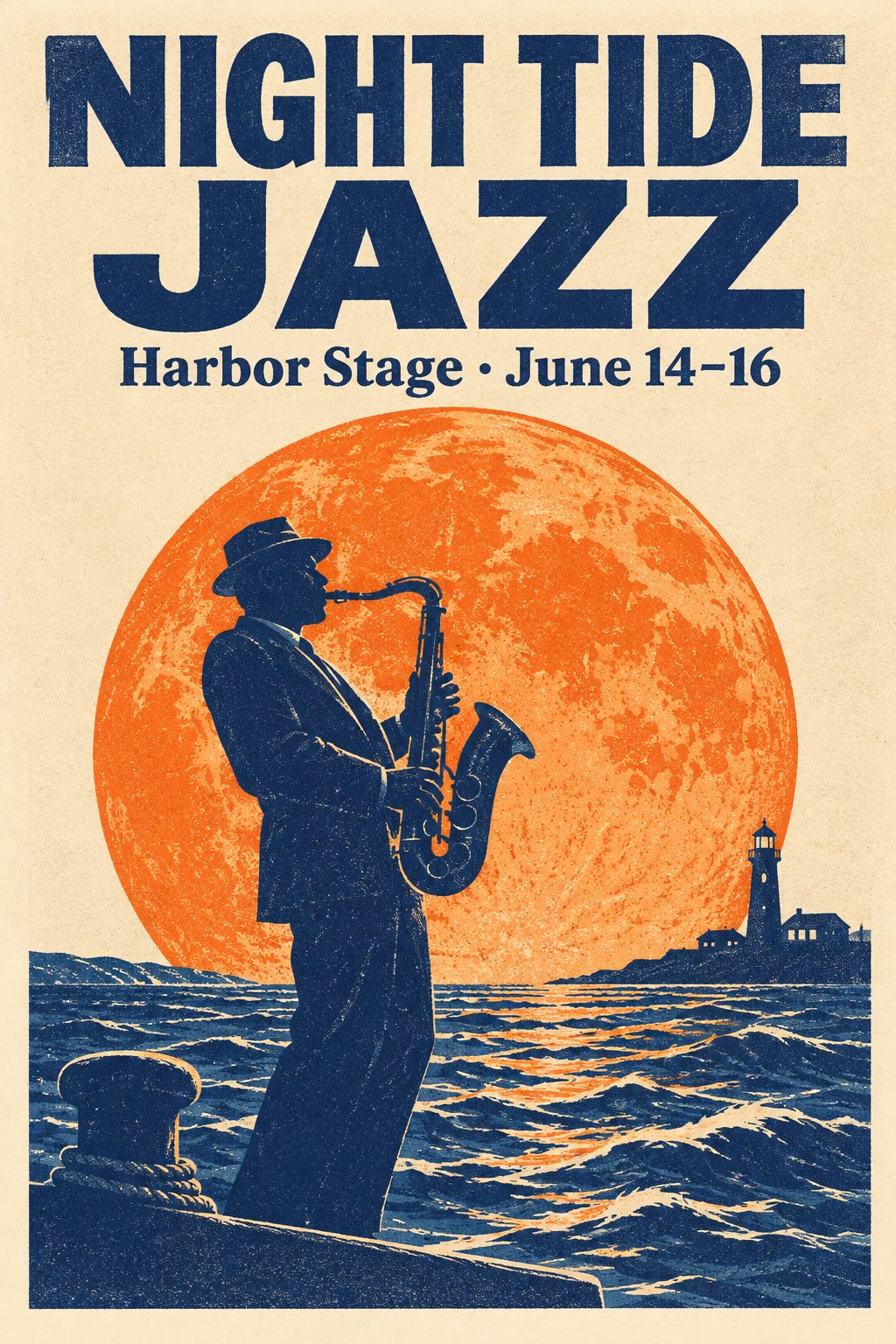
Posters with real typography
- Flare Medium
- 3 credits
- 2:3
Prompt: A screen-printed concert poster for a jazz festival. A large bold headline reads "NIGHT TIDE JAZZ" and below it smaller text reads "Harbor Stage · June 14–16". The art shows a stylized saxophone player silhouetted against a huge orange moon rising over dark blue waves. Risograph print texture, three-color palette of navy, orange and cream, generous margins, crisp clean typography.
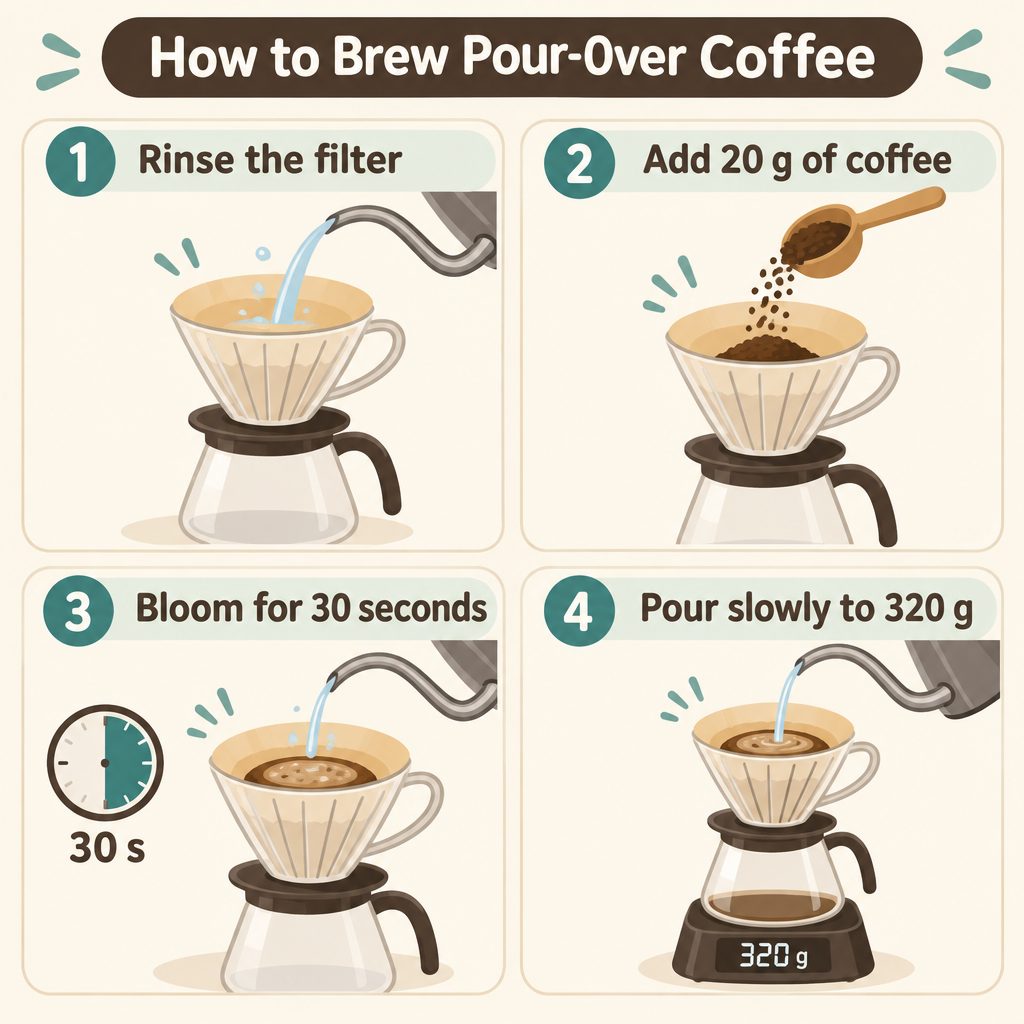
Infographics with labels
- Flare Medium
- 3 credits
- 1:1
Prompt: A clean, friendly infographic titled "How to Brew Pour-Over Coffee" with four numbered steps in a 2x2 grid. Step labels: "1 Rinse the filter", "2 Add 20 g of coffee", "3 Bloom for 30 seconds", "4 Pour slowly to 320 g". Each step has a simple flat illustration of the action. Cream background, coffee-brown and teal accents, rounded readable sans-serif lettering, lots of white space.
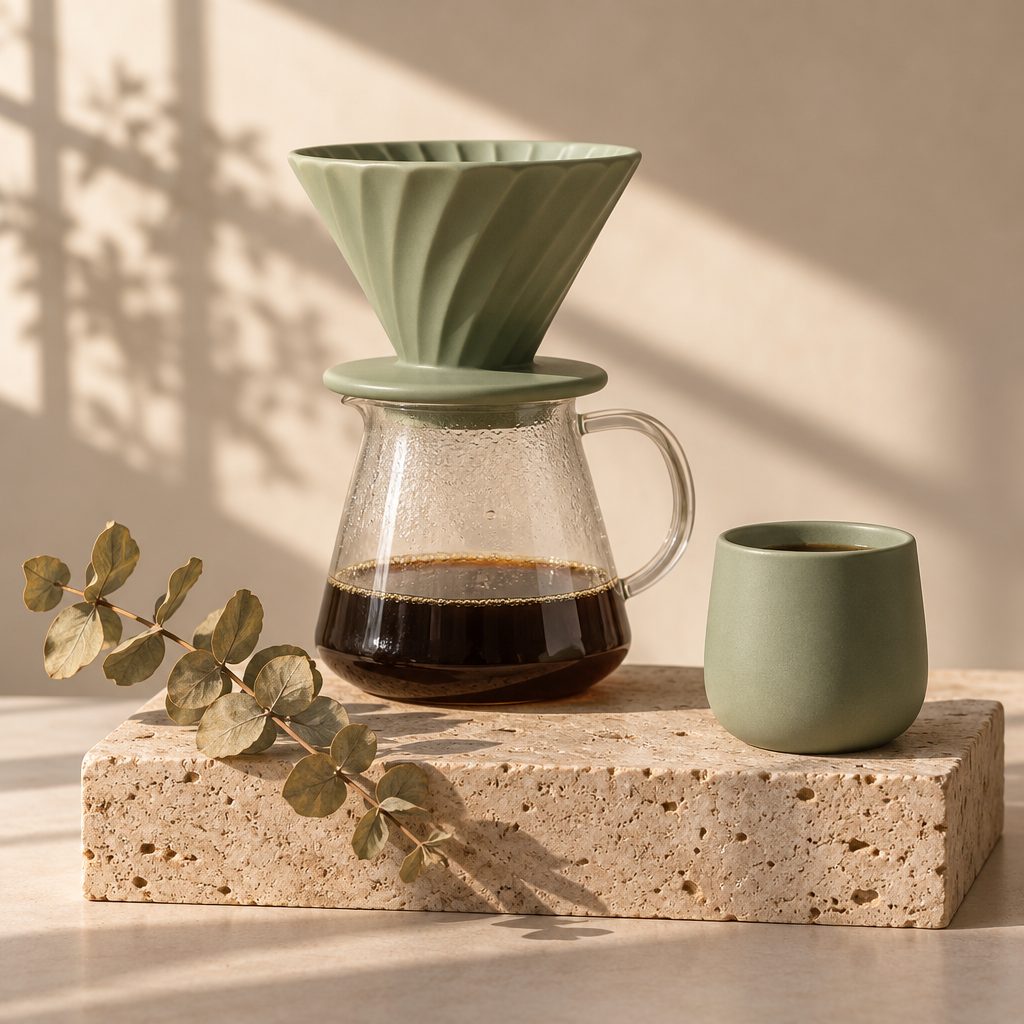
Product photos
- Flare Medium
- 3 credits
- 1:1
Prompt: Studio product photograph of a matte sage-green ceramic pour-over coffee set: a dripper on a glass carafe and a small handleless cup, standing on a travertine stone block. Soft morning window light with long shadows, a sprig of dried eucalyptus beside it, shallow depth of field, warm neutral background, high-end catalog look.
Natural photographs
- Flare Medium
- 3 credits
- 1:1
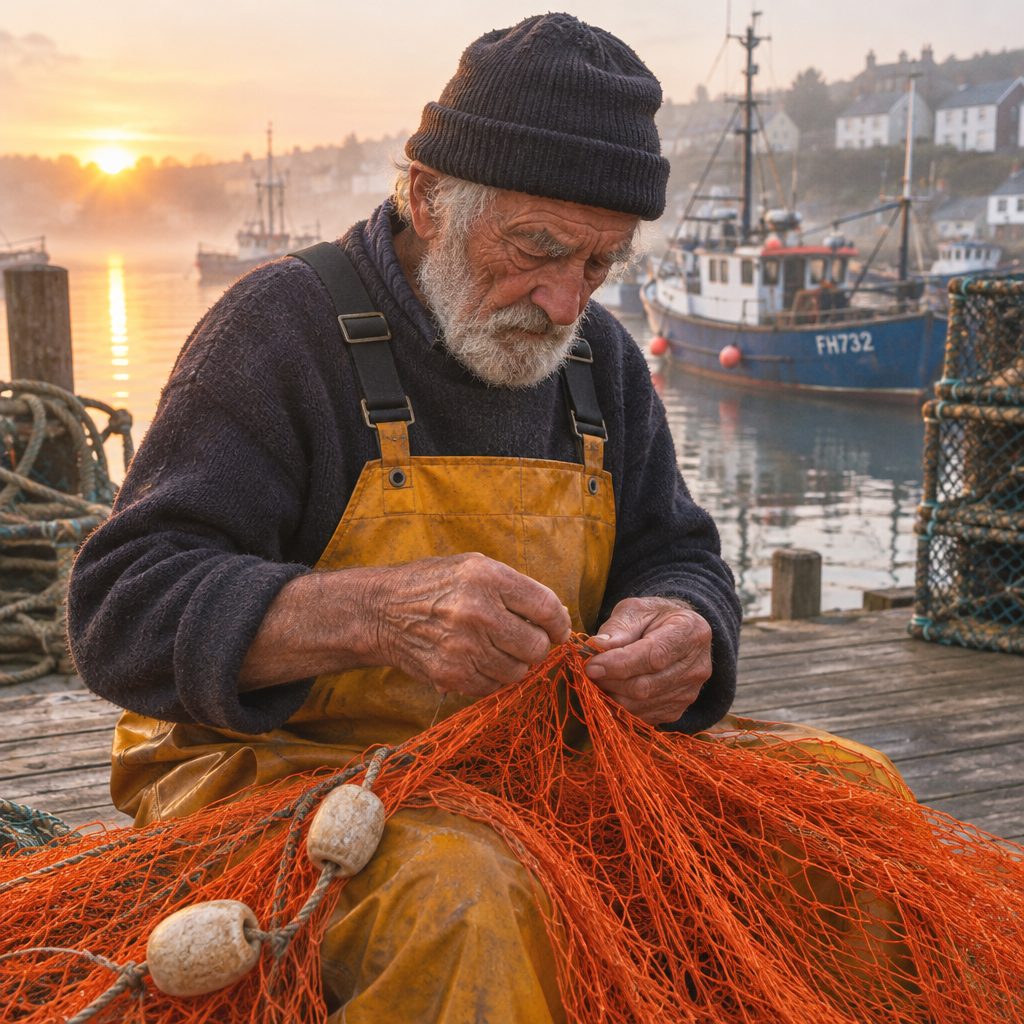
Prompt: Candid documentary photograph of an elderly fisherman mending a bright orange fishing net on a wooden pier at dawn. His weathered hands are in sharp focus, soft golden side light, mist over the harbor and moored boats behind him, 35mm film look, natural colors, gentle grain.
Illustrations
- Flare Medium
- 3 credits
- 1:1
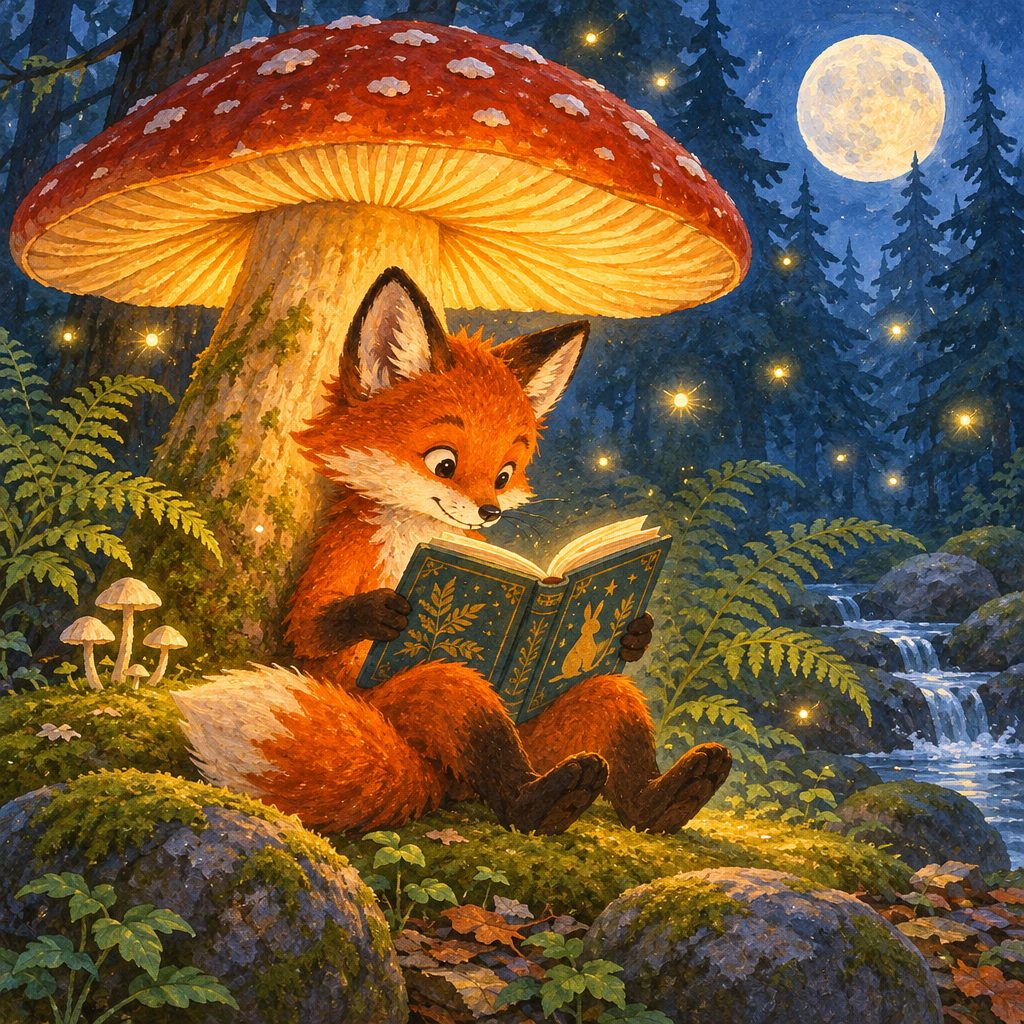
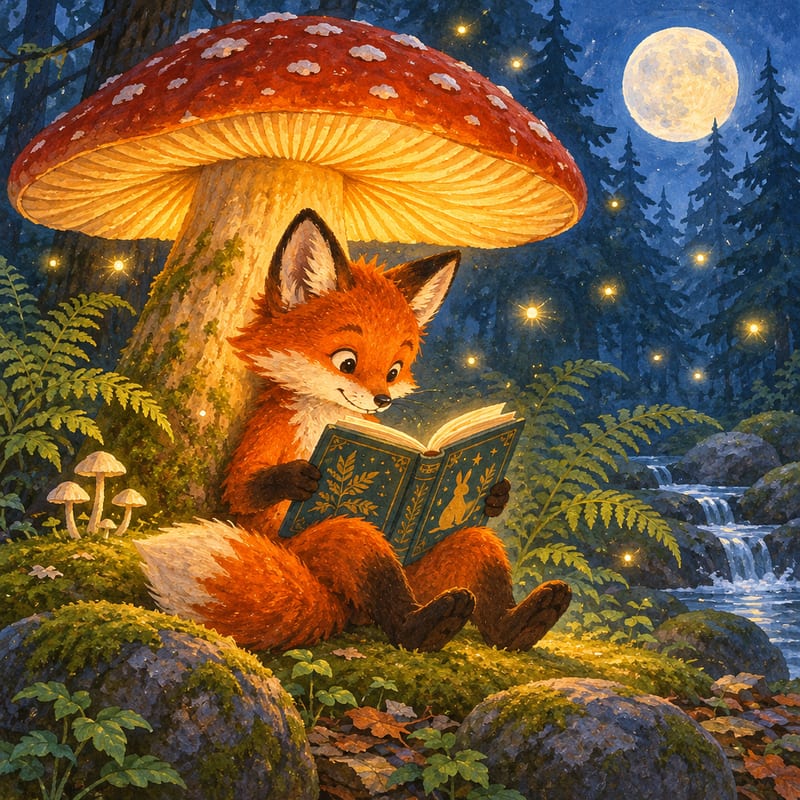
Prompt: Whimsical children's book illustration of a small red fox reading a book under a giant glowing mushroom in a moonlit forest. Gouache texture, warm glow against cool blue night, fireflies floating around, ferns and mossy stones, cozy storybook mood.
Menus and signs
- Flare Medium
- 3 credits
- 1:1
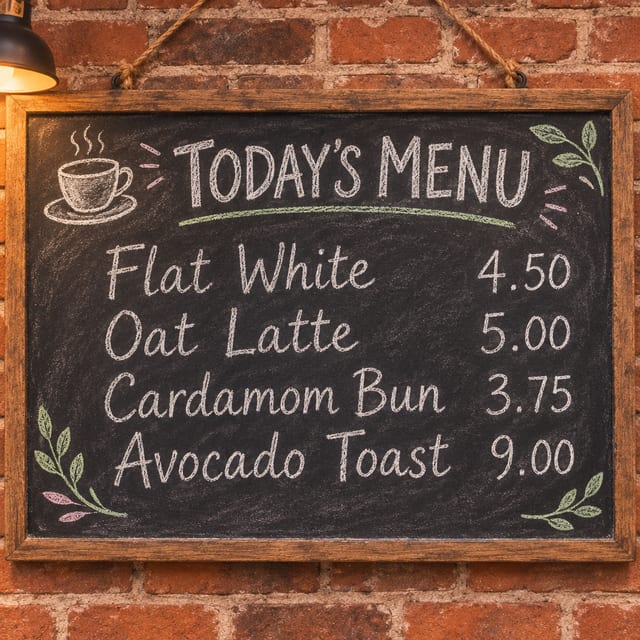
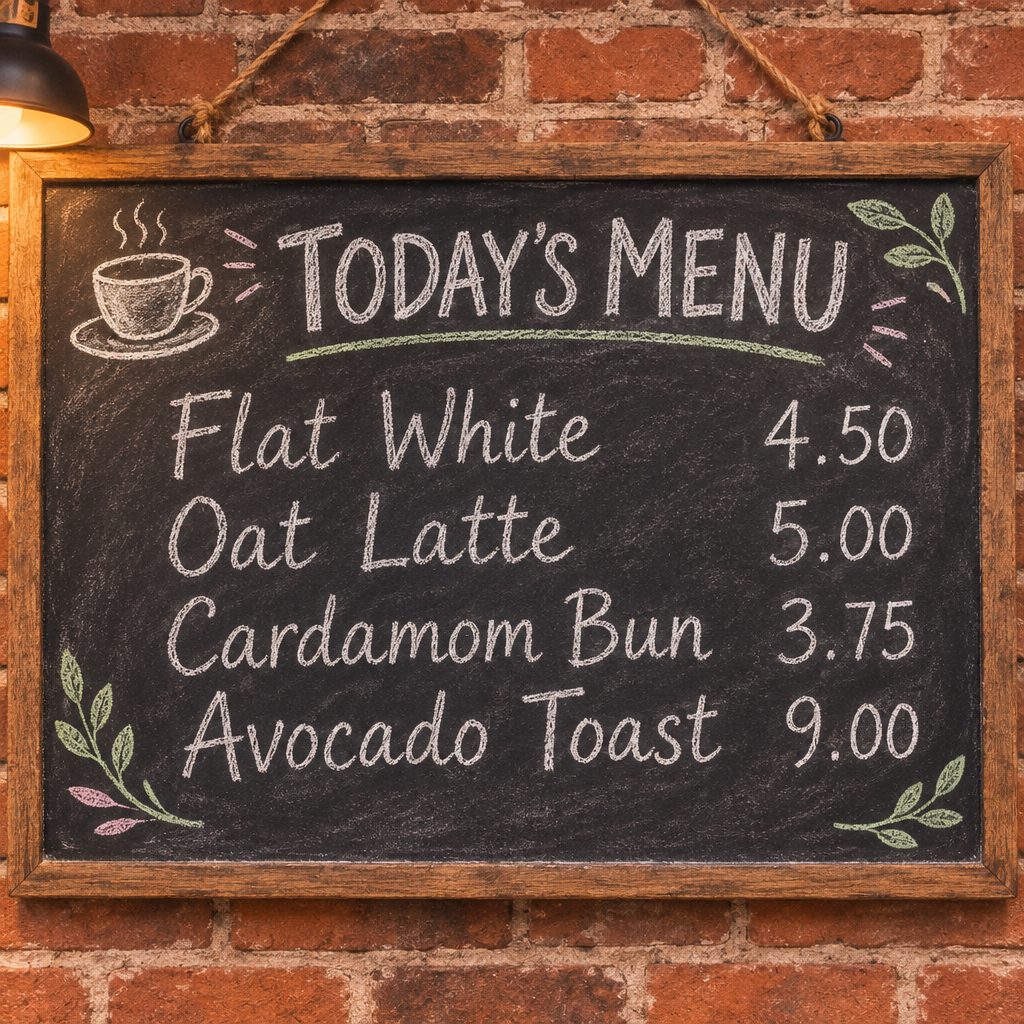
Prompt: A café chalkboard menu hanging on a brick wall, hand-lettered in white and pastel chalk. The header reads "TODAY'S MENU", followed by four lines: "Flat White 4.50", "Oat Latte 5.00", "Cardamom Bun 3.75", "Avocado Toast 9.00". Small chalk doodles of a coffee cup and leaves in the corners, warm café lighting, slight chalk dust texture.
Edit photos with words. It changes what you ask and keeps the rest.
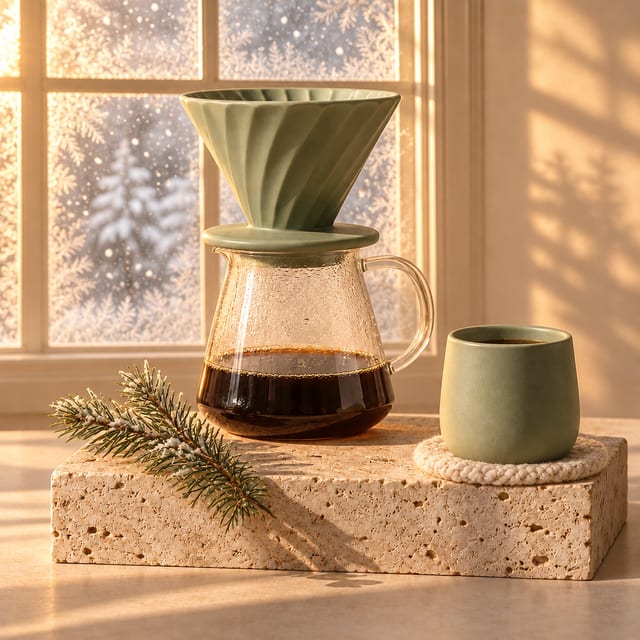
Upload a photo and say what should be different. GPT Image 2.6 changes that part and leaves the shapes, colors and layout you didn’t mention alone.
- Swap the season, the background or the props
- Combine photos, for example a product in a new scene
- Ask for changes again in plain words until it’s right
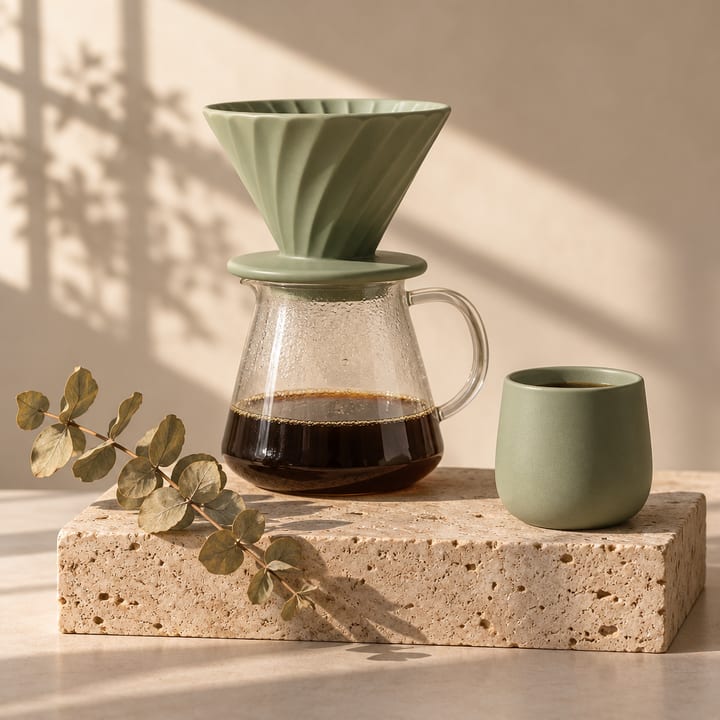
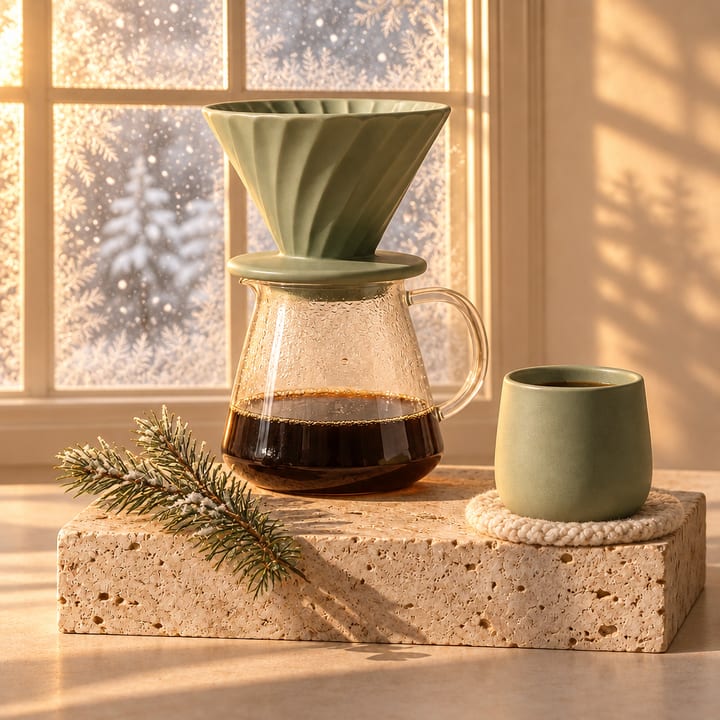
Prompt: Turn this into a cozy winter morning: snow falling outside a frosted window behind the coffee set, a knitted cream wool coaster under the cup, a small sprig of pine instead of the eucalyptus, warm golden light. Keep the ceramic dripper, carafe, cup and stone block exactly the same.
What’s new in 2.6. More than still pictures.
Animated GIFs
Turn on Animated GIF and it draws a short looping animation from your prompt, or brings a photo you upload to life.
AI GIF GeneratorSVG files
Flare Vector writes a real SVG you can scale to any size and open in Figma, Illustrator or Inkscape. On paid plans.
AI SVG GeneratorWords that read right
Headlines, labels, signs and menus come out spelled the way you typed them. Put the exact words in quotes.
Edits that keep the rest
Change the background, the light or one object and the rest of the photo stays as it was.
Flare and Sunburst
Flare is the fast one and our default. Sunburst takes longer and lays out designs full of text, like slides and menus.
Everywhere in Easy-Peasy.AI
The same model works in the Image Generator, in Marky the AI agent, in the phone app and through our API.
Tiers and credits. Pick speed or detail.
Every result costs a few image credits. The Free plan includes a small monthly allowance, enough to try it; paid plans add more credits and every tier.
Flare Low
Quick drafts and ideas
2Free planFlare Medium
The default: detail and text, fast
3Free planFlare High
The most detail Flare draws
3.75Paid plansSunburst Medium
Layouts full of text: posters, slides, menus
3Free planSunburst High
Text-heavy layouts at the most detail
3.75Paid plansAnimated GIF, Short
8 frames, square
1.5Free planAnimated GIF, Standard or Long
9 or 16 frames, square, wide or tall
3.25 / 4.5Paid plansSVG file, Vector Low or Medium
A vector file you can scale and edit
3 / 3.75Paid plans
A photo edit costs the same as a new picture of the same tier. Animating a photo into a GIF adds 0.75 credits.
How to use GPT Image 2.6. Four steps.
- 01
Describe it.
Say what you want to see, the style, and any words it should show, in quotes. One sentence is enough to start.
- 02
Pick a tier and a format.
Flare Medium suits most pictures. Choose Sunburst for text-heavy layouts, Animated GIF for a loop, or Flare Vector for an SVG.
- 03
Create and refine.
Results arrive in seconds. Ask for a change in plain words, or upload a photo of your own to edit.
- 04
Download it.
Save a PNG, a GIF or an SVG. Your results stay in your history, ready to edit, animate or upscale later.
Questions, answered.
What is GPT Image 2.6?
GPT Image 2.6 is the image model OpenAI released in November 2026. It comes as Flare, which is fast, and Sunburst, which takes longer and lays out text-heavy designs. On Easy-Peasy.AI you use both in the browser, with no OpenAI account or API key.
Is GPT Image 2.6 free to use?
You can try it on the Free plan: Flare Low and Medium, Sunburst Medium and short animated GIFs are included, within the plan’s small monthly allowance of image credits. The High tiers, longer GIFs and SVG files need a paid plan.
What’s the difference between Flare and Sunburst?
Flare draws a picture in seconds and is the default. Sunburst takes longer but handles layouts full of text better, such as posters, slides and menus. Both come in Medium and High, and Flare also has Low for quick drafts.
How is 2.6 different from GPT Image 2 and 2.5?
GPT Image 2.6 can also make animated GIFs and SVG files, which the earlier versions can’t, and it is the default image model on Easy-Peasy.AI. GPT Image 2 and 2.5 are still in the model menu if you prefer them.
Can GPT Image 2.6 put text in images?
Yes. Headlines, labels, signs and menus come out spelled as you typed them; put the exact words in quotes in your prompt. For long passages of text, pick Sunburst and check the result before you use it.
Can I edit my own photos with it?
Yes. Upload one or more photos and say what to change: GPT Image 2.6 changes that and keeps the rest. You can also combine photos, for example to put a product into a new scene.
Can it make animated GIFs and SVG files?
Yes. Turn on Animated GIF for a looping animation of 8, 9 or 16 frames, from a prompt or from a photo you upload. Pick Flare Vector for an SVG file you can scale and edit; SVG files are on paid plans.
Can I use the images for my business?
Yes, on paid plans. Images made on the Free plan are for non-commercial use.
Do I need ChatGPT, an OpenAI account or an API key?
No. Sign up for Easy-Peasy.AI and start creating. Developers can also use GPT Image 2.6 through the Easy-Peasy.AI API on paid plans.
Made with GPT Image 2.6. Pick a page for your format.


Got an idea? Picture it now.
Describe it in a sentence and GPT Image 2.6 does the rest. Free to start, no credit card.