
Choose a mode
Click AI Interior Designer in the sidebar, or Images > Interior Designer in the top menu. Pick what to do under What do you want to do?: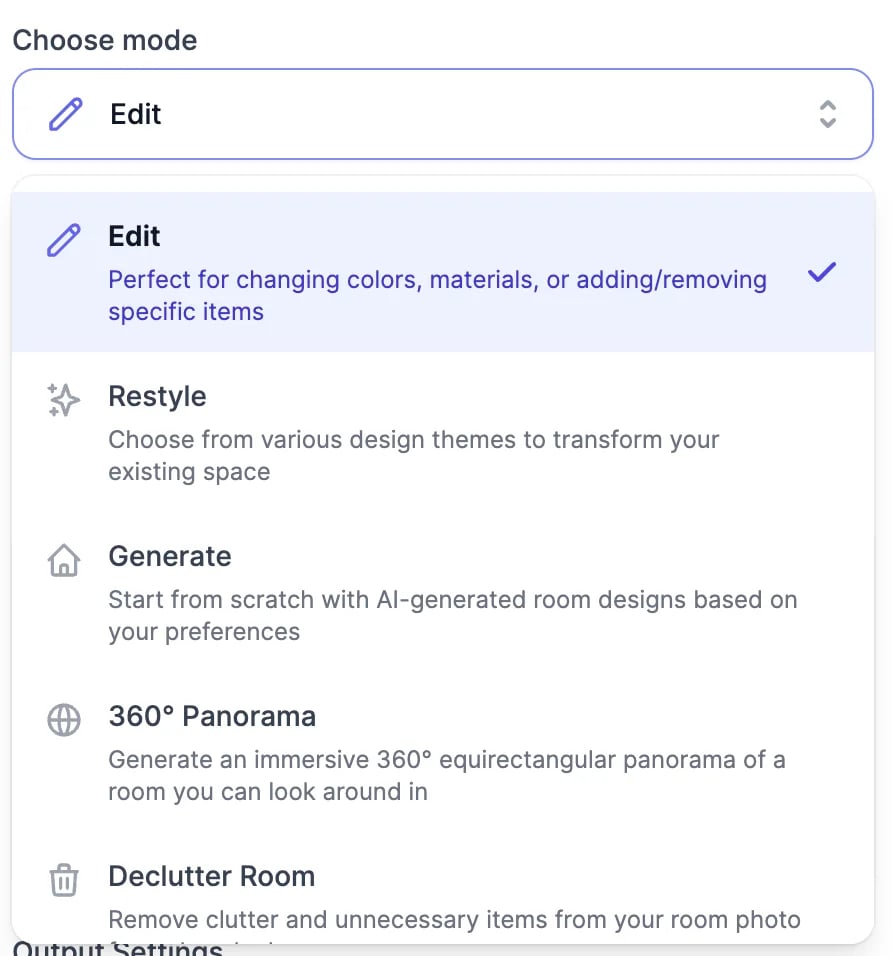
Edit a room
1
Add a photo
Drag in a photo of the room, garden, or exterior, click to browse, or paste it: JPG, PNG, or WebP, up to 25 MB. No photo at hand? Pick one of the sample rooms. For Edit and 360° view, Add reference photos adds furniture, materials, or other angles of the same space, up to 6 photos in all.
2
Describe the change
Write it under Describe the change, or click one of the suggestions below the box. Say where things go, for example “add a blue sofa on the left wall”. To point at spots instead, switch to Point on photo, click the photo to drop a marker, and write what should change at that spot.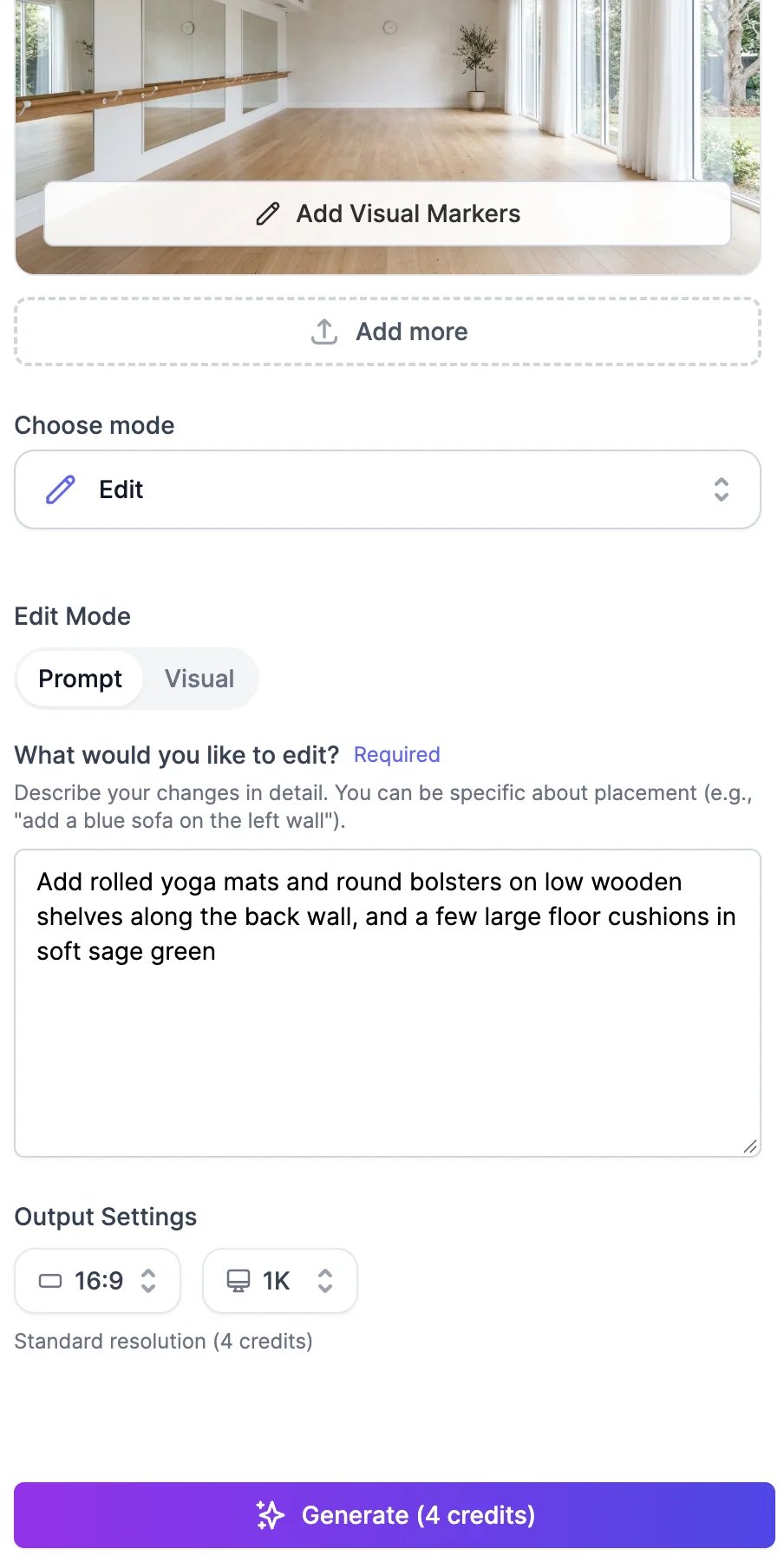
3
Choose the settings
Above Generate, pick the aspect ratio (Auto keeps the shape of your photo), the resolution (1K, 2K, or 4K; 4K is for paid plans), and how many designs to make, from 1 to 4.
4
Click Generate
The button shows what the run costs. The results appear on the right, usually within a minute.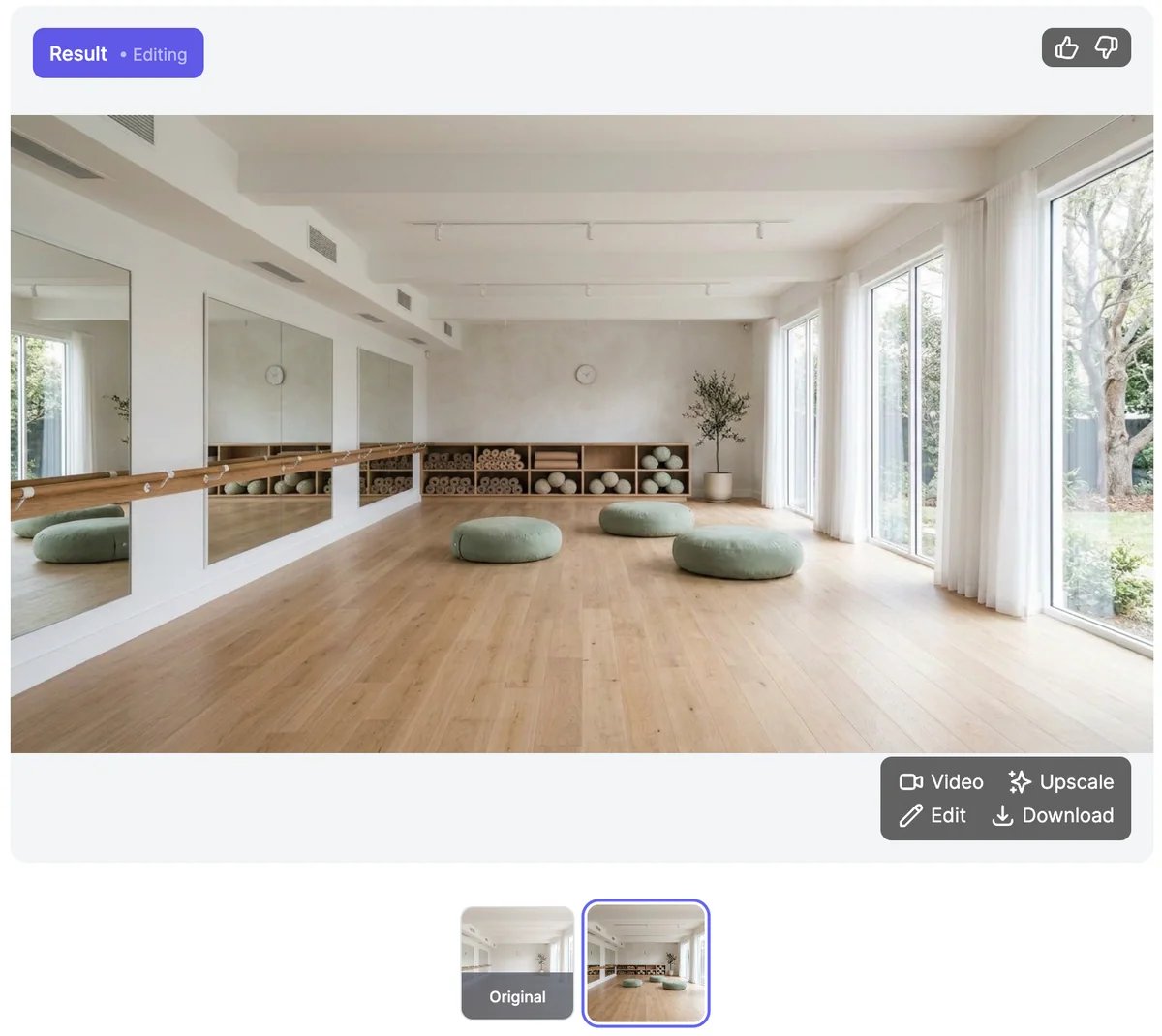
- Download.
- Keep editing: your next change starts from this design instead of the original photo.
- Animate: turns it into a short video, such as a slow walkthrough. Paid plans only. See Generate videos.
- Upscale: opens it in the Magic Upscaler in a new tab. See Upscale images.
- Thumbs up and down.
Restyle or design from scratch
For Restyle and Create new, choose the Room type, such as a living room, kitchen, home office, coffee shop, or front yard, and up to 4 Styles: Minimalist, Scandinavian, Industrial, Bohemian, Japanese Zen, Coastal, and many more. Custom lets you describe your own. The number you pick above Generate is per style, so 3 styles with 2 designs each makes 6 designs. A run makes at most 8.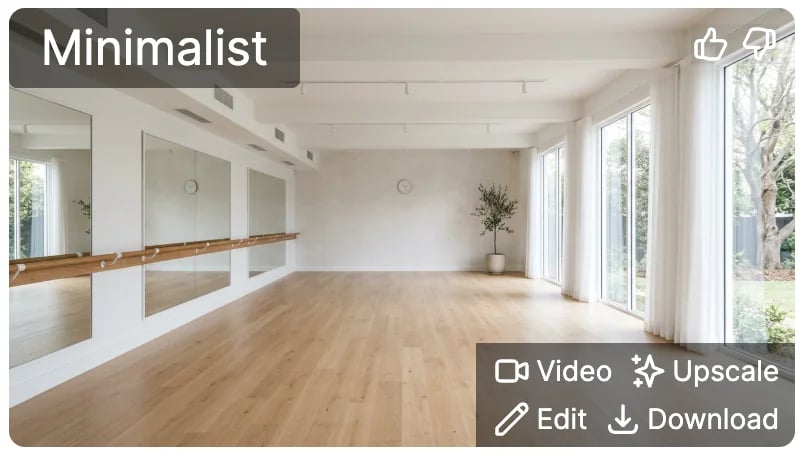
Tips
- Take the photo in daylight, from a corner, so the whole room is in view.
- In Edit, change one or two things at a time, then build on the result.
- For paint colors, name the color and the finish, such as “soft sage green, matte”.
What it costs
Interior Designer uses image & video credits:
The Generate button shows the total for the run and the line under it shows the credits you have left. A design that fails is not charged.
On the Free plan, you pick one style at a time and 4K is locked. The Free plan’s 3 credits a month cover one design at 2K.
Edit images
Change any image with a description.
Generate videos
Turn a room into a walkthrough video.