
Create a brand voice
1
Open Brand Voice
Go to All Tools > AI Agents > Brand Voice, or open easy-peasy.ai/voices. Click Add new, or Create Your First Brand Voice if you don’t have one yet.
2
Share your content
Choose how to show your style: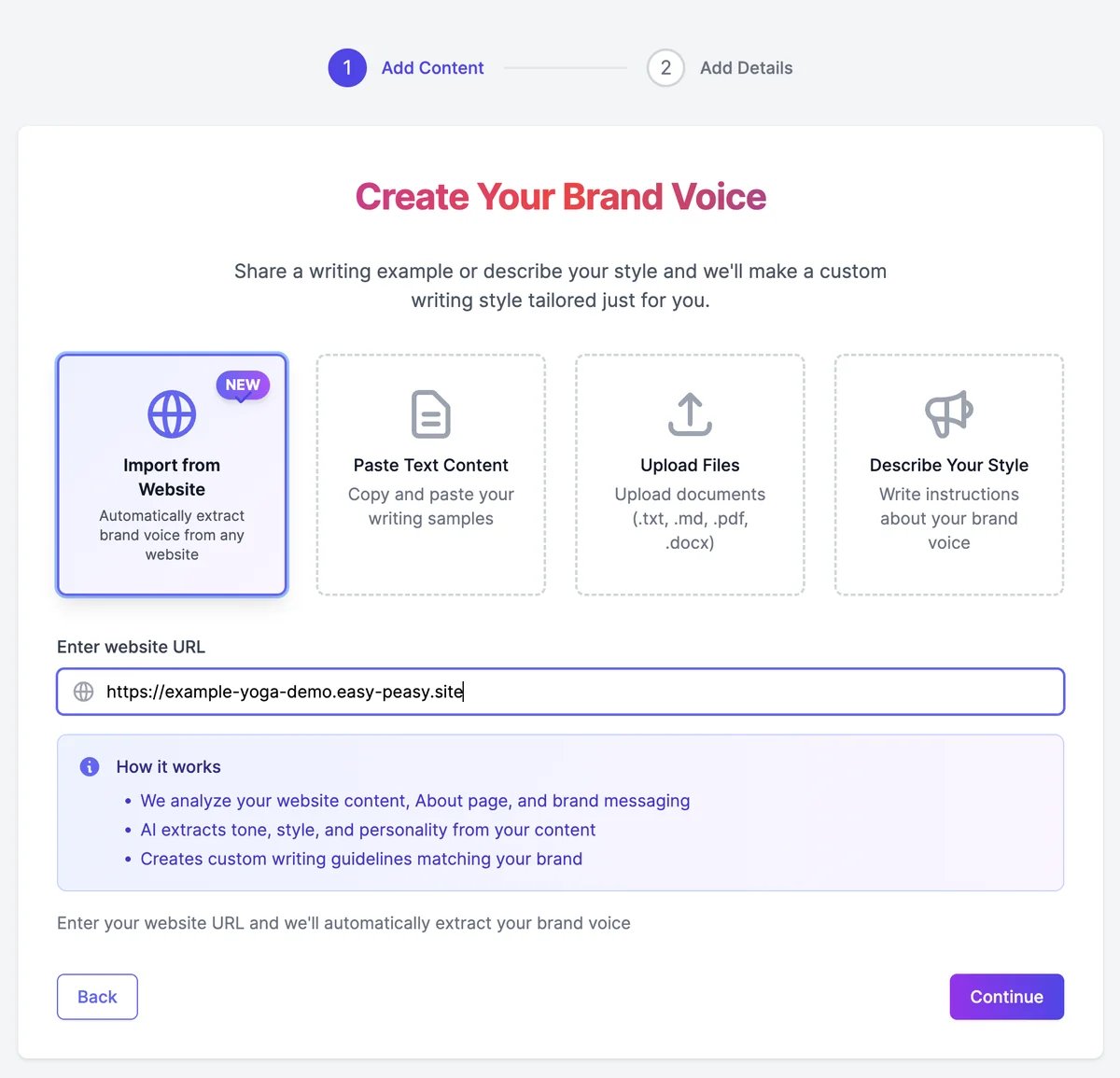
3
Click Continue and name the voice
Enter a Voice Name, such as “Blog” or your business name. You’ll pick the voice by this name later. The Content Summary shows what will be analyzed.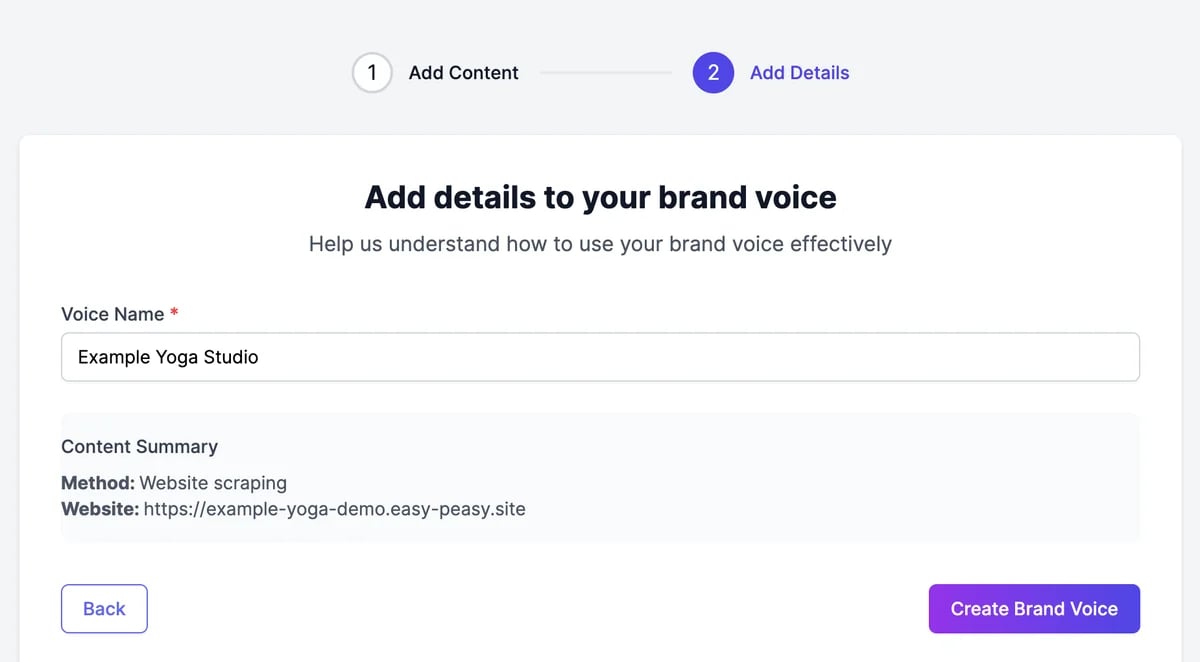
4
Click Create Brand Voice
Your content is analyzed and the writing instructions are written, which takes up to a minute. Then the voice opens.
Describe your style instead
If you have no samples, choose Describe Your Style, pick a starting point, and write a few sentences: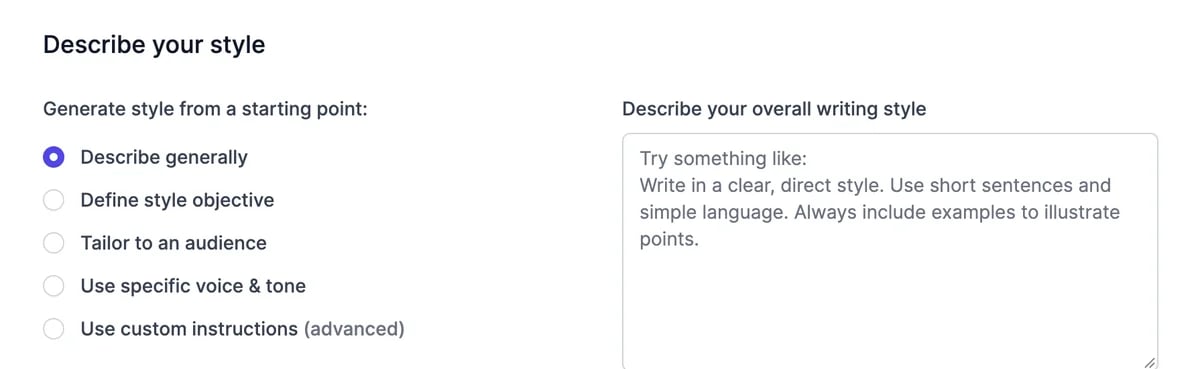
With the first four, your description is turned into full writing instructions.
What you get
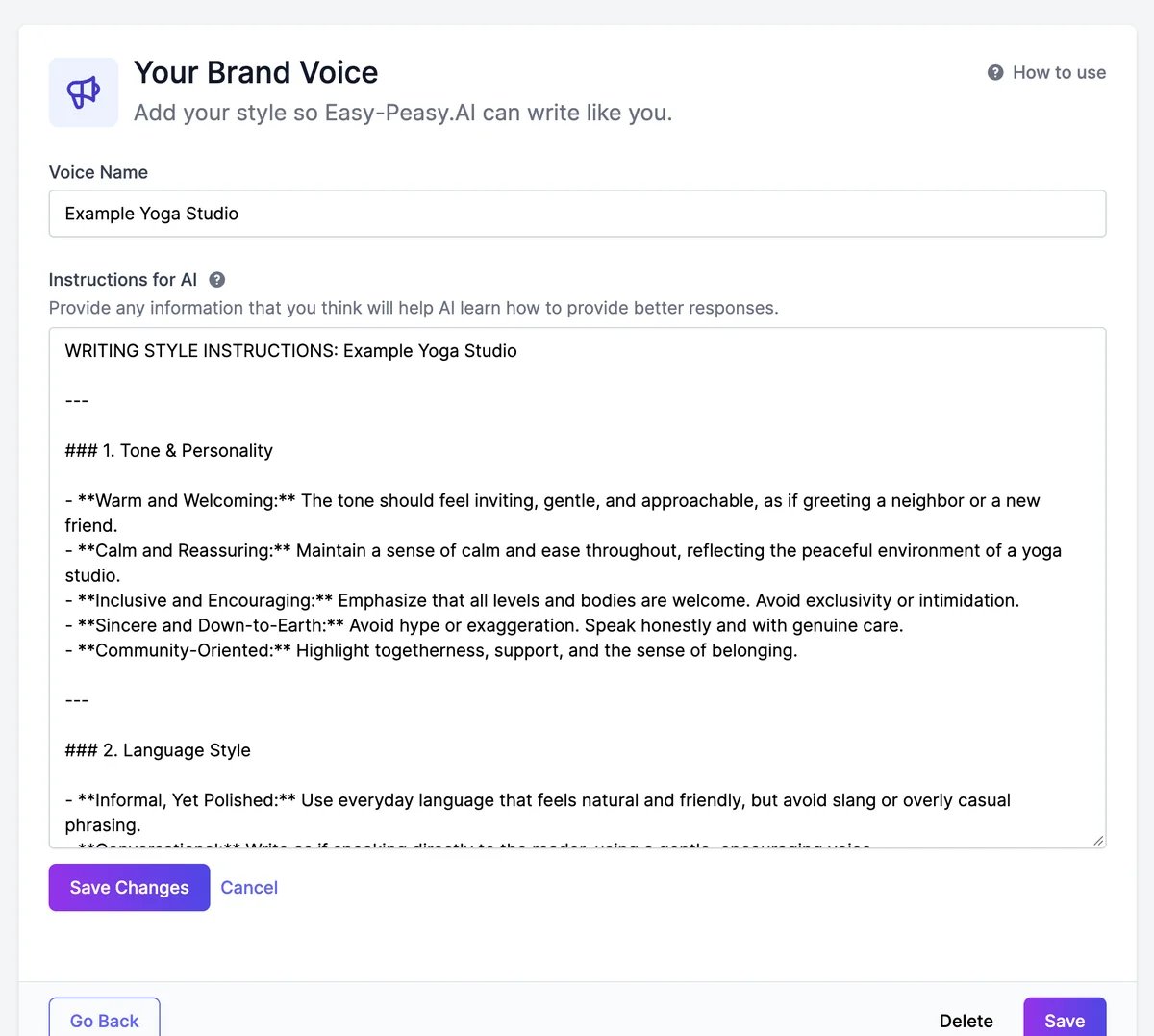
The voice’s page shows its Instructions for AI, organized by topic: tone and personality, language style, sentence structure, vocabulary, point of view, how to structure content, and brand personality traits. They often include example phrases to use and to avoid.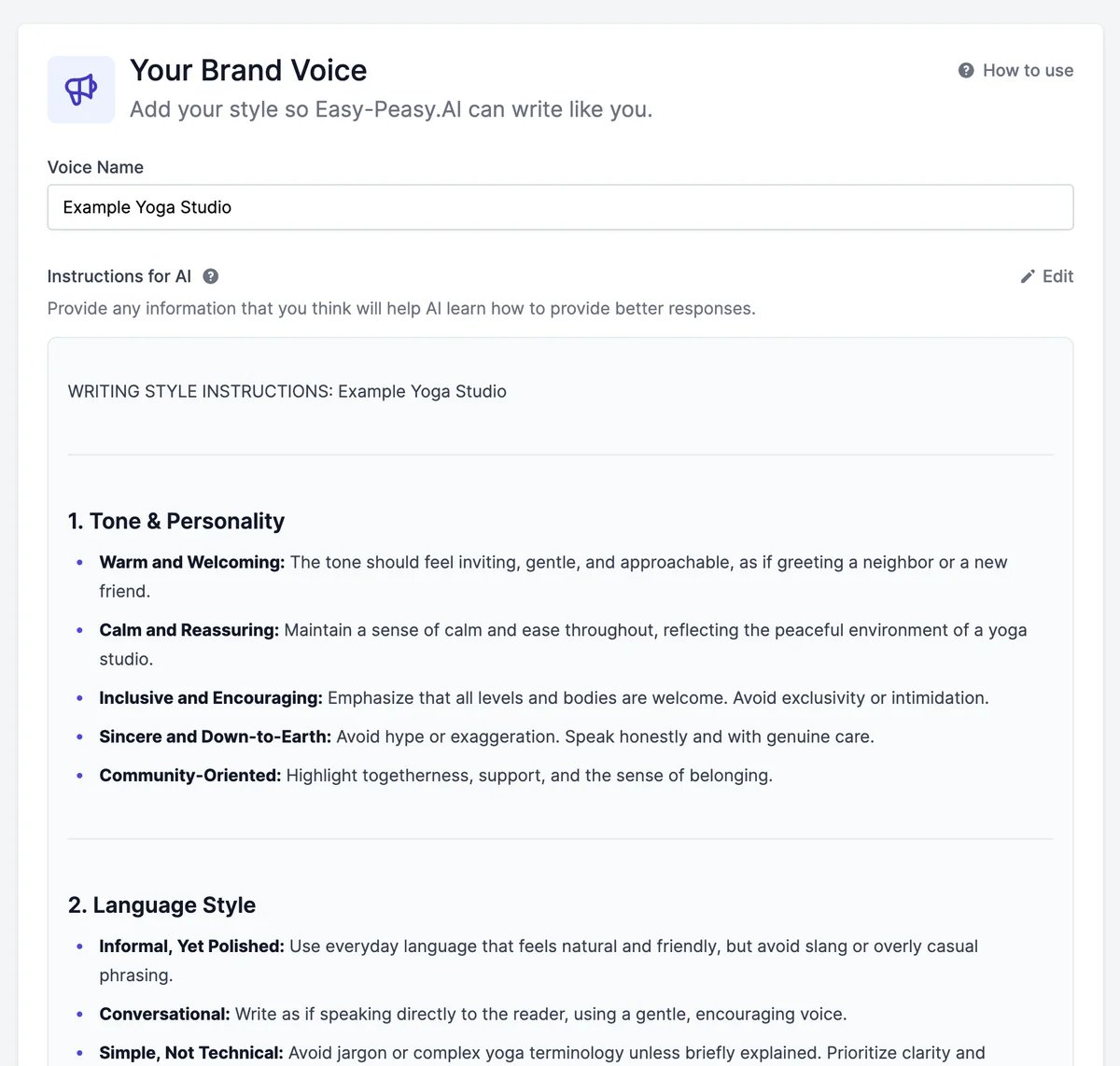
Edit a brand voice
Open Brand Voice and click Edit next to a voice.- To change the instructions, click Edit next to Instructions for AI, change the text, and click Save Changes. Add rules the analysis missed, such as “Never use exclamation marks” or “Always write ‘sign up’, not ‘signup’”.
- To rename it, change Voice Name and click Save.
Delete a brand voice
Open the voice, click Delete at the bottom, and confirm. Deleted voices can’t be restored.Share with your team
On a Teams plan, the brand voices your team creates appear on everyone’s Brand Voice page, so the whole team writes the same way.Use a brand voice
Write in your voice with Marky and the tools.
Marky Agent
Everything Marky can write for you.