
Sign the BAA
1
Open the BAA
Go to easy-peasy.ai/settings/baa, or click the HIPAA banner on a clinical note tool, such as the SOAP Note Generator.
2
Read it
Read the agreement in the page, or click Download BAA to save a PDF copy. It lists the services it covers.
3
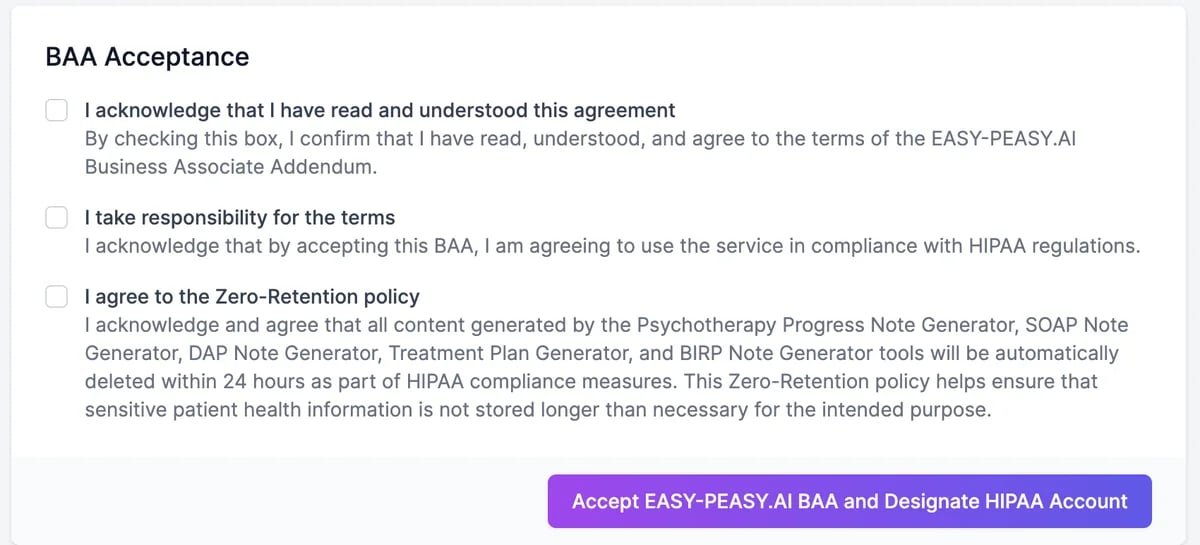
Tick the three boxes
4
Click Accept EASY-PEASY.AI BAA and Designate HIPAA Account
A HIPAA BAA tab appears in Settings, with the date you accepted and a copy to download.
Zero retention
Once you’ve signed, results from these tools are deleted automatically within 24 hours:- Psychotherapy Progress Note Generator
- SOAP Note Generator
- DAP Note Generator
- Treatment Plan Generator
- BIRP Note Generator
End the BAA
On the HIPAA BAA tab, click Terminate BAA Agreement and confirm. Your account is no longer a HIPAA account, and new results from the note tools are kept like any others. You can sign the BAA again later on the same page.Run a tool
How the note tools work.
Get help
Questions about compliance.