
Buying extra credits is for paid plans. On the Free plan, upgrade instead.
Buy image & video credits
1
Click Buy more credits
You’ll find the button on Settings > Subscription, on Settings > Usage, and on the image and video pages.
2
Choose an option
Purchase Options lists one-time packs of 100 or 500 credits, and bigger plans you can upgrade to. A bigger plan usually costs less per credit, and the dialog shows the price per credit for each option.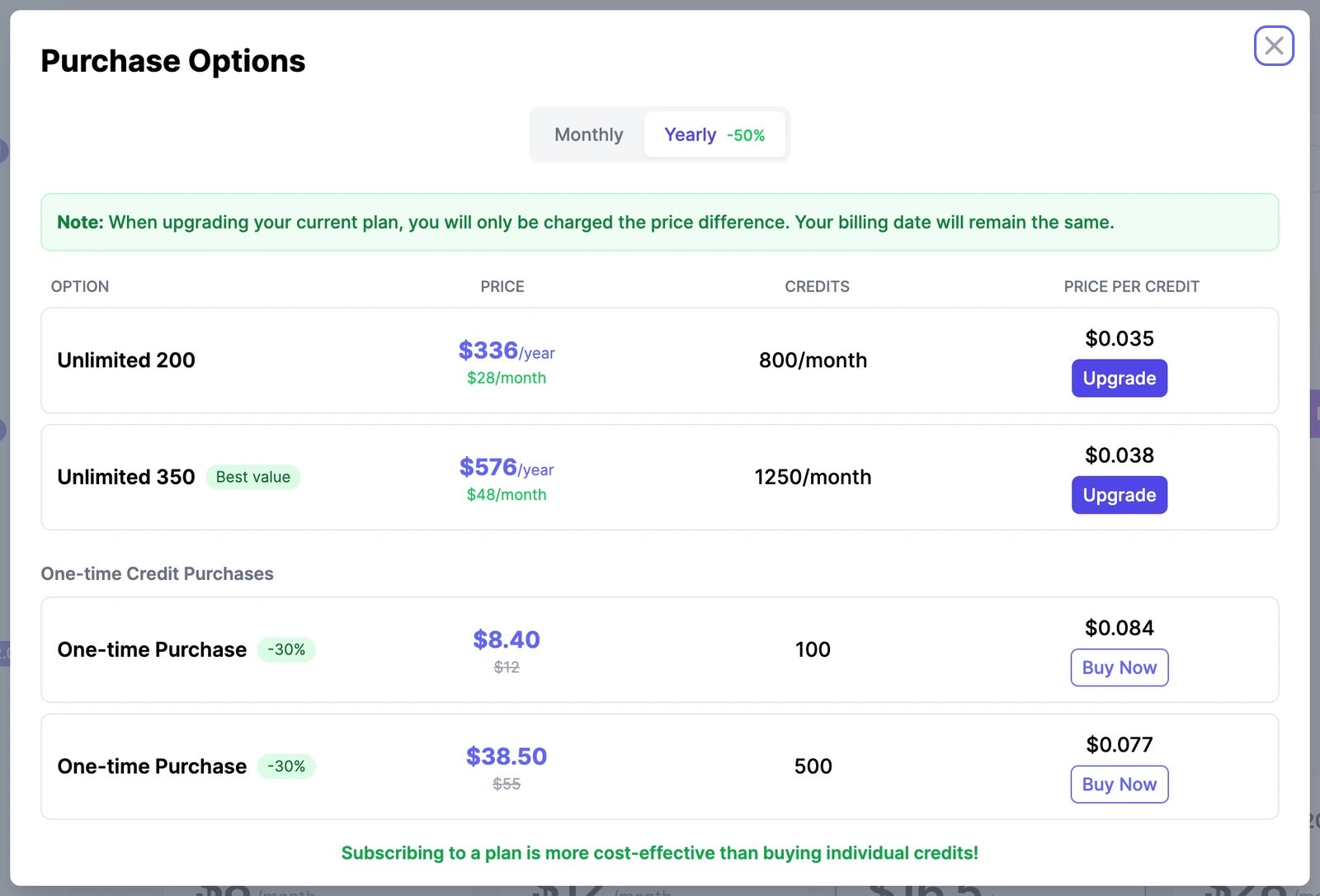
3
Pay
Click Buy Now and pay on the Stripe checkout page. You can change the quantity there to buy up to 10 packs at once.
Buy more words
On Unlimited 200 and larger plans, Settings > Usage shows Buy more words next to Words Usage. Each purchase adds 100,000 bonus words.Buy for a team member
If you own a team, you can buy credits or words for one member from Settings > Team. They go to that member’s balance, not yours.How bonus credits and words are used
- They’re used only after your plan’s monthly allowance runs out.
- They don’t reset. Whatever you don’t use carries over to the next period.
- They show up separately on the Usage page as Bonus credits and Bonus words.