
Turn memory on
Click the book icon at the top of a chat, or open Chat settings and click Manage Memories. Then switch on Enable Memory.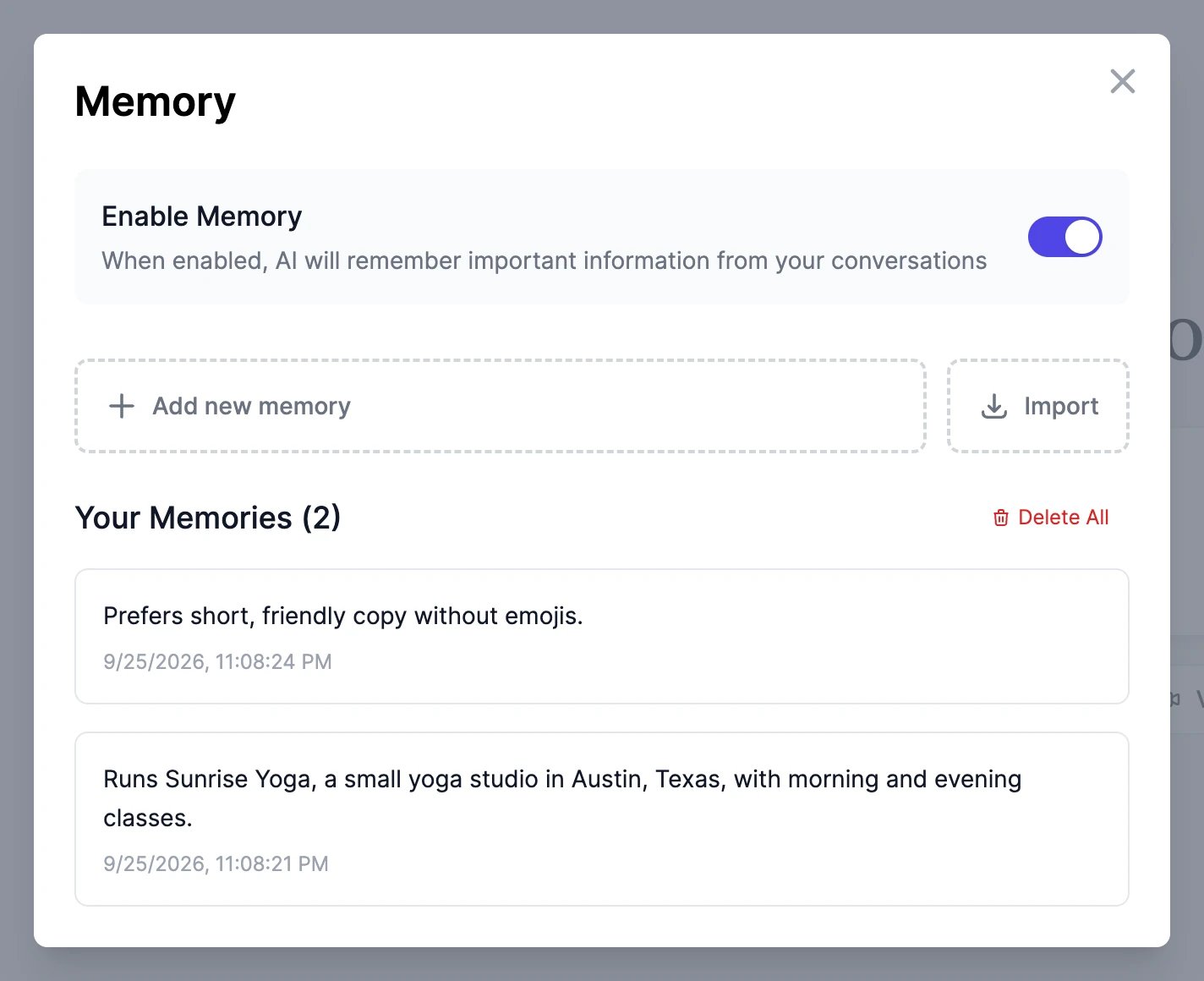
Add, remove, and review memories
- Add new memory: type a fact, up to 500 characters, and press Enter.
- Your Memories lists everything Marky remembers, newest first. Delete a memory you don’t want with its trash icon, or remove them all with Delete All.
- To change a memory, delete it and add the new version.
Bring your memory from another AI
Click Import in the Memory window. Copy the prompt shown there into the other assistant, such as ChatGPT or Claude, paste its answer back, and click Add to memory. Memory turns on automatically.Import your ChatGPT conversations
You can move your whole ChatGPT history into Marky: your conversations become Marky chats you can continue, and Marky can learn about you from them.1
Export your data from ChatGPT
In ChatGPT, open Settings > Data controls > Export data. OpenAI emails you a download link. Download the ZIP file.
2
Upload it to Easy-Peasy.AI
On the dashboard, open Settings > Data Controls and find Import from ChatGPT. Upload the ZIP file (up to 2 GB), or just the
conversations.json file from it. It’s read in your browser, and you see how many conversations, messages, and images it found.3
Choose what to import
- Also teach Marky about me (on by default): Marky reads your custom instructions and the topics of your conversations, and saves up to 30 memories about you. Memory turns on.
- Replace conversations I already imported: turn this on if you’re importing again and want the earlier copies updated.
4
Start the import
Your conversations appear in a ChatGPT folder in the Marky sidebar, with their original dates.
What’s imported
- The final version of each conversation, as you saw it in ChatGPT. Earlier edits and regenerated answers are skipped.
- Images you uploaded to ChatGPT, up to 25 MB each.
- Not imported: images ChatGPT generated (OpenAI doesn’t include them in the export), audio, and files.
Does memory work in every chat?
Does memory work in every chat?
Yes, once it’s on, in every Marky chat. Turn Enable Memory off to stop Marky from saving and using memories; your saved memories stay until you delete them.
Can I import the same ChatGPT export twice?
Can I import the same ChatGPT export twice?
Yes. Conversations that are already imported are skipped, so nothing is duplicated. Turn on Replace conversations I already imported to update them instead.