
How AI Employees differ from Marky and Agents
Employees run on the same engine as Marky, so they can search the web, use a browser, work with files and code, make images and videos, and use your connected apps. A few of Marky’s jobs stay with Marky: employees don’t build websites or slide decks, and they don’t run deep research.
How it works
1
Hire your team
Pick the kinds of work you do and hire the team we propose, led by a Chief of Staff. Or choose from 19 ready-made roles, or describe your own. See Hire employees.
2
Tell them about your business
Fill in the company profile once, and every employee reads it. Add knowledge such as price lists and policies, and connect the apps each employee needs.
3
Give them work
Message an employee directly, brief the whole team in a group chat, or file a task. You can also call an employee or talk to them in Slack.
4
Let them work on their own
Routines run on a schedule, when a webhook is called, or when an email arrives, even while you’re away.
5
Review and approve
Emails, calendar changes, and changes in your apps wait for your approval. Delivered tasks wait for your review.
Find your way around
Click AI Employees in the sidebar, or go to easy-peasy.ai/employees. The first time, it opens team onboarding. After that, it opens your team’s messenger: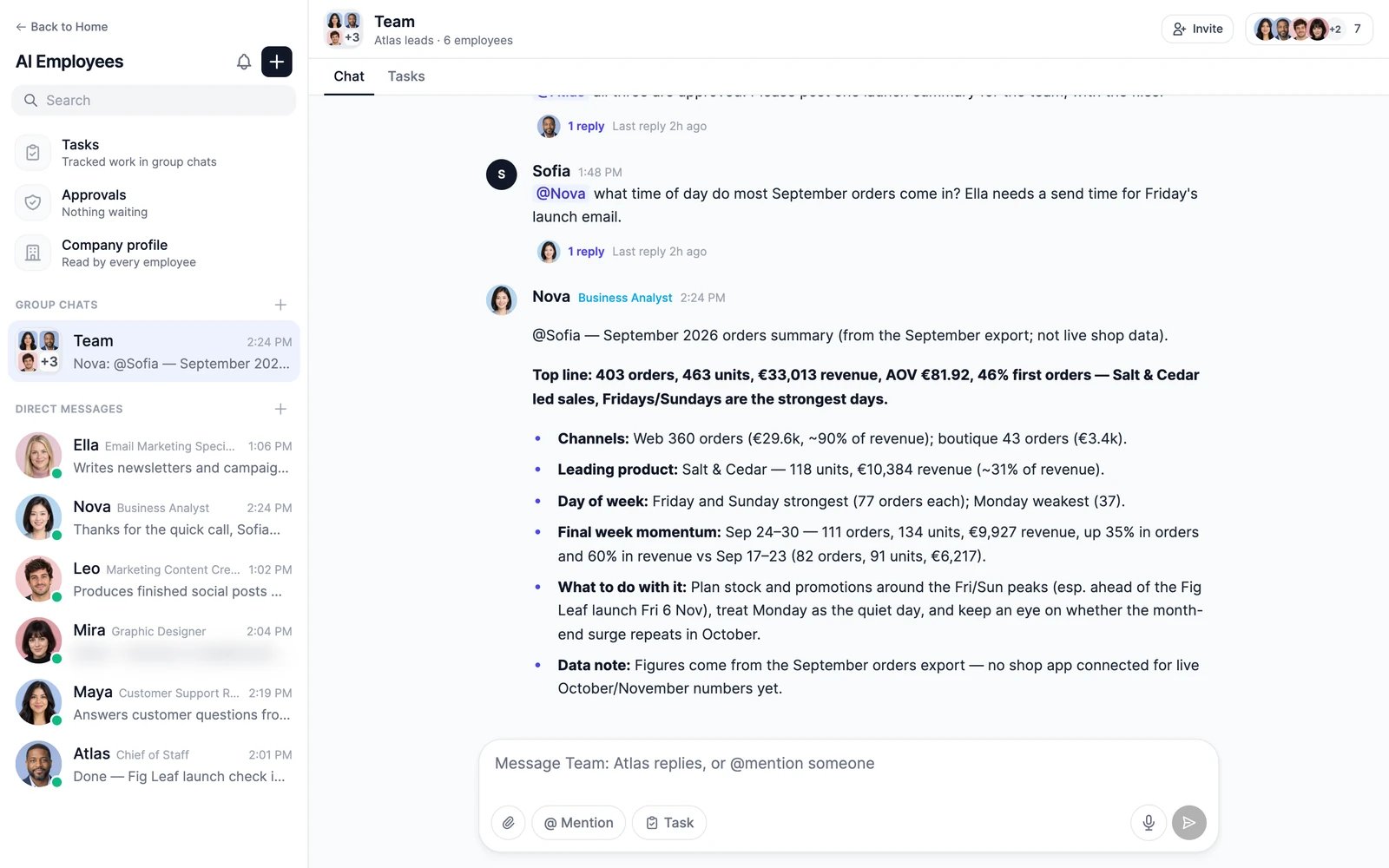
Employee workspace
In a direct message, click Manage to open the employee’s workspace. To open another employee’s workspace, click the employee’s name at the top of the menu.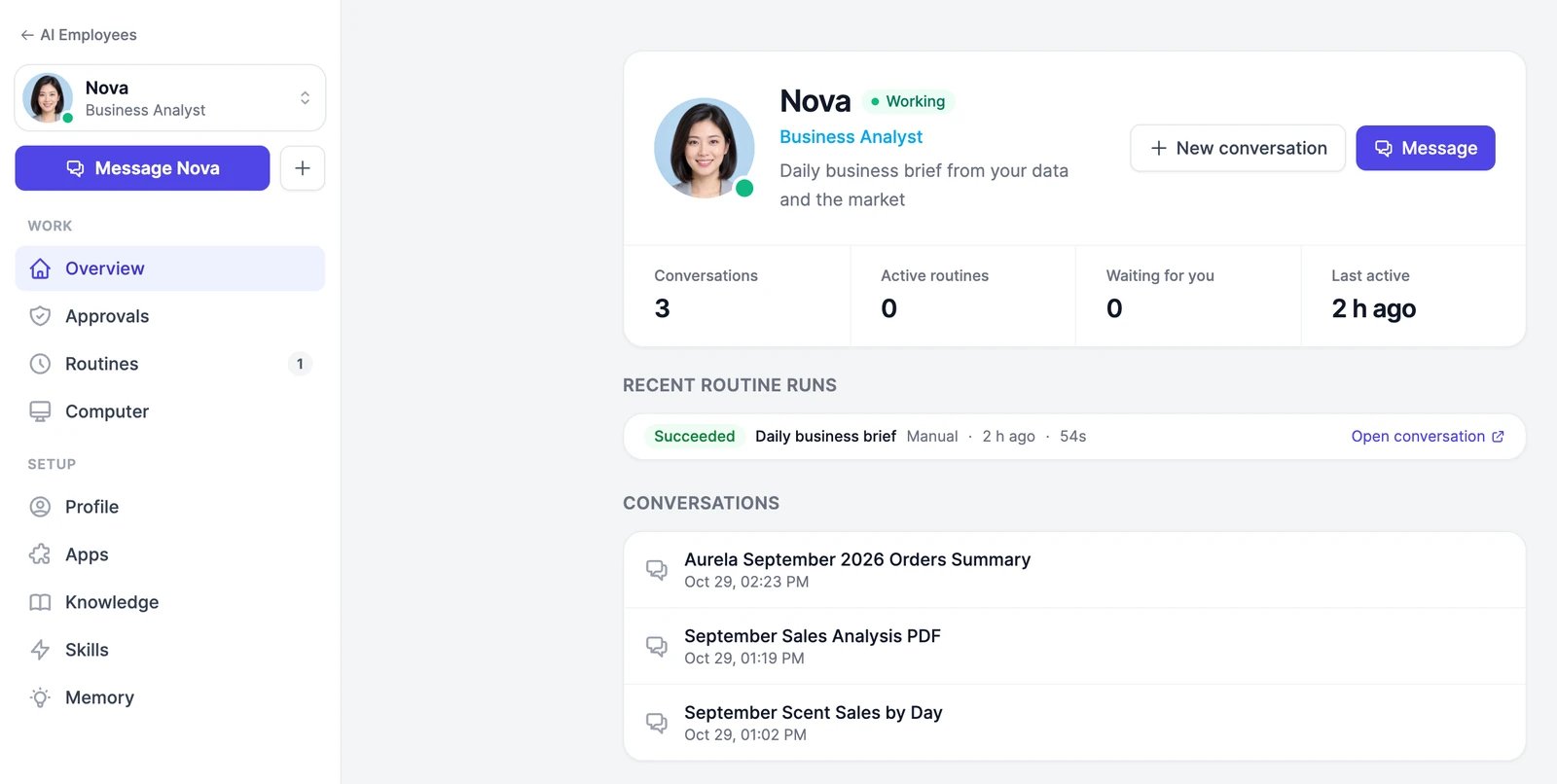
What AI Employees cost
Employees use your plan’s words, the same allowance as Marky, at the rate of each employee’s model. Anything they generate, such as images and videos, uses image & video credits like it does in Marky. Hiring, group chats, tasks, and approvals don’t cost anything extra. Your plan sets how many employees you can have:
See Limits and usage for everything else, such as voice calls and invited people.
Hire employees
Hire a team in one click, or one role at a time.
Work with an employee
Give your first task in a direct message.