
How it works
1
Create an agent
Enter your website, say what the agent should do, and the agent is built for you: it reads your pages, writes its instructions, and matches your brand colors. See Create an agent.
2
Train it on your content
Add documents, text, questions and answers, a sitemap, or YouTube videos in Knowledge. The agent answers from what you add here.
3
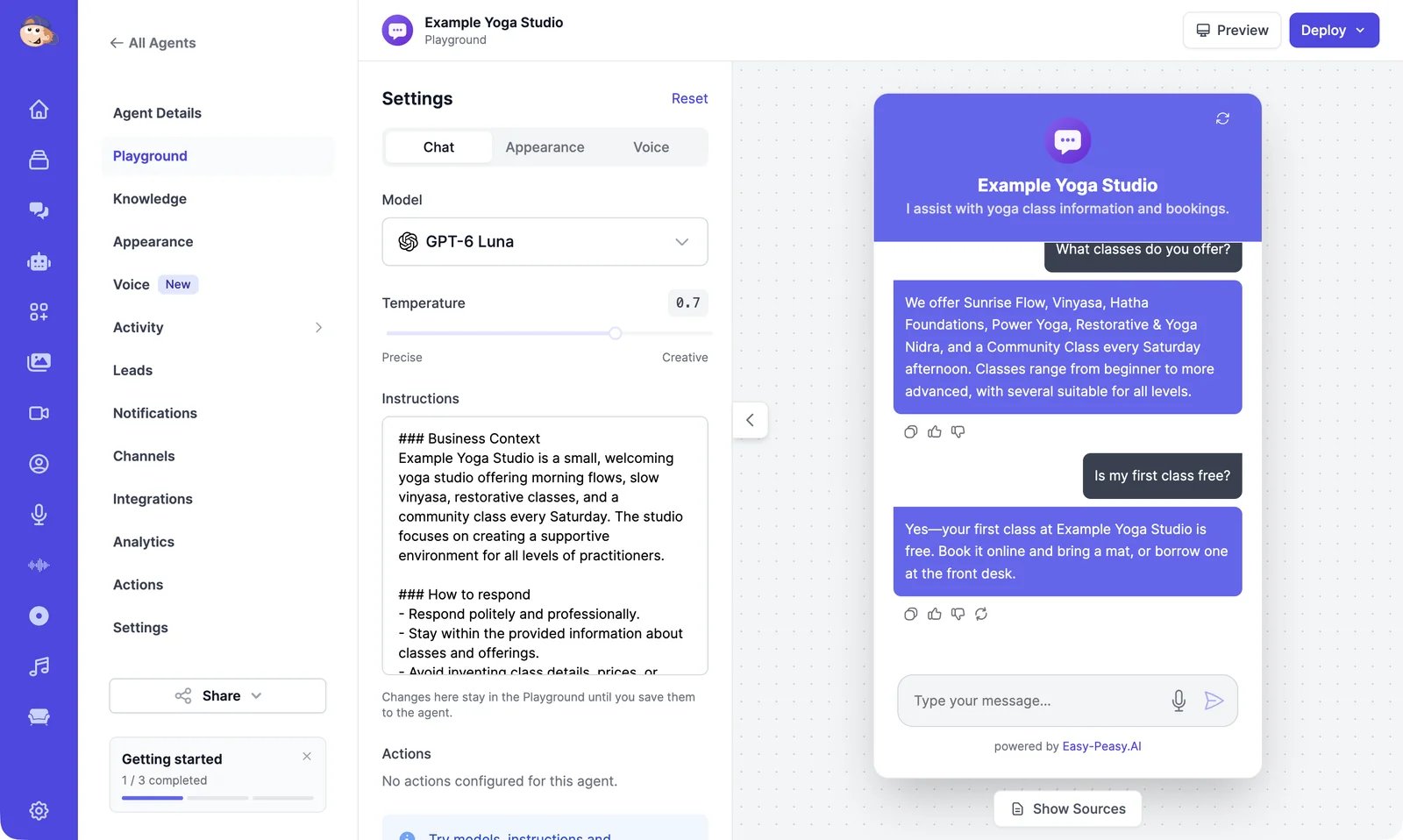
Test it in the Playground
Chat with your agent, try other models and instructions, and save the setup you like. See Playground.
4
Make it yours
Set the instructions and model, the look of the chat, and actions such as booking a meeting or collecting a lead.
5
Put it on your channels
Add the chat bubble to your website, or connect WhatsApp, Telegram, email, and other channels.
6
Watch how it does
Read conversations, improve answers, and check analytics and leads.
Find your way around
Open Agents in the sidebar to see your agents. Click Edit on an agent to open it. Its menu has these pages:
The Getting started card under the menu lists what’s left to set up. You can close it.
What agents cost
Agents don’t use image & video credits. What they use depends on your plan and the agent’s model:- On paid plans, replies from most models use your plan’s words, the same allowance as Marky and the tools. Some models don’t use words at all. See Instructions and model.
- On the Free plan, you get one agent that answers up to 100 messages every 30 days.
Create an agent
Build your first agent from your website.
Add the chat to your website
Copy one line of code, or share a link.