
Extending videos is available on paid plans.
Extend a video
1
Choose the video
On one of your videos, open the ⋮ menu and click Extend video. Or open Videos > Extend Video and click Upload a video to use your own: MP4 or MOV, 2 to 30 seconds, up to 100 MB.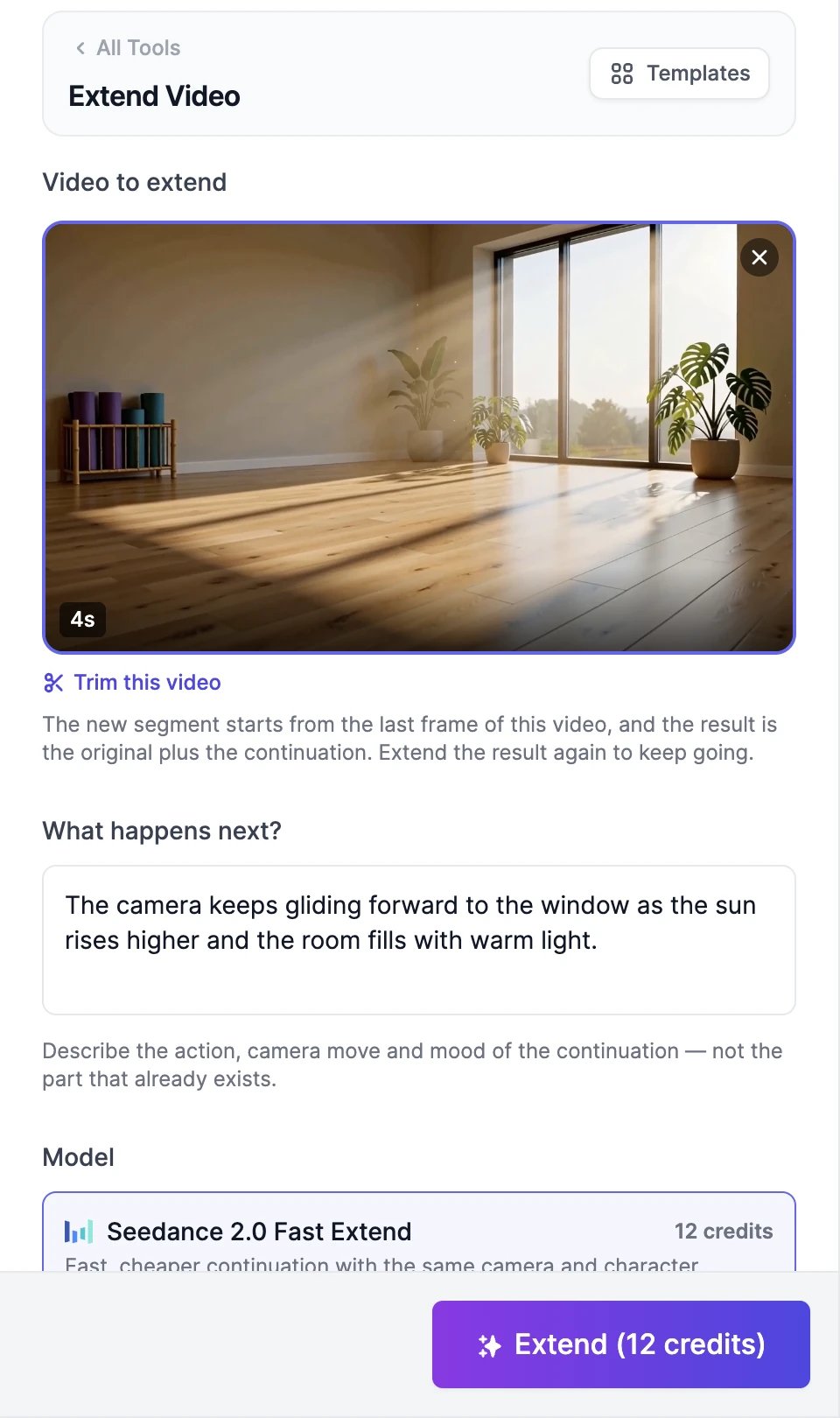
2
Trim the end (optional)
The continuation starts from the very last frame, so cut off any part you don’t want first. Click Trim this video, drag the handles to choose what to keep, and click Apply trim. Dragging the end handle shows the exact frame the new part will start from. Trimming is free, and Undo trim brings the full video back.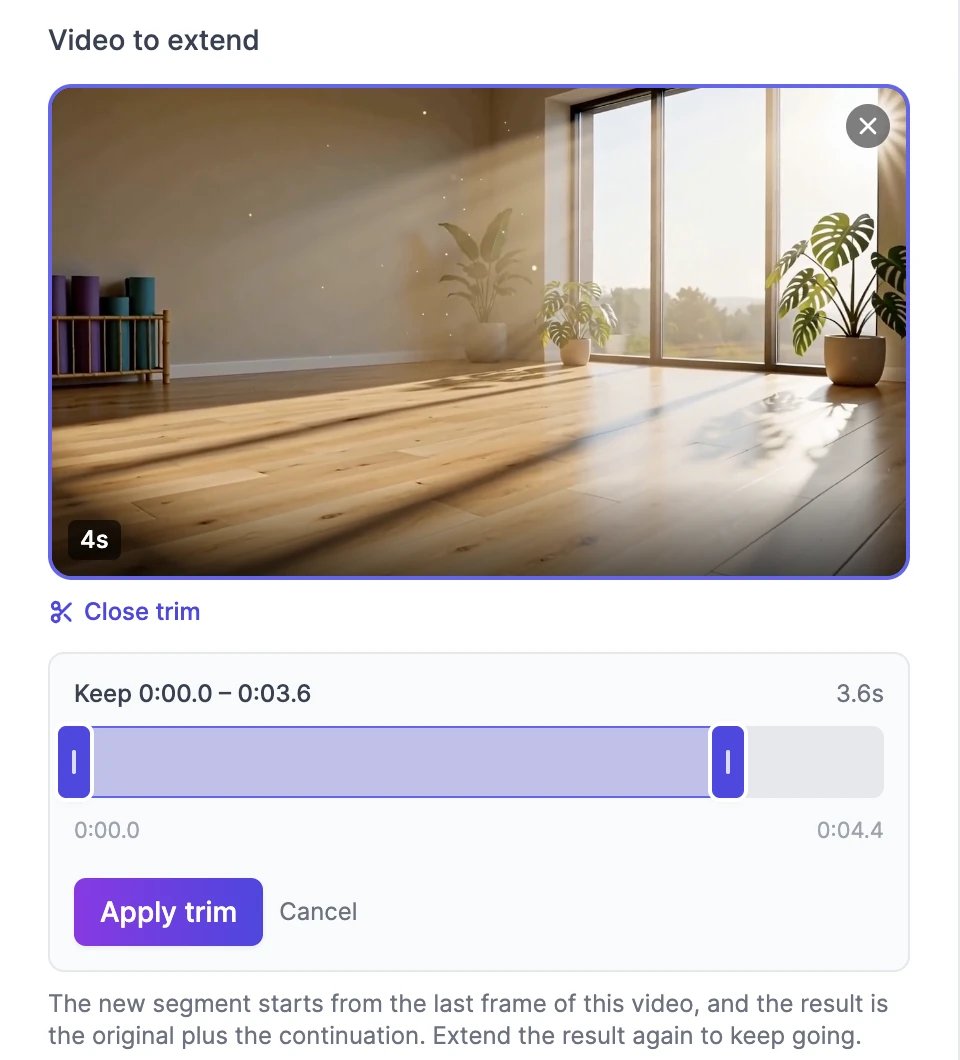
3
Describe what happens next
In What happens next?, describe the new part only: the action, the camera move, and the mood. For example: “The camera keeps gliding forward to the window as the sun rises higher and the room fills with warm light.”
4
Pick a model, length, and resolution
Choose a model, how many seconds to Add, and a Resolution. Finished video shows the total length.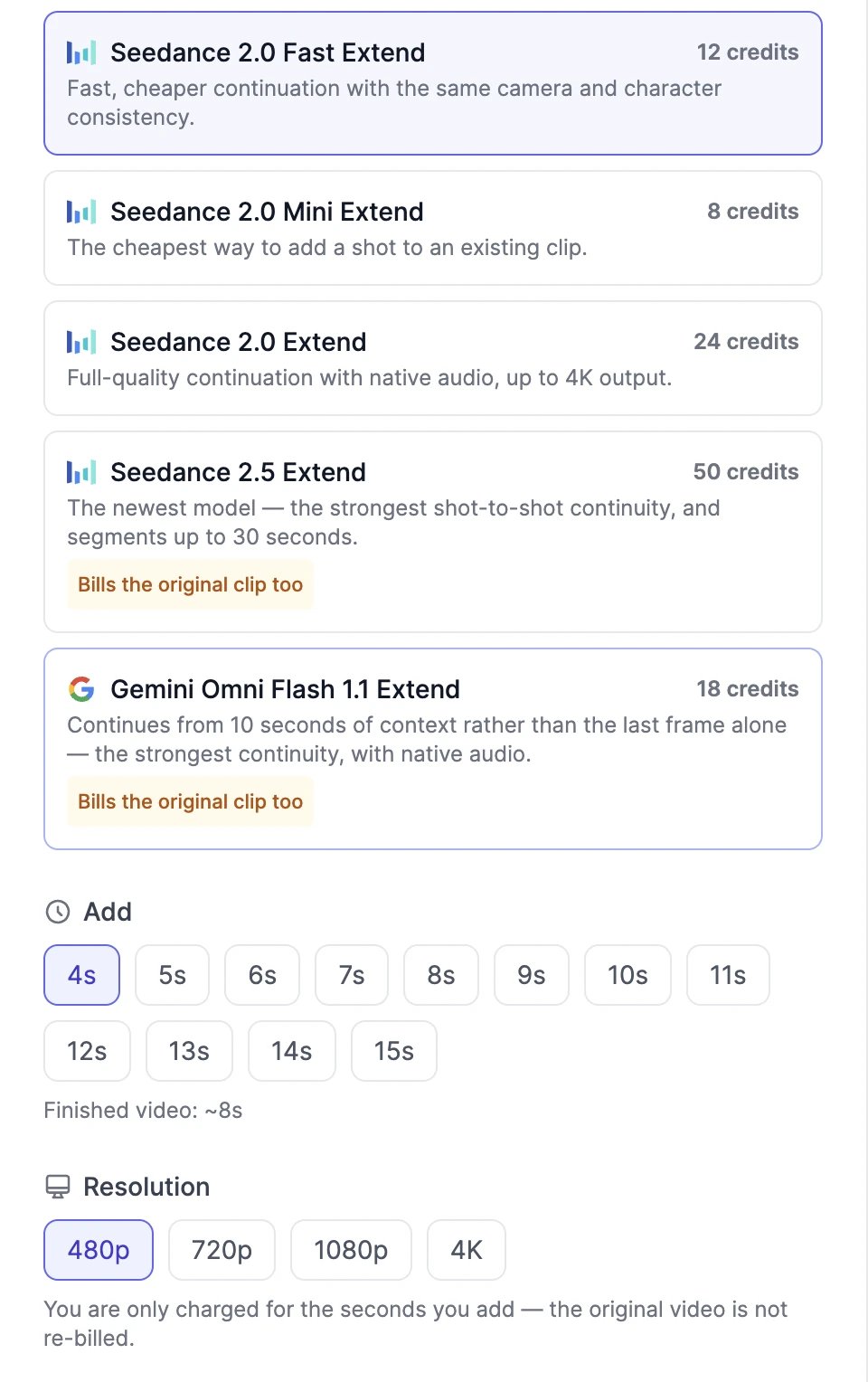
5
Click Extend
The button shows the price, for example Extend (12 credits). The longer video appears in your results in a few minutes.
Models and credits
- 480p costs half, and higher resolutions cost more: 1080p is 2.5 times the 720p price and 4K is 5 times on Seedance. On Gemini Omni Flash, 1080p is 1.5 times and 4K is 3 times, and a 360p tier costs a third.
- The Seedance 2.0 models charge only for the seconds you add. Seedance 2.5 and Gemini Omni Flash also charge for the original video, marked Bills the original clip too. Their note under the resolution shows the split, such as “Billed for 9s — 5s original + 4s new”. Trimming the original first makes these cheaper.
- Gemini Omni Flash continues from up to 10 seconds of the video rather than the last frame alone, and makes the whole video again at the resolution you choose.
If something goes wrong
- “Could not read this video’s length”: only MP4 and MOV videos can be extended. Export the video again as MP4 and upload it.
- The video is too long for the model: trim it, or pick a model that takes longer videos, such as Seedance 2.5 Extend.
- If the extension fails, you aren’t charged.
Edit a video with AI
Change something in a video instead of adding to it.
Upscale a video
Make the result sharper.