
Generate a sound effect
1
Open Sound Effect Generator
Click Audio > Sound Effect Generator in the top menu, or find it in All Tools. The number at the top right shows how many text-to-speech characters you have left.
2
Describe the sound
Type it in Describe the sound effect you want, up to 2,000 characters. Say what makes the sound, where it happens, what it sounds like, and how it changes over time. Ambience, Foley, and Sci-fi fill in an example to start from.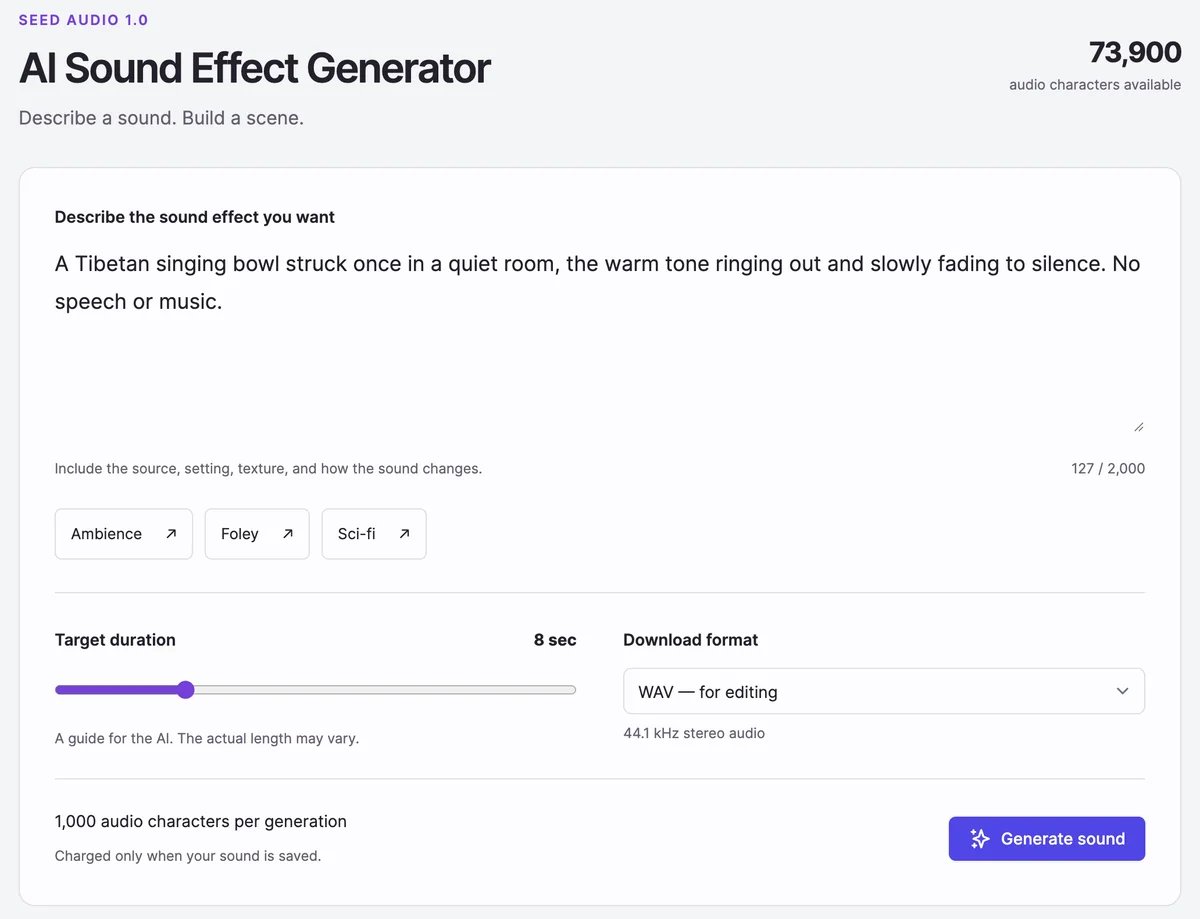
3
Set the length and format
- Target duration: 1 to 30 seconds. The AI aims for it; the actual length can differ a little.
- Download format: WAV for editing, or MP3 for a smaller file.
4
Click Generate sound
The sound is ready in about 20 seconds and appears under Generated Sound Effects.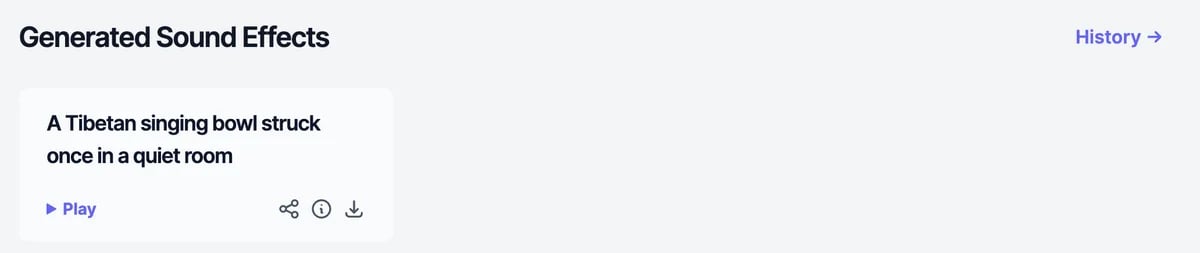
Your sound effects
Each sound has Play, Share, Details, and Download. Details shows the description, the date, and the characters used, and has Delete. Share works like it does for speech: Share Publicly makes a public link. The page shows your 18 most recent sounds. History lists the rest.Tips for descriptions
- Name the source and the surface. “Boots walking slowly on wet gravel” works better than “footsteps”.
- Describe the space. A small room, a cathedral, an open field, underwater.
- Describe changes over time. “Rain starts softly, gets heavier, then a distant thunder roll.”
- Keep one scene per sound. Generate separate sounds and layer them in your editor.
What it costs
Each sound uses 1,000 text-to-speech characters, whatever its length. Characters are used only when a sound is saved, so a failed generation costs nothing. You need at least 1,000 characters left to generate; otherwise the button changes to Upgrade plan. The Free plan’s 100 characters aren’t enough for a sound effect. See Audio plans and limits. You can make one sound at a time, together with the audio generator.For developers
Generate sound effects from your own code withPOST /api/generate-sound. See Generate sound effect.
Audio generator
Mix voices, music, and sound in one clip.
Music generator
Make a song or background track.