
Choose a voice
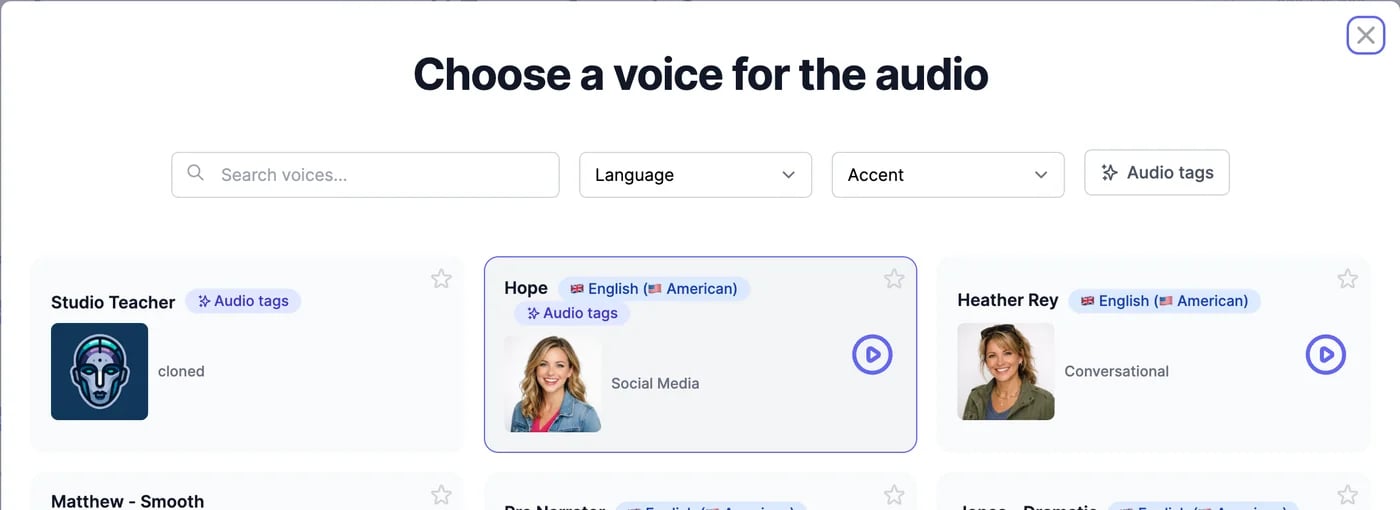
On AI Text to Speech, click Change voice.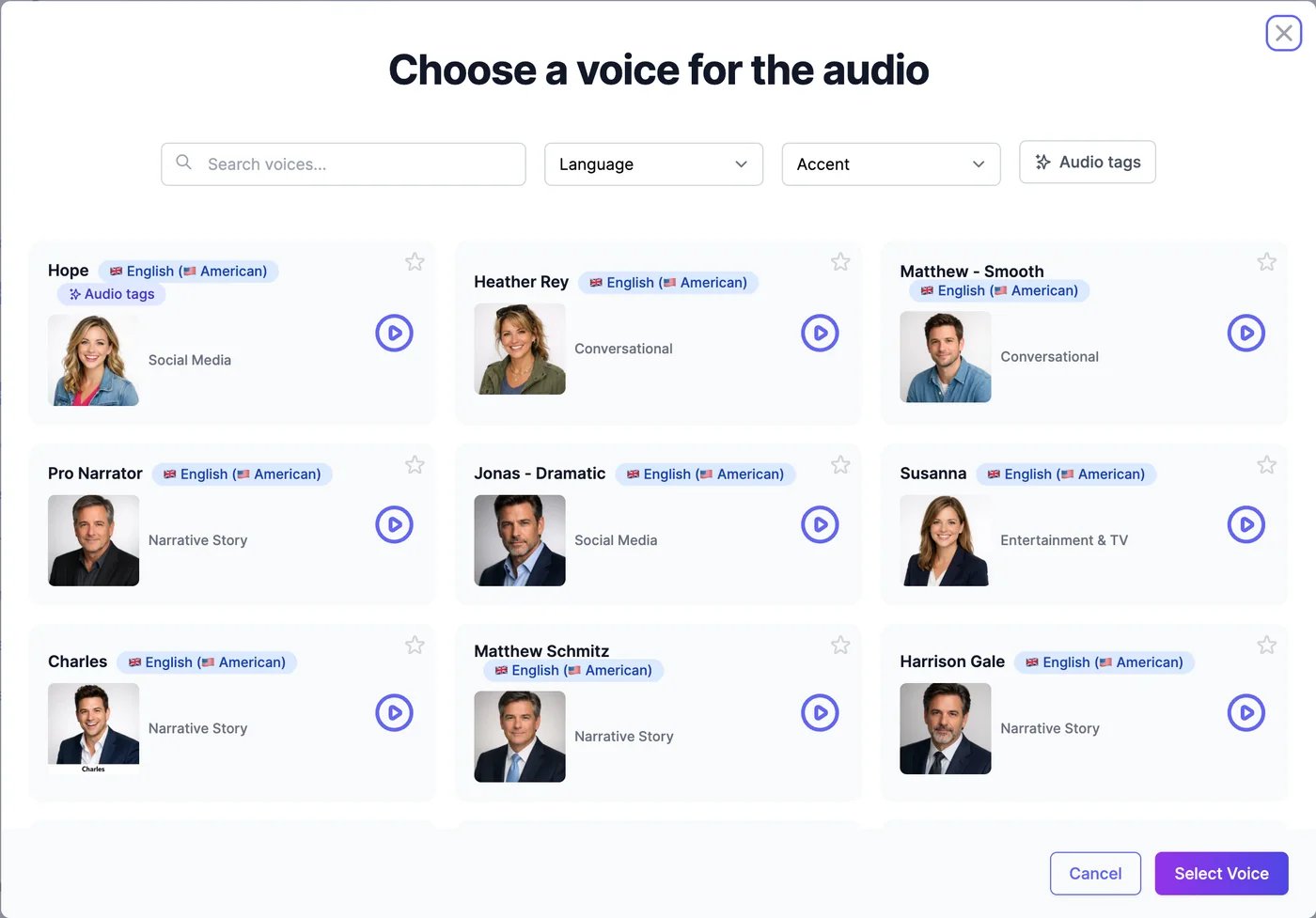
- Search voices… finds voices by name, language, accent, or description.
- Language and Accent narrow the list, for example English with a Singaporean accent.
- Audio tags shows only voices that can act out audio tags.
- The play button plays a sample. The star marks a favourite; favourites come first in this browser.
- Audio tags: the voice acts out tags like
[laughs]. Up to 5,000 characters per generation. - Saver: uses one character for every 10 you convert. It always makes MP3 and ignores Turbo and Advanced Settings.
Your own voices
Add voices three ways:
All three count toward your plan’s custom voices, from 1 on the Free plan. See Audio plans and limits. Creating a voice doesn’t use characters.
Instant clone
1
Open Clone Your Voice
On AI Text to Speech, click Clone Your Voice. Instant is selected.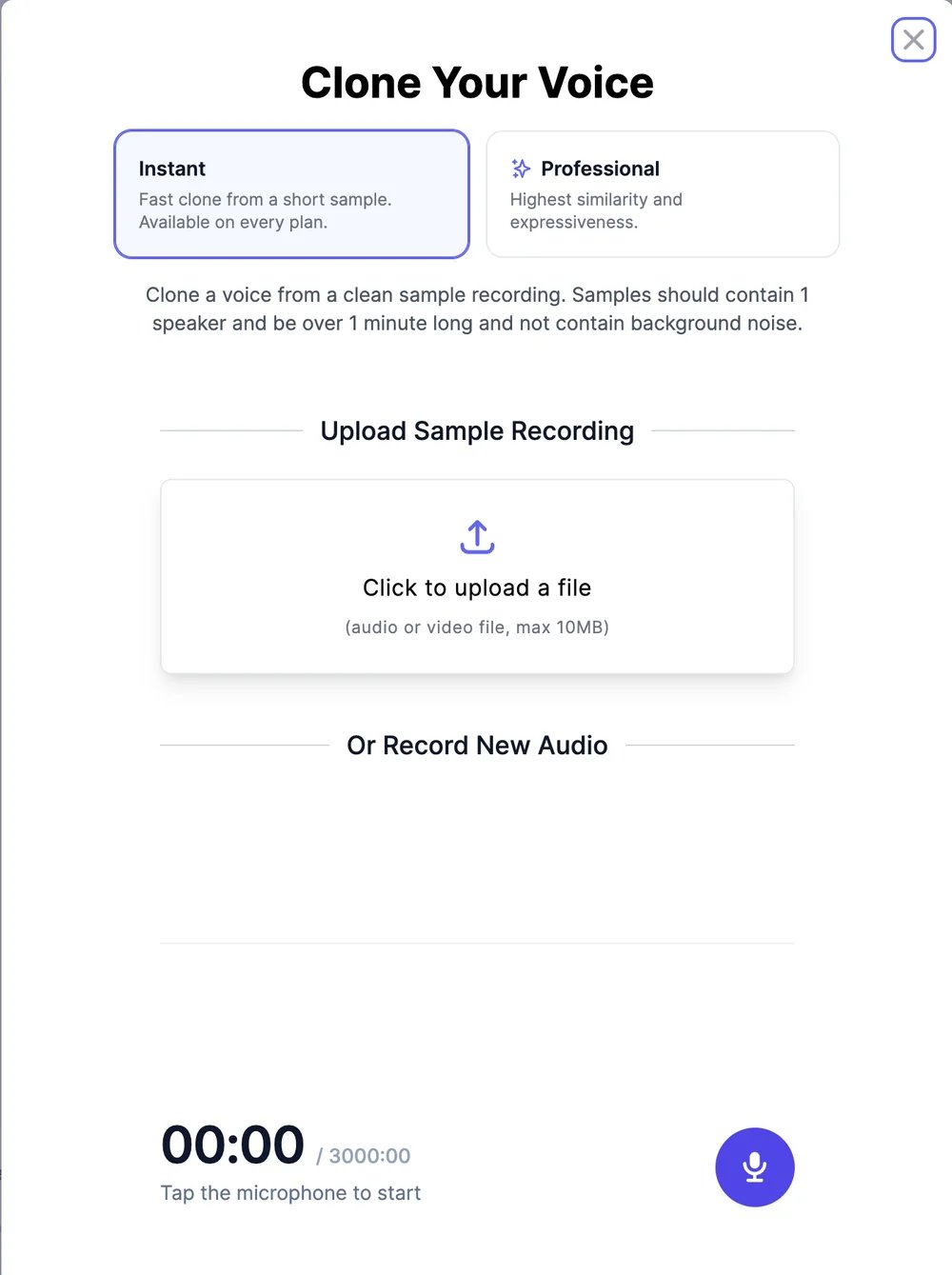
2
Add a recording
Upload an audio or video file of up to 10 MB, or click the microphone and record up to 3 minutes. Use one speaker, more than a minute of speech, and no background noise or music.
3
Name it and save
Enter a Voice Name and click Add Voice. The voice is ready to use right away.
Professional clone
A Professional clone sounds closer to the speaker, especially their rhythm and expression.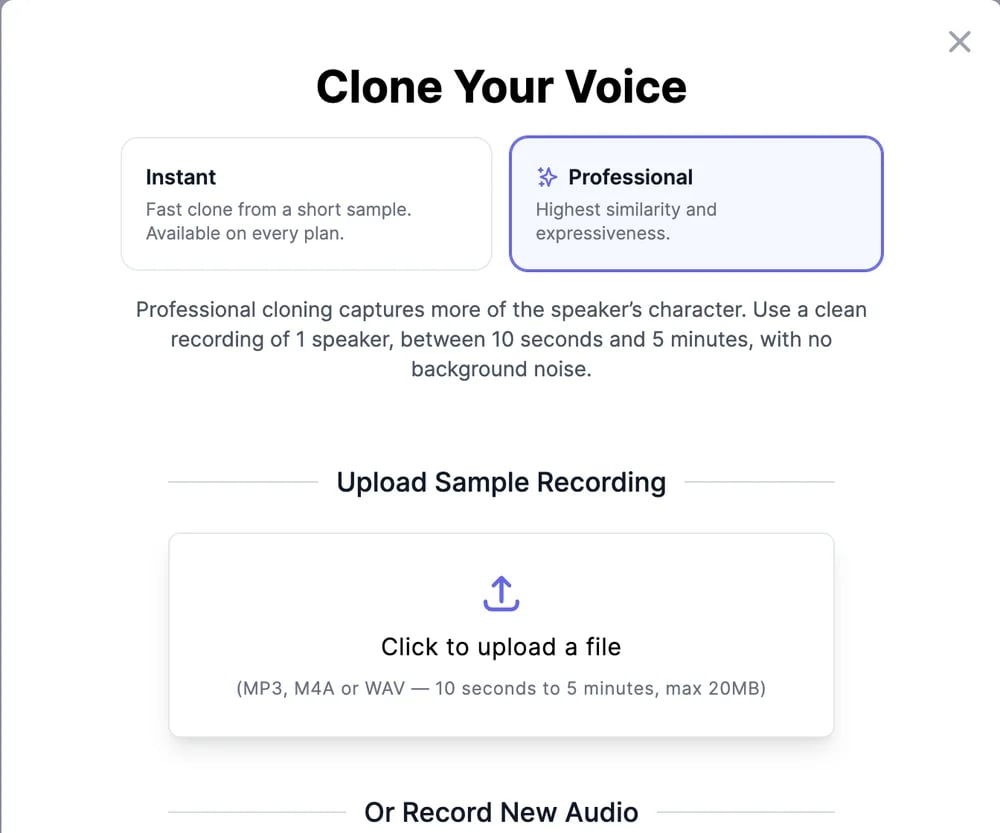
- Click Clone Your Voice and choose Professional.
- Upload an MP3, M4A, or WAV file, or record. The recording must be 10 seconds to 5 minutes long. If it’s longer, drag the highlighted window to choose which part to use.
- Optionally type What does the recording say?: the recording is checked against it, which catches silent or unclear samples before the clone is made.
- Name the voice and save it.
- Can’t be deleted by you. Contact support to remove one.
- Can’t be used in the Voice Changer. Make an Instant clone of the same recording for that.
- Ignore Stability and Clarity, and don’t offer Turbo.
- Are removed if your subscription ends.
Design a voice
Describe the voice you want, and you get three versions to choose from.1
Describe the voice
Click Design a Voice and write a Description of 10 to 1,000 characters: age, gender, accent, tone, pace, and the job it’s for. Try an example fills in a sample, and Best practices has tips.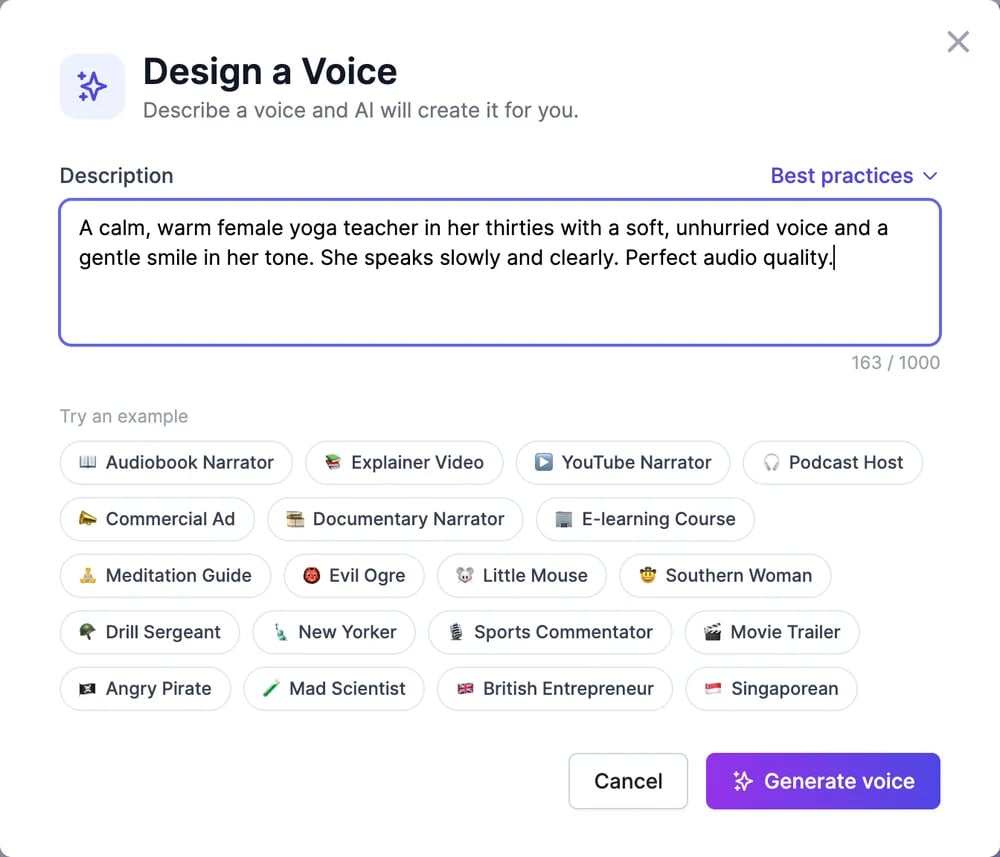
2
Click Generate voice
After up to 30 seconds, you get three versions. Play each one.
3
Pick one and save it
Select your favourite, enter a Voice Name, and click Save voice.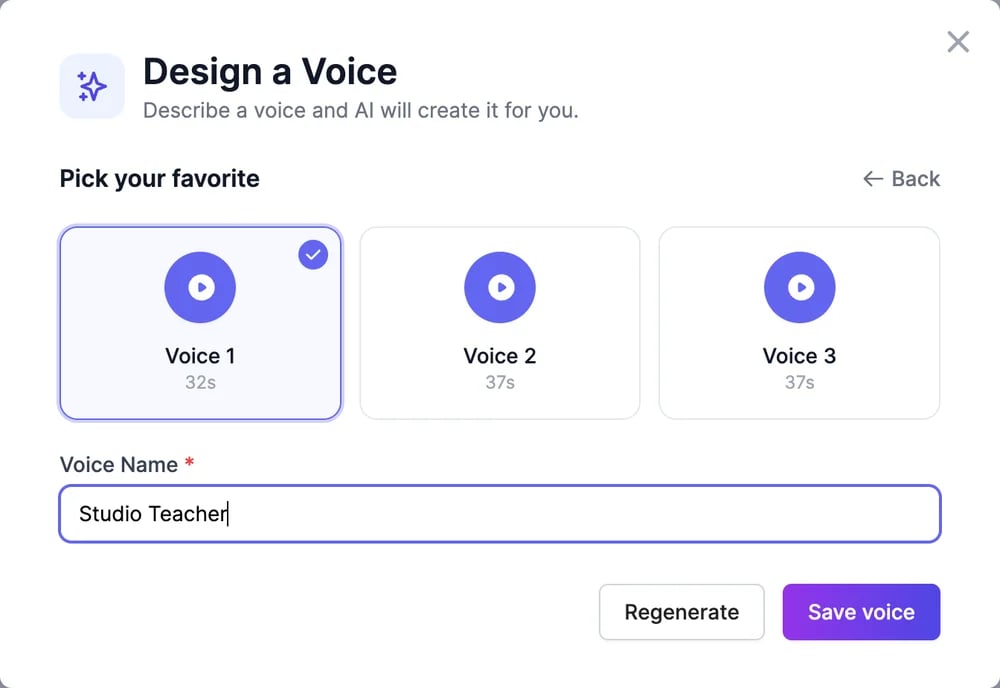
Delete a voice
In the voice list, click the trash icon on one of your voices. Deleting frees a place for a new custom voice. Professional clones can’t be deleted this way.Text to speech
Make audio with your voice.
Audio plans and limits
Custom voices and characters per plan.