
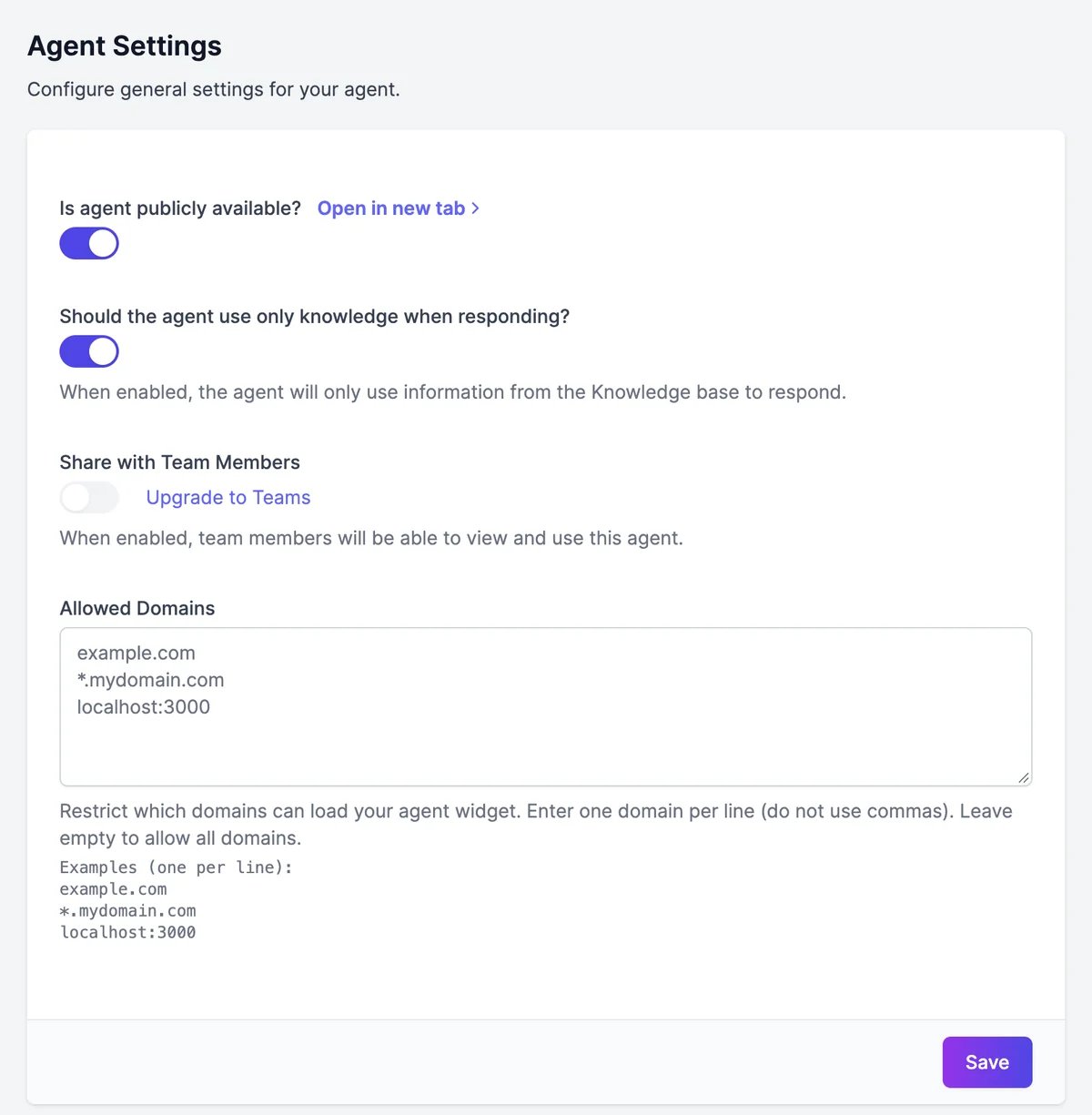
Public access
Is agent publicly available? is on for new agents. Leave it on: the chat bubble, the shareable link, and your other website chats need it. With it off, the agent currently answers only in the Playground. Open in new tab opens your agent’s shareable chat page.Answer only from knowledge
Should the agent use only knowledge when responding? is on for new agents.- On: the agent searches its knowledge for every message and answers from it. When the answer isn’t there, it says it doesn’t know instead of guessing, and it declines questions unrelated to your content.
- Off: the agent doesn’t search its knowledge at all. It answers from its instructions and the model’s general knowledge, like a general assistant.
Share with your team
On a Teams plan, Share with Team Members lets everyone on your team view and use the agent. Only the agent’s owner can change this. On other plans, Upgrade to Teams is shown instead.Allowed domains
Allowed Domains limits which websites can show your agent’s chat. Enter one domain per line, without commas:*.example.com covers every subdomain. Leave the box empty to allow every website.
Publish to Marky Agent
Publish to Marky Agent lets other Easy-Peasy.AI users find your agent in Marky and chat with it. Your agent’s name, description, and avatar become visible to them, and they use their own allowance for those conversations. Add an Author name to show who made it.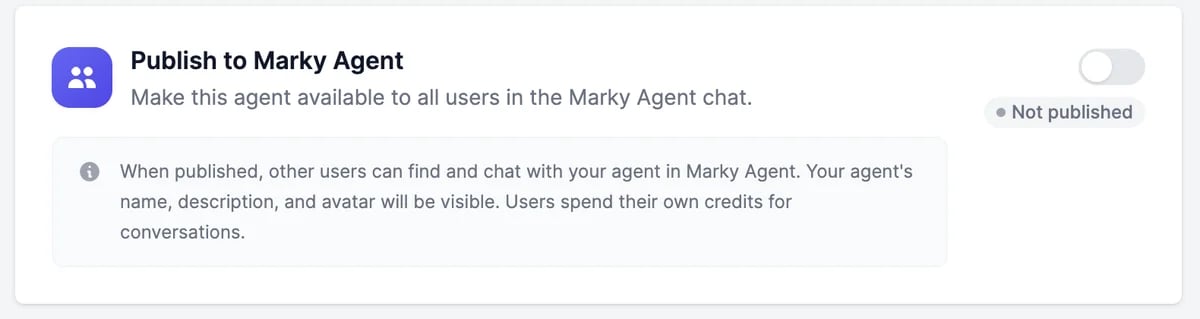
Delete an agent
Under Danger Zone, click Delete Agent, typedelete, and confirm. The agent, its knowledge, and its conversations are deleted and can’t be restored. Remove its code from your website and disconnect its channels first, so visitors don’t see a broken chat.
Website
Embed the chat on your site.
Knowledge
What the agent answers from.