
Find a tool
Click All Tools in the sidebar. There are close to 400, including shortcuts to the other products such as Marky Agent and AI Images.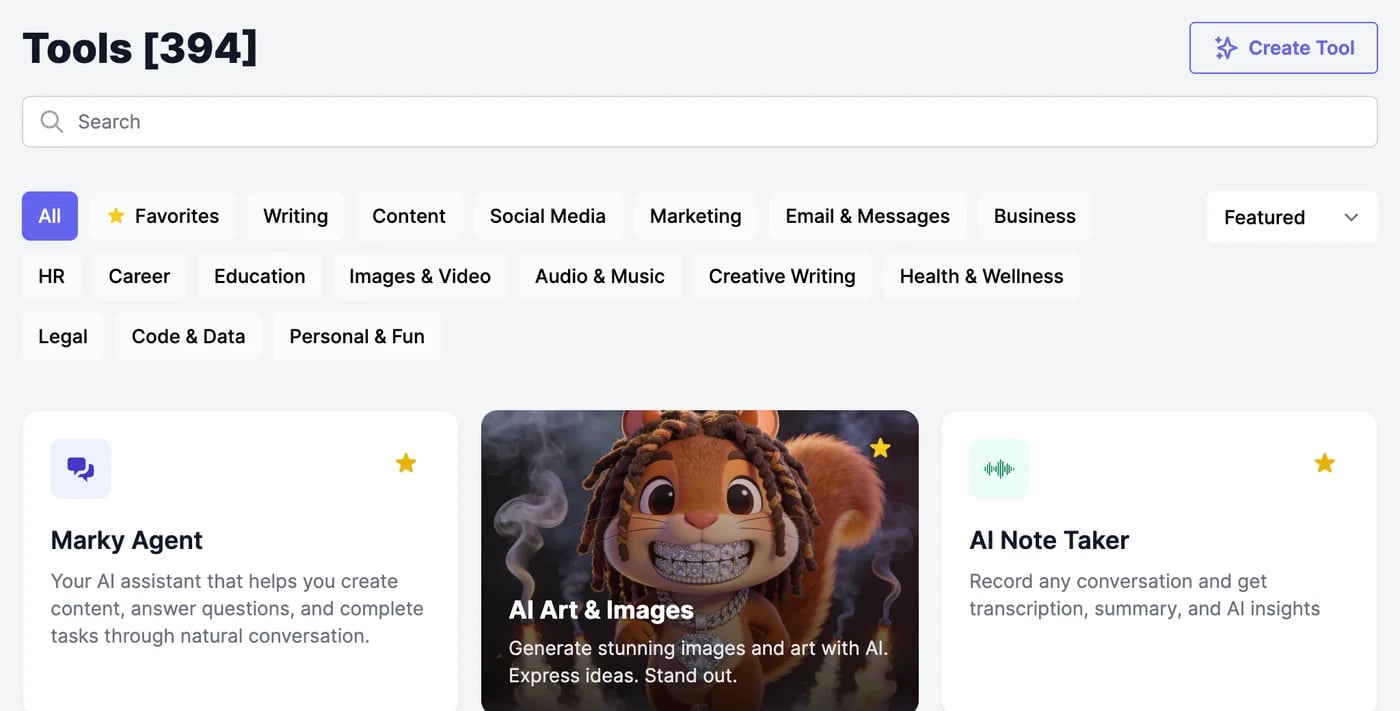
- Search by name or by what you want to do, for example “caption” or “email reply”.
- Filter by category: Writing, Content, Social Media, Marketing, Email & Messages, Business, HR, Career, Education, Images & Video, Audio & Music, Creative Writing, Health & Wellness, Legal, Code & Data, and Personal & Fun.
- Sort by Featured, Alphabetical, or Newest. Featured shows your favourites first.
Keep your favourites
Click the star on a tool’s card, or at the top right of its form, to make it a favourite. Favourites:- appear under ★ Favorites on the Tools page,
- come first in Featured and in Recommended Tools,
- are added to the sidebar, up to 10.
Your own tools
Create Tool builds a new tool from a sentence, with the fields you need. Your tools, and the ones teammates share with you, are under My Tools. See Create your own tool.Tools on the Free plan
On the Free plan, tools use the Standard model and make one result at a time. Tools for paid plans can be tried once each: they’re marked Try this template free, and the button reads Try Free. After that one result, the form asks you to upgrade. See Plans and credits.Run a tool
Fill in the form and work with the results.
Models and words
Pick the AI model and see what it uses.