
Calls are included on Unlimited 200 and higher plans, Teams 200 and Teams 300, and Enterprise, for up to 20 minutes each. On other plans, including Free, you get 10 free minutes of calls every 30 days, up to 3 minutes per call. See What calls cost.
Call an employee
1
Open the direct message
Open the employee’s direct message.
2
Click Call
Click Call at the top. Allow your browser to use the microphone when it asks.
3
Talk
The employee greets you, then listens. Talk as you would to a colleague. You can interrupt it while it speaks.
4
Hang up
Click End call. The call is saved to your chat, and the employee writes a recap.
- The mute button turns your microphone off, and stays amber while it’s off. Click it again to turn the microphone back on.
- The button next to it lets you type instead of talking, for names, email addresses, or links.
- Requests that need your approval show as cards on the call screen. Approve them there, or later in Approvals.
What an employee can do on a call
On a call, the employee answers from its instructions, memory, and knowledge, the company profile, and the web. It can also use its apps: “check last week’s orders in Stripe” or “what’s on my calendar tomorrow?” It says a few words before it looks something up, so you know it’s working. Anything that sends or changes something waits for your approval, as in a chat. For bigger work, like a report, a file, or images, the employee starts a task in your direct message, with everything you said about it. It works on it there with all its usual tools, after or during the call. A call can start up to 5 tasks.After the call
Your direct message shows a card for the call, with its length and the tasks it started. Click Transcript to read what each of you said. Below it, the employee posts a short recap. Tasks the call started run in the same chat, and their results appear there as they finish.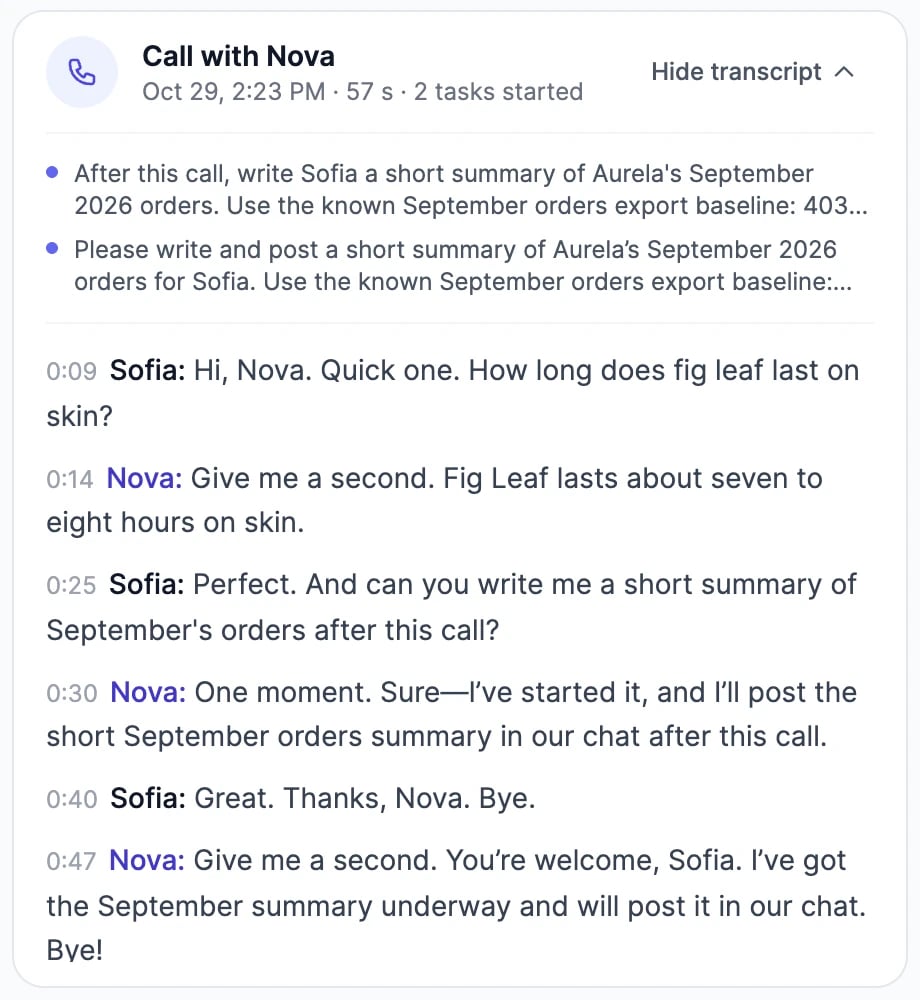
Set the employee’s voice
Open the employee’s workspace (Manage in its direct message), click Profile, and scroll to Voice on calls: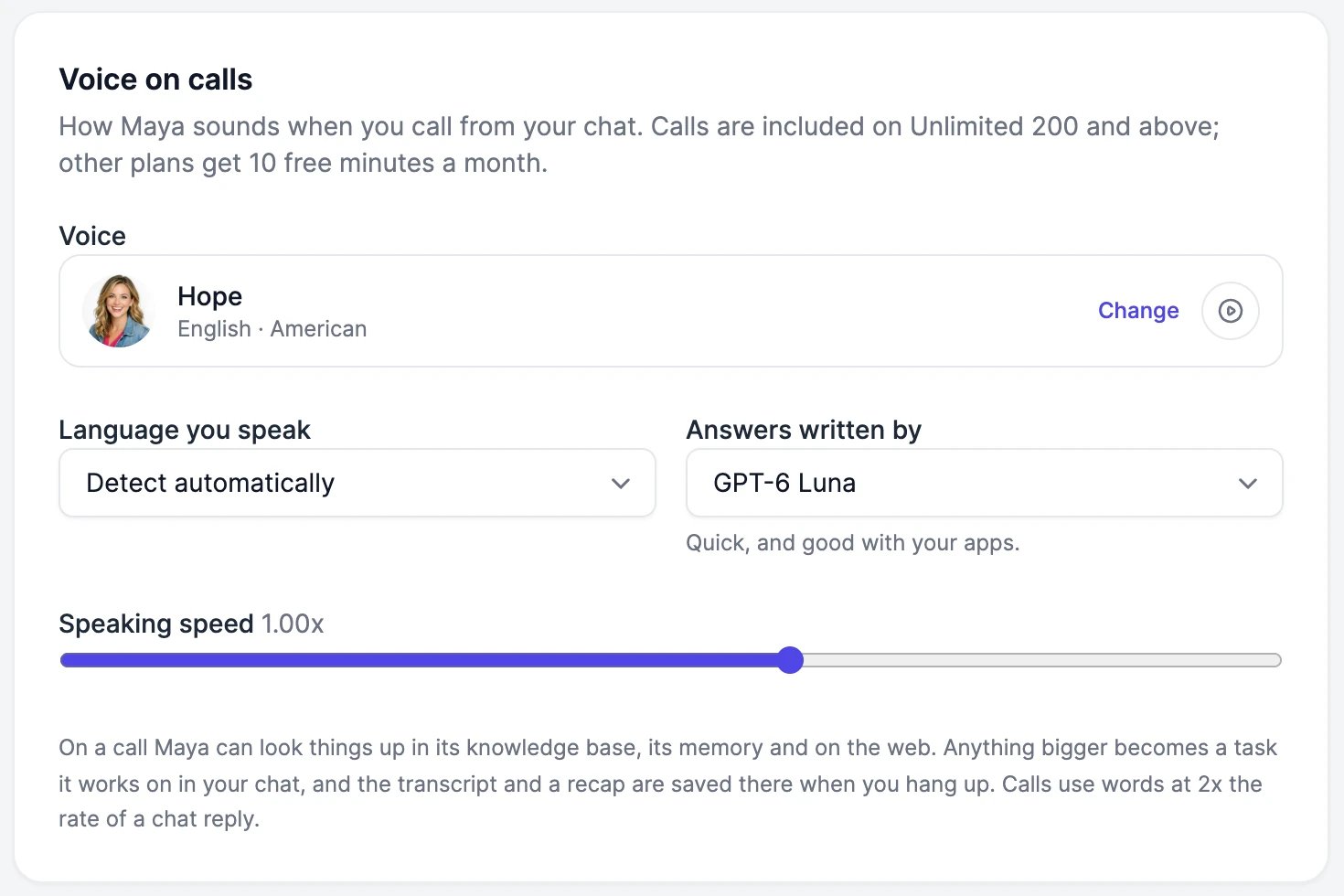
What calls cost
Listening, the voice, and the call itself are included. Tasks a call starts are billed like any chat message. Free call minutes for AI Employees are separate from the ones for testing agents’ voice calls.
You can be on one call at a time.
The employee can't hear me
The employee can't hear me
Check that your browser can use the microphone (the icon in the address bar) and that you’re not muted on the call screen. If it still doesn’t hear you, pick your language under Language you speak.
It says I've used this month's free minutes
It says I've used this month's free minutes
On plans below Unlimited 200, calls are limited to 10 minutes every 30 days. Wait until older calls fall out of the 30 days, or upgrade on the pricing page.
Can I call an employee in a group chat?
Can I call an employee in a group chat?
No. Calls are one to one, from the employee’s direct message.
Work with an employee
Where calls, transcripts, and tasks show up.
Voices
Clone a voice for your employee.