
Choose a package
Click Images > Headshots in the top menu, then Get Your Headshots Now.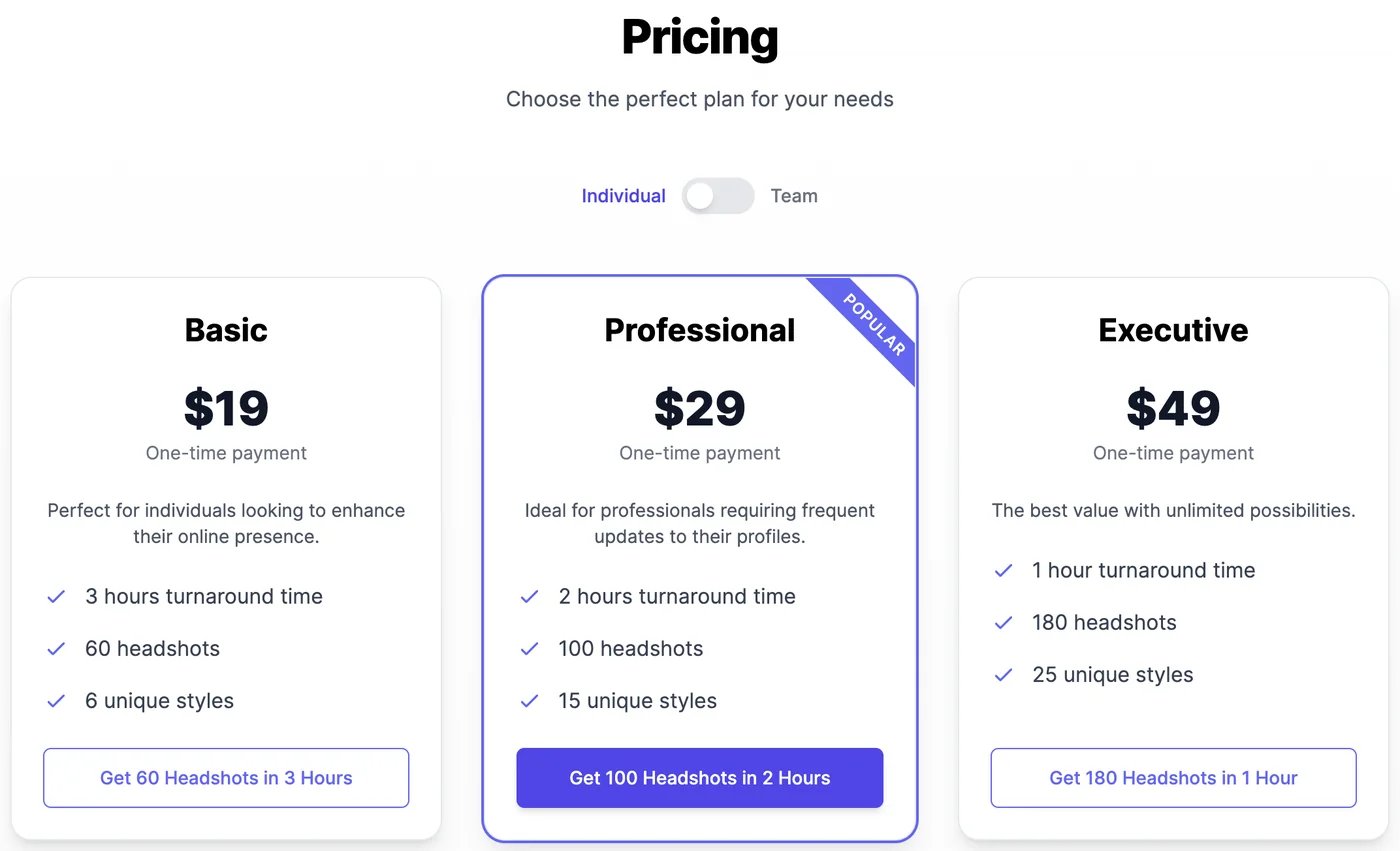
Each purchase also adds 25 image & video credits to your account, for editing and upscaling your favourites.
To order for several people, switch to Team. See Team headshots.
Order your headshots
1
Pay
Click the package’s button and pay at checkout. After paying, you come back to upload your photos.
2
Upload 3 to 8 photos
Use recent photos of yourself alone, PNG or JPEG, at least 500 × 500 pixels, from different angles. Before you continue, a checklist asks you to confirm the photos meet the requirements:
- no sunglasses, and only you in the photo,
- not too close or too far from the camera,
- looking at the camera, with a natural expression,
- sharp, not blurry.
3
Add your details
Enter your Name, Age Range, Eye Color, and Gender, and any Additional Features, such as glasses, a hijab, a turban, piercings, or your hair length. These help the headshots look like you.
4
Wait for your headshots
Your order shows Generating headshots on the Headshots page. It usually takes up to 2 hours; we email you when they’re ready.
Download and use your headshots
Open Headshots and click View Results on the order.- Download All Photos downloads them all in a ZIP file.
- On each photo: Edit image, Download image, Upscale image, and Generate Talking Video.
- Run the model in Image Generator opens AI Images with you as the model, to create more photos of you from a prompt.
Team headshots
Order headshots for your whole team, with consistent styles, and pay once.1
Choose the team size
Switch pricing to Team and set Team Size, from 3 to 50 people. Each person costs $29, with a discount of 10% from 10 people, 20% from 20, and 30% from 30. The team size can’t change after checkout.
2
Pay
Click Get Headshots for Your Team. After paying, click Manage Team.
3
Invite your team
On Headshots Team, click Invite a member and send the invitation by email or link. When someone joins, their order is ready for them to upload photos, and their status changes to Model Created once they have.
What it costs
Headshots are a one-time payment in US dollars, charged at checkout. They don’t use your plan’s credits. Editing, upscaling, and talking videos made from your headshots use image & video credits as usual.AI Photo Studio
Create any photo of yourself from a prompt.
Talking videos
Make a headshot speak.