
Manage skills
Click Skills in the Marky sidebar.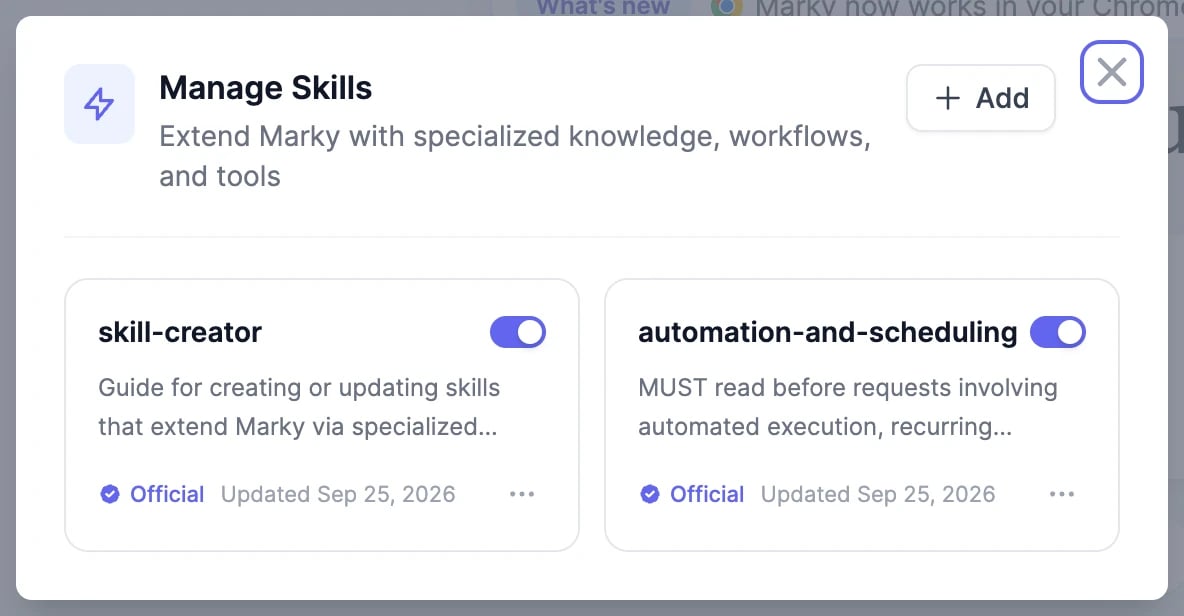
- The switch on each card turns a skill on or off. Marky only uses skills that are on.
- Official skills come from us. Custom skills are yours.
- The ⋯ menu has Try it, Preview, Download, and Delete.
Add a skill
Click Add and choose how: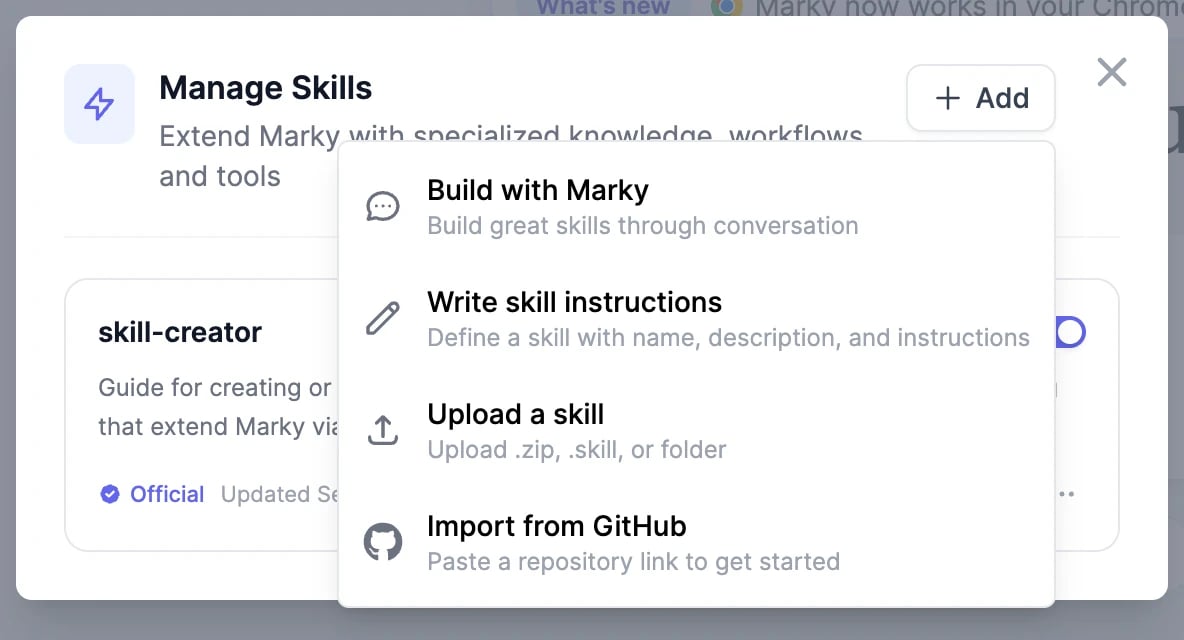
Skills use the same format as Claude’s Agent Skills, so skills you’ve written for Claude work in Marky too.
Use a skill
- Let Marky decide: ask as usual. If your request matches an active skill’s description, Marky uses it.
- Pick it yourself: click + > Skills and choose one, or type
/followed by the skill’s name in your message, such as/weekly-newsletter.
Write a good skill
- Description: say exactly when the skill applies: “Use when the user asks for the weekly customer newsletter.” Marky decides from this line alone.
- Instructions: write the steps the way you’d brief a new colleague: the sources to use, the structure of the result, the tone, what to avoid, and how to check the work.
- Files: add templates, examples of good results, or reference documents to the skill’s folder, and mention them in the instructions.
Prompts and brand voice
Save prompts you reuse, and set the tone for Marky’s writing.
Scheduled tasks
Run a skill on a schedule.