
Which apps employees can use
The same apps as Marky’s connectors: Gmail, Google Calendar, Google Drive, Outlook mail and calendar, OneDrive, OneNote, Notion, GitHub, Canva, and more than 30 others such as Stripe, PostHog, Supabase, Airtable, Linear, and Zapier. You can also add your own MCP server or API.Give an employee an app
1
Find the app
Under Available, find the app’s card.
2
Connect it
If you already connected the app for Marky or another employee, click Use, followed by the account, to give this employee the same account. Otherwise click Connect and sign in to the app. You come back to the same page, and the app is turned on for the employee.
3
Check the account
The card moves to Connected for and shows the account. For Gmail, pick which mailbox this employee uses, or click Connect another account to add one. Each employee can use a different Gmail account, for example your support address for your support rep and your own address for your assistant. Marky uses the Gmail account you connected first.
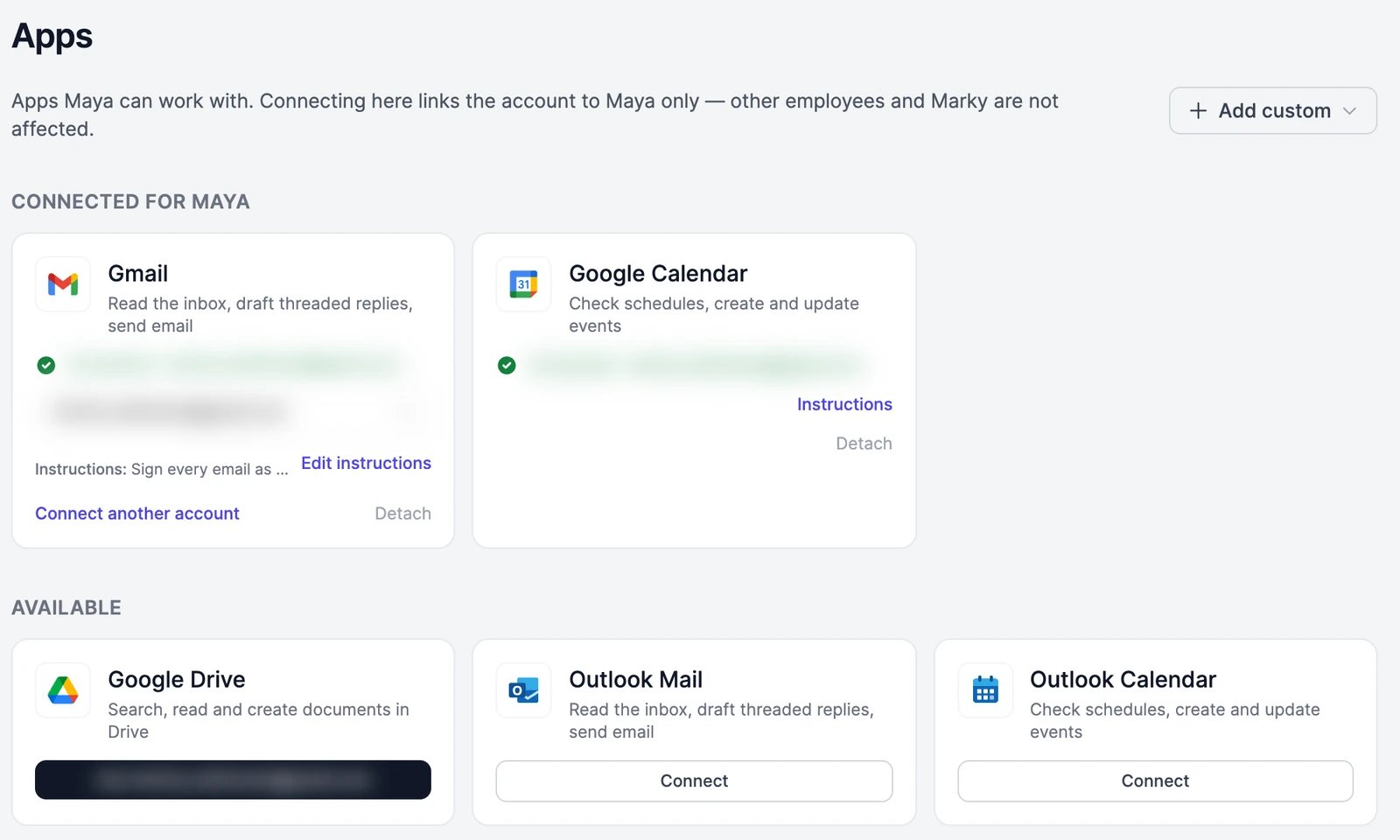
Tell the employee how to use an app
Click Instructions on a connected app’s card and write how this employee should use it, up to 500 characters. For example, for Stripe: “Reports only. Never issue refunds.” Or for Gmail: “Never email customers directly. Draft for me.” The employee reads these instructions every time it uses the app. Click Edit instructions to change them.Add your own app
Click Add custom at the top of the page:
After you save, the new app is turned on for the employee. See Connectors for how to set them up.
When an employee asks for an app
If a job needs an app the employee doesn’t have, it asks in the chat with a card:- Connect signs you in to the app, then gives it to the employee.
- Allow gives the employee an app you already connected.
- Not now lets the employee carry on without it.
Approvals still apply
Reading from an app never needs approval. Sending a message, changing your calendar, or creating and changing things in an app waits for your approval, unless you turned that off. See Approvals.Talk to employees in Slack
The Apps page also has a Slack card, where you let your team talk to the employee in your Slack workspace. See Slack.An app card says it needs reconnection
An app card says it needs reconnection
The app’s sign-in expired or was revoked. Click Reconnect on the card and sign in again. Until then, the employee can’t use the app.
Gmail, Google Calendar, or Google Drive says it's not available
Gmail, Google Calendar, or Google Drive says it's not available
Google’s data policy doesn’t allow Grok and DeepSeek models to use Gmail, Google Calendar, or Google Drive data. Pick another model in the employee’s Profile.
I turned an app off for Marky. Does my employee lose it?
I turned an app off for Marky. Does my employee lose it?
No. Turning a connector off for Marky doesn’t affect your employees. An employee loses an app when you detach it, when you disconnect that account in Marky’s Connectors, or when the connection stops working.
Approvals
What employees ask before acting in your apps.
Routines
Run an employee when an email arrives in its inbox.