
Connect Telegram
1
Create a Telegram bot
In Telegram, open a chat with @BotFather and send
/newbot. Choose a display name, such as “Example Yoga Studio”, and a username that ends in bot, such as ExampleYogaBot. BotFather replies with a token like 1234567890:AAF.... Copy it and keep it private: anyone with the token controls your bot.2
Paste the token
In Easy-Peasy.AI, open your agent, click Channels, and click Connect on Telegram. Paste the token into Bot token and click Save.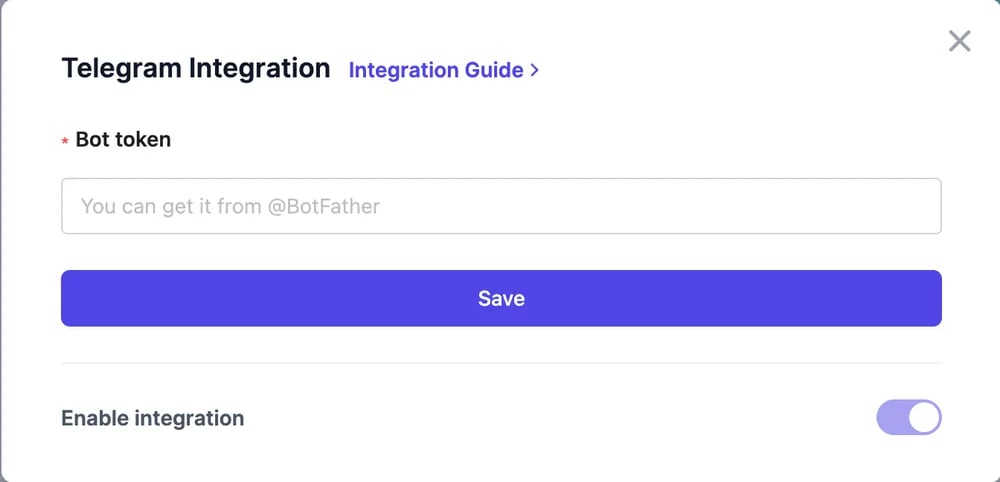
3
Say hello
In Telegram, search for your bot’s username, send
/start, and ask a question.How it works
- The bot answers in private chats. Each person’s conversation keeps its history, so follow-up questions work.
- People can send photos and screenshots when Allow image attachments is on in Appearance. Other files aren’t read.
- Your actions work on Telegram.
- Conversations appear in Conversations under Telegram.
Make your bot look right
In @BotFather,/setuserpic sets the bot’s profile photo and /setdescription sets the text people see before they tap Start. Share your bot’s link, t.me/YourBotUsername, on your website and social profiles.
Pause or change the token
To stop replies, open the Telegram card and switch off Enable integration. If your token leaks, send/revoke to @BotFather and connect the new token.
Channels
All the places your agent can answer.
Conversations
Read your Telegram chats.